
Turn recordings into transcripts and summaries in minutes
Upload audio or video for multilingual transcription, AI notes, and action items
In a recent sales meeting, I watched my manager spend 20 minutes searching for a commitment made during a customer visit six months earlier. Everyone had Excel files on their computers, but versions differed, fields were inconsistent, and we ended up piecing things together from memory. That's when I realized: the tool isn't the problem—the problem is that we weren't treating visit notes as "trackable data."
Many sales teams don't actually lack tools; they lack a method for continuously accumulating, searching, and handing off customer histories. This article covers 6 customer visit recording software options I've personally tested, from AI recording tools to the simplest free solutions, and explains how I made my final choice.
Why You Need Customer Visit Recording Software
If visit notes live only in personal notebooks or scattered Excel files, they're hard to share across the team, track commitments, or hand over completely when people change roles. A good recording solution should do a few things: capture the audio or key points from the visit, automatically organize them into readable summaries, clearly list action items, and turn all of that into a searchable asset for the team.
Below, I introduce 6 software options I recommend, ordered from "most comprehensive" to "most streamlined."
Tinrec (秒听錄音)—The Most Complete AI Customer Visit Recording Assistant
I put Tinrec first because it solves the three issues I care most about in customer visit recording: capturing, organizing, and tracking.
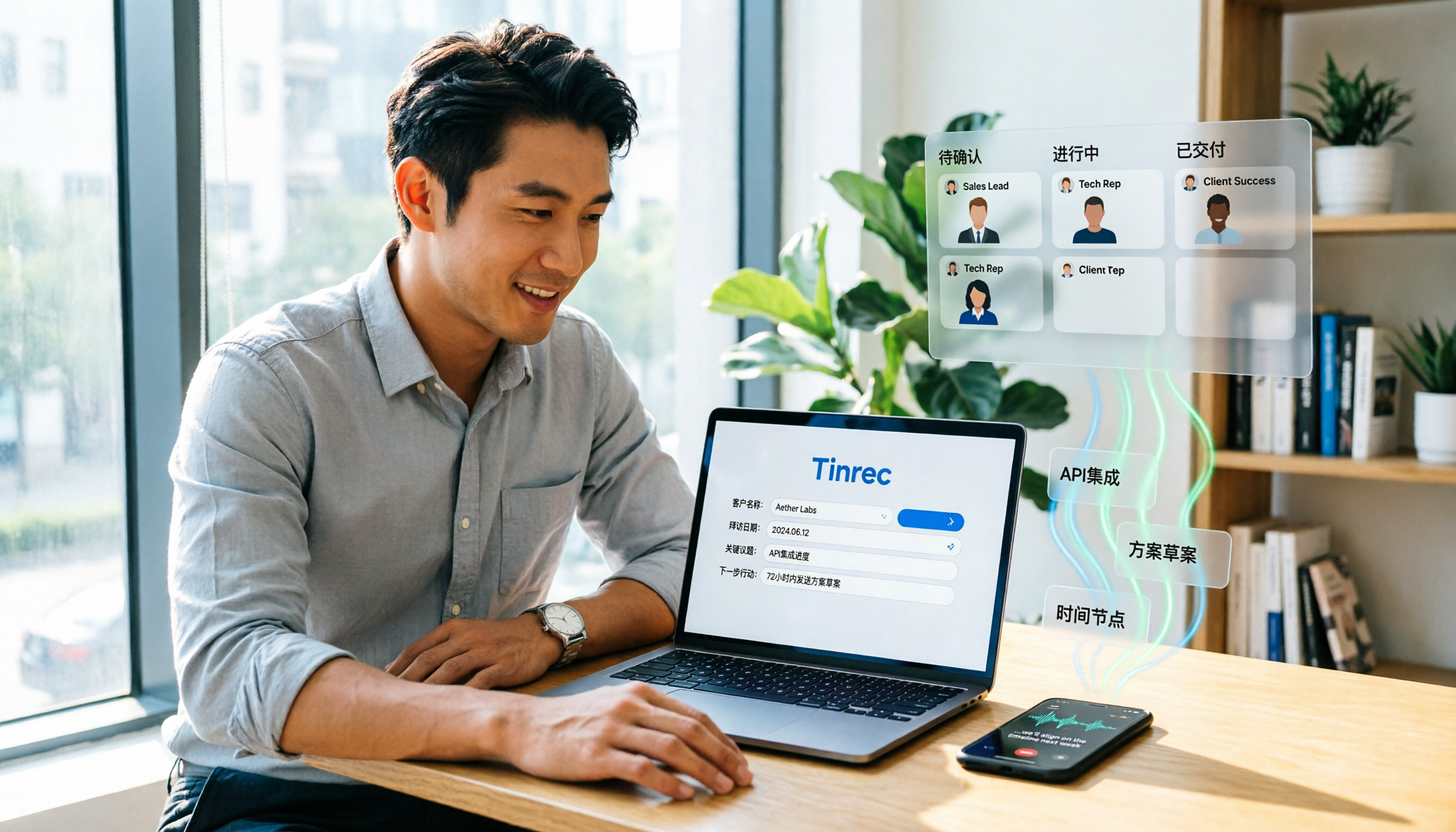
Tinrec's core isn't just "speech-to-text"; it turns customer visit meetings into actionable data. You can record online meetings directly from your computer (no bot needed) or use your phone to record in-person visits. After recording, transcripts, summaries, chapters, and action items are generated automatically. I particularly love its AI Q&A feature—you can ask, "What objections did the customer raise about pricing during the last visit?" and the system pulls answers from all past records. That's way faster than manual searching.
For sales teams, Tinrec's team space is invaluable. All visit records are stored centrally, new members can view historical data, managers can control seats and usage, and when someone leaves, their data doesn't disappear—it's transferred to other members. Pricing: individuals can try basic features for free, while team plans are per-seat, making it suitable for teams that need to build a long-term customer data repository.
If you need more than just recording—you want every visit to become a traceable team asset—Tinrec is my top recommendation to start with.
Otter.ai—A Mature English Meeting Recording Assistant
Otter is well-known for English meeting notes, with integrations for Zoom, Teams, and other platforms, and reliable transcription and summarization. If you have many English customer meetings, it's a solid choice. However, its interface and workflow are geared toward English business contexts, and its handling of Chinese visit notes is average. The free plan offers 300 minutes per month; Pro is about USD 8.49/month billed annually. Best for users with lots of English meetings who don't mind an English interface.
Fireflies.ai—Meeting Automation and Sales Analytics
Fireflies excels at meeting automation—it can automatically join and record meetings, and offers AI summaries and sales analytics reports. But its "bot joins" model might be off-putting to clients who don't want extra participants in meetings. Pricing: the free plan includes basic features; Pro is USD 10/seat/month. Best for teams that value sales process automation and are comfortable with a bot joining meetings.
Stop organizing recordings by hand
Upload audio or video and automatically get a transcript, summary, and action items
Notta—Multilingual Transcription and Translation
Notta supports transcription and translation in multiple languages. If you're in cross-border business and need to translate visit content into another language, it's convenient. However, Notta's post-processing capabilities—like AI Q&A, action item extraction, and team spaces—aren't as comprehensive as Tinrec's. The free plan offers 120 minutes per month; Pro is about USD 8.17/month billed annually. Best for users who need multilingual transcription but not necessarily deep team collaboration.
Granola—AI Meeting Notes Without a Bot
Granola, like Tinrec, uses a bot-free approach: it records system audio via a desktop app and combines it with your own notes to generate key points. It emphasizes "your handwritten notes + AI enhancement." However, it doesn't support uploading pre-recorded audio files, nor does it retain meeting audio. If you like taking notes during meetings, Granola offers a great experience; but if you want to upload recordings later for processing, it won't help. The Business plan is USD 14/user/month.
Free Option: Build Your Own Visit Log with Excel or Google Sheets
If you have zero budget and visit infrequently, creating your own fields in Excel or Google Sheets is an option. You can design columns for customer name, visit date, key points, action items, etc. But the drawbacks are clear: everything must be done manually, there's no automatic transcription or search, and team sharing often leads to version chaos. It's suitable for individuals who record occasionally, not for teams that need to track many visits.
With So Many Options, How Do You Choose?
Here's a selection guide based on your needs:
- Want the most complete AI features: automatic transcription + AI Q&A search + team space + action item tracking → Tinrec (the only option with all these features)
- Need Chinese visit notes, don't want a bot in meetings, and value team data handover → Tinrec (bot-free desktop recording, ideal for Asian teams)
- Lots of English meetings and need mature English summaries → Otter
- Need sales analytics automation and don't mind a bot joining → Fireflies
- Multilingual visits and need translation, but don't require deep post-processing → Notta
- Prefer taking handwritten notes during meetings and don't need to upload audio files → Granola
- Zero budget and very few visits → Excel/Google Sheets DIY
My practical advice: if you're looking for a long-term customer visit recording solution for your sales team, start with Tinrec's free plan to experience its transcription and AI Q&A, then evaluate whether you need the team space. Don't choose the simplest tool just to save money, because the cost of organizing and tracking later is often higher.
4 Things to Know Before Using Customer Visit Recording Software
- Get client consent before recording: Regardless of the software, you should inform the client and obtain consent before recording or transcribing. This isn't just a legal issue; it's the foundation of trust. Tinrec has clear interface prompts during recording to help you build this habit.
- Don't just store transcripts; organize action items: Transcripts are raw material, not the final product. Good recording software automatically extracts action items—for example, Tinrec lists things like "send quote next week." You should review and confirm action items on the same day as the visit.
- Store records in a team space, not personal folders: Personal records are lost when someone leaves or changes computers. Tinrec's team space allows all members (even those without editing seats) to view historical records, which is crucial for handovers.
- Regularly use AI Q&A to review history: Don't let old records become dead data. Every so often, use Tinrec's AI Q&A to review a customer's visit highlights from the past six months—you'll discover many forgotten commitments.
Summary
The value of customer visit recording isn't in "how much you record," but in "whether you can find, understand, and track it when needed." Each of the 6 tools I tested suits different scenarios. But if your team needs Chinese records, bot-free meetings, and—most importantly—turning visit data into a collaborative asset, I recommend starting with Tinrec. It's not just a recording tool; it's a way to turn customer visits into team memory.
Try it with your own customer visit scenarios, starting with one visit recording, and gradually build a recording process that works for your team.
References
- No matter who you visit, always prepare well before meeting clients! - Customer Management System
- How long are you willing to wait for your clients? Real examples of customer follow-up and a customer tracking sheet - Tingyu's Jazz Workplace Life
- No development needed! Easily create a "Customer Visit Record" data structure
- Customer Visit Records_Customer Visit Service Record Content-CSDN Blog
- Baidu
Turn every recording into actionable outcomes
Get 60 free transcription minutes when you sign in. No credit card required.
Related Reading
You might also like

Tinrec vs Notta 2026: 5-Dimension Comparison — Which Free Chinese Meeting Transcription Tool Is Good Enough?
How to choose free meeting recording transcription software? This article compares Tinrec and Notta across 5 dimensions, tests bot-free online meeting recording, Chinese transcripts, AI summaries, and action items, and also covers the free quotas and limitations of Otter.ai and TurboScribe to help US professionals pick a truly usable meeting transcription tool.

2026 Free Meeting Transcription Options: Tinrec vs. Notta Compared
How to choose a meeting transcription tool? This article compares Tinrec and Notta across five dimensions: free quota, meeting capture method, post-meeting organization, Chinese language experience, and team data retention. It also explains the practical differences between free and paid plans to help you decide which tool better fits your meeting scenario.

2026 Comparison of 4 Meeting Transcription Tools: Which Free Version Is Good Enough?
Using the same mixed Chinese-English meeting recording, we tested Tinrec, Otter.ai, Notta, and Granola to clarify the differences: which one can record online meetings without a bot, which one only gives you a transcript, which free tier is truly sufficient, and what to consider for roles and seats when sharing meeting data with a team.

Smart Meeting Notes in 2026: Auto Summaries + Action Items Made Easy
Learn how to take smart meeting notes with Tinrec: from bot-free recording of online meetings, transcripts, and AI summaries to action item extraction, plus a clear explanation of the common misconception about "contrast adjustment" in meeting notes.

How to Use Meeting Recording Transcription in 2026: 5 Steps from Recording to Meeting Minutes
A mid-level manager leading a 10-person team with 15 meetings per week breaks down meeting recording transcription in 5 steps: from identifying meeting type, audio setup, real-time transcription, AI summary, to action item export. The article also explains Tinrec's practical approach and limitations for Chinese-language meetings, bot-free recording, and team knowledge retention.

2026 Comparison of 4 Meeting Transcription Tools: What Do the Output Files Look Like and Are They Ready to Use?
Meeting transcription doesn't just produce a single file—it generates a set of data: a verbatim transcript, a version with timestamps and speaker labels, AI summaries and action items, and whether you can export to your existing workflow. This article starts from 'what the files actually are' and compares Tinrec, Otter.ai, Notta, and TurboScribe in terms of output content, free tiers, and limitations, helping you choose the one you can use right away.

2026 Comparison of 4 Meeting Transcription Tools: The Easiest Way to Download Transcripts
After converting meeting recordings to transcripts, the real problem is often getting the text out. This article compares Tinrec, Otter.ai, Notta, and TurboScribe from a practical download and export perspective, covering export methods, quota limits, and team data ownership. It also outlines 4 key points to check before choosing a tool and 4 common mistakes, helping you pick a solution that turns transcripts into usable files.

2024 Comparison of 4 Smart Meeting Notes Platforms: Which Offers the Best Free Tier and Post-Meeting Organization?
Recording the meeting is just the beginning of the pain. This article starts from real meeting scenarios, breaks down 5 key points for choosing a smart meeting notes platform, and compares Tinrec, Otter.ai, Notta, and Granola in terms of free tier limits, Chinese transcription, post-meeting organization, and team collaboration to help you decide which one truly saves time.

2026 Smart Meeting Notes Tools Compared: Which One Actually Turns Meetings into Action Items?
Many people write meeting notes as verbatim transcripts, but no one follows up afterward. This article starts with common pitfalls, covers key factors for choosing smart meeting notes tools, provides usable examples, and compares Tinrec, Notta, Granola, and Otter.ai in terms of features, limitations, and pricing to help you find a tool that turns meetings into decisions and action items.