
AI Q&A Assistant
Smart dialogue based on audio content. Quickly search and answer questions, easily grasp key points from recordings.
Get StartedCore Features
Powerful AI Q&A assistant features
Smart Q&A Across All Recordings
Not just a single recording, AI can search across all your audio files simultaneously. Ask one question and get answers from all relevant recordings. Cross-recording queries are more efficient. Whether meetings, lectures, or interviews, all content can be understood and answered by AI.
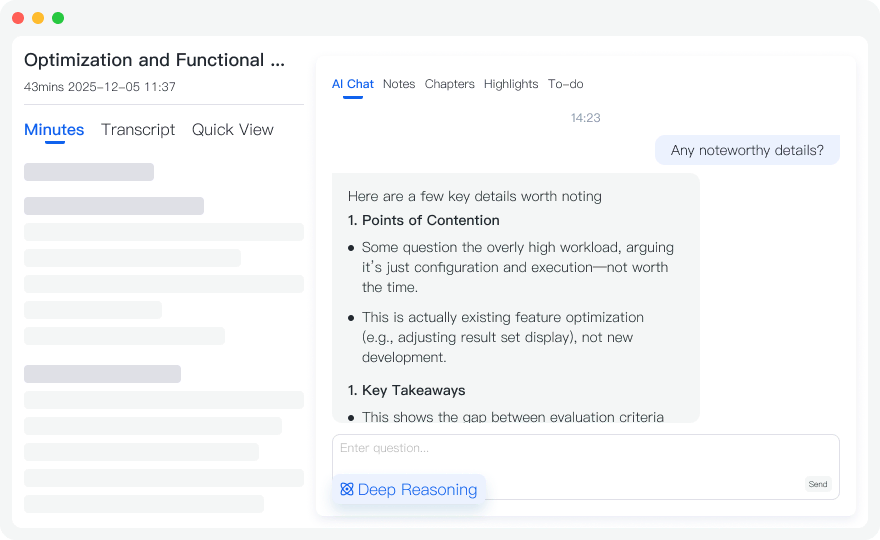
Core Extraction & Summarization
Automatically extract core insights, key decisions, and important information from recordings. Ask "What are the key points of this meeting?" and AI will organize complete meeting summaries, action items, and to-do lists. No more manual organization, save tons of time.
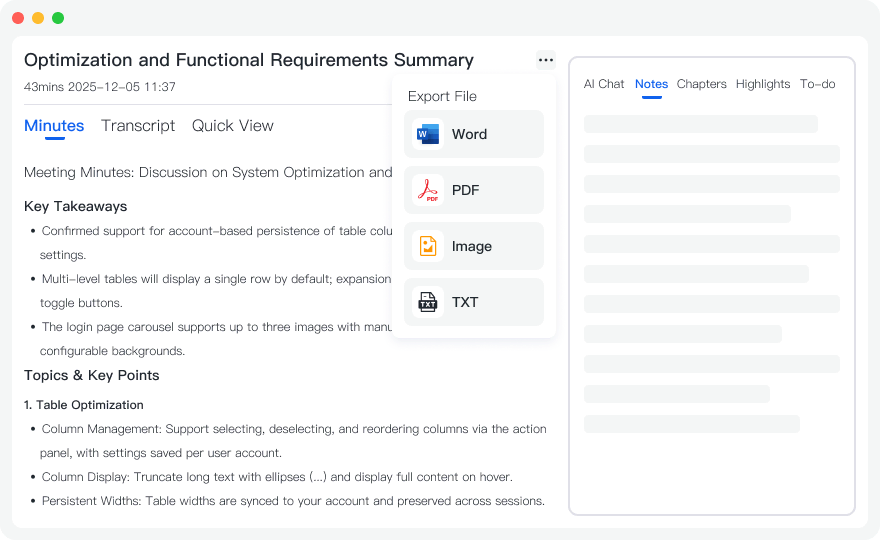
Smart Document Generation
Based on recording content, AI can help you generate documents in various formats. Need meeting minutes? Generate Word documents. Need a presentation? Generate PPT outlines directly. Need a report? Generate PDF format. Tell AI your needs in one sentence, documents are automatically generated, work efficiency doubles.
Use Cases
AI Q&A use cases
PPT Presentation Outline Generation
Recording content too long, not sure how to make a presentation? Just ask AI "Help me generate a PPT outline for this recording" and AI will automatically extract key points and organize them into a clear presentation structure. Includes titles, points, data, and conclusions, ready to use for creating presentations.
- ✓Auto-extract key points
- ✓Structured organization
- ✓Quick outline generation
Cross-Recording Smart Query
Can't remember which meeting mentioned a certain decision? Ask AI "What was the decision about budget adjustment last month?" and AI will automatically find the answer from all relevant recordings. No need to search through files one by one. Cross-recording queries make information retrieval more efficient.
- ✓Cross-file search
- ✓Smart correlation
- ✓Quick location
Auto-organize Study Notes
Lecture recording too long, not sure what the key points are when reviewing? Ask AI "What are the core knowledge points of this class?" and AI will help you organize complete study notes, including key points, difficult points, and exam points. You can also generate PDF note documents for easy printing and sharing.
- ✓Knowledge point extraction
- ✓Auto-organize notes
- ✓Multiple format export
How to Use
Three simple steps to start using AI Q&A
Complete Recording Transcription
First, complete recording transcription to ensure audio content is converted to text. You can use real-time recording or upload audio files.
Enter AI Q&A
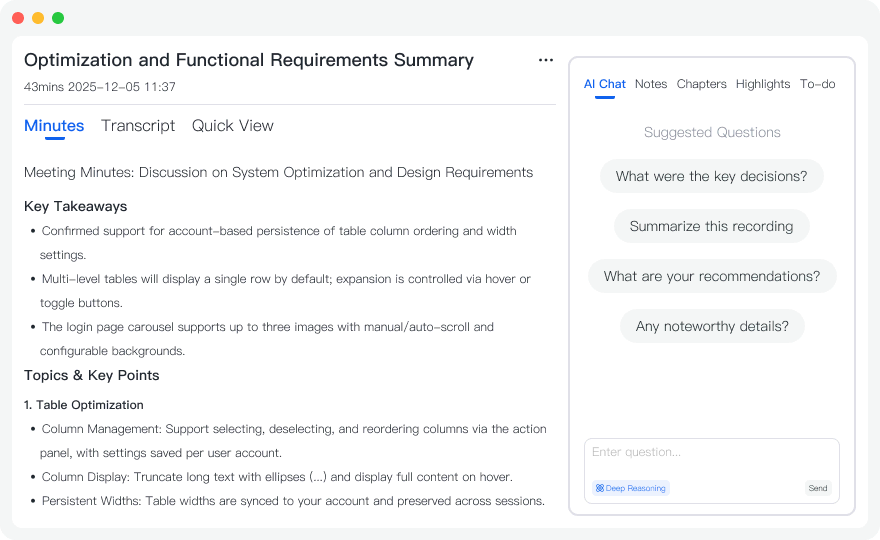
In the recording detail page, click the "AI Q&A" tab to enter the Q&A interface. You can input questions and AI will answer based on the recording content.
Ask Questions and Get Answers
Input your questions and AI will quickly search recording content and provide answers. The more specific your question, the more accurate the answer. You can also use "Deep Thinking" mode for deeper analysis.
Frequently Asked Questions
How accurate is AI Q&A?
AI Q&A uses advanced natural language processing technology to accurately understand questions and extract relevant information from recording content. Accuracy may be affected by question specificity, recording quality, etc. We recommend asking specific, clear questions for best results.
What types of questions can I ask?
You can ask about any information in the recording content, including: meeting decisions, discussion points, action items, time information, person information, etc. The more specific your question, the more accurate the answer. For example: "What action items were mentioned in the meeting?" "Who is responsible for this task?" etc.
What is Deep Thinking Mode?
Deep Thinking Mode is an advanced AI Q&A feature. AI performs deeper analysis and thinking to provide more detailed and accurate answers. Use this mode when you need answers to complex questions or in-depth analysis. The more specific your question, the better Deep Thinking Mode works.
Start Using AI Q&A Now
Register now to get 60 minutes of free transcription credit. Experience the power of AI Q&A.
Get Started