
Team knowledge assets
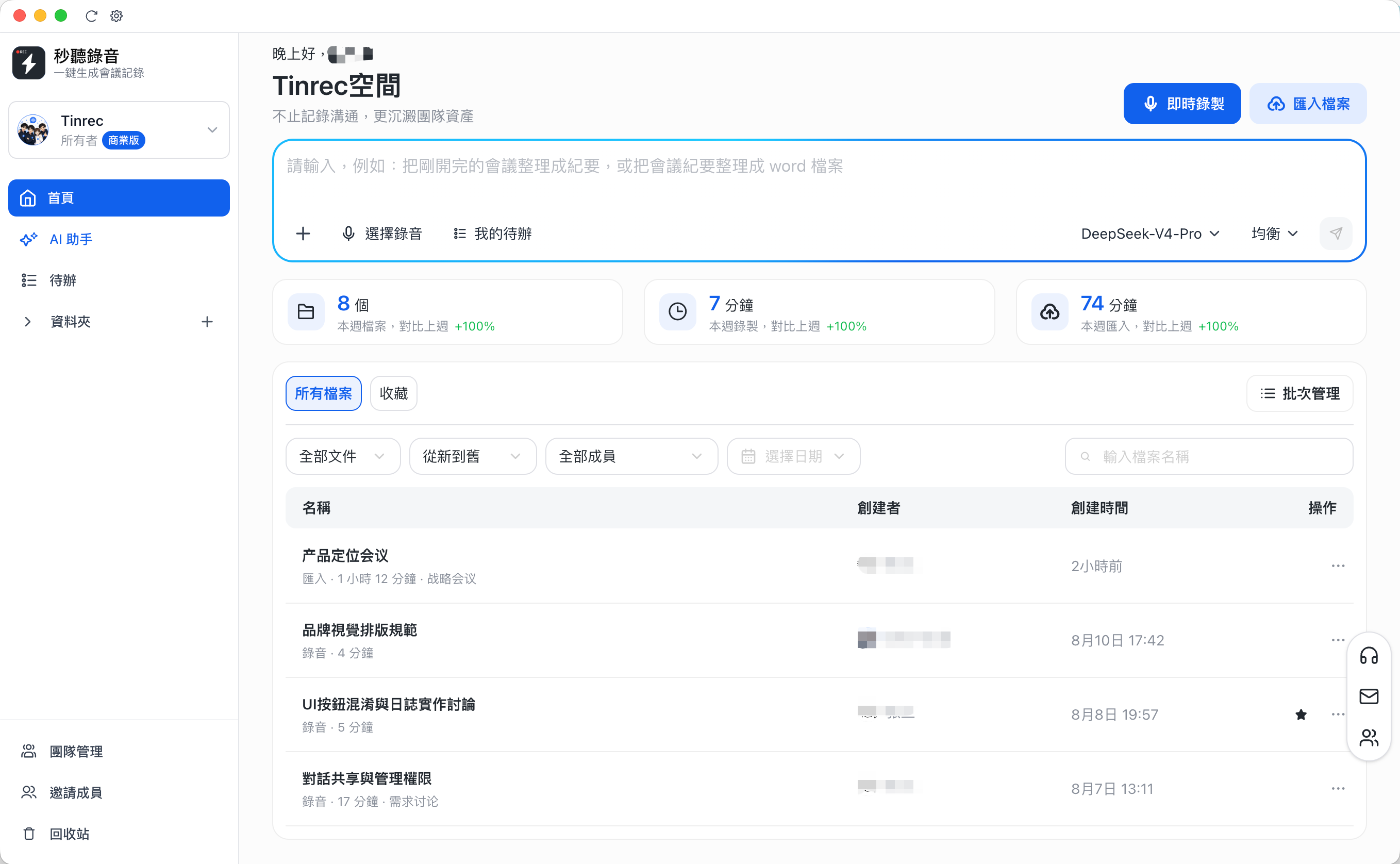
Recordings, imports, transcripts, and meeting notes are centralized in one team space with filters by member, date, and content type.
Turn every meeting into searchable, collaborative, trackable team knowledge. From live recording and AI transcripts to task follow-up and seat management, Tinrec helps conversations move the work forward.
One workspace
Meeting recordings, imported files, transcripts, summaries, and tasks all stay in the team workspace. New members can catch up quickly by following the context of past discussions.
Recordings, imports, transcripts, and meeting notes are centralized in one team space with filters by member, date, and content type.
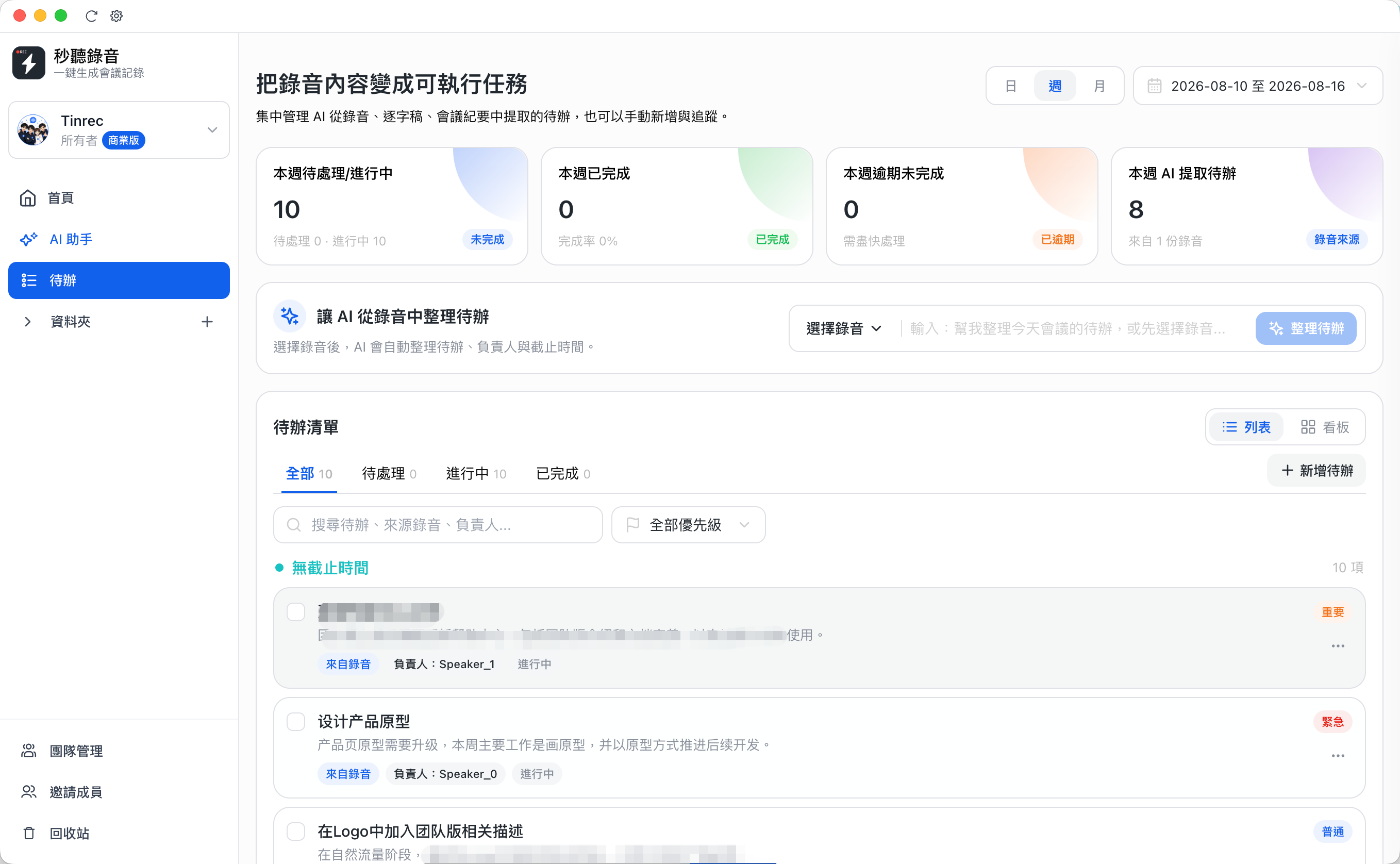
AI organizes tasks, owners, priorities, and progress from recordings and meeting notes so decisions naturally become follow-up work.
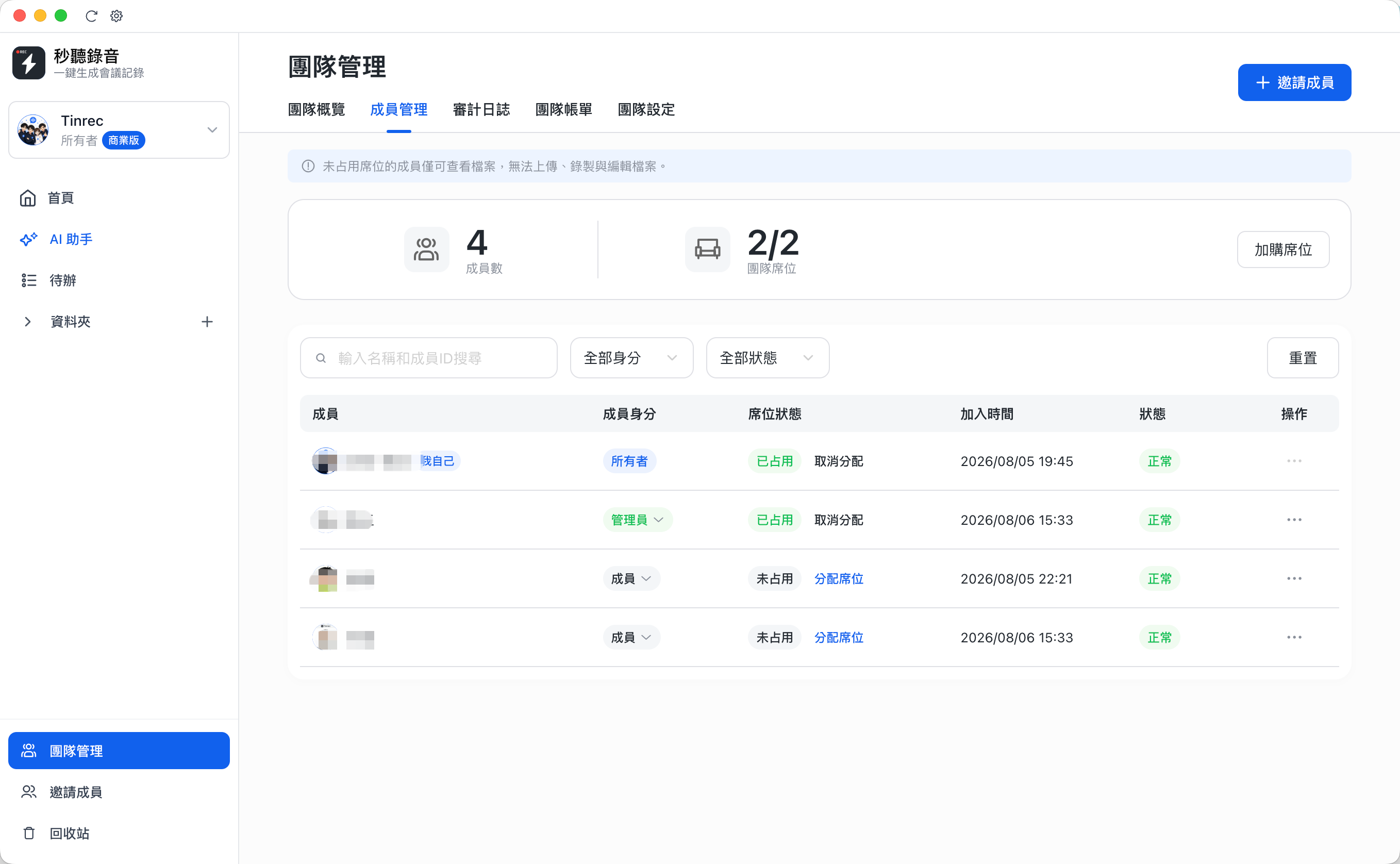
Assign seats as your team grows. Members without seats can view files, while admins control recording, upload, and editing access.
Team management, member status, audit logs, and trash help track key actions and keep data responsibility inside the organization.
Overview
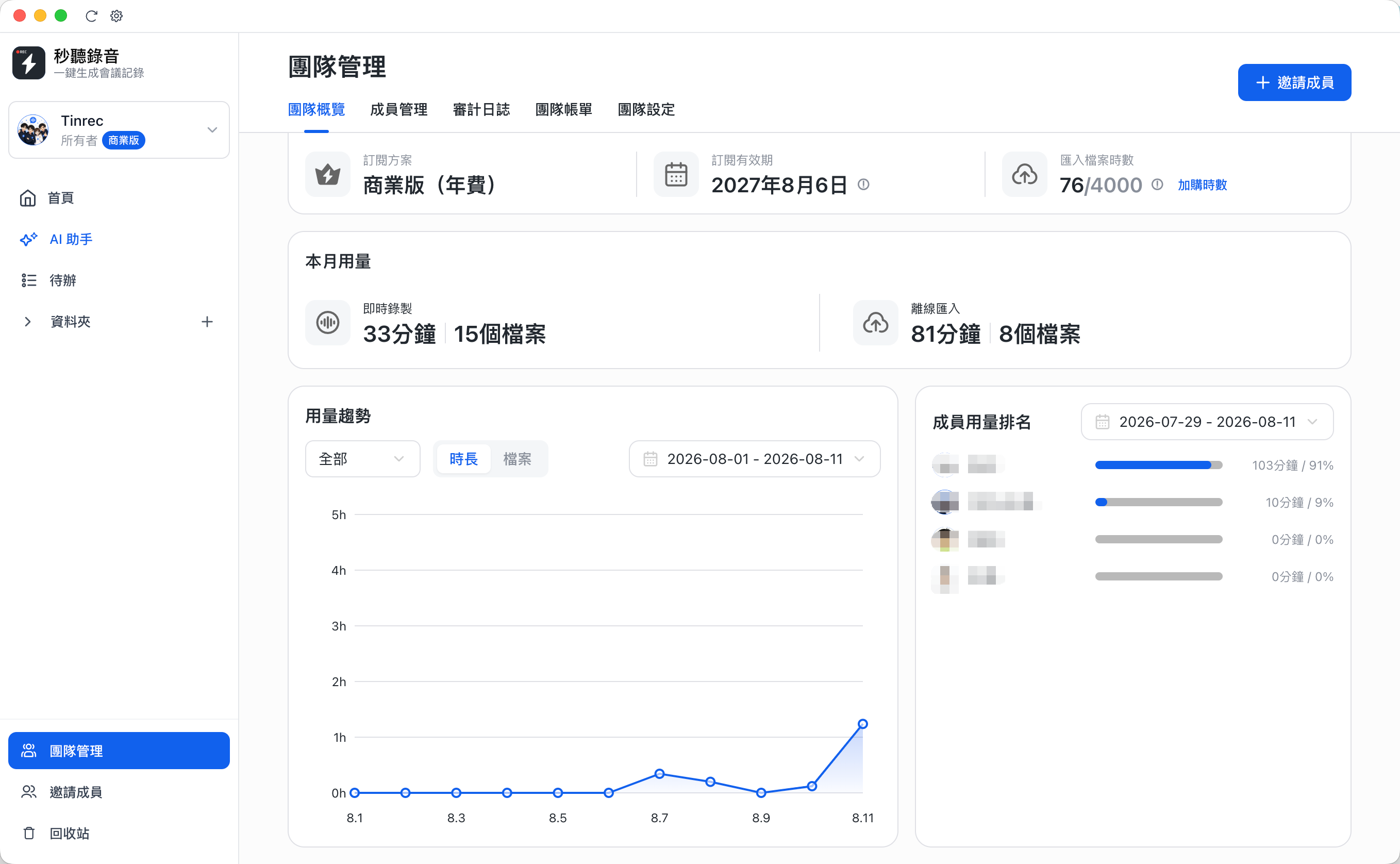
The team overview brings subscription status, validity, import hours, monthly usage, and member rankings together so admins can understand usage and add seats or quota in time.
Workflow
Tinrec helps teams extract tasks from recordings, transcripts, and meeting notes. Owners, due dates, priorities, and statuses stay organized, so follow-up work does not get buried in chat.
Administration
After inviting members, owners and admins can assign seats, update roles, disable accounts, and review important team actions in audit logs.
Use cases
Tinrec for Teams is built for frequent meetings, cross-functional collaboration, and teams that need to organize large volumes of voice content.
Pricing
Subscribe by seat with monthly or annual billing. Start by creating a team workspace, then purchase or add seats from team management as needed.
This is the monthly equivalent of annual billing. The final amount is based on the product price shown in the purchase modal.
Starting with your next meeting, keep recordings, transcripts, summaries, and tasks in one shared team workspace.