
Turn recordings into transcripts and summaries in minutes
Upload audio or video for multilingual transcription, AI notes, and action items
For podcast creators or knowledge workers who learn through audio, the most painful thing is either "forgetting after listening" or "spending three times the time re-listening to write an article." Although there are many speech-to-text tools on the market, their performance varies greatly in terms of Traditional Chinese recognition accuracy, multilingual handling (e.g., Chinese-English mixed), and the ability to directly paste a link for conversion.
This article reviews the popular tools on the market in 2026, focusing on Chinese semantic understanding, link parsing convenience, and AI summary capabilities. If you just need simple verbatim transcripts, there are many basic tools available; but if you value "extracting insights from audio" or "quickly turning episodes into social media posts," it's recommended to prioritize tools with AI Chain-of-Thought (CoT) analysis capabilities.
2026 Selected Podcast to Text Tools Comparison Table
When choosing a tool, you shouldn't just look at "how accurate the transcription is," but also "how fast the organization is." Below is a comparison from five key dimensions:
| Dimension | Basic Dictation Tools | Tinrec (Instant Voice Recorder) | Traditional Transcription Software | Built-in Online Meeting Tools | Phone Memos |
|---|---|---|---|---|---|
| Traditional Chinese Recognition | Average | Excellent (Supports multilingual/dialects) | Excellent | Average | Average |
| Podcast/Video Link Parsing | Rare (requires file download) | Supported (YouTube/URL) | Rare | Not supported | Not supported |
| AI Summary & Action Items | None | Auto-generated (Summary/To-do) | Some require paid plugins | Basic summary | None |
| AI Chat Query | None (only keyword search) | Supported (content-based Q&A) | None | Rare | None |
| Export Flexibility | Text only | Word/PDF/Markdown | Multiple formats | Limited | Text only |
| Use Cases | Short recordings | Long content organization/creation/learning | Professional transcription freelancing | Internal company meetings | Personal quick notes |
Why Podcast-to-Text Is More Than Just "Dictation"?
The traditional "dictation" approach is to reproduce sound 1:1 into text, but for a 60-minute podcast, generating a 10,000-word verbatim transcript becomes an information overload. Modern tool selection should focus on solving the following pain points:
- Low information density: In a one-hour conversation, core points may only be 15 minutes. Tools need to automatically filter out filler and extract key points.
- Difficult retrieval: Want to find "that part where the guest talked about AI"? Traditional tools only allow Ctrl+F keyword search; new-generation tools support AI semantic search, where you can directly ask: "What are the guest's views on AI?"
- Cumbersome format conversion: Podcast files are often large, making downloading and uploading time-consuming. Tools that support "direct link parsing" can save significant time.
In-Depth Analysis: How Tinrec Optimizes Long Audio Organization Workflow
Among the many tools, Tinrec (Instant Voice Recorder) adopts a different product logic. It doesn't define itself as a mere transcription tool, but as a productivity assistant for "Recording → Understanding → Action." For podcast scenarios, it has several notable differentiating features:
Stop organizing recordings by hand
Upload audio or video and automatically get a transcript, summary, and action items
1. Direct Link Parsing, Eliminating File Transfer
Many creators host content on YouTube or podcast platforms. Tinrec supports direct URL input (YouTube, podcast links). The system handles fetching and transcription in the cloud, so users don't need to download hundreds of MB of audio files and re-upload them. This is very friendly for cross-platform content organization.

2. Structured AI Notes
Tinrec doesn't just output a long string of text; it automatically generates "meeting minutes" and "action items." In the podcast context, this is equivalent to automatically generating show notes or key summaries, which creators can polish slightly and publish directly.

3. "Conversation" with the Audio
This is the biggest difference from traditional tools. Through the AI chat query feature, you can ask questions as if interviewing the guest. For example, enter: "Please list the three book recommendations mentioned by the host." The system will answer based on the recording content, greatly reducing the time spent on re-listening to confirm information.

Practical Tutorial: How to Quickly Turn a Podcast into a Blog Post
Below is a demonstration of how to use an AI-powered transcription tool (using Tinrec as an example) to organize a 1-hour episode in 10 minutes.
Step 1: Import Audio Source (Link or File)
- If you have the original file: Log in, select "Audio File to Text," and drag and drop the MP3/WAV file to upload.
- If the content is online: Select the "Podcast/Online Video to Text" feature and paste the public YouTube or podcast link. The system will automatically start parsing.
Step 2: Get Transcript and Structured Summary
After transcription is complete (usually takes 1/10 of the audio length), you'll see speaker-separated transcripts on the left side of the interface, and on the right side, AI-generated "key summaries" and "chapter sections."
- Pro tip: First read the summary on the right to check if the content structure meets expectations.

Step 3: Use AI Chat to Extract Key Quotes
Writing articles requires specific quotes. Use the "AI Chat Query" feature and enter the command:
"Please find the speaker's specific advice on 'content marketing' and preserve the original tone."
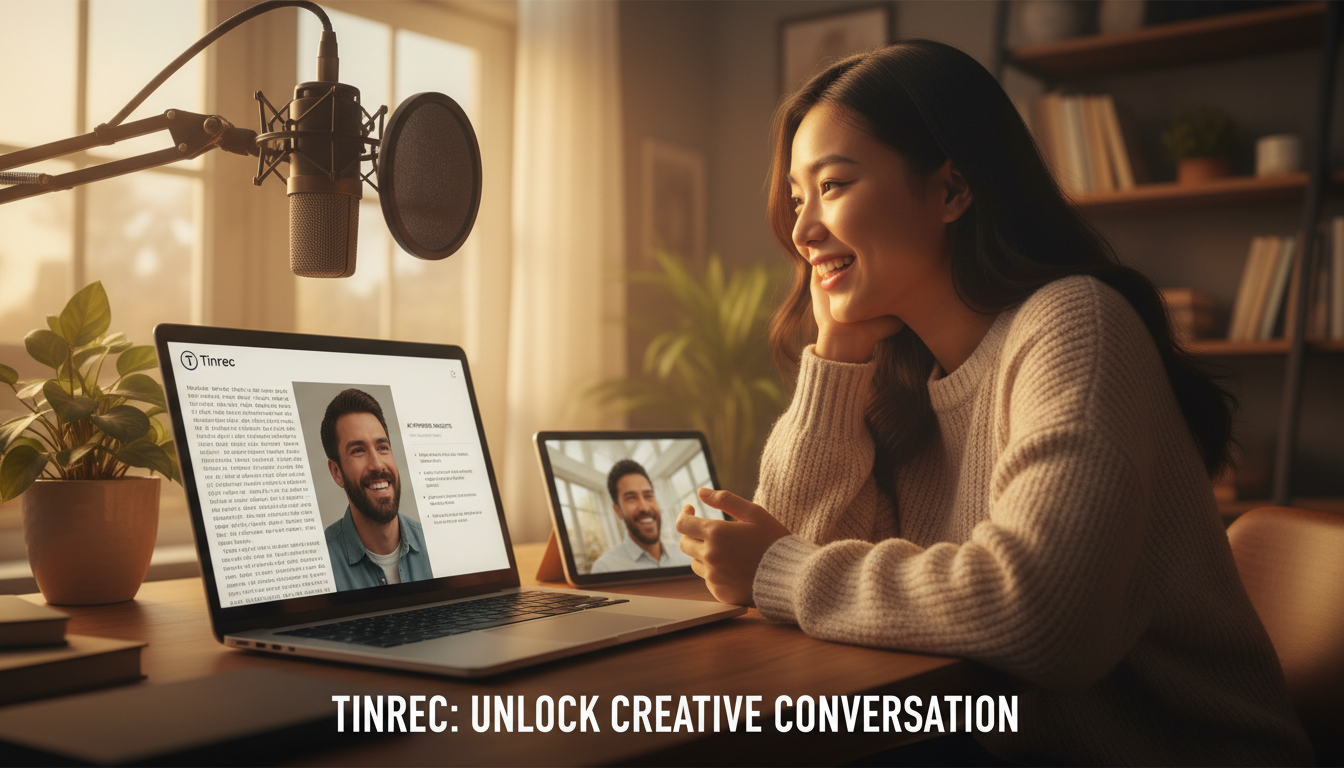
The AI will precisely extract paragraphs from the transcript, which you can directly copy into your article draft.
Step 4: Export and Publish
After confirming the content is correct, click the export button. It is recommended to choose Markdown or Word format for easy subsequent formatting. Tinrec supports preserving timestamps for easy reference when listening.
Frequently Asked Questions (FAQ)
Q1: How accurate are podcast-to-text tools at recognizing mixed Chinese-English speech?
Current AI models (like the engine used by Tinrec) handle mixed Chinese-English fairly well, usually without needing to manually switch language settings. However, if there are many proper nouns, it's advisable to choose a tool that supports subsequent editing and correction.
Q2: Can I record on my phone and directly convert to text?
Yes. Modern tools generally support cross-platform use. For example, Tinrec supports iOS, Android, and Web. You can record on your phone (e.g., interview on-site) and then see the synced files and transcription results on the web version on your computer.
Q3: Can the generated transcript distinguish who is speaking?
Most advanced tools have Speaker Diarization capabilities that automatically label Speaker A, Speaker B. Tinrec additionally allows users to manually modify speaker names, which is convenient for organizing interview transcripts.
Q4: What are the usual limitations of free versions?
Most tools adopt a "basic free + premium paid" model. Limitations are typically on "monthly transcription minutes" or "file size." For example, Tinrec's free version offers 100 minutes per month, which is sufficient for occasional users who need to transcribe one or two podcast episodes. For heavy usage, subscription costs are usually much lower than manual transcription.
Q5: Can I directly paste links from Spotify or Apple Podcasts?
Most tools have the best support for YouTube links. For pure audio platforms (Spotify/Apple), some tools may require the public RSS audio feed link, or it is recommended to download the MP3 file and upload it for the most reliable results.
Q6: Audio files are large; will uploading take long?
This depends on internet speed and the tool's compression technology. If you don't want to wait for upload, using the "online video/link parsing" feature is the best solution, as the cloud server directly fetches the content, making it the fastest.
Conclusion
In 2026, podcast-to-text tools have evolved from simple "speech recognition" to "content understanding assistants." When choosing a tool, prioritize whether it integrates with your workflow. If you need to process a lot of interviews, courses, or long-form content, AI tools like Tinrec that combine transcription, summarization, and chat query are a more efficient choice than traditional transcription software.
Turn every recording into actionable outcomes
Get 60 free transcription minutes when you sign in. No credit card required.
Related Reading
You might also like

2026 AI Meeting Assistant Comparison: 4 Tools Tested — What It Is and How to Choose
An AI meeting assistant is more than just recording and transcription. This article explains in one sentence what an AI meeting assistant is and which post-meeting pain points it solves, then compares Tinrec, Otter.ai, Granola, and Notta across four key dimensions: meeting capture method, Chinese-language experience, post-meeting output, and team data ownership. It also covers four common purchasing mistakes to help you pick the right tool.

2026 Speech-to-Text Tools Compared: Which Free Version Is Actually Good Enough?
A hands-on comparison of the latest free speech-to-text tools in 2026, focusing on four key aspects: free quota calculations, post-meeting organization capabilities, online meeting recording methods, and Chinese language performance. We compare the free plans and limitations of Tinrec, Otter.ai, Notta, and TurboScribe, and highlight four common purchasing mistakes to help you decide which free version is truly sufficient.

6 AI Meeting Assistants Tested for 2026: How to Actually Save Time After Meetings
Many people dump meeting recordings into AI and expect miracles, only to get a transcript nobody wants to read. Based on a mid-level manager's real usage across 15 meetings a week, this article compares the positioning, pricing, and ideal use cases of 6 AI meeting assistants, and explains how to use them to truly save time.

2026 AI Meeting Assistant Comparison: Tinrec vs Otter.ai — How to Use and Which Saves More Time
Starting from the workplace pain point of 'no one remembers what was assigned after the meeting,' this hands-on test compares Tinrec and Otter.ai AI meeting assistants. It breaks down five dimensions: recording methods, Chinese meeting organization, post-meeting follow-up questions, export workflows, and team knowledge retention, with practical steps and selection advice.

Best AI Meeting Assistants in 2026: 5-Step Hands-On Selection Guide
There are countless AI meeting assistants, but which one is actually useful? This guide walks you through 5 hands-on steps to filter them: how they capture meetings, post-meeting outputs, Chinese transcription performance, AI Q&A capability, and team data ownership. We also hands-on test and compare Tinrec, Otter.ai, Notta, and Granola to help you find the tool that fits your meeting habits.

4 AI Meeting Assistants Tested for 2026: Which Free Version Is Actually Enough?
The meeting ends, but the real work begins. This hands-on comparison of Tinrec, Otter.ai, Notta, and Granola looks at how meetings are captured, what happens after transcription, whether audio is retained, and how team licensing works. We break down each tool's free tier, limits, and best-fit scenarios so you can decide which one truly saves you post-meeting cleanup time.

2026 AI Meeting Assistant Comparison: Which Type Actually Saves Post-Meeting Time?
AI meeting assistants aren't just about turning speech into text. This article starts from real mid-level manager meeting scenarios, breaks down the differences between meeting bots, built-in platform transcription, and bot-free desktop recording, and uses Tinrec to demonstrate the complete workflow from transcripts and summaries to action items, AI Q&A, and team knowledge retention. It also includes 5 key buying criteria and FAQs.

2026 AI Meeting Assistant Comparison: 4 Tools Tested from Recording to Minutes—Which Saves the Most Time?
How can you use an AI meeting assistant without wasting time? Starting from real meeting scenarios, this article breaks down how AI meeting assistants capture audio, what they produce after the meeting, their Chinese-language performance, and differences in quotas. It also walks through the complete Tinrec workflow—from recording, transcription, and summary action items to AI Q&A and team sharing—while briefly reviewing when Otter.ai, Notta, and Granola are suitable.

2026 AI Meeting Assistant Free Plans Compared: 5 Options at a Glance
Which AI meeting assistant is best? Instead of comparing feature tables, first determine what level you actually need. This article uses Tinrec's five plans—Free, Weekly Pass, Pro Monthly, Pro Annual, and Team—to break down the capabilities to look for, real-world use cases, and purchasing considerations, helping you decide if the free version is enough and when to upgrade.