
Turn recordings into transcripts and summaries in minutes
Upload audio or video for multilingual transcription, AI notes, and action items
Have you ever experienced this frustrating moment: after a one-hour meeting, you spend two more hours replaying the recording, pausing, and typing, just to produce a transcript that no one will read carefully? Or during a lively discussion, no one remembers who is supposed to do what by when?
According to surveys, organizing meeting notes is widely recognized as a "hidden time killer" for office workers. Not only is it time-consuming, but fatigue also makes it easy to miss key decisions. But don't worry—today's AI tools go far beyond simple "speech-to-text." They can differentiate speakers, auto-generate summaries, and even extract action items.
This article reviews the most popular AI meeting note solutions on the market and provides selection advice:
- If you prefer physical hardware to avoid interference: Look into voice recorder products (e.g., Plaud Note).
- If you need multilingual international meetings: Look into real-time translation tools (e.g., Notta).
- If you value "post-recording action transformation" and flexible AI chat queries: Consider software-integrated tools (e.g., Tinrec).
Next, we'll guide you to find the best productivity tool from three dimensions: accuracy, functionality, and practical application.
Why You Need an AI Meeting Note Tool? Three Core Pain Points Explained
Don't think AI transcription just saves you typing time. Adopting such tools can fundamentally solve these workplace pain points:
1. Reduce Inefficient Organization Time
The traditional process is "record → replay → manually transcribe → summarize." AI tools automate this process, reducing 1-2 hours of organization work to just a few minutes of review. You no longer need to rewind every sentence—just verify the AI-generated draft.
2. Avoid Information Silos from Solo Work
If meeting notes only exist in one person's notebook, information is lost when that employee is on leave or leaves the company. Digital AI recording tools turn voice content into searchable cloud assets, allowing team members to retrieve past decisions via keywords, converting "personal memory" into "company assets."
3. Improve Actionable Item Execution
The worst meetings are those with endless discussion but no follow-through. Modern AI tools can automatically analyze context, extract to-do lists from conversations, and clearly assign owners and deadlines, effectively preventing post-meeting excuses or forgetfulness.
2026 Popular AI Meeting Note Tools Review
The market is flooded with tools. We selected several representative products for analysis, covering hardware recorders, software apps, and web services.
1. Plaud Note: The Hardware Enthusiast's Choice
If you often work in offline environments or need to record in-person interviews, Plaud Note—a physical recorder—excels.
- Advantages: Dedicated hardware (card or wearable), better built-in mic and noise cancellation, and call recording. Supports transcription and mind map generation.
- Best for: Business professionals who value audio quality and prefer carrying a physical recorder.
2. Tinrec: All-in-One Software Assistant
Tinrec takes a "software-first" approach, supporting iOS, Android, and web. It focuses on a complete workflow from recording to action. Its strength lies in not requiring dedicated hardware—just your phone or computer—and enhancing "post-recording applications."
- Advantages: Beyond real-time transcription, it supports uploading audio/video files and even parsing YouTube/Podcast links into text. The unique "AI Chat Query" lets you ask questions about the recording like a personal assistant (e.g., "What was the final budget decided in this meeting?").
- Best for: Students, hybrid workers, content creators, and users who need to process multiple source types (live, files, online videos).

3. Notta: Strong for International Meetings
- Advantages: Supports over 100 languages and integrates with Zoom, Google Meet, etc., for real-time transcription and translation.
- Best for: Enterprise users who frequently hold international video meetings and need real-time translated captions.
4. Otter.ai: English-Only Specialized
- Advantages: High market share in English-speaking countries, excellent English recognition and speaker differentiation.
- Limitation: Currently limited Chinese support, not suitable for Chinese-dominated meetings.
Stop organizing recordings by hand
Upload audio or video and automatically get a transcript, summary, and action items
Deep Dive: Tinrec's Differentiated Scenarios
Among many tools, Tinrec specifically optimizes for "content understanding" and "post-recording application." Unlike traditional tools that only provide transcripts, it acts more like an AI knowledge base.
Feature 1: Not Just a Transcript, But a Decision Summary
Tinrec automatically differentiates speakers and converts lengthy conversations into structured meeting minutes, conclusions, and action items. This allows busy managers to grasp key points at a glance.

Feature 2: AI Chat with Audio
This is a key feature to solve the "information retrieval" pain point. Traditional tools only allow Ctrl+F keyword search, but with Tinrec, you can open an AI chat box and ask questions directly. For example: "Summarize the three modification suggestions from the product manager." The AI answers based on the recording content, saving you from re-reading the entire transcript.

Feature 3: Multi-Source Content Integration
In addition to recording, Tinrec supports importing audio files, video files, and even YouTube or Podcast links. This is very useful for students reviewing online courses or marketers analyzing competitor video content.

Tool Comparison Table
| Dimension | Plaud Note | Tinrec | Notta | Otter.ai |
|---|---|---|---|---|
| Core Form | Hardware recorder + App | Software (App/Web) | Software (App/Web) | Software (App/Web) |
| Chinese Recognition | Supported | Supported (incl. Taiwanese Hokkien/Cantonese) | Supported | Not supported |
| Key Differentiator | Call recording, physical noise cancellation | AI chat query, link to text | Real-time translation, video integration | High English accuracy |
| Input Sources | Live recording, phone calls | Live, files, video links | Live, files, video conferencing | Live, video conferencing |
| Free Tier | 300 min/month (requires hardware purchase) | 100 min/month (no hardware needed) | 120 min/month | 300 min/month (English only) |
Practical Tutorial: How to Finish a 1-Hour Meeting in 10 Minutes with AI Tools
Below, using Tinrec's workflow as an example, we demonstrate how to set up an efficient meeting note process:
Step 1: Start Recording or Import
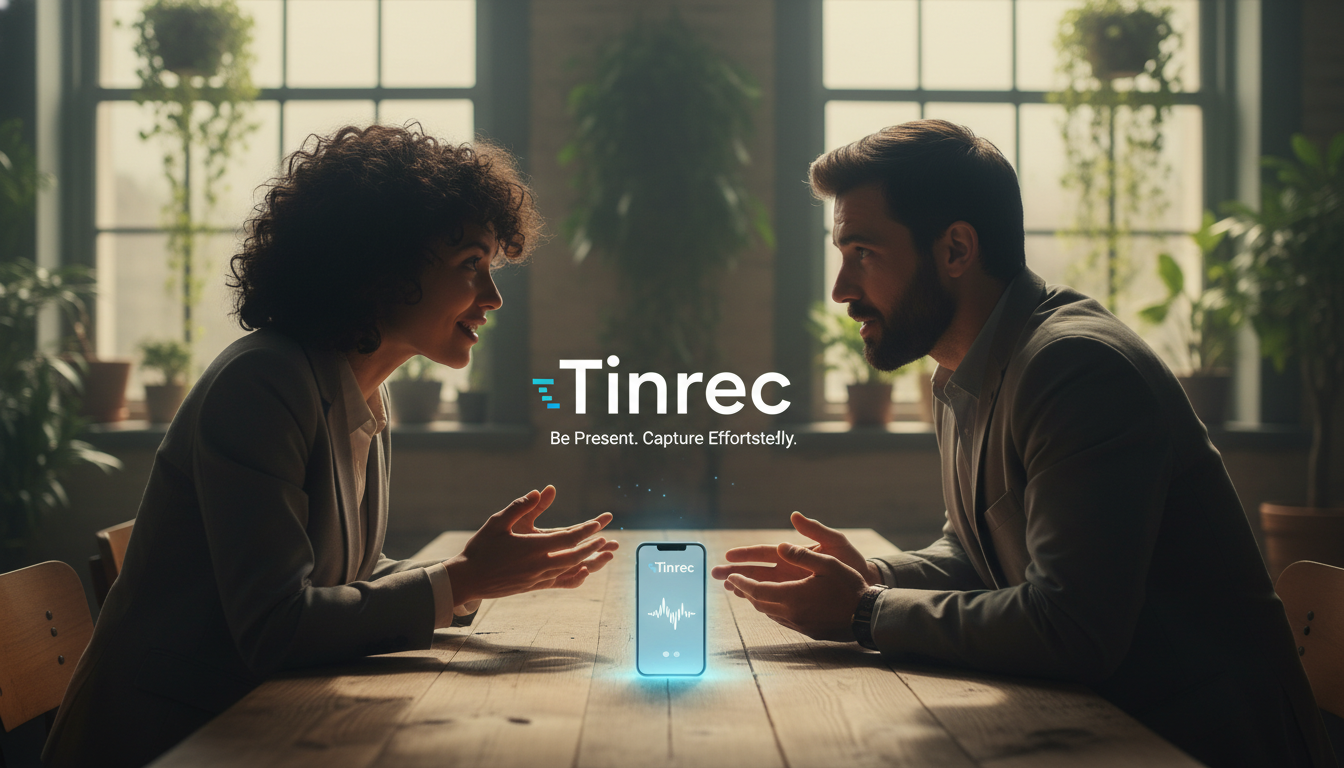
- In-person meeting: Open the app and tap "Start Recording." The phone will transcribe speech to text in real time. Place the phone in the center of the table for best audio pickup.
- Online meeting/video: For recorded files, choose "Import Audio/Video"; for online videos, paste the URL to parse directly.

Step 2: Real-Time Marking and Speaker Differentiation
During recording, if you hear an important decision, tap the "Mark" button (if available) for later reference. After recording ends, the system automatically processes speaker diarization.
Step 3: AI Summary and Action Item Review
Wait for processing (usually 1/10 of the recording length), then review the AI-generated meeting minutes.
- Check if "action items" are accurate.
- Browse "chapter splits" to quickly understand topics covered in each segment.

Step 4: Use AI Chat to Fill in Details
If you don't see a specific detail in the summary, use the AI Q&A feature.
- Example question: "What was the supplier name John mentioned later in the meeting?"
- The AI will answer and highlight the timestamp for that segment; tap to listen and confirm.
Step 5: Export and Share
Finally, export the organized content as Word, PDF, or Markdown and send it to attendees—mission complete.

Frequently Asked Questions (FAQ)
Q1: How accurate is AI speech-to-text transcription? Most mainstream tools achieve over 90% Chinese recognition accuracy in quiet environments. The main factors affecting accuracy are "background noise" and "multiple people speaking simultaneously." In noisy environments, use a directional microphone or hardware with noise cancellation (e.g., Plaud Note); if using software (e.g., Tinrec), keep the phone close to the speaker.
Q2: What are common free tier limitations? Free tiers typically limit "transcription minutes" or "advanced features." For example, Tinrec's free plan offers 100 minutes of transcription per month; Notta offers 120 minutes. For students or light users, free allowances are usually sufficient for weekly key meetings.
Q3: Can I use it to transcribe iPhone call recordings? Due to iOS privacy restrictions, apps cannot directly record phone calls in the background. Two solutions: use a physical recording device like Plaud Note attached to the phone, or use speakerphone and record with another device or Tinrec.
Q4: Is it safe to upload meeting data to the cloud? Enterprise-grade tools typically use encrypted transmission (e.g., SSL/TLS) and cloud storage encryption (e.g., AES-256). Choose services with clear privacy policies and avoid transmitting highly confidential business data over public Wi-Fi.
Q5: Can I transcribe YouTube tutorial videos? Yes. Some tools like Tinrec support direct YouTube link input—the system grabs the audio track and performs transcription and summarization, which is very convenient for taking online course notes without manual recording.
Q6: What if the transcript is too long to read? That's exactly where AI summary features shine. Don't try to read the entire transcript; instead, start with the AI-generated "structured summary" and "mind map." Only go back to search the transcript or use AI chat for details when needed.
Turn every recording into actionable outcomes
Get 60 free transcription minutes when you sign in. No credit card required.
Related Reading
You might also like

2026 AI Meeting Assistant Comparison: Tinrec vs Notta — Which Is Better for Chinese-Speaking Teams?
This comparison evaluates Tinrec and Notta across five dimensions—meeting capture, Chinese/mixed-language transcription, post-meeting workflow, team governance, and pricing—to help you decide which AI meeting assistant fits your team's meeting style, based on how meetings are recorded, how transcripts are used, and who owns the data when team members leave.

Best Free AI Meeting Assistants in 2026: 5 Options Compared
Before asking 'which AI meeting assistant is best,' most people compare the wrong things. This article starts with free plans and compares Tinrec, Otter.ai, Granola, Notta, and Fireflies.ai across five dimensions, explaining why 'how meetings are recorded' and 'what you get after the meeting' matter more than free minutes. It also includes a ready-to-copy testing checklist and post-meeting question templates.

2026 AI Meeting Assistant Comparison: Which Handles Chinese Meetings and Post-Meeting Follow-ups Best?
AI meeting assistants need more than just transcripts. This article addresses four common misconceptions and breaks down four key purchasing factors: capture method, post-meeting output, Chinese language performance, and data ownership. It compares Tinrec, Otter.ai, Granola, and Notta in real-world tests on Chinese meetings, bot-free recording, post-meeting follow-ups, and team governance, and provides four procurement pitfalls to avoid plus scenario-based selection advice.

2026 Complete Guide to AI Meeting Assistants: Hands-On Testing of 4 Tools and Key Buying Factors for Auto-Generated To-Dos
Starting from the campus pain point of group reports where 'no one remembers the conclusions,' this guide outlines the 4 key factors students should consider when choosing an AI meeting assistant. It shares real-world differences among Tinrec, Otter.ai, Notta, and Granola, including Chinese recognition, online meeting recording methods, post-meeting summaries and to-dos, free quotas, and pricing structures, helping you choose the right tool before the semester starts.

Tinrec vs Otter.ai in 2026: A 5-Dimension Comparison — Don't Choose an AI Meeting Assistant Based Only on Country
Many people search for 'AI meeting assistant which country,' but the real decision is whether you can trust it with your company's meeting recordings. This article compares Tinrec and Otter.ai across five practical dimensions and covers use cases for Notta and Granola, helping mid-level managers and team leads choose the tool that truly saves time and keeps data where it belongs.

2026 AI Meeting Assistant Comparison: 4 Tools Tested — What It Is and How to Choose
An AI meeting assistant is more than just recording and transcription. This article explains in one sentence what an AI meeting assistant is and which post-meeting pain points it solves, then compares Tinrec, Otter.ai, Granola, and Notta across four key dimensions: meeting capture method, Chinese-language experience, post-meeting output, and team data ownership. It also covers four common purchasing mistakes to help you pick the right tool.

2026 Speech-to-Text Tools Compared: Which Free Version Is Actually Good Enough?
A hands-on comparison of the latest free speech-to-text tools in 2026, focusing on four key aspects: free quota calculations, post-meeting organization capabilities, online meeting recording methods, and Chinese language performance. We compare the free plans and limitations of Tinrec, Otter.ai, Notta, and TurboScribe, and highlight four common purchasing mistakes to help you decide which free version is truly sufficient.

6 AI Meeting Assistants Tested for 2026: How to Actually Save Time After Meetings
Many people dump meeting recordings into AI and expect miracles, only to get a transcript nobody wants to read. Based on a mid-level manager's real usage across 15 meetings a week, this article compares the positioning, pricing, and ideal use cases of 6 AI meeting assistants, and explains how to use them to truly save time.

2026 AI Meeting Assistant Comparison: Tinrec vs Otter.ai — How to Use and Which Saves More Time
Starting from the workplace pain point of 'no one remembers what was assigned after the meeting,' this hands-on test compares Tinrec and Otter.ai AI meeting assistants. It breaks down five dimensions: recording methods, Chinese meeting organization, post-meeting follow-up questions, export workflows, and team knowledge retention, with practical steps and selection advice.