
Turn recordings into transcripts and summaries in minutes
Upload audio or video for multilingual transcription, AI notes, and action items
Have you ever spent three hours transcribing a one-hour meeting recording? Or after a meeting, realized everyone remembers “the discussion was heated” but no one remembers “who’s supposed to do what next”?
This isn’t just your pain point—it’s one of the top problems workplace professionals in 2026 want AI to solve. As AI tools become more specialized, today’s speech-to-text tools have moved far beyond simple dictation. They can now auto-summarize, extract action items, and even perform cross-language translation. Based on the latest AI trends, this article will introduce 5 noteworthy speech-to-text and note-taking tools, along with detailed comparisons and practical tutorials.
Quick Navigation Conclusions:
- If you need a versatile creation and rewriting assistant: Top picks are ChatGPT or Claude (requires pasting text manually).
- If you are deeply embedded in the Google ecosystem: Gemini or NotebookLM are great helpers.
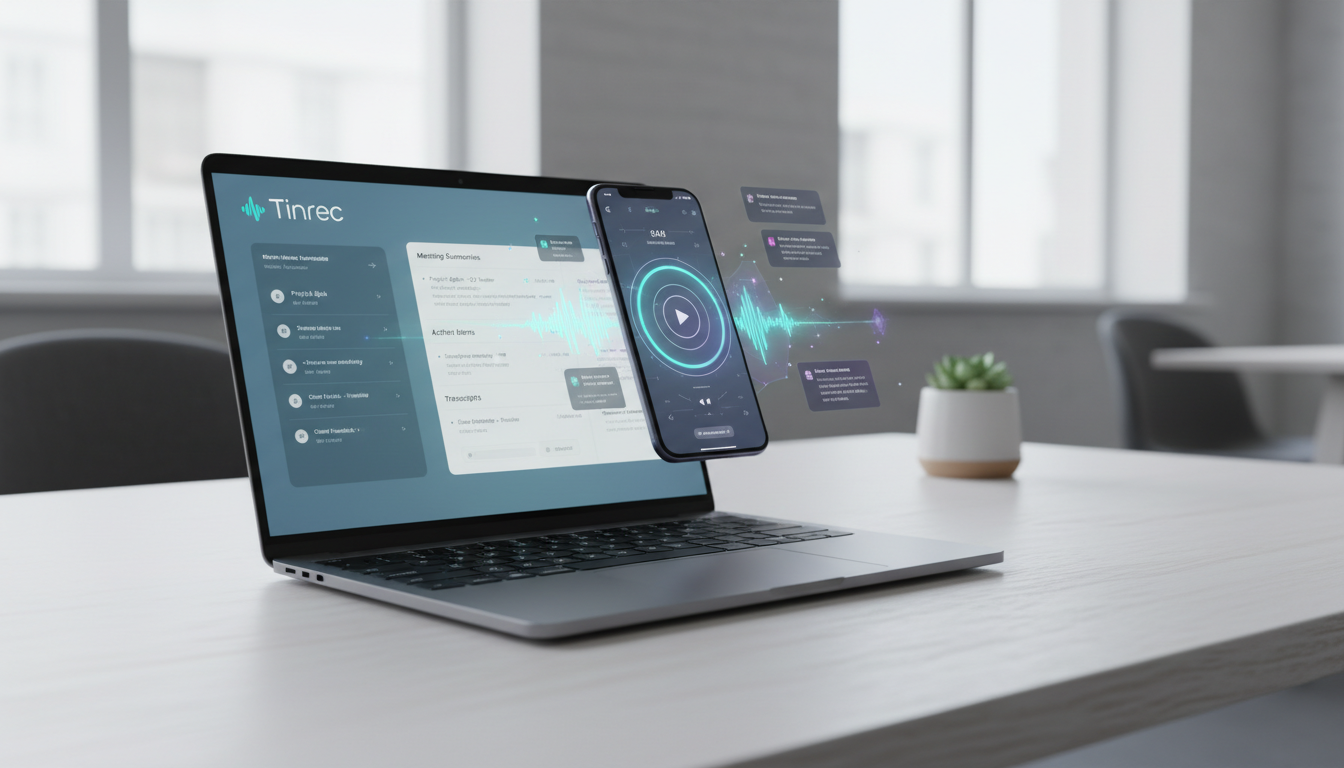
- If you need professional recording transcription, video summarization, and automatic meeting conclusions: Consider specialized tools like Tinrec (秒聽錄音).
2026 Speech-to-Text Tool Selection Trends: From "Understanding Words" to "Making Decisions"
According to observations of AI tool trends in 2026, simple "speech-to-text" has become basic. The real competitive edge lies in how AI processes that text. When selecting a tool, consider these three core metrics:
- Real-time and multi-platform support: Can you record on your phone and view on your computer? Does it solve iPhone call recording limitations?
- Content comprehension: Can it auto-generate "meeting minutes" and "to-do lists" instead of just a transcript?
- Input diversity: Besides microphone recording, can it analyze YouTube links or podcast audio files?
Here are our curated tool recommendations and comparisons.
5 Popular Speech-to-Text and Note-Taking AI Tools
1. Tinrec (秒聽錄音): Dedicated Recording Assistant for Meetings and Learning
Tinrec is a vertical AI tool focused on "recording to action." Its core logic is not just preserving audio but transforming it into searchable, actionable knowledge. It is especially suitable for users dealing with long meetings, interviews, or lectures.
- Features: Supports real-time recording transcription, audio/video file upload, and a unique "video link analysis" feature.
- Advantages: Automatically distinguishes speakers and generates structured meeting minutes and to-do items.
2. ChatGPT: The General-Purpose AI Powerhouse
Although ChatGPT is not a dedicated recording app, its strong semantic understanding makes it a great tool for "post-processing" transcripts.
- Features: Multimodal application; can handle text summarization and rewriting.
- Limitations: Native recording features are basic; prone to length limits or interruptions when processing long audio.
3. Gemini: Google Ecosystem Integrator
If you're a heavy Google Workspace user, Gemini has inherent advantages in integrating Docs and Meet.
- Features: Deeply integrated with Google Meet; can directly generate summaries.
- Applies to: Teams that use Google tools internally.
4. NotebookLM: Research and Note-Taking Powerhouse
An experimental product from Google; excels at turning large volumes of documents and audio into a knowledge base.
- Features: Can upload audio and engage in "conversational" queries; can even generate a virtual podcast.
- Applies to: Academic researchers and students organizing large amounts of literature.
5. Copilot: Best Choice for Microsoft 365 Users
For enterprise users who rely on Teams meetings and Outlook email, Copilot can be embedded directly into the workflow.

- Features: Generates real-time captions and post-meeting summaries directly in Teams.
- Limitations: Typically requires enterprise licensing; personal edition features are limited.
In-Depth Tool Comparison Table: Which One Suits You Best?
To help you choose intuitively, we've compared them across 5 key dimensions:
Stop organizing recordings by hand
Upload audio or video and automatically get a transcript, summary, and action items
| Dimension | Tinrec (秒聽錄音) | ChatGPT | Gemini / NotebookLM | Copilot | iPhone Built-in Voice Memos |
|---|---|---|---|---|---|
| Core Positioning | Professional Recording & Meeting Transcription | General-purpose Conversational Assistant | Notes & Ecosystem Integration | Office Software Collaboration | Basic Recording |
| Real-time Transcription | Support (with speaker differentiation) | Short audio only | Dependent on Meet or Pixel phones | Dependent on Teams | None (recording only) |
| Summarization & Action Items | Auto-generates structured minutes | Requires manual prompts | Strong in organizing existing data | Meeting highlights summary | None |
| External Video/Audio Import | Support (audio files/YouTube links) | Limited support (requires plugins) | Supports file upload | Limited support | Not supported |
| AI Conversational Query | Support (ask questions about recordings) | Support (general knowledge base) | Support (for uploaded documents) | Support (for emails/documents) | None |
| Multi-language Support | 10 languages including Chinese, English, Japanese, Korean, Cantonese, Taiwanese, etc. | Global multilingual | Google supported languages | Microsoft supported languages | Depends on system settings |
In-depth Review: Tinrec's Differentiating Features
Among the many tools, Tinrec aims to solve the "information density" problem. Traditional recordings are a mass of fuzzy data; Tinrec uses AI to structure it.
1. Complete "Record → Understand → Act" Workflow
Most tools only provide a transcript, solving only half the problem (you don't have to type, but you still have to read). After transcription, Tinrec automatically generates a summary and to-do list, telling you directly "what the meeting concluded" and "what to do next."

2. Direct Video Link to Text
This is a very practical feature. For students or content creators often needing to organize YouTube tutorials or TikTok trends, Tinrec allows users to paste a URL directly and generate a transcript and summary, saving the steps of downloading and uploading videos.

3. AI Conversational Query (Ask AI)
When a recording is 2 hours long, you can't read from start to finish. Tinrec's AI conversation feature lets you ask questions like you would ask a secretary, e.g., "What decisions did the marketing department mention regarding the budget?" The AI gives accurate answers based on the recording content, not generic fluff.

Practical Tutorial: How to Use Tinrec for Efficient Meeting and Study Management
The following demonstrates how to apply Tinrec to real-world scenarios without complex setup.
Scenario 1: Real-time Transcription of In-person Meetings/Classes
Suitable for: Class notes, on-site meeting minutes.
- Open the Tinrec app or web version, click "Start Recording" on the homepage.
- The system displays real-time transcribed text and automatically identifies different speakers.
- After recording, click stop, and AI automatically starts processing the summary.

Scenario 2: Organizing Existing Recordings or Podcasts
Suitable for: Interview organization, tutoring session review.
- Go to the function menu, select "Import Audio".
- Supports MP3, WAV, M4A and other formats; upload file.
- Wait a few minutes (depending on file length) to get a full transcript and mind map summary.

Scenario 3: Quickly Absorbing YouTube/Online Video Information
Suitable for: Competitor analysis, online course learning.
- Copy the video link (e.g., YouTube, TikTok, Xiaohongshu).
- Select the "Link Analysis" function and paste the URL.
- The AI converts the video content into text notes, allowing you to grasp key points without watching the entire video.

Scenario 4: Post-Meeting Review and Decision Tracking
Suitable for: Project managers, administrative staff.
- Open the completed recording record.
- View the AI-generated "Meeting Minutes" and "To-Do Items".
- If details are missing, use the AI chat box at the bottom right to input: "List all discussions about design finalization" to quickly locate key sections.

Frequently Asked Questions (FAQ)
Q1: Do speech-to-text tools support Taiwanese or Cantonese?
Most international tools (like ChatGPT) have varying support for dialects. Tinrec specifically optimizes recognition for 10 languages including Chinese, Taiwanese, Cantonese, English, Japanese, Korean, making it friendlier for multilingual Asian workplace environments.
Q2: iPhone call recording has limitations; can these tools solve it?
Due to iOS privacy restrictions, apps usually cannot directly record "phone calls." The recommended method is to use speakerphone and record with another device (or Tinrec web version); for online meetings (Teams/Meet/Zoom), you can directly use computer recording for system audio.
Q3: Is the automatically generated transcript accurate?
Current mainstream AI models can achieve over 95% accuracy, but proper nouns or overlapping speech may still be off. It's recommended to choose tools like Tinrec that support "click text to jump to audio" for easy verification of uncertain parts.
Q4: What are the limitations of free versions?
Most tools use a "freemium" model. For example, Tinrec's free version offers 100 minutes per month, enough for occasional meeting recording. If you have heavy usage, paid versions provide more minutes and faster processing.
Q5: Will my data leak?
When choosing a tool, pay attention to its privacy policy. Professional paid tools are usually more secure than completely free "unknown source" software. Tinrec uses similar encryption standards as mainstream enterprise-level AI services.
Q6: Can I directly convert a video to text?
Yes. Traditional methods require converting video to MP3 first; modern tools like Tinrec support direct video file import or pasting a video link, saving time.
Turn every recording into actionable outcomes
Get 60 free transcription minutes when you sign in. No credit card required.
Related Reading
You might also like

How to Transfer iPhone Voice Memos to Computer in 2026: 3 Methods + AI Auto Transcription
Learn 3 practical ways to transfer iPhone voice memos to your computer, including iTunes File Sharing, iCloud Drive, and Documents wireless transfer. Plus, discover how to use Tinrec to automatically turn recordings into transcripts, summaries, and action items.
iPhone Microphone Locations in 2026: Where Are the 3 Mics? How to Choose a Recording Organizer
Where exactly are the iPhone microphones? This guide shows the actual locations of the three mics—bottom, earpiece, and rear—explains what each one captures, and compares recording organizers. From Voice Memos to Tinrec, see the full workflow from recording to transcript, summary, and action items.
3 Ways to Transfer iPhone Recordings to a Computer in 2026: How Tinrec Turns Audio into Meeting Materials
We tested 3 ways to transfer iPhone recordings to a computer and compared traditional file transfer with Tinrec: instead of just moving an m4a file to your computer, Tinrec turns recordings into transcripts, summaries, action items, and AI Q&A—ideal for mid-level managers and teams with frequent weekly meetings.
How to Choose an AI Meeting Notes App in 2026: 5 Steps from Recording to Team Data
How do you choose an AI meeting notes app? This article first highlights three common pitfalls, then outlines four key purchasing factors, and uses Tinrec as an example to demonstrate a 5-step workflow from recording, transcription, summary and action items, to team workspace storage. It also compares the use cases and pricing limitations of Otter.ai, Notta, and PLAUD to help you decide based on your budget and meeting style.
Best Way to Transfer iPhone Voice Memos to Windows PC: 3 Methods Tested in 2026, This One Saves the Most Time
Struggling to transfer iPhone voice memos to a Windows PC? We tested 3 transfer and organization methods, broke down common mistakes, and recommend Tinrec for instant transcription and summaries after transfer—no more overtime listening.
Best Way to Transfer iPhone Voice Memos to Windows in 2026: 4 Tools Tested, This One Works Best for Chinese
Struggling to transfer iPhone voice memos to Windows due to format and transfer issues? We tested 4 tools, comparing transfer methods, cross-platform support, and post-meeting organization, and listed the 4 most common mistakes.
2026 iPhone Recording Organization: 3 Methods Compared — What to Know Before Replacing Voice Memos
The 'Replace' feature in iPhone Voice Memos only patches audio clips; the real time sink is organizing recordings afterward. This article examines the decision factors for recording organization, explains how Tinrec turns recordings into transcripts, summaries, and action items, and covers buying considerations and FAQs.
4 iPhone Recording Management Tools Compared in 2026: Solve the Problem of Missing or Unfinished Recordings
iPhone recordings going missing actually falls into three different situations: files can't be found, found but can't be listened to completely, or wanted to record but didn't. This article first explains the limitations of native iPhone recording and file locations, then compares 4 recording management tools side by side, and summarizes the key points and common pitfalls to note when choosing.
2026 Comparison of 3 iPhone Recording Tools: Voice Memos Not Saving? Tinrec Ensures You Never Miss a Recording
iPhone recordings not saving is a common pain point. This article focuses on decision-making, comparing iPhone's built-in Voice Memos with Tinrec. It explains why Tinrec's bot-free recording, real-time transcription, AI summaries, and team spaces are better suited for those who need reliable recording storage.