
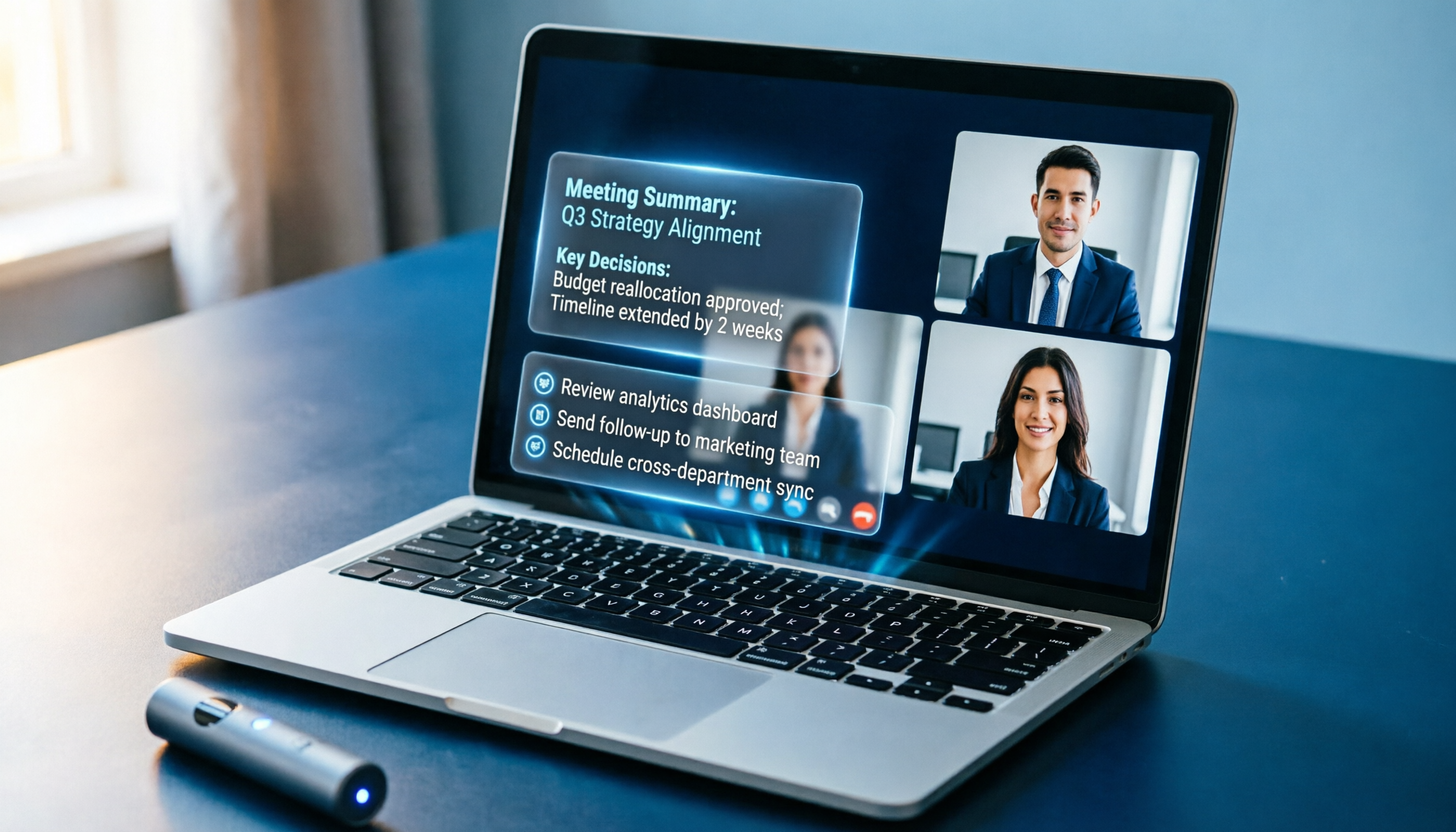
Turn recordings into transcripts and summaries in minutes
Upload audio or video for multilingual transcription, AI notes, and action items
Tutorial: 2026 Google Meet Meeting Minutes – Real-Time Transcription + AI Summaries, Never Miss Key Points
Feeling overwhelmed during meetings? You need a smarter way to take notes

Online meetings keep piling up—open Google Meet, close it, and meeting notes always end up last minute? Even though you attended the entire meeting, you can’t remember who said what or who’s responsible for what. Worse, you have to multitask by typing notes during the meeting, causing you to miss the discussion and produce incomplete notes.
In reality, what you need isn’t faster typing, but a solution that automatically converts meeting content into something that can be organized, searched, and acted upon.
Before choosing a meeting notes tool, understand these 3 key points
Many people get drawn in by monthly fees, minutes, or flashy AI features when looking for meeting notes tools. But in practice, a few factors truly affect your daily experience.
Accuracy: Don’t just look at official numbers—test in real scenarios
Almost every provider claims 95%+ accuracy, but that’s usually measured in a quiet recording studio. Your online meetings may include keyboard sounds, background noise, people talking over each other, or a mix of Chinese and English. A reliable approach: test the tool for free in your most common meeting scenario—record an actual Google Meet session and see if the transcription is acceptable to you.
AI features: Transcription is just the first step—understanding the content is key
If a tool only gives you a raw transcript, it only turns audio into text—you still have to read through everything to find key points. A better tool automatically generates summaries, lists action items, and even lets you ask questions to quickly find meeting conclusions—like a smart assistant you can consult anytime after the meeting.
Cross-platform and export: Your notes shouldn’t be locked in one app
You might use Google Meet on your laptop, review highlights on your phone later, or want to save meeting notes to Notion or Google Docs. A good meeting notes tool should at least support web and mobile apps, and allow you to export results in common formats.
Tinrec – Our top pick after testing
Tinrec is not just an audio-to-text tool; it’s more like an "AI audio/video data processing workspace." For those who hold meetings, take classes, or conduct interviews on Google Meet, it integrates seamlessly and turns meeting content into truly usable knowledge.
How to use Tinrec to record Google Meet meetings
- Join a Google Meet meeting on your laptop as usual.
- Open the Tinrec web version (or mobile app), click "Record Now," and select "Computer Audio" or "Microphone" as the audio source (the exact option depends on your system; we recommend selecting "System Audio" to capture both others’ speech and your own voice).
- During the meeting, Tinrec records and transcribes in real time, displaying the live transcript below. You can switch views to read the text or just listen—after the meeting, everything is recorded.
- When the meeting ends, stop the recording. AI automatically generates a summary, chapters, and action items.
Stop organizing recordings by hand
Upload audio or video and automatically get a transcript, summary, and action items
More than just a transcript—it organizes key points for you
What impressed us most about Tinrec is its AI post-processing capability. After recording, you can ask questions like, "Did this meeting discuss the budget?" or "Who is responsible for contacting the vendor from the last meeting?" It doesn’t just search for keywords; it truly understands context and gives precise answers—a feature rarely found in competitors at the same price point.
Additionally, it automatically extracts action items from the meeting discussion and organizes them into a list—who does what and deadlines are clear at a glance. You can also export meeting notes in multiple formats and paste them directly into Google Docs or email them to colleagues, saving a ton of organization time.
Honest limitations and who it’s for

The free version includes basic recording and transcription credits. If you have only 2-3 meetings per week and occasionally record courses, this is usually sufficient. Heavy users can consider the paid plans, which have no long-term commitment—you can start with a weekly card to test the waters.
Ideal for: people who frequently hold meetings, take classes, or conduct interviews on Google Meet; office workers who want to stop scrambling for notes; students who need to review lectures later; and users who want to turn historical meeting records into a searchable database.
Besides Tinrec, what are the alternatives?
Google Meet built-in transcription
Google Meet offers live captions and, for some accounts, recording transcription. However, it is basic—no AI summaries, action item extraction, or conversational Q&A. If you only need a draft transcript, the built-in feature can suffice. But if you want to quickly grasp key points without reading every word, Tinrec’s organization capabilities are unmatched by the native feature.
Otter.ai
Otter.ai is a well-known AI meeting notes tool that performs excellently in English environments. Its free version offers 300 minutes of transcription per month, which is generous. However, it is primarily designed for English meetings and has weaker support for Chinese content. It also lacks Tinrec’s features for Chinese-speaking users, such as web video transcription and multi-format export. If your meetings are predominantly in English and you’re part of a global team, Otter.ai is worth trying. (Note: This article’s test environment focused on mixed Chinese-English meetings, where Tinrec is more suitable.)
Pitfall avoidance: 3 common mistakes when choosing a meeting notes tool
Mistake 1: Only looking at monthly fees, not actual available minutes
Some tools seem cheap monthly, but their free or low-tier plans offer only a paltry number of transcription minutes. Recording just a few meetings can exceed the limit. Instead of looking at the list price, calculate your average monthly meeting count and duration, then compare paid plans.
Mistake 2: Ignoring differences in AI post-processing capabilities
You might think a raw transcript is enough. But when you have recordings of over a dozen meetings piled up, you won’t have time to listen back to each one to find key points. The smart move is to choose a tool with AI summaries, Q&A, and action item extraction—let it digest the content for you.
Mistake 3: Not considering cross-device and export needs
You record on a laptop today, want to review on your phone tomorrow, and need to paste into a report for your manager the day after. If the tool doesn’t support multi-device synchronization or only exports in obscure formats, your efficiency will suffer. Make sure the tool at least supports web and mobile apps and can export to common formats like DOCX or TXT.
Summary: Which one should you choose?
In a nutshell: If your Google Meet meetings need to be effectively organized—not just turned into a blob of text—Tinrec is currently the best option balancing price and depth of organization.
- Just need free English captions → Google Meet built-in is enough
- Heavy English-only meetings requiring team collaboration → Otter.ai is better
- Need Chinese or bilingual meetings with AI-powered key point extraction and action items → Tinrec
We recommend trying Tinrec’s free version first—record an actual Google Meet meeting, experience the organized summary and action list, and then decide whether to upgrade. After all, usability matters more than price.
Turn every recording into actionable outcomes
Get 60 free transcription minutes when you sign in. No credit card required.
Related Reading
You might also like

Best Speech-to-Text Tools 2026: Traditional Chinese Recognition + AI Meeting Notes
How to choose a speech-to-text tool in 2026? We break down four dimensions: Traditional Chinese recognition, meeting recording methods, post-meeting summaries and AI Q&A, and team collaboration. We also compare Tinrec, Yating Transcription, Otter.ai, and Notta to help you decide which one truly fits your meeting and transcription needs.

2026 Speech-to-Text Tools Compared: Tinrec vs. Notta vs. Otter — Which Should You Choose?
Which speech-to-text tool is best? This article moves beyond the common mistake of comparing only recognition accuracy and instead compares Tinrec with Notta, Otter, and other popular tools across five dimensions: post-meeting organization, online meeting recording, Chinese-language experience, cross-device use, and team data ownership. It also highlights key considerations and FAQs when choosing a tool.

2026 Comparison of 3 English Transcription Apps: Tinrec, Yating, and Otter.ai – Which Saves More Time with Mixed Chinese-English?
This article addresses common misconceptions about English transcription apps and compares Tinrec, Yating, and Otter.ai in terms of English and mixed Chinese-English transcription, post-meeting workflows, online meeting recording, team collaboration, and plan flexibility. Based on public product information, it helps you decide which app to choose for pure English scenarios, mixed Chinese-English meetings, and team data retention.

5 Best Voice Transcription Software in 2026: Free Tiers, Chinese Accuracy, and Post-Meeting Organization Compared
Starting from the common pitfalls students face with transcription software, this hands-on comparison tests five types of tools on free tiers, Chinese recognition, and post-meeting organization. Using Tinrec across four scenarios—classes, group discussions, thesis interviews, and online meetings—plus five buying checkpoints and FAQs, it helps you choose the right tool on a limited budget.

Tinrec vs Notta 2026: 5-Dimension Comparison — Which Is Better for Chinese Meetings and Team Knowledge Retention?
Compare Tinrec and Notta across five dimensions: transcription, bot-free recording, post-meeting organization, team governance, and pricing. Includes selection criteria, pitfalls to avoid, and ideal use cases.

4 Free Voice Transcription Tools Compared: Which Offers the Most Free Minutes in 2026?
Want to transcribe meeting recordings for free but keep getting cut off after a few minutes? This article compares Tinrec, cSubtitle, inFin, and Atter on free quotas, Chinese recognition, online meeting recording, and post-meeting organization to help you find a truly usable voice transcription tool.

Best Meeting Transcription Tools 2026: No-Bot Recording + AI Summary Tested
How to choose a meeting transcription tool? This guide starts from real meeting pain points, outlines 4 key buying factors, tests Tinrec's no-bot recording, AI summaries, action items, and AI Q&A, and compares Granola and TurboScribe use cases to help you find a free-enough or worth-paying solution.

5 Limited Company Meeting Minutes Templates Tested for 2026: Which Format Actually Tracks Decisions and Action Items?
How to choose a limited company meeting minutes template? First distinguish between the 'statutory document you need to submit' and the 'internal record you use to track progress,' then compare 5 approaches: Word, Excel, Notion, and AI meeting tools. The article includes a copy-paste field checklist, filled-in examples, 4 common mistakes, and the most time-saving workflow after testing.

2026 Free Online Transcription Tools Compared: Which Free Tier Is Actually Enough?
There are many free online transcription tools, but free tiers differ greatly—whether they limit time or features. Based on real-world scenarios, this article compares the free rules, ability to handle online meetings directly, post-meeting organization capabilities, and data retention limits of Tinrec, cSubtitle, MyEdit, and Transcribe, helping you decide which one is truly sufficient.