
Turn recordings into transcripts and summaries in minutes
Upload audio or video for multilingual transcription, AI notes, and action items
Facing lengthy YouTube educational videos or interviews that can last tens of minutes, do you often feel "it takes too long to watch everything" but fear missing key points? Or do you want to turn video content into an article but dread manually typing out a transcript?
Don't worry—this article will break down the most mainstream solutions for converting YouTube URLs directly into text. We'll compare them across dimensions like "feature completeness," "ease of use," and "language support," and provide detailed step-by-step tutorials.
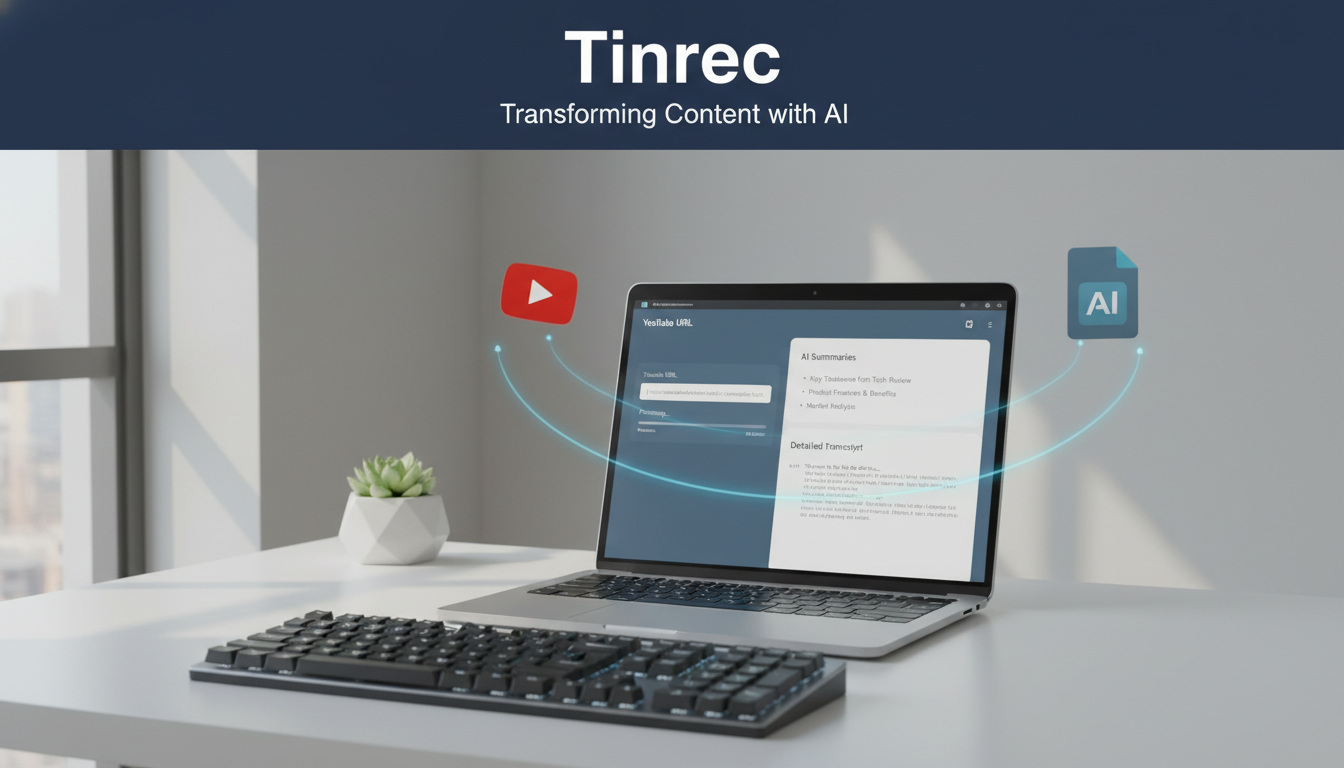
Quick Conclusion:
- If you only need plain subtitle text: Use a free web-based tool (e.g., YouTube Transcript).
- If you need AI summaries, conversational queries, or cross-platform syncing: Go with an integrated AI recording notes tool (e.g., Tinrec Instant Recording).
Next, we'll dive into a comparison of these tools and show you how to turn videos into notes as fast as possible.
1. Why Do You Need a "Video URL to Text" Tool?
In the age of information overload, videos are vivid but often have lower "information density" than text. Converting a YouTube video link directly into a transcript addresses three major pain points:
- Save time: No need to spend an hour watching—scanning the text in 5 minutes gives you the core content.
- Easier search and citation: You can't Ctrl+F video content, but text makes learning notes or work references much more precise.
- Overcome language barriers: For English or other foreign-language videos without Chinese subtitles, transcribing and translating through tools significantly lowers the comprehension threshold.
2. Tool Comparison: Free Web Tools vs. Professional AI Note Software
Current solutions mainly fall into "combo free tools" and "all-in-one AI software." We compare the common method of using "YouTube Transcript + ChatGPT" with the professional tool "Tinrec":
| Dimension | YouTube Transcript + ChatGPT (Combo) | Tinrec (Instant Recording) |
|---|---|---|
| Main Features | Extract existing captions + manually paste into AI to organize | URL parsing, transcription, AI summary, action item extraction |
| Workflow | Cumbersome (copy link -> grab captions -> copy text -> open AI -> paste -> give commands) | Simple (copy link -> paste -> automatic completion) |
| Videos Without Captions | Not usable (depends on built-in captions) | Usable (has ASR speech recognition to directly hear and transcribe) |
| Language Support | Depends on the video's original captions | Auto-detects 10 languages including Chinese, English, Japanese, Korean, etc. |
| AI Interaction | Must manually switch to ChatGPT window | Built-in AI conversational query—can ask questions directly about the content |
| Mobile Experience | Inconvenient on phone | Supports iOS/Android apps and web sync |
| Use Cases | Occasional use, budget-limited students | Professionals and creators who frequently organize information |

Stop organizing recordings by hand
Upload audio or video and automatically get a transcript, summary, and action items
3. In-Depth Analysis: Tinrec's Advantages in Video-to-Text
Among many tools, Tinrec (Instant Recording) stands out as a candidate solution because its core advantage is integrating "transcription" and "comprehension" into a single workflow. It not only converts audio to text but also focuses on subsequent applications.
1. Supports Videos Without Captions and Multiple Languages
Many free tools can only grab YouTube's built-in CC captions; if the creator hasn't uploaded captions, they're unusable. Tinrec uses speech recognition technology to "hear" the content and transcribe it even if the video has no captions at all. It supports 10 languages including Chinese, English, and Japanese, making it suitable for overseas tech tutorials or interviews.
2. Complete Structure from Summary to Action
Raw transcripts are often too long and hard to read. Tinrec automatically generates a "smart summary," "chapter sections," and "to-do action items," letting users get conclusions directly.

3. AI Conversational Query: Treat the Video Like an Encyclopedia
This is the biggest differentiator from traditional tools. You can ask questions about the video content as if talking to someone. For example, "What are the three marketing strategies mentioned in this video?" Tinrec will give precise answers based on the audio content, saving manual searching.

4. Practical Tutorial: How to Turn YouTube Videos into High-Quality Notes
Here are two implementation paths for different needs—choose based on frequency and depth.
Method 1: Free Combo (For Occasional Students)
If you don't want to register and the video already has captions, follow these steps:
- Open the YouTube Transcript website.
- Paste the YouTube video URL and click to generate captions.
- Copy the generated full caption text.
- Open ChatGPT or another AI tool, paste the text, and enter the command: "Please translate the following into Chinese and organize the key points into a bullet list."
Note: This method only works for videos with existing captions, and it involves many steps.

Method 2: One-Click Generation with Tinrec (For Frequent Users)
If you need to handle videos without captions or want synced management across phone and computer, follow Tinrec's process:
- Copy Link: On YouTube, copy the URL of the video you want to organize.
- Paste Link:
- Log into Tinrec's web version or app.
- Select the "Podcast/Online Video to Text" feature.
- Paste the URL into the input box.
- Wait for Parsing: The system automatically downloads the audio and performs speech recognition transcription.
- View and Interact:
- Get the complete transcript (with speaker differentiation).
- Read the auto-generated AI summary and mind map.
- Use the AI chatbox on the right to ask questions and quickly find information.

5. FAQ
Q1: Can these tools work if the YouTube video has no captions (CC)? If you're using a site like YouTube Transcript that grabs captions, it won't work. But if you use a tool with ASR (speech recognition) technology like Tinrec, it directly recognizes the audio, so it can transcribe even without captions.
Q2: Can I operate on my phone? Yes. Most web-based tools are inconvenient on mobile browsers (copy-paste is tricky). It's recommended to use a multi-platform app (like Tinrec's iOS/Android versions), where you can share the link directly from the YouTube app, providing a much smoother experience.
Q3: Can the generated transcript be exported? It depends on the tool's features. Professional tools usually support exporting as TXT, Word, or PDF for easy editing into articles or reports.
Q4: How accurate is the recognition for videos mixing Chinese and English? For pure caption-grabbing tools, accuracy depends on the uploader. AI recognition tools like Tinrec support multilingual recognition and usually achieve good accuracy for common workplace Chinese-English mixes, though a quick manual proofread after transcription is recommended.
Q5: Does video-to-text take a long time? It depends on video length. Typically, AI tools process at about 1/5 to 1/10 of the video duration (e.g., a 10-minute video takes about 1–2 minutes).
Q6: Besides YouTube, does it support other platforms? Some tools like Tinrec also support podcast links or uploading local audio/video files (mp3, mp4, etc.), which is very convenient for organizing interview recordings or online course files.

Turn every recording into actionable outcomes
Get 60 free transcription minutes when you sign in. No credit card required.
Related Reading
You might also like

2026 AI Meeting Assistant App Comparison: Chinese Transcription, Bot-Free Recording, and Team Knowledge Retention
A 2026 hands-on comparison of AI meeting assistant apps, examining Tinrec and Notta across Chinese meeting transcription, bot-free recording, post-meeting AI Q&A, team knowledge retention, and pricing to help professionals and teams choose the right meeting notes tool.

2024 Comparison of 5 AI Meeting Assistant Platforms: Why Tinrec Is a Better Fit for Chinese-Speaking Teams Than Notta
A procurement-focused comparison of 5 AI meeting assistant platforms, highlighting Chinese-language meetings, bot-free recording, post-meeting AI Q&A, and team knowledge retention, and explaining why Tinrec is a Notta alternative worth evaluating first.

5 AI Meeting Assistants Compared in 2024: Free vs. Paid, How to Choose for Chinese Meetings and Post-Meeting Organization
How to choose an AI meeting assistant in 2024? This article compares Tinrec, Fireflies.ai, Granola, TurboScribe, and PLAUD Note across five dimensions: meeting capture method, Chinese recognition, post-meeting summaries and Q&A, team seats and pricing. It also outlines selection criteria and common pitfalls to help you find the right tool for Chinese meetings and team collaboration.

2024 AI Meeting Assistant Comparison: Chinese Meetings, Bot-Free Recording, and Post-Meeting Organization—Which Saves the Most Time?
2024 AI meeting assistant review comparing Tinrec, Otter.ai, Notta, and PLAUD on Chinese transcription, bot-free recording, post-meeting summaries, and team collaboration—covering use cases, pricing, and limitations to help you choose the right meeting tool.

2026 AI Meeting Assistant Comparison: 5 Tools Tested for Chinese Transcripts, Bot-Free Recording, and Post-Meeting Organization
A practical comparison of five popular AI meeting assistants in 2026, covering how meetings are captured, post-meeting outputs, audio retention, and team management, with a comparison chart and pitfalls to avoid—helping you choose the one that best fits your meeting habits.

2026 AI Meeting Assistant Comparison: Which One Saves the Most Time on Chinese Meeting Notes?
Starting from the real scenario of "having to stay after the meeting to re-listen to the recording," this hands-on comparison tests four AI meeting assistants—Tinrec, Notta, Otter.ai, and Granola—breaking down buying criteria, each tool's limitations, and the most common purchasing pitfalls. It also compares pricing, seats, and data ownership between personal and team plans to help you pick the one that truly saves time after meetings.

Tinrec vs Notta 2026: 5 Criteria for Chinese Meeting Notes
Avoid three common mistakes when choosing an AI meeting assistant: relying only on lab accuracy, focusing only on transcription, and judging team features by personal experience. This article establishes evaluation criteria across five dimensions: meeting capture method, transcription and language support, post-meeting organization depth, output workflow, and team governance. It uses Tinrec's actual approach as an example, and includes buying tips and FAQs.

2026 AI Meeting Assistant Comparison: 4 Tools Tested on Free Tiers and Pricing
We break down the cost structure of AI meeting assistants—free tiers, per-meeting caps, seat-based pricing, and hidden limits—and walk through a 3-step workflow covering recording, organizing, follow-up Q&A, and export. We also compare Tinrec, Otter.ai, Notta, and Granola on pricing and best-fit scenarios.

2024 Review: 5 AI Meeting Assistants Tested — No Bots Needed for Chinese Meetings
Starting from the real pain of 'can't find key points after a meeting,' we tested and compared five AI meeting assistants: Tinrec, Otter.ai, Fireflies.ai, Notta, and Granola. We organized five key buying factors: recording method, post-meeting output, Chinese language performance, team permissions, and quota calculation. Also included are common pitfalls to avoid and scenario-based selection advice.