
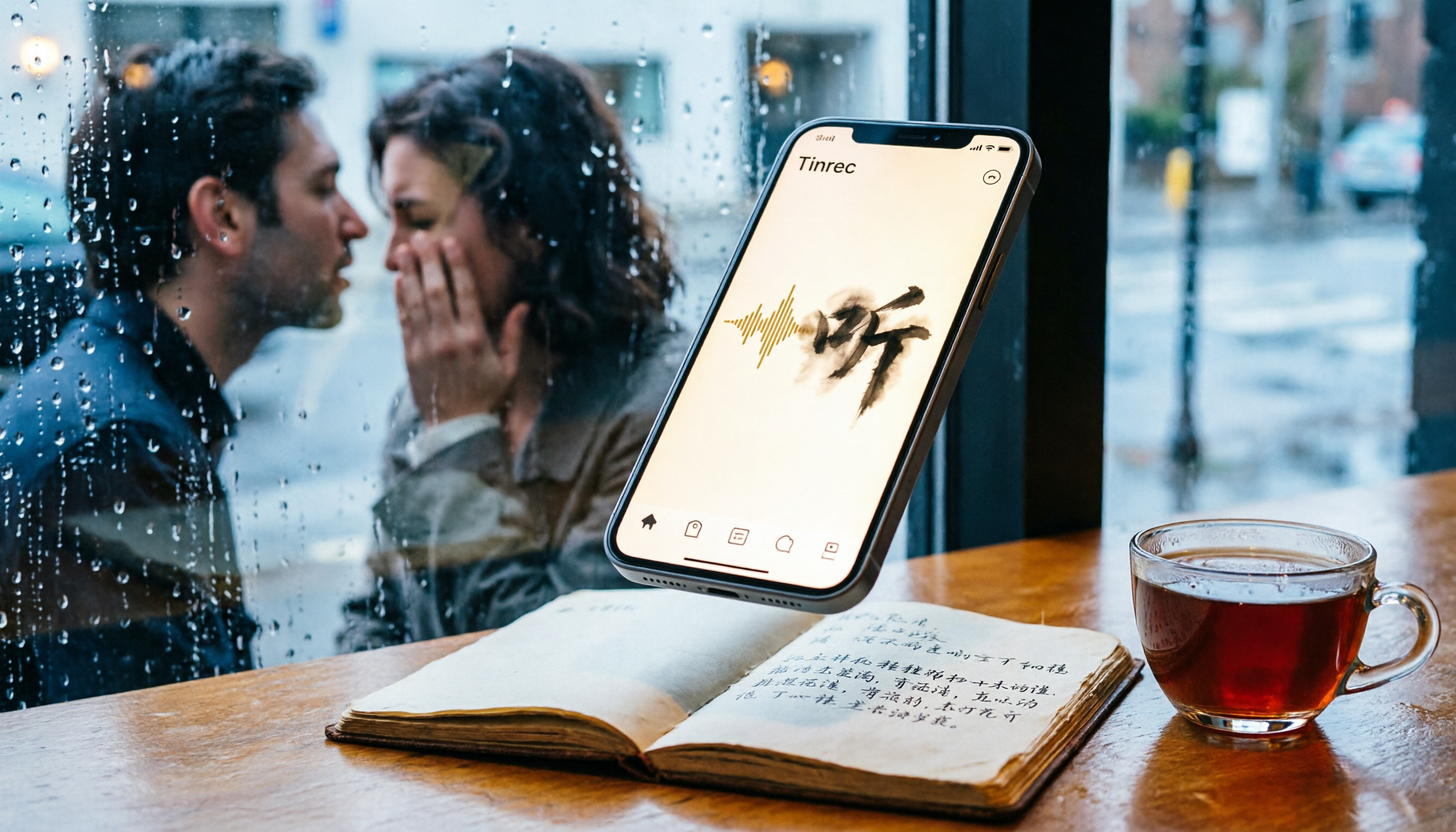
Turn recordings into transcripts and summaries in minutes
Upload audio or video for multilingual transcription, AI notes, and action items
One Hour of Meetings, Three Hours of Cleanup — You Don’t Need a Recorder; You Need a Tool That Gives You Answers
You’ve definitely been there: after a heated discussion in a meeting, you hit record, but later you have to listen to the entire file from start to finish just to pick out the key points. If the meeting is in English, even transcribing the dialogue by ear is painful enough; when Cantonese or a mix of Chinese and English is involved, many transcription tools on the market simply give up.
Class is the same. You record a two-hour lecture, and when you want to find the exact sentence the professor said earlier, you can only drag back and forth through a long recording by memory. You think the built-in iPhone app will be enough, but once you actually use it, the limitations are far greater than you imagine.
If you’re tired of spending hours turning audio back into text, this article is for you. I chose the four most common recording-to-text solutions on iPhone and tested them side by side.
Before Choosing an iPhone Recording-to-Text Solution, Understand These 3 Key Points
Accuracy: Don’t Just Look at the Advertised 98% — See How It Performs in Real-World Environments
Vendors love to put “98% accuracy” on their websites, but that number comes from a quiet recording studio with standard accents and a single speaker. In your conference room, there’s air-conditioning noise, keyboard sounds, multiple people talking over each other, plus various accents and technical terms—that’s when the gap between tools really shows. When you test, use the environments you actually deal with, not just what the vendor claims.
Cross-Platform: You Won’t Stay on One Device Forever
Today you record on your iPhone, tomorrow you want to edit the transcript on your computer, and the day after you need to share it with an Android colleague—if a tool is locked to a single device, you’ll be unpleasantly limited. Cross-platform support (iOS, Android, web) isn’t just convenient; it’s a real need in everyday work.
AI Post-Processing: Converting to Text Is Only the First Step—Turning It Into Usable Material Is What Matters
Many tools hand you a finished transcript and stop there, leaving you to read line by line, highlight important points yourself, and build your own to-do list. A better solution automatically generates summaries and sections after transcription, or even lets you ask it directly like a database: “What was the conclusion of the budget discussion from the last meeting?” That kind of ability is what really saves you time.
Tinrec (秒听录音) — Our Cross-Platform Top Pick After Hands-On Testing
Tinrec is an AI-powered note-taking tool that combines real-time recording transcription, audio file import, and web video link parsing. It supports iOS, Android, and web, giving it more than enough flexibility for people who need to handle audio and video content across different devices.
It Doesn’t Just Transcribe—It Turns Recordings Into Actionable Data
Open Tinrec and start recording, and it produces a transcript in real time. If it’s a meeting, the AI has already listed summaries and action items by the time it ends—who is responsible for what, deadlines, and key conclusions at a glance. Even more practical, it supports pasting a link from public platforms like YouTube or Bilibili and automatically converts the video into a text transcript and summary, something most competitors can’t do.
After the recording is transcribed, you can type a question in the dialog box above: “What was the final decision on the marketing budget?” It won’t just give you keyword search results; it answers directly based on semantics. Among tools in the same price range, almost no one else offers this kind of AI conversational query.
We tested Tinrec with a 5-minute meeting recording (mixed Chinese and English, two people taking turns, with light air-conditioning background noise) on an iPhone 15. Transcription was fast, and the accuracy of the Chinese portions was satisfying—more than acceptable for real-life daily use. For people who need Traditional Chinese or Cantonese support, Tinrec’s performance is steadier than most competitors’.
Pros
- Cross-platform and multi-source: Whether you use iPhone, Android, or a computer, you can continue editing the same recording data. You can also directly import old audio/video files or web video links without jumping between tools.
- Beyond transcription—directly usable output: In addition to automatic summaries, chapters, and to-do lists, it can export to Word, PDF, subtitles, or mind maps, making it easy to keep working in tools like Notion or Google Docs.
- AI conversation search: Once your historical recordings accumulate, you have a knowledge base you can ask questions to anytime—something traditional transcription tools simply can’t do.
Stop organizing recordings by hand
Upload audio or video and automatically get a transcript, summary, and action items
Limitations to Keep in Mind
The free plan provides 100 minutes of transcription per month, which is fine if you have two or three meetings a week, but if you need to transcribe long recordings every day, you’ll need a paid plan. Also, even though language support is broad, in extremely noisy environments or when multiple people are fully overlapping, transcription can still be affected. For important content, compare it with the original audio.
Who Is It For?
If you often work with meetings, classes, interviews, or online video material, and you don’t just want a transcript but also want a tool that organizes key points and lets you query historical content using natural language, Tinrec is currently the closest match to your needs. It’s particularly suited to cross-device users or anyone who needs Chinese or Cantonese transcription.
Besides Tinrec, What Other Options Are There?
iPhone Built-In Voice Memo Transcript (Free, but with Conditions)
If you have an iPhone 12 or later with iOS 18, the built-in Voice Memos app can convert speech into text while recording or afterwards, and it automatically adds punctuation and paragraph breaks. It’s a completely free option that works well for light, occasional needs.
But keep this in mind: it supports only specific languages (Chinese, English, Japanese, Korean, etc.), and it can’t be used across Android or on the web. It can only transcribe audio recorded in the built-in app; it can’t import external files. It also has no AI summarization or conversation search features. If you just need to turn a short recording into text, it’s enough. If you want to organize further or work across devices, it really can’t compare with Tinrec.
Otter.ai: Great for English Meetings, but Weak for Chinese Scenarios
Otter.ai is an AI meeting note tool from the United States. Its free plan includes 300 minutes per month, which is very generous for people who only use English meetings. Its strengths are automatically joining online meetings, speaker identification, and team collaboration, but non-English language support like Chinese or Cantonese is relatively basic.
If you mainly record English content, Otter.ai is a better deal than Tinrec. But if you need to handle Chinese meetings, classes, or online videos, Otter isn’t optimized for Chinese, doesn’t support transcribing web video links, and lacks Tinrec’s AI conversation search.
Notta: Solid Transcription and Translation, but Post-Processing Still Lags
Notta’s use cases overlap heavily with Tinrec, supporting multi-device transcription, real-time meeting notes, and multiple languages. Its free quota is 120 minutes per month, and the Pro plan is also competitive on minutes.
But Notta is still fundamentally a transcription tool. Although it does summaries and translation well, it lacks Tinrec’s ability to let you ask natural-language questions about the recording, or directly generate to-do lists and reports. If you just need plain transcription and occasional translation, Notta can work. If you want to turn recordings into a knowledge base, Tinrec’s AI conversation and post-processing are more complete.
Pitfall Guide: The 3 Most Common Mistakes When Choosing a Recording-to-Text Tool
Mistake 1: Only Looking at the Advertised Accuracy Number
Every company says 98%, but what they don’t say is that the test was run in an ideal environment. Real meetings have air-conditioner noise, keyboard clicks, multiple people talking at once, and all kinds of accents, so accuracy drops noticeably. Try each tool free with your own recordings, and don’t rely just on the numbers on the official site.
Mistake 2: Assuming the Built-In Free Feature Is Enough
The iPhone’s built-in Voice Memos transcription is free, but it can only process recordings made under specific conditions, can’t import old audio files, and has no AI organization. When you need cross-device access, handle historical files, or organize key points further, the built-in tool’s limitations start to hold you back. Assess your long-term habits first, then decide whether a free option is enough.
Mistake 3: Treating Transcription as the Finish Line and Ignoring the Value of Organization and Reuse
If your goal is simply “get a transcript,” many tools can do that. But what you actually need is “quickly understand what this recording says, finish the action items, and produce an output”—all of that depends on AI post-processing. A tool like Tinrec that automatically summarizes, lists to-dos, and lets you search past recordings through chat is what truly turns audio into a work asset.
Conclusion: Which One Should You Actually Choose?
If your needs are minimal, you only have an iPhone, and you just want to turn a short recording into text, the built-in Voice Memos app is enough. If you only record English meetings, Otter.ai’s free plan is generous and easy to use. But if you work across devices, need to handle Chinese (including Cantonese) content, and expect to get summaries and action items immediately after transcription—or even want to use AI chat to look through historical material—then Tinrec is the most comprehensive choice in our hands-on test.
- Cross-platform + Chinese / Cantonese transcription → Tinrec (best accuracy and flexibility)
- Want to ask AI questions after transcription → Tinrec (the only option with this capability)
- Need to process web videos, courses, or historical files → Tinrec (supports link parsing and file import)
- Zero budget, English only → Otter.ai (300 free minutes / month)
I’d suggest downloading Tinrec’s free version first—the 100-minute monthly quota is enough for two or three meetings so you can see how it works. If you like it, then consider upgrading. There’s no need to pay right away.
References
- View Voice Memo transcripts on iPhone - Apple Support (Taiwan)
- iPhone’s Voice Recognition Feature: Voice Memos, Automatic Punctuation and Paragraphs - AI - Let’s Write
- iPhone Voice-to-Text Tutorial: You Can Do It Without a Third-Party App
- iPhone Voice-to-Text Settings Tips: 5 Ways to Turn Recordings into Text - Mr. Mad
- iPhone Notes and Recording Apps Also Have Transcripts! Turn Lectures, Meetings, and Speech Content into Text in Seconds: A Simple 4-Step Tutorial | Digital Times BusinessNext
Turn every recording into actionable outcomes
Get 60 free transcription minutes when you sign in. No credit card required.
Related Reading
You might also like

2026 AI Meeting Transcription Tools Compared: Notta vs. Tinrec for Chinese Meetings
Tired of working overtime after meetings? This guide breaks down four key factors for choosing an AI meeting transcription tool: Chinese and mixed-language performance, how meetings are captured, what you get after transcription, and team permission management. It compares Tinrec, Notta, Otter, and TurboScribe, with pricing details, editorial ratings, and tips to avoid pitfalls—helping you pick the right tool within your budget.

Nottagen Guide 2026: 5 Sticking Points and Hidden Content Explained
Nottagen is a location in Dragon Quest VII Reimagined that exists in both the past and present timelines, and the ending changes based on your choices. This guide focuses on the most common sticking points, covering the order of investigating the church and well, the Fragment needed before entering town, the Buddy sidequest, when to save before major choices, and hidden content easily missed after beating the game.

2026 Nottage Hill Wine Prices: 3 Bottles, Market Rates & Buying Tips
A breakdown of 2026 reference prices for Hardys Nottage Hill wines in the US, UK, and Taiwan, plus how to judge whether a price is reasonable based on bottle size, varietal, taxes, and promotions—along with tasting notes and serving suggestions.

2026 Comparison of 3 YouTube Video Summary Tools: Which Offers the Best Free Quota and Chinese Transcripts?
Paste a YouTube link to generate a summary, but how the free quota is calculated, whether transcripts and timestamps are available, and whether you can ask follow-up questions are the key factors that determine usability. This article uses the practical workflow of "paste link → get summary → go back to find details" to compare the free limits, Chinese support, and post-meeting organization capabilities of Notta, NoteGPT, TurboScribe, and Tinrec, helping you choose the one that truly saves time.

Tinrec Review 2026: Free Plan Limits, Team Seats, and How to Choose a Meeting Transcription Tool
Most people search for discount codes first when choosing a meeting transcription tool, but overlook whether the plan's quota matches their meeting volume. This guide starts with common pricing pitfalls, explains how Tinrec's free, Pro, and team plans work together, and outlines 5 key buying criteria plus FAQs to help you figure out what you really need before spending money.

2026 AI Meeting Recorder Pricing Comparison: Notta Showcase Cost and 5 Alternatives
Notta Showcase offers a free tier and paid upgrades, but its public page doesn't list specific prices. This article gathers Notta Showcase pricing clues and compares actual plan prices and use cases for Tinrec, Otter.ai, Fireflies.ai, Granola, and TurboScribe to help you choose the right tool within your budget.

2026 AI Meeting Recorder Comparison: How to Use Notta & Which Handles Chinese Meetings Best
We ran a real mixed Chinese-English meeting through Notta's full setup—from sign-up to web and desktop use—and compared it with Tinrec, Otter.ai, and TurboScribe on Chinese recognition, meeting capture, post-meeting organization, and team collaboration. Free tiers and paid pricing are listed so you can judge which tool actually saves time before you try.

2026 AI Meeting Recorder Comparison: Notta Reviews, Complaints, and a Faster Alternative
We break down common Notta complaints and compare Tinrec, Notta, Otter.ai, and TurboScribe on Chinese transcription, bot-free recording, post-meeting AI Q&A, and team collaboration—so you can avoid trial-to-annual billing traps and inaccurate transcripts.

4 Best Notta Alternatives in 2026: Chinese Meeting Notes & AI Q&A Compared
Notta's free plan offers 120 minutes per month with a 3-minute limit per recording—often insufficient for full meetings. This comparison evaluates Tinrec, Otter.ai, Fireflies.ai, and TurboScribe as Notta alternatives across Chinese transcription, bot-free recording, post-meeting AI Q&A, and team data, helping professionals and teams choose the right solution.