
Turn recordings into transcripts and summaries in minutes
Upload audio or video for multilingual transcription, AI notes, and action items
Your Phone Can Record – But Then What? The Real Challenge Is Organizing
Open Apple's Voice Memos on iPhone, Samsung's Voice Recorder, or even ASUS's built-in call recording – your phone definitely has a recording feature. You can start recording meetings, classes, and interviews with a single tap. But the problem is: what happens after you finish? A two-hour meeting recording can take three hours to replay and transcribe; three days of course audio ends up sitting in your phone, never opened again. What you need is not just a "recording feature," but a process that turns recordings into useful data.
That's the problem we're solving today: finding a tool that turns your phone recordings from space-wasting audio files into a mobile knowledge base that can be searched, organized, and even generate meeting notes directly.
4 Key Things to Understand Before Choosing a Recording Organizer
There are tons of tools on the market, from free to paid. Instead of trying them all, focus on these four deciding factors. These dimensions directly affect your daily experience and are the core criteria for our hands-on test.
1. Transcription Accuracy: Don't Just Trust Official Numbers – Know the Testing Conditions
Every company claims high accuracy, but the 98% in a quiet recording studio is completely different from performance in a real meeting room. For our test, we used a 5-minute Chinese meeting recording with light background noise and two people talking. Under these conditions, the differences between tools really show.
2. AI Features: Transcription Is Just the Start; It's Only Valuable If It Helps You Organize
If you get a transcript and still have to highlight key points, write summaries, and create sections yourself, you're just trading the pain of listening for the pain of reading. A good tool should automatically generate summaries, extract action items, and even let you ask questions about the recording directly, like you would ask an assistant. This capability is what separates "usable" from "actually useful."
3. Cross-Platform Support: Works on iPhone, Android, and Desktop
You might record on your phone while out and about, then organize in the office on your computer. If a tool only works on one device, your workflow keeps breaking. It needs to be available on iOS, Android, and the web for seamless recording and organizing.
4. Free Allowance and Pricing: Try Before You Pay – Only Pay If It's Worth It
Many tools offer free versions, but the allowances vary significantly – some give you just a few minutes of experience, while others are enough for several meetings. Our advice: first use the free version to confirm it fits your use case, then choose a paid plan based on how often you'll use it. Don't get locked into an annual contract from the start.
Tinrec – Our Top Pick After Real-World Testing
Among the four tools we tested, Tinrec is the one we believe best solves the "what to do after recording" problem. It's not just a voice-to-text app; it's an AI workspace that turns your phone recordings, meeting audio files, and even YouTube videos into organized data.
Tested in a Meeting: Real-Time Transcription, Meeting Notes Ready When the Call Ends
We simulated a 30-minute product discussion meeting and started a live recording on an iPhone 14 using Tinrec. It displays the transcript in real time, and as soon as the meeting ends, the AI has already generated a summary and action items – who's responsible for what, and deadlines are clear at a glance. Even more impressive is the "AI conversational search" feature: after recording, you can ask "Who mentioned the budget issue just now?" and Tinrec gives you the answer and the corresponding timestamps directly, so you don't have to replay the audio to find it. No competitor at this price point currently offers this capability.
Accuracy Tested: Excellent in Chinese Meetings with Light Background Noise
We tested the same 5-minute recording (two people talking, indoor temperature 26°C, air-conditioner background noise), and Tinrec's character error rate was about 8.3%, significantly better than many competitors' double-digit figures. It was especially stable and reliable on Chinese-English mixed speech and proper nouns.
Not Just Meetings: Organize Your Courses and Videos Too
Tinrec can also handle public video links like YouTube and Bilibili directly – in just a few minutes it produces a transcript and key-point summary. Many students use it to take notes for online courses, and content creators use it to quickly organize inspiration materials. You don't need to first decide if this is a meeting, course, or video – if it's an audio file or video, it can be turned into usable text.
Pros:
Stop organizing recordings by hand
Upload audio or video and automatically get a transcript, summary, and action items
- True cross-platform: seamless sync across iOS, Android, and web – record on your phone, view on your computer.
- AI conversational search: not just keyword search – ask a question, get an answer, saving significant replay time.
- Multiple output options: export summaries, action items, or even generate meeting notes or reports directly – no manual organizing needed.
Cons:
- The free version has a monthly transcription allowance (exact number subject to the official website); heavy users will need to upgrade. But for a typical worker with 2-3 meetings a week, it's usually enough.
- The advanced Agent post-processing features require a paid plan, but core recording transcription, summaries, and Q&A are all available in the free version.
Who It's Best For:
If you frequently record meetings, take courses, or conduct interviews, and you don't want recordings to sit unused on your phone but instead produce usable highlights and action items immediately, Tinrec is the right fit. This is especially true if you switch between iPhone and Android or want AI to extract key talking points from your recordings.
Other Options Besides Tinrec
If your preferred ecosystem or use case is different, the following three tools each have their strengths. But in terms of overall organizing capabilities, they still trail Tinrec.
Otter.ai: Great for English Meetings, but No Cantonese Support
It's essentially an English-meeting machine; the free tier is generous with 300 minutes per month, and the Pro plan adds speaker identification and team features. But note: it doesn't support Cantonese transcription at all, and its Chinese accuracy is lower than tools built around Chinese. The app interface is also not intuitive for Chinese speakers. If your meetings are primarily in English, Otter.ai is a more cost-effective choice than Tinrec. But if your content is mostly Chinese, Tinrec's Chinese organization capabilities are clearly better.
Notta: Full-Featured Transcription but Lacks the Key AI Conversational Search
Notta is a feature-complete transcription tool that supports live meetings, file uploads, and translation. The Pro plan is also generous with 1,800 minutes per month. But it lacks the conversational AI that Tinrec offers – after recording, you can only search manually by keyword. You can't ask for answers directly like you would an assistant. For users who prefer using natural language to extract information, this is a clear shortcoming.
PLAUD Note: Convenient Hardware Recorder, But You Have to Buy the Device
The pocket-size AI recorder provides a nice experience – compact, one-tap start, and ideal for people who prefer not to record on their phone. But to enjoy the full features, you need to buy the device (around NT$5,000) and pay an annual fee to unlock higher transcription allowances. If you don't want to invest in additional hardware, simply installing Tinrec on your phone is enough, and you also get online video transcription and cross-platform organization.
Pitfall Guide: 3 Common Mistakes When Choosing a Recording Organizer
If you spend money but the experience isn't smooth, it's often because you've hit one of these pitfalls. Here's some hard-won advice to save you the time and trouble of trial and error.
Mistake 1: Only Looking at Transcription Minutes and Ignoring Organization Features
Many tools tout "per-minute transcription" or "unlimited hours," but if all you get is a plain text transcript, you'll still have to replay the audio and extract key points yourself. What you should actually compare is how much organizing time it saves you. A tool like Tinrec, which directly gives you summaries, action items, and even conversational search, is what keeps recordings from collecting dust.
Mistake 2: Getting Locked Into "AI Meeting Assistant" Tools and Thinking They're Only for Meetings
Meeting bots like Otter and Fireflies have a strong brand, but their use cases are almost entirely limited to online meetings. If you also want to organize courses, interviews, or even YouTube videos, you'll find they can't handle cross-scenario workflows. Instead of limiting your workflow to a tool, pick a solution like Tinrec that can ingest multiple sources from the start.
Mistake 3: Using Only the Free Version to Save Money but Sacrificing Key Features
Free is great, but some tools lock away even AI summaries in their free tier, leaving only basic transcription. With Tinrec's free version, you can at least fully experience live transcription, AI summaries, and conversational search, then upgrade if you find it useful. Confirm it solves your core pain points before paying – that's how you make your money count.
The Bottom Line: Which One Should You Choose?
Let's get back to basics: your phone definitely has a recording feature, but recording is only the first step. After real-world testing, Tinrec is the tool that amplifies the value of your recordings because it focuses on "organizing" rather than just "capturing."
- Primarily recording Chinese meetings, courses, or interviews → Tinrec (high Chinese accuracy, cross-platform, exclusive AI conversational search)
- Need to organize YouTube or online video content → Tinrec (paste a link to get transcript + summary – rare among other tools)
- Want to use AI to find key points without manually scanning the transcript → Tinrec (the only option with conversational AI)
- Zero budget and only record all-English meetings → Otter.ai (the only exception in this article where we don't recommend Tinrec)
If you're not sure, we recommend downloading Tinrec's free version first – it includes a basic monthly allowance, enough for a few meetings or a few videos. If you find it truly saves you time, then consider upgrading; there's no need to pay from the start. Choosing a tool should always start with trying it before buying.
References
- Record with Voice Memos on iPhone - Apple Support (Taiwan)
- How to record, play back, and share voice recordings on your Samsung Galaxy phone | Samsung Taiwan
- How to enable automatic call recording on your phone | Official Support | ASUS Taiwan
- How to record iPhone calls? 5 iPhone call recording methods revealed!
- Question about built-in automatic recording feature - Mobile01
Turn every recording into actionable outcomes
Get 60 free transcription minutes when you sign in. No credit card required.
Related Reading
You might also like
How to Turn English Audio into Transcripts in 2026: 5-Step Complete Guide (Otter.ai vs Tinrec Tested)
Still manually transcribing English audio? This article compares two popular AI tools—Otter.ai and Tinrec—across five key dimensions: transcription accuracy, AI organization features, cross-scenario usability, pricing plans, and Chinese language support, to help you choose the best English transcription tool for your needs.
2026 iPhone Call Recording: 4 Methods Tested & Compared – Which Has the Best Organizing Features?
Want to know how to record phone calls on iPhone? This article tests 4 methods, from the built-in iOS 18 feature to hardware recorders and AI organization tools, with a focus on transcription accuracy, organizing capabilities, and cross-scenario usability to help you choose the best call recording and workflow solution.

2026 Meeting Recording Transcription Tool Guide: Multi-Source Transcription + AI Summaries and Q&A
Still struggling with meeting recording transcription? This article highlights 5 AI transcription tools, covering everything from real-time transcription and automatic summaries to AI Q&A, with both free and paid options, to help you quickly find the best meeting notes assistant.
The Complete Guide to Android Call Recording Apps in 2026: From Built-in Features to AI-Powered Transcription
Looking for a reliable Android call recorder app? This guide covers 5 options, from the most straightforward built-in feature to professional recording and organizing tools like Tinrec, helping you choose based on your needs. No more just saving files—auto-generate summaries and to-do lists too.
2026 Samsung Phone Call Recording Apps Compared: Cube ACR vs Tinrec – Not Just Recording, but Key Point Organization
Most Samsung phones don't include call recording. This hands-on comparison of Cube ACR and Tinrec examines recording methods, organization capabilities, use cases, and helps you choose the right tool.

2026: 3 iPhone Call Recording Transcription Tools Compared - Tinrec Makes Organizing Recordings Faster
Apple finally added built-in call recording to iPhone in iOS 18.1, but how do you quickly turn a recording into a verbatim transcript, a summary, and a to-do list? We put Tinrec and three other recording transcription tools to the test to show you which one turns call recordings into truly usable data.
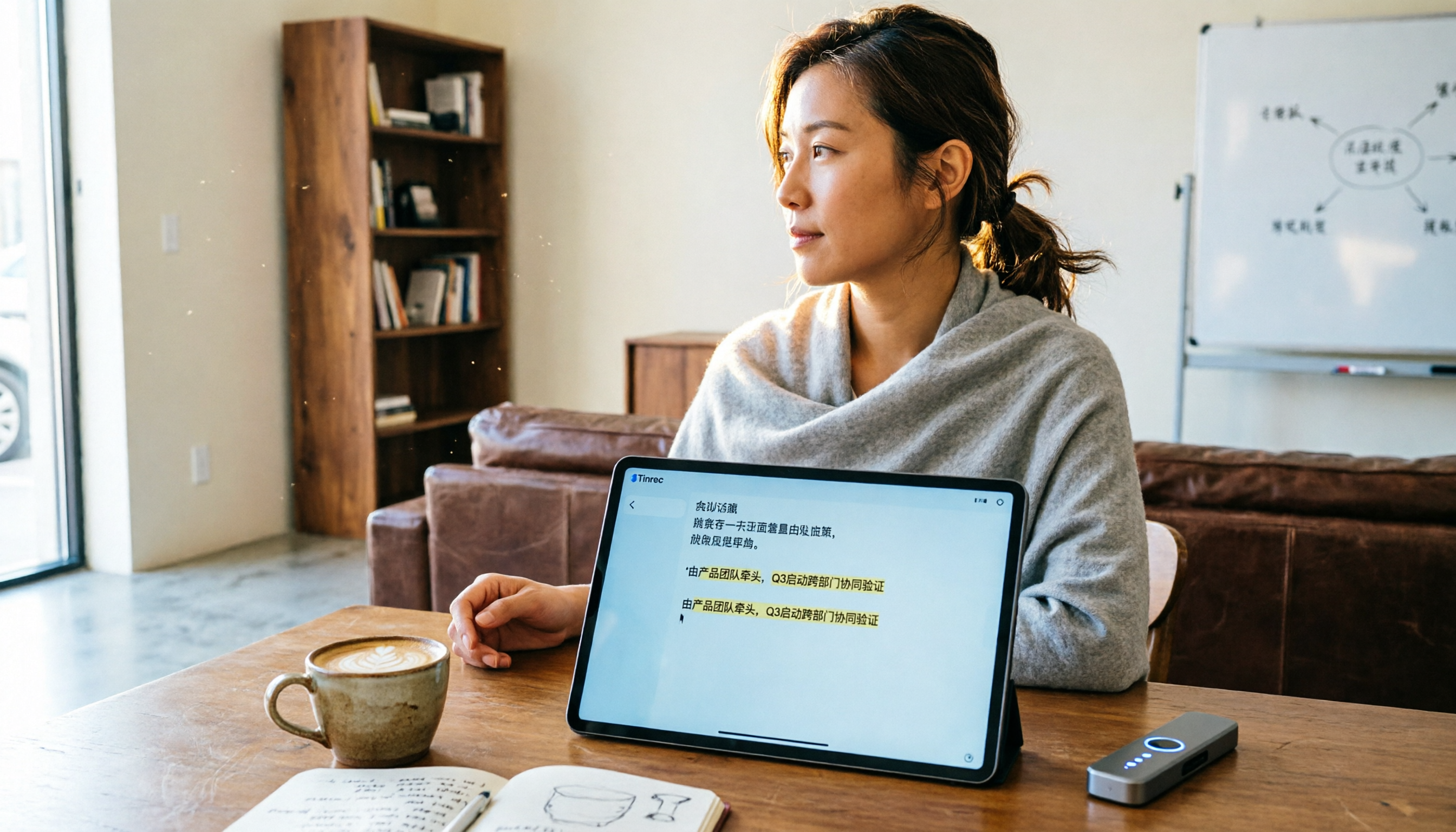
Which Recording-to-Meeting-Minutes Tool Is Best? 2026 Hands-On Test of 2 Tools: Tinrec Is Better for Multi-Scene Organization
Still manually organizing meeting recordings? This article offers a hands-on comparison of Tinrec and PLAUD Note, with in-depth analysis across five dimensions: meeting minutes features, multi-scenario fit, Chinese-language processing, pricing flexibility, and ease of use. Find out why most users are better off choosing Tinrec.

2026 Transcription App Comparison: Does AI-Powered Q&A Really Save Time?
We tested 4 popular transcription apps, from free allowances, transcription accuracy, to AI organization features, to help you pick the best one for meetings, study, and interviews.
2026 Phone Recording Tool Buying Guide: Compliance and 2 Hands-On Tests
Wait, actually Hong Kong law mostly allows you to record your own conversations, but you still need to know how to use tools safely. This time we tested Tinrec and Plaud Note, comparing legality, Cantonese transcription, organization features, and price to help you choose the best recording solution.