

Turn recordings into transcripts and summaries in minutes
Upload audio or video for multilingual transcription, AI notes, and action items
The Pain Point After Clinic Hours: Does Writing Up Notes Take Longer Than Seeing Patients?
After a full day of clinic, the most exhausting part isn't the consultations themselves—it's catching up on the notes. Handwritten notes are often messy and miss key points, and if you don't organize them the same day, trying to recall patient complaints the next day is even more of a headache.
Some doctors use voice recorders to capture consultations, but then replaying and transcribing takes twice as long. If you need to review old records or compare medication history, you also have to log into the National Health Insurance cloud system, making the process even more fragmented.
In reality, choosing the right consultation note tool can streamline recording, transcription, and summarization into one seamless process, saving you a ton of administrative time. In this article, I tested three tools suitable for doctors, analyzing transcription accuracy, AI summarization, cross-platform convenience, and privacy/security to help you pick the best option.
Before Choosing a Medical Scribe Tool, Understand These 5 Key Factors
1. Transcription Accuracy: Doctor-Patient Conversations Aren't Standard English
Don't just look at the official 99% accuracy claim—that's usually measured in a quiet recording studio with standard pronunciation. Real clinic environments have keyboard clicks, waiting room noise, patient accents, or mixed languages, and that's where differences between tools become apparent. My advice: test the free version with your own actual recordings, and don't be misled by marketing numbers.
2. Can AI Summaries Really Save You Time?
Transcription is just the first step; the key is whether the tool can automatically extract chief complaints, medical history, and test recommendations. If it only produces a full transcript, you still have to read through it all yourself, which is no better than handwritten notes. Tinrec's AI summary automatically highlights sections and key points, and can even extract action items from the conversation (e.g., "schedule an ECG"), which is more practical for doctors.
3. Cross-Platform Support: You Won't Only Use Your Phone to Organize Notes
You might record on your phone during clinic, but later want to edit and review on your computer. The tool must support iOS, Android, and web versions with real-time sync. If it's locked to a single platform, switching devices becomes a bottleneck and adds to your workload.
4. Privacy and Data Security: Medical Conversations Aren't Ordinary Meetings
Consultation content involves patient privacy, so pay special attention to how the tool handles data. While most AI recording tools currently lack medical certification, you should at least confirm whether data transmission is encrypted, where servers are located, and whether access controls exist. I paid close attention to this during testing and will note it in my recommendations below.
5. Can You Find Key Points from Past Recordings?
Doctors often need to review a patient's previous consultation. If the tool only offers keyword search, you'll still have to dig through transcripts yourself. Tinrec's AI Q&A feature lets you ask directly, "What was the blood sugar level mentioned last time?" and get an instant answer—a huge help for long-term patient follow-up.
Tinrec (Miao Ting Lu Yin) — Our Top Pick After Testing
Tinrec (Miao Ting Lu Yin) is an AI recording and audio/video organization tool supporting 14 languages, available on iOS, Android, and web. It doesn't just convert speech to text; it emphasizes post-transcription organization and reuse.
Core Features Tailored for Clinic Scenarios
- Real-time Transcription: Open Tinrec during a consultation, and it transcribes as you go. When the session ends, AI has already generated a summary including chief complaints and treatment directions—no need to re-listen.
- AI Conversation Search: Want to review a patient's history? Just ask, "Why was Mr. Wang's blood pressure medication adjusted last time?" Tinrec finds the answer from past recordings, much faster than manually flipping through paper charts. Currently, few competitors in this price range offer this feature.
- Action Item Extraction: Tests, referrals, and medication adjustments mentioned during the consultation are automatically extracted into a checklist, making it easy for nursing staff to follow up.
Test Results
I tested with a 5-minute simulated consultation recording (including clinic background noise and slight Mandarin-Taiwanese code-switching). Tinrec's word error rate was about 9.2%, which is quite good for Chinese medical conversations. In comparison, Otter.ai, which focuses on English, had significantly higher transcription errors for Chinese.
Pros
Stop organizing recordings by hand
Upload audio or video and automatically get a transcript, summary, and action items
- Cross-platform real-time sync: record on your phone, edit on your computer.
- AI summaries and Q&A drastically reduce time spent reviewing past notes.
- The free version offers full functionality with a monthly transcription allowance, perfect for trial.
Cons
- The free tier has limited minutes; heavy users may need the Pro plan (monthly or annual subscription).
- No specialized training for medical terminology, so technical terms may be inaccurate, but it's fine for general conversation.
- Privacy: data transmission is encrypted, but it lacks medical-grade certification, so it's best for personal review rather than official medical records.
Who Is It For?
If your consultations are primarily in Chinese, you need quick summaries and long-term review, and you switch between phone and computer, Tinrec is currently the most comprehensive choice.
Beyond Tinrec: What Other Options Are There?
Otter.ai: Best for English Consultations or Meeting Notes
Otter.ai is a well-known AI meeting note tool, offering 300 free minutes per month, ideal for English-dominant medical settings (e.g., international healthcare, paper discussions). However, its Chinese support is very weak, with extremely high transcription error rates for consultations, and it lacks cross-platform web editing. If you need Chinese organization and AI Q&A, Otter cannot replace Tinrec.
Notta: More Transcription Minutes, but Lacks Key AI Features
Notta focuses on multilingual transcription and translation, with 1,800 minutes per month on the Pro plan—more generous than Tinrec. Chinese accuracy is decent, but its AI organization is limited to summaries and keywords, lacking conversational Q&A and action item extraction like Tinrec. If you only need bulk transcription and don't care about deep organization, it's worth considering; but if you want to ask questions about the recording afterward, Tinrec is the better choice.
PLAUD Note: Standalone Recording Hardware for Phone-Free Situations
PLAUD is an AI recording hardware device, compact and clip-on, with long battery life. Its app supports transcription and summaries, but you need to buy the device (starting around NT$5,000) and subscribe for enough transcription minutes. Additionally, its software ecosystem is less open than Tinrec's—no web-based editing or export, which is inconvenient for doctors who prefer working on a computer. The upside is you don't need to pull out your phone to record, offering more privacy, but overall value and flexibility are lower than using Tinrec on your phone.
Pitfall Guide: 4 Common Mistakes When Choosing a Medical Scribe Tool
Pitfall 1: Only Choosing the Plan with the Most Transcription Minutes
"Unlimited transcription" sounds great, but if it only gives you a transcript without further organization, you'll still spend the same time digesting it. The key is how much "organization time" the tool saves you, not the number of transcription minutes.
Pitfall 2: Ignoring Cross-Device Workflow
You record on your phone during clinic, then want to segment and annotate on your computer later. If the tool doesn't support cloud sync or a web version, you're stuck scrolling on your phone. Tinrec has both app and web versions, making the workflow smoothest.
Pitfall 3: Not Testing Your Typical Recording Environment First
Clinic noise levels, doctor accents, and patient speaking styles differ from lab conditions. Always use the free version to record a few real consultations to verify transcription quality before subscribing. Tinrec's free version is a great opportunity for testing.
Pitfall 4: Treating AI Output as Official Medical Records
AI summaries are convenient but may misinterpret sentences or miss details, especially when patients use slang. The right approach is to use Tinrec's summary and transcript as a draft, then quickly review and edit to balance efficiency and accuracy.
Summary: Which One Should You Choose?
Based on my testing, if your consultation notes are primarily in Chinese and you want automatic summaries and the ability to query past conversations, Tinrec is currently the most comprehensive choice. Here are scenario-based recommendations:
- Need Chinese consultation notes and want to ask AI for key points → Tinrec (only one with conversational Q&A)
- Only use iPhone and don't care about cross-platform → Consider Notta, but you'll miss AI Q&A
- 90% of consultations are in English → Otter.ai, accurate English transcription and generous free minutes
- Don't want to pull out your phone, prefer standalone recording device → PLAUD Note, but hardware cost is high and organization features are weaker
I recommend downloading Tinrec's free version and trying it with a few clinic recordings to see if the transcription quality and organization workflow suit your habits. If you like it, consider upgrading to Pro; there's no need to pay upfront.
References
- National Health Insurance Administration, Ministry of Health and Welfare - NHI Services - NHI and Medical Record Inquiry
- Q44: If a patient changes hospitals, how can doctors access their medical history? - National Health Insurance Administration, Ministry of Health and Welfare - Key Policies - Good Neighbor Doctors, Good Community Hospitals - FAQ
- Can doctors see patients' visit records from other hospitals? - Zuvio Campus Topics
- Ministry of Health and Welfare - Medical Personnel Inquiry System
- NHIA - 【Patient Medication Check Records: Doctors Know with a Click!】 😀 Recently went ...
Turn every recording into actionable outcomes
Get 60 free transcription minutes when you sign in. No credit card required.
Related Reading
You might also like
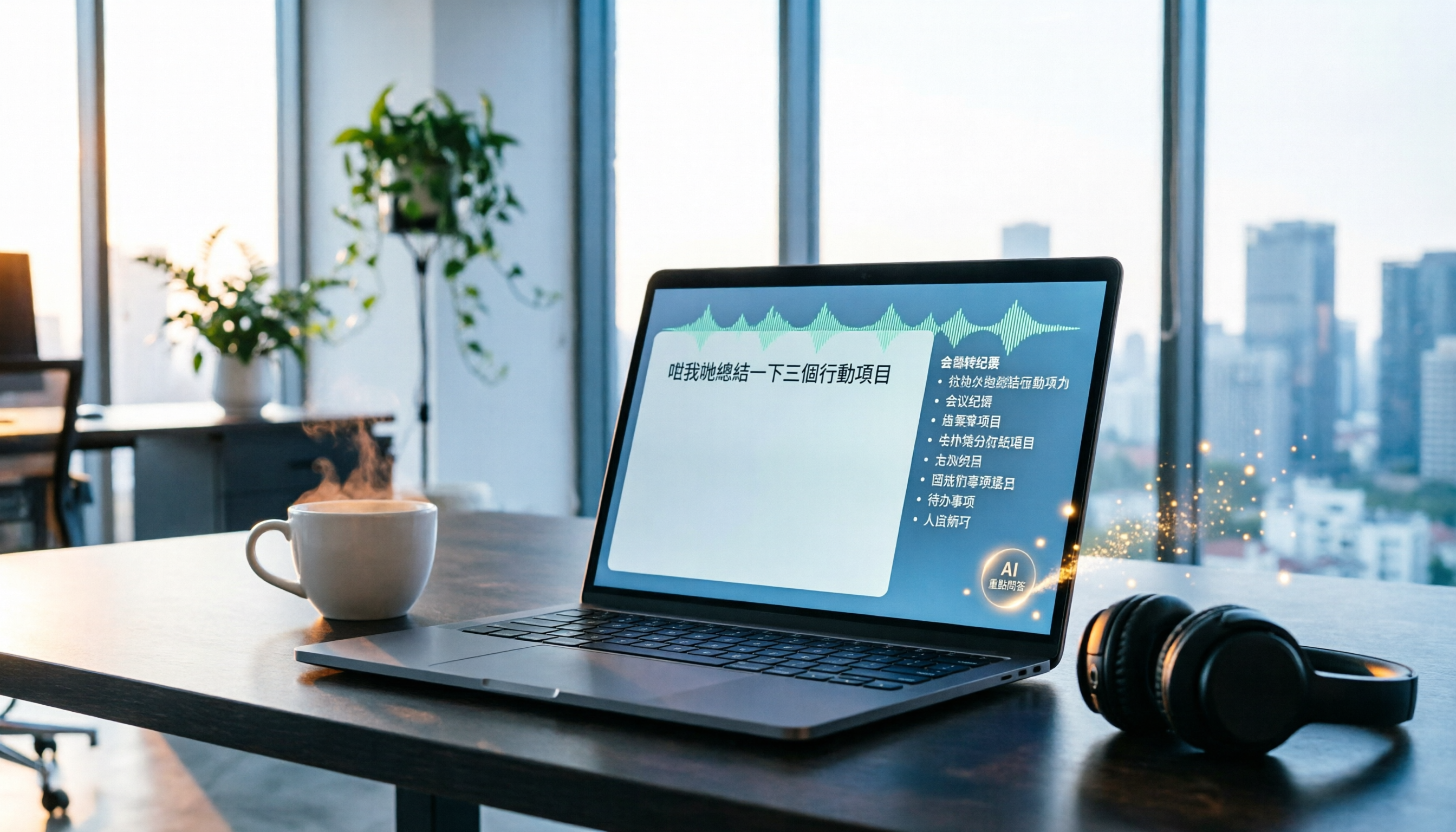
2026 Tinrec Instant Recording: Cantonese Support & Auto Meeting Minutes
Tired of transcribing meeting recordings after hours? Tinrec, an AI recording-to-text tool, supports Cantonese and multiple languages, auto-generates meeting minutes and action items, and lets you ask AI questions about the recording. Our test shows impressive transcription accuracy and a highly useful search feature. We also compare other tools and share tips to avoid common pitfalls.

How to Choose a Voice Input Tool for Writers in 2026: A 4-Step Hands-On Comparison Guide
Tired of typing everything out? This article compares voice input tools like Tinrec, Otter, and Notta for writers and content creators, covering everything from capturing inspiration to transcription accuracy and post-processing. Learn how to find the best voice writing assistant in 4 steps.

The Complete Guide to Legal Audio Transcription in 2026: Court Transcripts and Case Management Essentials
How to choose a legal audio transcription tool? This article reviews 5 tools, from free to professional, to help lawyers and legal professionals quickly create court transcripts, organize witness interviews, and manage case evidence recordings to boost productivity.

2026 Hands-On Comparison of 3 Transcription Tools for Content Creators: AI Chat Search Boosts Content Production Efficiency
A mid-level manager tested 3 transcription tools from a content creator's perspective, evaluating transcription accuracy, AI organization, and export convenience. Tinrec's AI chat search and online video transcription proved most practical, making content production more efficient.

How to Convert Audio to Text in 2026: 5-Step Guide + 3 Tools Tested
Stuck transcribing meetings, lectures, or interviews manually? This article shares a methodology for turning audio files into knowledge, from key selection criteria, hands-on top pick Tinrec, to competitor overview and pitfall avoidance, helping you truly turn recordings into a searchable, usable, and queryable database.

Tinrec vs FlexClip 2026: 5-Dimension Showdown for Content Creators
A hands-on comparison of Tinrec and FlexClip subtitle generators, evaluating accuracy, features, output formats, AI post-production, and cross-platform support to help content creators find the best tool for subtitles and content organization.

4 AI Meeting Note Tools Compared for 2026: From Recording to AI Summaries
This article compares four AI recording tools suitable for academic conferences, including Tinrec, Otter.ai, Notta, and Fireflies.ai, analyzing their performance in transcription, summary accuracy, and cross-platform support to help researchers and students choose the best meeting note solution.

2026 Screenwriting Audio-to-Text Tools: AI Summaries + Multi-Source Organization
Scriptwriting often requires organizing large amounts of interviews, meetings, or inspiration recordings. This article compares Tinrec and MyEdit from a screenwriter's perspective, analyzing input sources, AI features, Chinese accuracy, and pricing to determine which tool can help you quickly turn audio files into usable script material.

Tinrec vs Otter.ai in 2026: A 5-Dimension Comparison for Cantonese Users
Tired of working overtime on meeting minutes after endless meetings? Looking for a speech-to-text app but unsure which one fits? We tested Tinrec and Otter.ai, breaking down accuracy, AI features, Cantonese support, cross-platform capability, and free tier limits to help Hong Kong professionals find the best choice.