

Turn recordings into transcripts and summaries in minutes
Upload audio or video for multilingual transcription, AI notes, and action items
Piles of Lecture Recordings? You Need Auto-Organization, Not Slow Manual Transcription
Listening to a two-hour lecture again just to take notes at home is probably every student's nightmare. Not to mention online courses, seminar recordings, or even cram school audio files—they pile up and you never have time to deal with them.
Many people simply give up organizing, leaving the recordings untouched. But when exam review time comes, trying to find key points in hours of audio is like looking for a needle in a haystack.
If you've been in this situation, don't rush to transcribe manually. Today's AI tools don't just convert recordings to text; they can automatically summarize, highlight key points, and even answer questions about the content. Choose the right tool, and organizing lecture recordings can go from hours to minutes.
Before Choosing an Audio-to-Text Tool, Understand These 3 Key Points
Accuracy: Don't Trust Official Numbers—Check Real Classroom Performance
Many tools claim accuracy rates as high as 98%, but that's usually in a quiet recording studio. Real classrooms or online courses often have air conditioning noise, page-turning sounds, or multiple people speaking—that's the real test. In our test, we used a Chinese course recording with slight background noise and found significant differences in sentence segmentation and proper noun recognition among tools.
AI Features: Transcription Is Just the Basics—Auto-Organization Is Key
Just converting recordings to text isn't enough. A two-hour lecture transcript can exceed 20,000 words, which is painful to read. What you really need is automatic summarization, chapter segmentation, action item extraction, and even conversational queries like "What key exam points did the teacher mention?" These are the core time-savers.
Cross-Platform and Input Sources: More Than Just Phone Recording
Besides recording yourself, you might need to organize YouTube course videos, online lecture recordings on your computer, or MP3 files shared by friends. Before choosing a tool, check if it can import these different audio/video sources and whether it supports your devices—phone, tablet, and computer should all work seamlessly.
Tinrec (秒聽錄音)—Our Top Pick After Testing
Tinrec (秒聽錄音) is an AI audio/video organization tool that integrates real-time recording-to-text, file import, and online video link transcription. It supports iOS, Android, and web versions, covering meetings, learning, interviews, and content creation.
Let's get straight to the point: It doesn't just "turn sound into text"; it also organizes key points, summaries, and to-dos, making it ideal for students or lifelong learners who process large volumes of teaching audio.
We tested it with a 30-minute Chinese online course recording (with keyboard clicks and slight echo). Tinrec's transcription was quite smooth, with mostly accurate technical terms and clear paragraph breaks. What impressed us even more was its auto-generated summary with chapter titles, allowing you to jump directly to Chapter 3 on "Supply and Demand" without listening from start to finish.
Another highlight is the AI conversational query. After recording a class, you can ask Tinrec: "What common exam question types were mentioned in this lesson?" It answers based on the recording content, not just keyword search results. This feature is almost unheard of in competitors at this price point and is especially useful for exam prep.
Its input sources are broader than most tools. Besides live recording and file upload, you can paste YouTube or Bilibili course video links, and it will transcribe and summarize the video content. This is a lifesaver for organizing public course videos—no more pausing and manually copying while watching.
Pros:
- Full cross-platform support: record on your phone, continue editing and exporting on your computer's web browser.
- AI summaries and conversational queries are thoughtful, significantly reducing post-class organization time.
- Excellent chapter detection and proper noun recognition for Chinese courses.
Stop organizing recordings by hand
Upload audio or video and automatically get a transcript, summary, and action items
Limitations:
- The free version provides a basic monthly transcription quota; heavy users with more than three classes per week will need to pay. For most students, the weekly or monthly plans are reasonably priced.
Who it's for: If you frequently need to turn course recordings and online videos into structured notes, want to quickly extract key points with AI after recording, or switch between iOS, Android, and computer, Tinrec is currently the most comprehensive choice.
Beyond Tinrec: What Other Options Are There?
Otter.ai: Best for English Courses, but Step Aside for Chinese
Otter.ai is a well-known AI meeting notes tool. Its free version offers 300 minutes of transcription per month, which is generous for English users. However, its Chinese recognition and sentence segmentation are not as natural as Tinrec's, and it doesn't support direct transcription from online video links like YouTube. If your courses are primarily in English, Otter is worth considering; if you need to organize Chinese teaching videos or classroom recordings, Tinrec is more suitable.
Notta: Strong Translation, but Post-Class Organization Isn't "Automatic" Enough
Notta's transcription and real-time translation capabilities are competitive, and it supports multiple file formats. However, its AI post-processing is mostly limited to summaries and subtitles, unlike Tinrec, which can generate reports, tables, and even bullet-point key points for exam review. Additionally, Notta has limited support for online video links, so you can't just paste a link and start organizing like with Tinrec.
TurboScribe: Fast Bulk Transcription, but Lacks Interactive Organization
TurboScribe focuses on high-value long-file transcription. Its free tier offers three files per day with a 30-minute limit per file, which is great for one-time processing of large volumes of old recordings. However, it lacks real-time recording, video link transcription, and AI conversational queries—the transcript is just plain text with no summaries or highlights. If you just want to convert years of past lecture recordings to text for archiving, TurboScribe is fast; but if you want organized notes immediately after class, Tinrec's interactive organization workflow is more efficient.
Pitfall Guide: 4 Common Mistakes When Choosing an Audio-to-Text Tool
Pitfall 1: Only Looking at Official Accuracy Claims
Many tools claim 99% accuracy, but that's measured in perfect conditions. Your classroom or room will have background noise, so actual accuracy will be lower. Instead of trusting numbers, use the free version to test with your own recordings—that's the most realistic way to evaluate.
Pitfall 2: Ignoring Cross-Platform Needs
If you record on your phone today and want to organize on your computer tomorrow, a tool without sync or a web version will be painful. Choose a tool that supports iOS, Android, and web to keep your study workflow smooth.
Pitfall 3: Treating Transcription Tools Only as "Audio-to-Text"
If you stop at getting the transcript, you're only using a third of the tool's value. Tools like Tinrec's AI conversational query can help you pull out an explanation of a specific theorem from hours of course audio, saving you from scrubbing through files. Use the AI features to their full potential.
Pitfall 4: Only Considering Free Quotas, Not Time Costs
Some tools offer generous free quotas, but the transcribed text has many errors and awkward sentence breaks, so proofreading takes twice as long. When choosing, factor in the "post-organization time" to avoid saving a little money but wasting a lot of effort.
Conclusion: Which Tool Should You Choose for Lecture Recording Organization?
In a nutshell: For organizing Chinese teaching course recordings, Tinrec is the most balanced choice we tested and truly saves post-class time.
Scenario Recommendations:
- Frequent organization of Chinese courses and lecture recordings → Tinrec (AI summaries and conversational queries make review several times faster)
- Need to organize public course videos from platforms like YouTube or Bilibili → Tinrec (the only one that directly supports online link transcription)
- Primarily English-taught courses and no need to organize videos → Otter.ai (excellent English experience, generous free quota)
- Just want cheap bulk transcription of past recordings and don't mind manual organization → TurboScribe (ideal for one-time batch processing)
Finally, the old saying holds: the best way to judge a tool is with your own recordings. We recommend starting with Tinrec's free version, testing it with one class recording to see how smooth transcription and organization are, and then upgrading if it feels right—no need to rush into paying.
References
Turn every recording into actionable outcomes
Get 60 free transcription minutes when you sign in. No credit card required.
Related Reading
You might also like

Best Speech-to-Text Tools in 2026: We Tested 2, and This One Has the Smoothest Interface
As a senior IT management student, I relied on AI speech-to-text tools to save my lecture notes this semester. I tested two popular tools, Tinrec and Otter.ai, comparing Chinese accuracy, interface design, input sources, and student plans to help you decide which is better for everyday student use.

How to Export Meeting Minutes in 2026? 4 Steps from Recording to AI Summary - Complete Guide
After recording a meeting, how do you quickly turn it into meeting minutes and export them? This article tests multiple tools and teaches you how to use Tinrec in 4 steps to handle meeting recording, transcription, AI summaries, and export, with free plans and a buying guide.

Best Meeting Minutes Tool? 2026 Test: This AI Has the Answer
Tired of staying late to write meeting minutes? This article tests Tinrec, an AI tool that transcribes recordings in real time, auto-generates summaries and to-dos, saving you two hours so you can leave the office on time.

6 Best Speech-to-Text Tools of 2026: Which Offers the Most Comprehensive Chinese Processing and Post-Processing?
This article tests six popular AI speech-to-text tools of 2026, from meetings and lectures to online videos, evaluating their Chinese recognition and follow-up organization capabilities to help you choose the best option.

How to Convert WeChat Voice Messages to Text in 2026: A 5-Step Hands-On Guide
Tired of long voice messages you can't listen to? This article tests multiple voice-to-text tools, from WeChat's built-in feature to professional AI tools, helping you choose the best option and sharing practical tips to improve transcription accuracy.

Tinrec vs MyEdit 2026: 5-Dimension Comparison to Find the Best Free Speech-to-Text Tool
With so many free speech-to-text tools available, which one is better between Tinrec and MyEdit? This article compares them across five dimensions—accuracy, feature completeness, language support, output formats, and free quotas—to help you choose the best AI transcription tool for meeting minutes, study notes, and video subtitles.

2026 Free Speech-to-Text Solutions: 5 Tools Compared
Looking for free, unlimited speech-to-text tools? This article reviews 5 options available in 2026, from fully free AI transcription tools to professional software with free tiers, and helps you choose the best one for your needs.
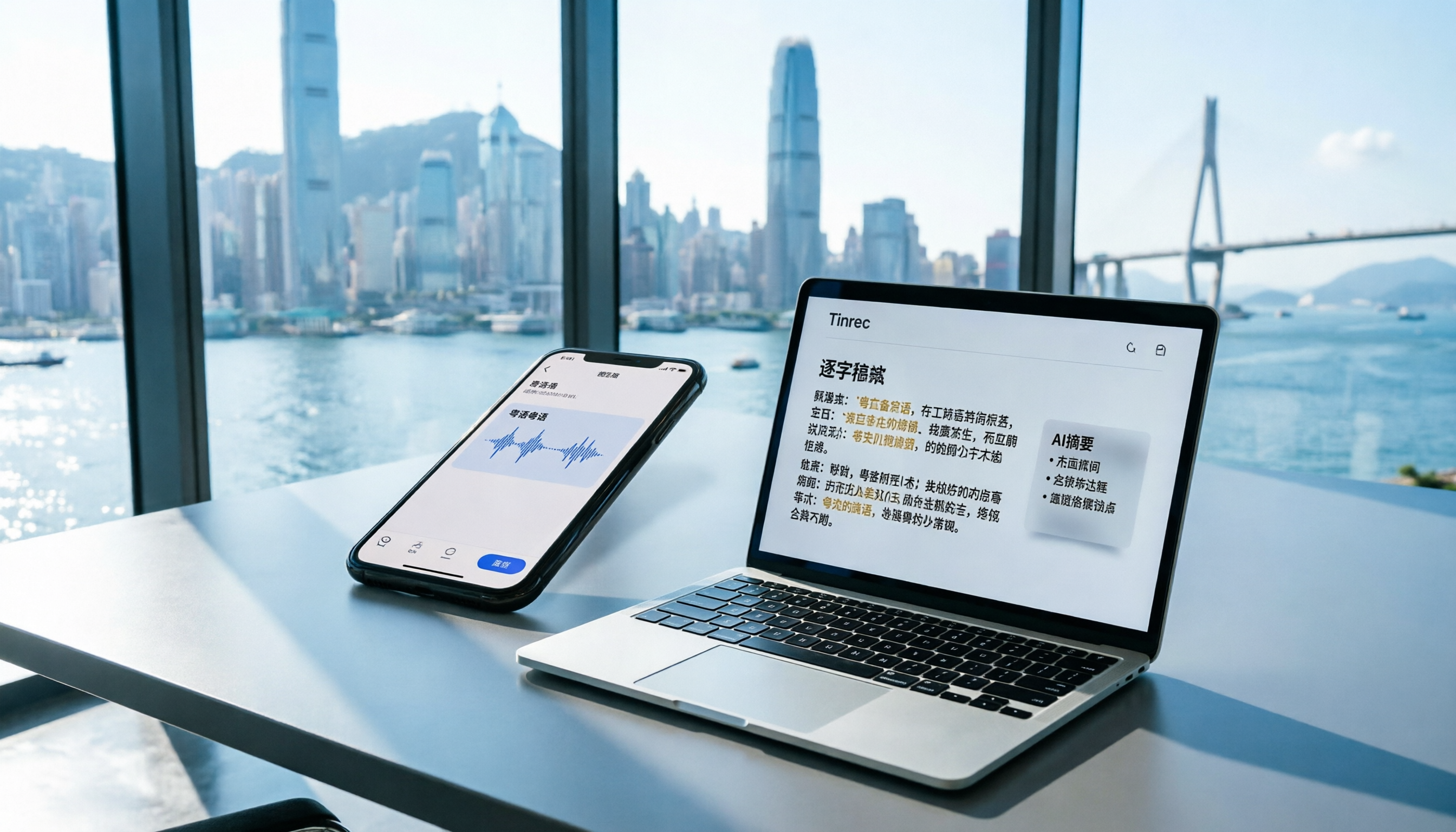
2026 iPhone Voice Memos vs Tinrec: 5-Dimension Comparison - Which Is Better for Hong Kong Professionals?
Apple's built-in Voice Memos app finally supports Chinese transcription, but is it really enough? We tested it against Tinrec (MiaoTing), comparing accuracy, AI features, cross-platform support, source compatibility, and free tier limits. Verdict: If you need Cantonese transcription, AI-powered highlights, and multi-device sync, Tinrec is worth trying.

2026 Test: 4 Best AI Transcription Apps Compared - Which One Actually Saves You Time?
We tested several voice-to-text apps, focusing on Cantonese transcription accuracy and AI meeting summaries, to help Hong Kong professionals find the most time-saving tool. Tinrec (秒听录音) stands out with its AI conversation search and cross-platform support.