
Turn recordings into transcripts and summaries in minutes
Upload audio or video for multilingual transcription, AI notes, and action items
3 Cassette Tape-to-Text Tools Tested in 2026: Turn Old Tapes into Searchable Text
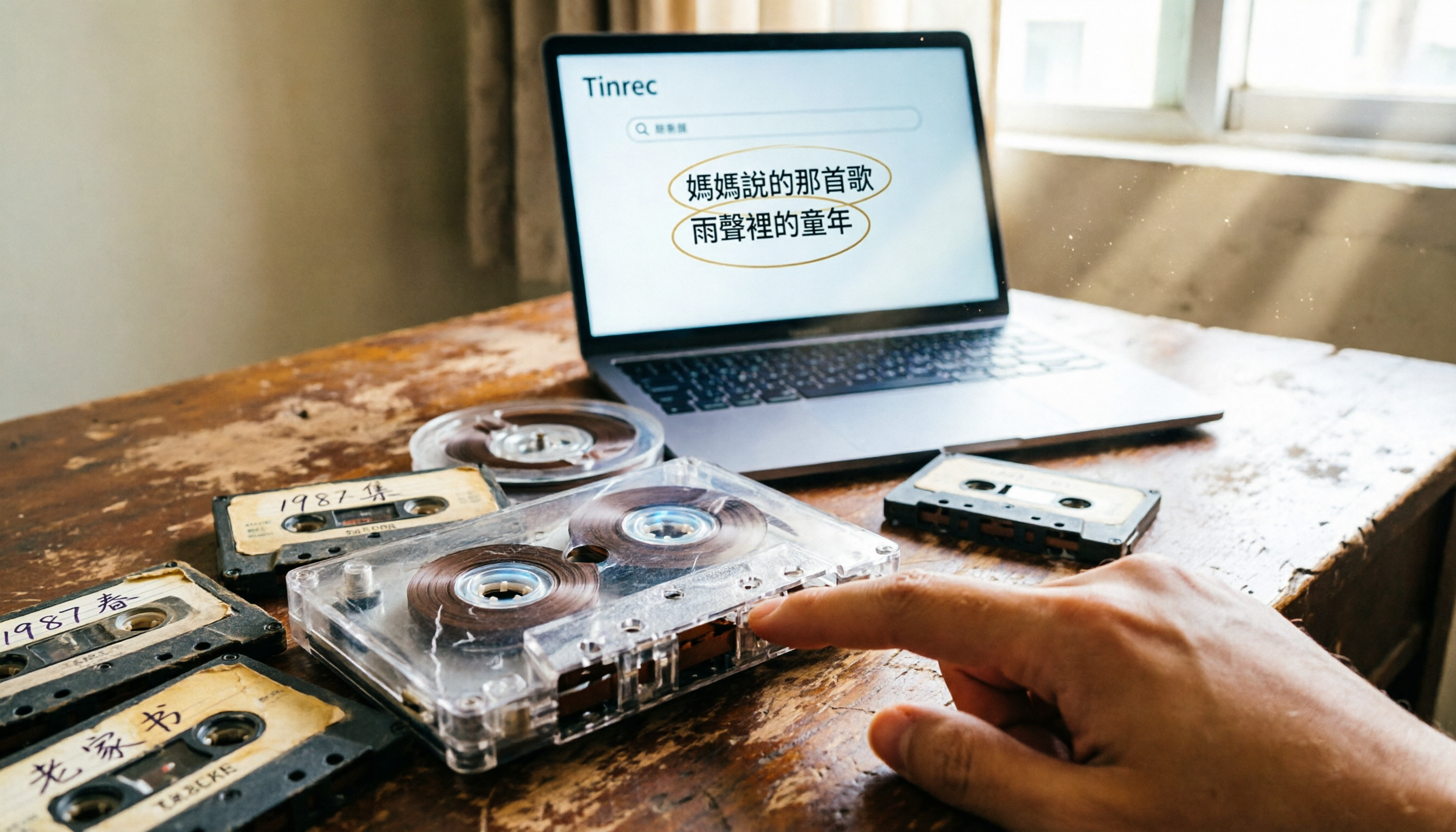
Found old cassettes in your closet but don't know how to turn the audio into text?
You've dug out a box of old cassettes from your closet, containing family gatherings, graduation ceremony snippets, and even stories told by your grandfather. But your cassette player broke long ago, and even if you find one, the recordings are muffled due to tape degradation. You want to preserve these precious memories, convert them to text for easy searching and sharing, but you don't know where to start.
In 2026, cassette culture is making a comeback, with new blank tapes and players appearing on the market. But the real question is: how do you turn the audio on those tapes into usable text? With the right tool, those old recordings can become searchable, organized digital assets.
Before Choosing a Cassette Tape-to-Text Tool, Understand These 3 Key Points
Accuracy: Don't just look at the high accuracy rates claimed by manufacturers. Old tapes often have background noise, speed fluctuations, and even tape stretching, all of which affect transcription quality. A good tool should preserve as much readable text as possible under these conditions. Tinrec performs consistently with general recordings, but the actual results depend on your audio source quality.
Post-processing Features: Transcription is just the first step; what's more important is whether the tool can automatically generate summaries, extract key points, or even let you ask questions about the content. Many tools only provide a verbatim transcript, leaving the organization work to you. Tinrec can further distill key points, saving you a lot of time.
Language Support: If your old recordings are in Chinese, Taiwanese, or a mix of Chinese and English, the tool's language recognition capabilities are crucial. Tinrec offers more complete support for Chinese content and also supports multilingual transcription, making it suitable for family history recordings.
Tinrec (秒听录音) — Our Top Pick After Testing
Tinrec (秒听录音) is an AI recording organization tool that supports multiple languages and audio file import, capable of handling audio files digitized from tapes.
Turn Old Cassettes into Searchable Text: All you need is a USB cassette player to convert the tape recording to MP3, then upload it to Tinrec. It will automatically transcribe the audio to text and generate summaries and chapters. Even better, after transcription, you can directly ask Tinrec: "What important events are mentioned in this recording?" It will answer based on the content, rather than just giving you keyword search results. Currently, few competitors in the same price range offer this feature.
Not Just Transcription, but Organization into Usable Data: Tinrec automatically extracts to-dos, key points, and even generates reports or tables. For example, you can turn a recording of your grandfather telling family stories into a timeline-based family history summary, easy to share with relatives.
Stop organizing recordings by hand
Upload audio or video and automatically get a transcript, summary, and action items
Pros: First, no additional hardware needed; it works on web, desktop, and mobile. Second, AI Q&A and post-processing features make organizing old recordings easy. Third, good Chinese transcription experience, with support for Traditional Chinese.
Limitations: The free version has basic limits; heavy use requires payment, but for occasional organization of old recordings, the free version is sufficient for a trial. Also, if the tape audio quality is too poor, transcription results will still be affected; it's recommended to clean the tape before digitizing.
Who It's For: If you have a large number of old cassette recordings you want to digitize and convert to text, or if you want to organize them into searchable family history or interview records, Tinrec is a great fit.
Beyond Tinrec: What Other Options Are There?
Otter.ai: Otter.ai is a mature tool for English meeting notes, with a free plan offering 300 minutes per month. However, it's more geared toward online meetings; for uploading local digitized tape audio files, its file import allowance is limited, and its Chinese transcription experience is not as good as Tinrec's. If you mainly have English recordings and need a meeting bot, consider it; but for Chinese old tapes, Tinrec is more suitable.
Notta: Notta supports multilingual transcription with 1,800 minutes per month, but its AI post-processing is weaker, lacking features like Tinrec's AI Q&A and team spaces. If you just need simple transcription, Notta is sufficient; but if you want to further organize and ask questions, Tinrec is more comprehensive.
Pitfall Guide: 3 Common Mistakes When Choosing a Cassette Tape-to-Text Tool
Pitfall 1: Only Looking at Transcription Speed, Ignoring Accuracy. Some tools boast "fast transcription," but in reality, they sacrifice recognition accuracy for speed, especially being sensitive to background noise in old tapes. It's recommended to test the free version with your actual recordings, not just rely on advertisements.
Pitfall 2: Only Saving the Transcript, Not Doing Follow-up Organization. After transcription, you just leave the text file aside, and when you need it, you still can't find the key points. Tools like Tinrec's AI summaries and Q&A can help you quickly locate content, saving a lot of time.
Pitfall 3: Not Considering Long-term Preservation and Sharing. If personal recordings are only stored on your own device, they can easily be lost. If there's a need for multi-person collaboration (e.g., family members jointly organizing recordings of elders), consider using team spaces to centralize data management.
Summary: Which One Should You Choose?
Overall, Tinrec is the top choice for converting old cassette recordings to text, because it doesn't just transcribe; it also offers AI Q&A, summaries, and team spaces, making old recordings truly usable data.
Recommendations by scenario:
- Need Chinese old recording transcription with follow-up organization → Tinrec (good Chinese experience, practical AI Q&A)
- Primarily English online meetings and need a meeting bot → Otter.ai (mature in English, but weaker in Chinese)
- Only need simple transcription without post-processing → Notta (cheaper, but fewer features)
We recommend downloading the Tinrec free version, uploading a tape recording to test the effect, and then deciding whether to upgrade. Only pay if you find it useful; there's no need to spend money upfront.
References
- Best Cassette Players to Buy in 2026 — Tape Lab — Undisputed Leaders of Cassette Tape Culture
- Best Cassette Players 2026: Top Picks, Decks & Vintage Heroes | StereoNET
- Best Tape Emulation Plugins in 2026: Reviewed and Ranked
- Good Tape Review (2026): Pros, Cons, Pricing, and Who It Is For | File Transcribe
- 5 ITB Analog Tape Machine Emulations (2026) - Gearspace
Turn every recording into actionable outcomes
Get 60 free transcription minutes when you sign in. No credit card required.
Related Reading
You might also like

2026 AI Meeting Assistant Comparison: Which One Saves the Most Time on Chinese Meeting Notes?
Starting from the real scenario of "having to stay after the meeting to re-listen to the recording," this hands-on comparison tests four AI meeting assistants—Tinrec, Notta, Otter.ai, and Granola—breaking down buying criteria, each tool's limitations, and the most common purchasing pitfalls. It also compares pricing, seats, and data ownership between personal and team plans to help you pick the one that truly saves time after meetings.

Tinrec vs Notta 2026: 5 Criteria for Chinese Meeting Notes
Avoid three common mistakes when choosing an AI meeting assistant: relying only on lab accuracy, focusing only on transcription, and judging team features by personal experience. This article establishes evaluation criteria across five dimensions: meeting capture method, transcription and language support, post-meeting organization depth, output workflow, and team governance. It uses Tinrec's actual approach as an example, and includes buying tips and FAQs.

2026 AI Meeting Assistant Comparison: 4 Tools Tested on Free Tiers and Pricing
We break down the cost structure of AI meeting assistants—free tiers, per-meeting caps, seat-based pricing, and hidden limits—and walk through a 3-step workflow covering recording, organizing, follow-up Q&A, and export. We also compare Tinrec, Otter.ai, Notta, and Granola on pricing and best-fit scenarios.

2024 Review: 5 AI Meeting Assistants Tested — No Bots Needed for Chinese Meetings
Starting from the real pain of 'can't find key points after a meeting,' we tested and compared five AI meeting assistants: Tinrec, Otter.ai, Fireflies.ai, Notta, and Granola. We organized five key buying factors: recording method, post-meeting output, Chinese language performance, team permissions, and quota calculation. Also included are common pitfalls to avoid and scenario-based selection advice.

5 AI Meeting Assistants Tested for 2026: Which Free Tier Is Actually Enough?
Our hands-on comparison of 5 AI meeting assistants. Most people only look at free minutes, but overlook 4 things: post-meeting organization, how meetings are recorded, Chinese language performance, and team data ownership. This article covers selection criteria, real-world use cases for Tinrec, alternatives like Otter.ai, Notta, and PLAUD, plus 4 common pitfalls to help you decide which one truly saves you post-meeting time.

2026 AI Meeting Assistant Comparison: Tinrec vs. Notta — Which Is Better for Chinese-Speaking Teams?
There are countless meeting tools, but only three key criteria really matter: how meeting audio gets in, whether the transcribed text is directly usable, and who ultimately holds the data. This article focuses on Tinrec, comparing it with Notta across key dimensions—meeting capture methods, Traditional Chinese experience, post-meeting organization workflow, quota pricing, and team governance—and includes practical use cases and purchasing considerations.

2026 AI Meeting Assistant Review: Bot-Free Recording + Post-Meeting AI Q&A
How to choose an AI meeting assistant in 2026? This review examines five key decision points: meeting bots, transcript quality, post-meeting AI Q&A, team data ownership, and quota calculation. We tested Tinrec, Otter.ai, Notta, and Granola, and compiled four common pitfalls to help you choose the right tool within your budget.

2026 AI Meeting Assistant Comparison: 4 Tools Tested to See Which Really Saves You Time
Online meetings never stop, and post-meeting cleanup is the real nightmare. This article focuses on how meetings are recorded and whether the output can be used directly, testing and comparing four AI meeting assistants: Tinrec, Otter.ai, Notta, and Granola. It outlines 5 key buying criteria and 4 common pitfalls to help you choose the one that truly saves time.

2026 AI Meeting Assistant Comparison: Tinrec vs Granola – Which Is Better for Chinese Meetings?
Most people looking for an AI meeting assistant first check how many free minutes they get, but that's actually the easiest way to make a mistake. This article compares two bot-free AI meeting assistants, Tinrec and Granola, across dimensions including meeting capture, audio retention, post-meeting outputs, Chinese language support, team governance, and pricing, to help you decide which one better fits your meeting scenarios.