
Turn recordings into transcripts and summaries in minutes
Upload audio or video for multilingual transcription, AI notes, and action items
Imagine this scenario: In 2026, you've just finished an important sales meeting with a client. They raised three requirements, two budget constraints, and verbally committed to responding with the procurement timeline next week. Your notes are scattered, some keywords are too messy to read, and you can't recall the tone and details of the conversation. Back at the office, you open your computer and try to piece together a meeting record from memory, only to realize you've missed an important follow-up item.
What if you could record the meeting with just your phone, have AI automatically transcribe it, and generate summaries and action items? You'd only need a few minutes to review and turn the meeting into an actionable sales checklist—Tinrec is designed exactly for this. Using Tinrec as an example, this article walks you through the complete process of creating sales meeting notes in 2026.
Before You Start: What You'll Need
For a complete sales meeting record, confirm the following before you begin:
• A smartphone or computer (iPhone, Android, Windows, Mac are all supported) • Download the Tinrec app or desktop version (available for free on the App Store, Google Play, or the official website) • For in-person visits, prepare your phone for recording; for online meetings (Zoom, Google Meet, Microsoft Teams), use the desktop version to record directly • A stable internet connection (real-time transcription requires internet; check settings for offline use)
Step 1: Record the Sales Meeting
The goal here is to obtain a clear, complete audio file—this is the foundation for all subsequent organization.
If you're meeting the client in person, first ask if they're comfortable with recording. Once they agree, place your phone at the center of the conference table, as close as possible to the main speaker. Open Tinrec and tap the record button to start. During recording, you don't need to keep looking at your phone; focus on the conversation with the client.
For online sales meetings, open the Tinrec desktop version on your computer and select the "System Sound" recording mode. Tinrec will directly capture the meeting audio from your computer, so you don't need to add a meeting bot to the call. This is less intrusive for the client and avoids them seeing a strange participant name.
Why emphasize recording quality? Because AI transcription accuracy depends on audio clarity. Rather than spending a lot of time correcting later, spend an extra 30 seconds during recording to confirm placement. Afterward, you'll see the recording on the Tinrec home screen, with duration and file size displayed.
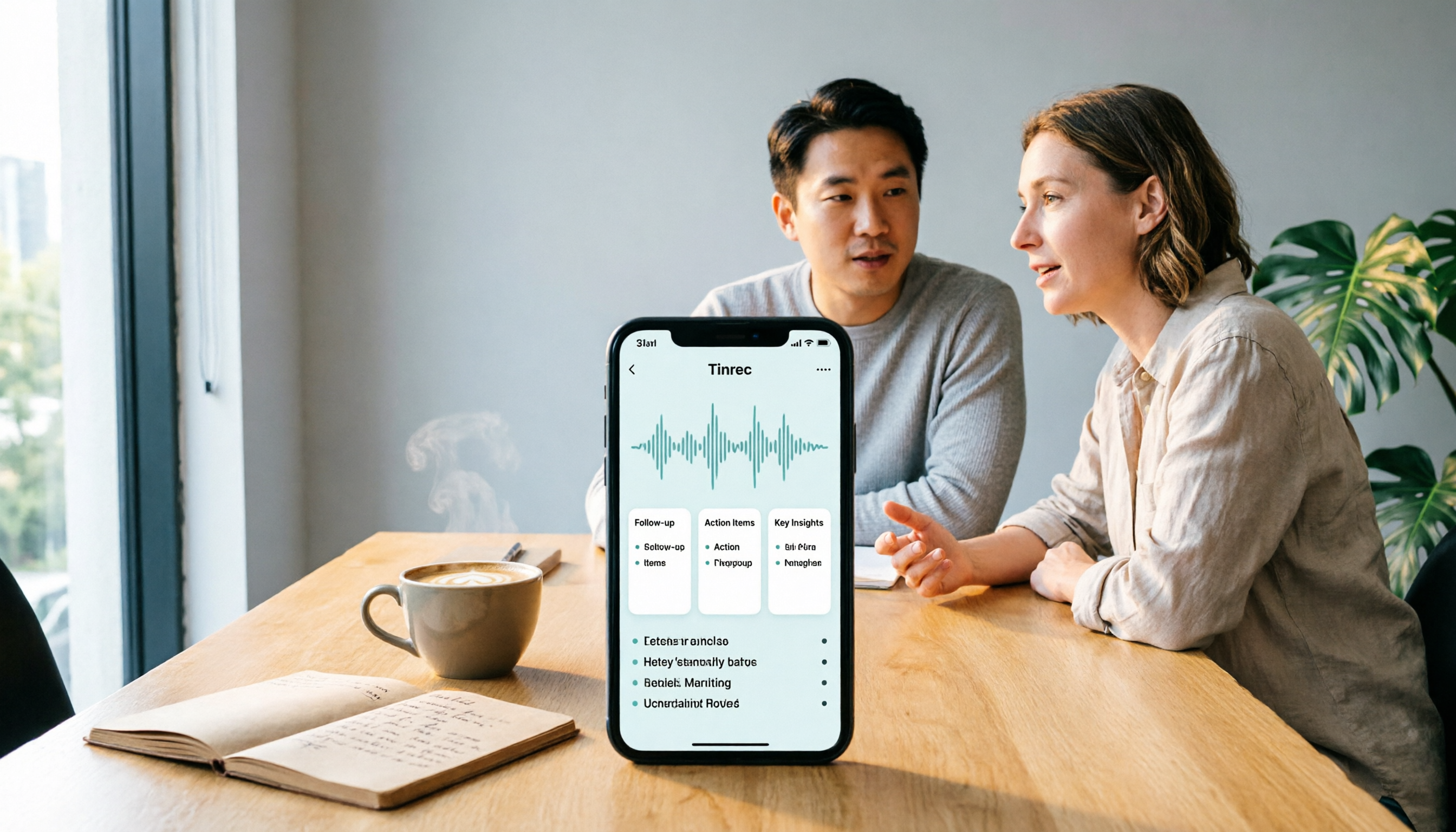
(Illustration: A salesperson and client talking in a conference room, phone placed on the table for recording, professional and natural atmosphere)
Step 2: Let AI Transcribe the Audio
After recording, Tinrec automatically performs speech-to-text. You can see the transcript being generated in real time in the app or desktop version, without manual upload or waiting in a queue.
If you recorded an online meeting, the transcript appears in sync with the audio; if you imported a historical audio file, wait a moment after uploading. Tinrec supports Chinese, English, and multilingual mixed content, making it especially suitable for the common mix of Chinese and English in sales conversations in Taiwan.
Once transcription is complete, the transcript is presented on a timeline, with each sentence linked to a specific time point. You can click any sentence to jump the audio to that position for easy playback and verification.
(Illustration: Computer screen showing transcript, with audio timeline on the left and text paragraphs on the right)
Step 3: Quick Proofreading and Marking Key Points
While AI transcription is convenient, it can still make errors with accents, overlapping speech, or technical terms. Sales meetings often include product names, prices, client names, and other key terms. This step focuses on quickly scanning the transcript, correcting obvious errors, and marking important sections.
Tinrec's transcript is directly editable, so you can listen to the audio and edit the text simultaneously. If you encounter an uncertain word, click the sentence to replay it. Additionally, Tinrec automatically splits long meetings into chapters. You can review chapter titles to quickly locate sections like "Requirements Discussion," "Budget Confirmation," and "Next Steps."
Why proofread yourself? Because details in sales meetings often determine success or failure. A client saying "budget around 500,000" versus "budget around 1.5 million" leads to completely different actions. Spending three minutes to confirm numbers is definitely worth it.
(Illustration: User viewing transcript on phone, tapping a sentence, and seeing audio playback pop up)
Step 4: Generate Sales Meeting Minutes and Action Items
Once the transcript is organized, Tinrec can automatically generate summaries, key points, and action items. You don't need to manually pick out the important parts from thousands of words.
Stop organizing recordings by hand
Upload audio or video and automatically get a transcript, summary, and action items
In Tinrec, open the recording and tap "AI Summary" to condense the core discussion. Then check the "Action Items" tab; Tinrec will extract items like "Provide quote by next Wednesday," "Client requested trial version," and "Need to confirm logistics costs."
Sales meetings place special emphasis on commitments and follow-ups. You can assign owners and due dates to these action items directly, or export them to your task management tool. Tinrec also supports generating meeting minutes documents, formatted for easy forwarding to supervisors or team members.
(Illustration: Screen with transcript summary on the left and action item list with checkboxes on the right)
Step 5: Export and Share with the Team
The final step is to deliver the organized meeting materials. Tinrec supports multiple export formats: transcripts can be saved as plain text or Word files, meeting minutes as PDFs, and action items as spreadsheets.
If you use Notion, Google Docs, OneNote, or Dropbox, Tinrec can export content directly to these tools. This is especially useful for sales teams—client meeting records no longer live only in personal notebooks but enter a shared team knowledge base.
If you and your colleagues need to manage client meetings collaboratively, consider Tinrec's team version. After creating a team space, you can centrally store sales meeting recordings, transcripts, and action items. New members can also see historical interaction records. The team version also offers member management, usage analytics, and an audio recycle bin, making it easy for supervisors to track each salesperson's meeting volume.
(Illustration: A team in an office reviewing meeting materials together, with a large screen showing completed action items)
FAQs and Troubleshooting
Q: The transcription has many errors. What should I do? Usually, the recording environment is too noisy or the phone is too far from the speaker. Tinrec has built-in noise reduction, so try to stay close to the speaker during recording. If you're using an existing file, you can select "High Noise Environment" mode after importing to improve transcription quality.
Q: The client doesn't agree to recording. Can I still use Tinrec? Yes. Without an audio file, automatic transcription isn't possible, but you can use Tinrec's "Quick Notes" feature immediately after the meeting to manually enter key points, then use AI to organize them into summaries and action items.
Q: In online meetings with many speakers, can Tinrec distinguish who is who? Tinrec's transcript marks speaker changes but doesn't show specific names. When multiple people speak at once, accuracy may decrease. We recommend having one person lead the discussion or using audio playback to confirm key sections after the meeting.
Q: Is the free version sufficient? For light use, yes. The free version provides basic quotas, suitable for occasionally recording a meeting or two. If you have sales meetings or client interviews every week, we recommend upgrading to the Pro plan for more transcription minutes and advanced features. For team use, consider the team plan.
Q: Will meeting records automatically sync to CRM? No. Tinrec can organize client communication content and export it as documents or spreadsheets, but it won't automatically sync to CRM or complete the entire sales process. You can manually paste the exported data back into your CRM or use third-party tools for integration.
Advanced Tips: 3 Ways to Double Tinrec's Efficiency
1. Use AI Q&A to directly identify client pain points Tinrec's AI Q&A isn't just for summaries. You can ask directly: "What budget constraints did the client mention in this meeting?" "What unresolved issues are there?" Tinrec will find answers from the transcript, much faster than reading through it all. This is something typical transcription tools can't do.
2. Build team keywords to improve technical term recognition Sales meetings often include product models, client company names, and industry abbreviations. In the team version, you can add these terms to "Team Keywords," and Tinrec will prioritize recognizing them, reducing errors. For example, setting terms like "CRM," "QBR," and "SLA" significantly improves transcription accuracy.
3. Use Agent post-processing to generate reports After the meeting, if you need to submit a formal sales meeting report to your supervisor, Tinrec's Agent post-processing can generate a structured document based on the transcript, including meeting objectives, discussion summary, decisions, and next steps, saving you time from rewriting.
If You Don't Use Tinrec, Here Are Alternatives
Otter.ai: Mature for English meeting notes, but Chinese mixed content and localization experience aren't as tailored as Tinrec; Notta: Strong transcription and translation features, but bot-free recording and deep team space integration are Tinrec's advantages. If your need is large volumes of long-file transcription, consider TurboScribe, but for real-time sales meetings, Tinrec is more suitable.
Conclusion
Now that you've learned these five steps, you can use Tinrec to turn every sales meeting in 2026 from a vague recording into a complete record with transcript, summary, action items, and team-shared data. Next time before visiting a client, open Tinrec and record. After the meeting, spend a few minutes reviewing the AI-organized action items, and you won't miss any commitments again.
Start with the free version and practice with a real sales meeting. When you experience not having to scramble to organize meeting notes, you'll realize this isn't just a recording tool—it's the most reliable partner in your sales process.
References
- 2026/2027/2028 Marketing Calendar for Marketers, Social Media Managers, and Influencers: Interviews, Trends, Creating Topics, and Borrowed Interest Marketing – Ming Chun Shuo | Corporate AI Adoption Consultant, Marketing Trainer Tsai Ming Chun
- 2025 Product Conference: Main Agenda
- 2025 Holiday Marketing Calendar for Marketers: Marketing Hotspots, Theme Ideas, and Industry Recommendations
- Free Meeting Minutes Templates (Word, Google Docs, PDF) | HiNoter Blog
- 2025 Ultimate Marketing Calendar: Borrowed Interest Marketing Strategies and Hot Search Keywords at a Glance - awoo
Turn every recording into actionable outcomes
Get 60 free transcription minutes when you sign in. No credit card required.
Related Reading
You might also like

2026 Smart Meeting Notes Software Comparison: Which One's Output Is Ready to Use?
Meeting notes aren't just about typing—they're about post-meeting organization and follow-up. This article compares Tinrec, Otter.ai, Granola, and PLAUD Note across four dimensions: output format, audio capture method, post-meeting processing, and team knowledge retention. It also includes a ready-to-use meeting notes template and a guide to avoiding common pitfalls.

4 Free AI Meeting Notes Apps Tested: Is the Free Tier Enough?
There are plenty of free AI meeting notes apps, but few can actually deliver a finished record right after a meeting. This article tests Tinrec, Otter.ai, Notta, Granola, and TurboScribe across four dimensions—free tier limits, online meeting audio capture, post-meeting organization, and AI Q&A—to help you decide which free version is truly sufficient.

2026 AI Meeting Notes Apps Free Plans Compared: 5 Options Reviewed
There are many free AI meeting notes apps, but they differ greatly in recording time limits, whether they can record online meetings, and what you get beyond transcription. This article uses the criterion of 'can the free plan handle a complete meeting?' to review five common options and explains Tinrec's actual performance in Chinese meetings, bot-free recording, and team knowledge retention.

2026 Smart Meeting Notes Apps Compared: How Tinrec Turns Meetings into Queryable Team Data
Starting from common misconceptions, this article explains why getting only a transcript doesn't solve the meeting notes problem. It focuses on Tinrec and compares Notta, PLAUD, and Granola in terms of meeting capture methods, post-meeting outputs, Chinese language experience, and team data retention. It concludes with purchasing considerations and FAQs.

3 Smart Meeting Notes Tools Tested for 2026: Which One Really Saves Time with Online Transcripts and AI Q&A?
Meeting notes don't end with turning audio into a transcript. This article starts with the three most common misconceptions and compares Tinrec, Notta, Otter.ai, and Granola on transcripts, AI Q&A, cross-device online viewing, and team knowledge retention. It outlines 4 key buying criteria and 4 pitfalls to avoid, then gives selection advice based on use cases.

Best AI Meeting Recorder in 2026? Hands-On Test of Tinrec vs PLAUD Note
Many people choose an AI meeting recorder based only on recording and transcription, overlooking post-meeting organization and team handoff. This article compares two approaches—Tinrec and PLAUD Note—across meeting capture, Chinese and cross-language support, post-meeting organization, data retention, and team governance, with actionable selection advice and a starter checklist.

4 Smart Meeting Notes Apps Tested for 2026: Free Tiers, Transcripts, and AI Summaries Compared
Smart meeting notes software is more than just audio-to-text. This article addresses three common misconceptions, explains the real value of AI meeting notes tools across four stages—capture, organize, use, and govern—then compares Tinrec and Notta across five dimensions: meeting capture, transcripts and languages, post-meeting output, team governance, and pricing/quotas. Finally, six FAQs help you decide if a free version is enough and how team plans differ.

2026 Smart Meeting Notes App Comparison: Which One Actually Saves You Time?
Spending two hours after a meeting to organize notes is a daily reality for many professionals. This hands-on comparison of Tinrec, Otter.ai, Notta, and PLAUD Note evaluates how each records meetings, what they produce afterward, their Chinese-language experience, and team management features. We break down 4 key buying factors and 3 common pitfalls to help you choose the one that truly saves time.

Best AI Meeting Notes Tools in 2026: 5 Tested + Automatic To-Do Summaries
A mid-level manager who runs 15 meetings a week tested popular AI meeting note tools, covering Chinese recognition, how meetings are recorded, post-meeting output, team data ownership, and quota calculations. He shares 5 key selection criteria and 4 common mistakes, and explains why he ultimately kept Tinrec as his daily go-to.