
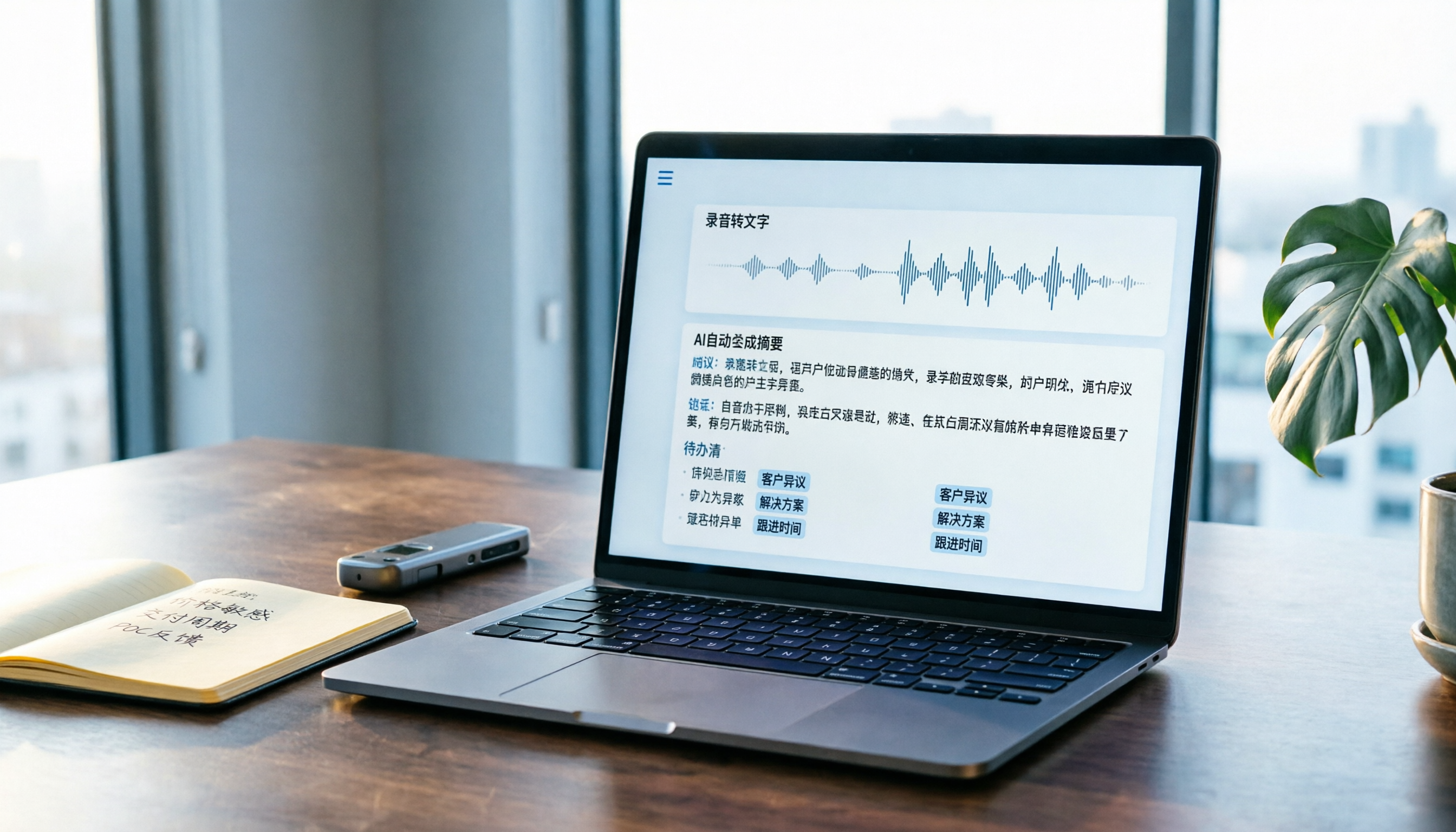
Turn recordings into transcripts and summaries in minutes
Upload audio or video for multilingual transcription, AI notes, and action items
Why Do You Need a Sales Meeting Record?
Sales meetings are most prone to "out of sight, out of mind": if you don't clearly note the client's objections, commitments, and next steps, follow-up falls apart. On Dcard, discussions about sales, forms, and records often mention frustrations like "I didn't note what the client said" and "I don't know the next step after the meeting." This article outlines 5 steps and 6 solutions, from manual templates to AI-generated records, to help you find the right approach.
Option 1 | Tinrec (Instant Recording) — Use AI to Turn Sales Meetings into Trackable Records
Tinrec is an AI meeting notes and collaboration tool that converts recordings into text and automatically organizes summaries, chapters, key points, and action items, which can be exported as tables or documents. The following 5 steps can serve as your sales meeting record workflow:
- Before the meeting: Open Tinrec desktop and select "Computer Meeting Recording"; no need to invite a bot to Zoom, Google Meet, Teams, etc.
- During the meeting: Real-time transcription with simultaneous generation of the transcript; handles Chinese and mixed Chinese-English content.
- After the meeting: Use AI summaries and chapters to quickly confirm key discussion points, then use action item extraction to list client commitments and next steps.
- Fixed fields: If you need a fixed format, use Agent post-processing to generate reports or tables, including meeting date, participants, discussion points, decisions, action items, and owners.
- Export and collaboration: Export results to Notion, Google Docs, or Dropbox, or save to team space for shared access to historical meeting data.
Key highlights:
- Bot-free desktop recording, so client meetings aren't disrupted.
- Not just transcripts: summaries, action items, AI Q&A, and team space are all included.
- Free plan lets you try basic recording, import, summary, and transcription; Pro monthly/yearly plans suit regular use; Team plan is USD 29.80/seat/month or USD 199/year, offering 2,000 shared import minutes plus governance features like members, seats, usage analytics, and audit logs.
Best for: Sales and business professionals who need to reliably track client meeting content and share data with their team.
Option 2 | Manual Template (Google Sheets / Excel) — Build a Recording Habit with Zero Budget
Positioning: Use spreadsheets to create a sales meeting record with customizable fields, ideal for those just starting to establish a process.
Highlights: Free, shareable, collaborative; you can design fields like "Meeting Date, Client, Discussion Points, Client Objections, Commitments, Next Steps, Owner."
Pricing: Google Sheets is free; Excel requires a Microsoft account or subscription.
Best for: Small teams or individuals with no budget who only need occasional records.
Option 3 | Notta — Multilingual Transcription and Meeting Notes
Positioning: AI transcription and meeting notes tool supporting multiple languages and file import.
Highlights: Real-time transcription, translation, and summaries; suitable for teams needing multilingual content like Chinese, English, and Japanese.
Pricing: Free plan offers 120 minutes/month; Pro is about USD 8.17/month billed annually, with 1,800 minutes/month.
Stop organizing recordings by hand
Upload audio or video and automatically get a transcript, summary, and action items
Best for: Users who need multilingual transcription but not extensive team governance features.
Option 4 | Otter.ai — A Popular AI Recording Tool for International Meetings
Positioning: Mature AI meeting assistant with strong English meeting capabilities.
Highlights: Integrates with Zoom, Teams, Meet; speaker identification; AI Chat; suitable for foreign companies or English meetings.
Pricing: Basic is free with 300 minutes/month; Pro is about USD 8.49/month billed annually, with 1,200 minutes/month.
Best for: Sales professionals who frequently have English meetings and collaborate with international clients.
Option 5 | Fireflies.ai — A Choice Focused on Sales Process Analytics
Positioning: Meeting automation and sales analytics tool integrating many business applications.
Highlights: AskFred, meeting analytics, CRM integration; suitable for advanced sales teams.
Pricing: Free plan available; Pro is USD 10/seat/month; Business is USD 19/seat/month.
Best for: Teams that need deep sales process analytics and already use multiple business tools.
Option 6 | PLAUD NotePin — A Hardware Recording Option for Those Who Don't Want to Open a Computer
Positioning: Portable AI recording hardware, convenient for phone calls and field interviews.
Highlights: Standalone device, long battery life, companion app generates summaries; no computer needed.
Pricing: NotePin costs USD 159; membership plans include Starter with 300 minutes/month and Pro at USD 99.99/year.
Best for: Users who frequently visit clients on the go and need hardware recording.
With So Many Options, How Do You Choose?
- Want the most complete AI features (transcription + summary + action items + AI Q&A + team space) → Tinrec, especially for bot-free desktop recording and Chinese experience.
- Zero budget and only need occasional organization → Google Sheets manual template or Tinrec free plan.
- Need multilingual transcription → Notta or Tinrec (Tinrec supports Chinese and multiple languages, real-time translation).
- English meetings are primary and need a mature English ecosystem → Otter.ai.
- Value sales analytics and extensive integrations → Fireflies.ai.
- Don't want to carry a computer and often record on the go → PLAUD NotePin.
Overall, the core of a sales meeting record isn't the "table" but the process of "record → organize → track → collaborate." Tinrec is one of the few solutions that connects recording, transcription, summary, action items, AI Q&A, and team space, making it a direct replacement for scattered notes.
5 Things to Know Before Using a Sales Meeting Record
- Check regulations and consent first: Obtain consent from participants before recording, especially in client meetings; Tinrec also reminds users to comply with local laws.
- Design fields before filling: Don't just jot down a running log; at minimum include "Decisions, Action Items, Owner, Deadline." Tinrec's action item extraction can assist.
- Use the same process consistently: Avoid different formats per person; teams can use Tinrec team space to centrally store meeting data.
- Verify important items by playback: AI summaries may miss details; for important commitments, cross-check with the transcript or recording playback.
- Review and hand over regularly: When team members leave, team data must be handed over; Tinrec team plan provides resource handover mechanisms to prevent loss of client information.
Conclusion
A sales meeting record isn't just about downloading a template; it's about establishing a reliable recording and tracking process. We recommend starting with Tinrec's free plan and using the 5 steps in this article to turn a meeting into trackable summaries, action items, and documents. If your team collaborates with multiple people, upgrade to the team plan to manage seats and shared data. That way, no client meeting will ever be "out of sight, out of mind" again.
References
Turn every recording into actionable outcomes
Get 60 free transcription minutes when you sign in. No credit card required.
Related Reading
You might also like

2026 Smart Meeting Notes App Buying Guide: Tinrec vs Otter.ai Across 5 Dimensions
Starting from common buying mistakes, this guide compares Tinrec and Otter.ai across 5 dimensions—Chinese-language meetings, bot-free recording, post-meeting outputs, team governance, and pricing/quotas—to help SMBs and team leads make a choice they can justify to their boss.

2026 Comparison of 4 AI Meeting Notes Apps: Which Handles Chinese Meeting Minutes Best?
How much time do you spend after a meeting turning the content into minutes you can actually send out? This article is built around real meeting scenarios office workers face. It first breaks down the 5 key decision points when choosing an AI meeting notes app, then reviews Tinrec, Otter.ai, Granola, and Notta—their positioning, limitations, and pricing. Finally, it uses scenario-based guidance to help you decide which one fits you, and lists the 4 most common buying mistakes.

Tinrec vs Meeting Bots in 2026: 5-Dimension Comparison – Are Smart Meeting Recorders Worth It?
Tired of staying after meetings to organize notes? This article compares Tinrec with traditional meeting bots across 5 dimensions: meeting capture, Chinese transcription, post-meeting organization, team collaboration, and pricing/quotas. It also uses real scenarios to show how a smart meeting recorder can handle transcripts, summaries, and action items all at once.

3 Smart Meeting Notes Tools Tested: Which Delivers the Most Practical Minutes and Action Items?
After a meeting, all you have are three lines of notes? This article starts from the real pain points of meeting documentation, outlines key criteria for choosing a smart meeting notes tool, and tests and compares Tinrec, Otter.ai, Notta, and PLAUD Note on their meeting minutes and action item output examples, bot-free recording methods, Chinese language support, and team data ownership, with a pitfall guide and selection advice.

4 AI Meeting Notes Apps Tested for 2026: Which Handles Chinese Meetings and Post-Meeting Cleanup Best?
From meeting recording, transcription, summaries, and action items to team knowledge retention, compare Tinrec, Otter.ai, TurboScribe, and PLAUD on use cases and plan limitations to help you choose the right AI meeting notes software.

Best AI Meeting Notes App? 2026 Test: Tinrec vs Otter for Chinese Meetings
Choosing between Tinrec and Otter.ai for online meeting notes? This comparison covers 5 areas: Chinese transcription, online meeting recording, post-meeting output, team governance, and pricing. We list free tiers and paid prices to help you decide which fits your meeting style.

2024 Comparison of 3 Smart Meeting Notes Apps: Which One Turns a One-Hour Meeting into a Five-Minute Read?
Most people only look at free minutes when choosing smart meeting notes software, and meetings still go unrecorded. This article addresses three common misconceptions and walks through Tinrec's complete five-step workflow—recording, transcription, proofreading, generating meeting notes, and exporting/sharing—then compares it with Notta and Granola's use cases to help you decide which workflow truly saves that hour after the meeting.

Tinrec vs Notta 2026: 5-Dimension Comparison of AI Meeting Notes Apps for Chinese-Language Scenarios
There are countless meeting notes apps, but the first thing to determine is whether you need a verbatim transcript or data you can directly use after the meeting. This article focuses on Tinrec and Notta, breaks down 5 purchasing dimensions, and also covers the positioning and pricing of Otter.ai, Granola, and PLAUD to help you choose the AI meeting notes app that fits your meeting style.

2026 Comparison of 5 Online AI Meeting Notes Tools: No Meeting Bots—Which One Actually Gets the Post-Meeting Work Done?
Moving meeting notes online isn't about which tool has the most features—it's about how meetings get captured. From the perspective of a mid-level manager with 15 meetings a week, I tested 5 online AI meeting notes approaches, comparing capture methods, summary and action item quality, Chinese recognition, team governance, and quota structures. I also explain why I ultimately kept Tinrec and where its limitations lie.