
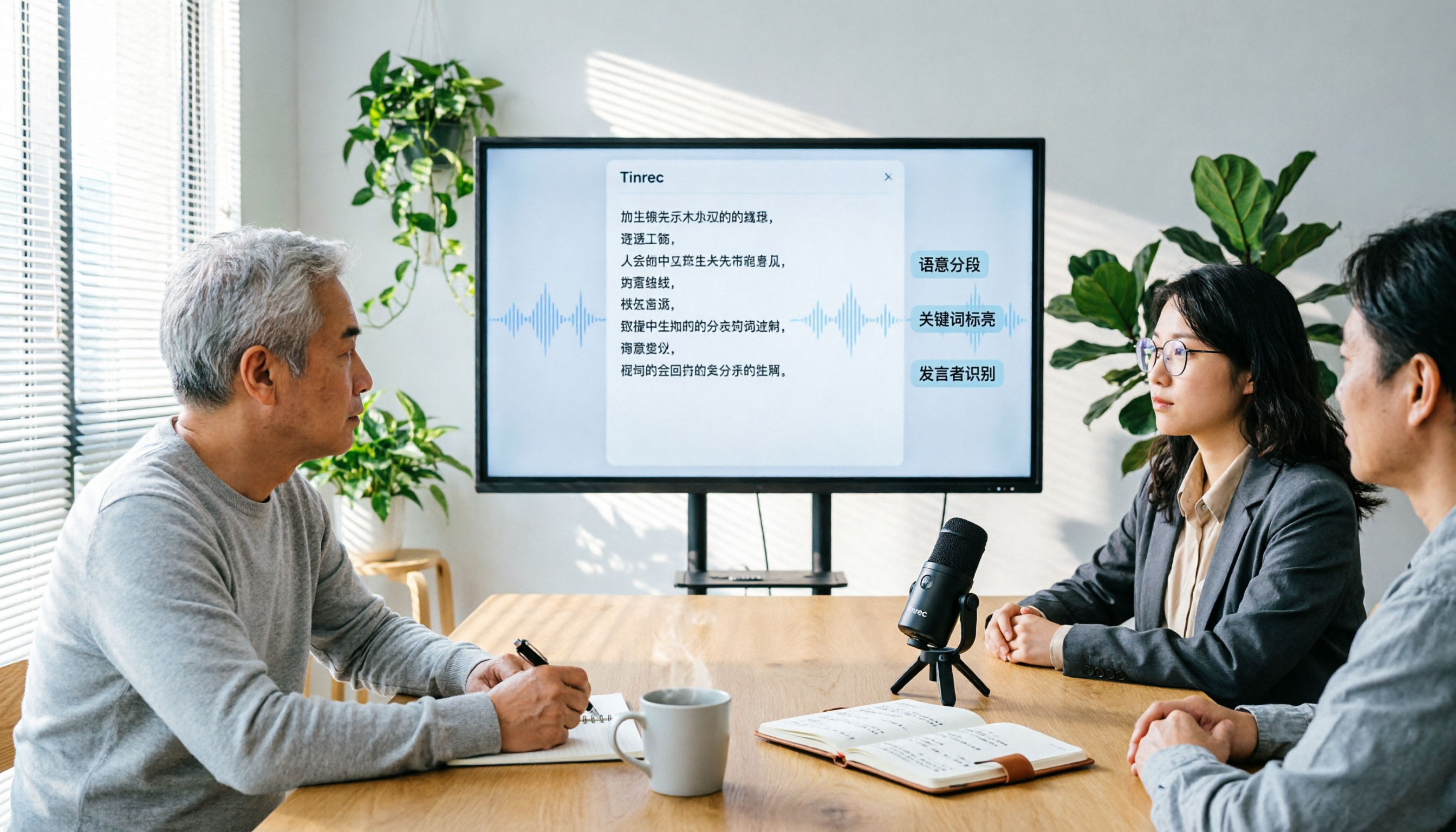
Turn recordings into transcripts and summaries in minutes
Upload audio or video for multilingual transcription, AI notes, and action items
Tinrec vs Yating Transcriber 2026: 5-Dimension Comparison Shows Why Teams Choose Tinrec for Meetings and Collaboration
When choosing a speech-to-text tool, many people fall into two common traps: they immediately pick Yating Transcriber because of its "Taiwanese accent optimization," or they only compare the per-minute price while ignoring the costs of meeting follow-up and team collaboration. As a result, they discover after purchasing that solo recording works fine, but online meetings, multi-user sharing, and task tracking become cumbersome.
This article uses five key dimensions to help you reassess: what you need is not just a transcript, but a tool that turns meetings into searchable, collaborative, and actionable data.
What Can Speech-to-Text Tools Do for You?
Many users in Taiwan still think of speech-to-text as simply "converting audio files into text." But the real value lies in what you can do after the conversion. Take Tinrec, for example: it not only records meetings but also generates real-time transcripts, AI summaries, chapter highlights, and action items. After a two-hour meeting, you no longer need to spend another hour re-listening to the recording and manually organizing notes. With Tinrec, you can see who is responsible for what and the deadlines at a glance.
Scenario 1: Online Meeting Notes Open the Tinrec desktop app, and without inviting a meeting bot, it directly captures system audio to record content from Zoom, Google Meet, or Teams, converting it to text in real time. When the meeting ends, summaries and action items are already done.
Scenario 2: Client Interview Organization Salespeople or researchers conducting client interviews can record and transcribe simultaneously. After the interview, they can use the AI Q&A feature to ask follow-up questions like, "What pain points did the client mention?" or "What is the approximate budget?" without having to search through the recording line by line.
Scenario 3: Class Notes and Review Students can use Tinrec to record online courses, then search for key concepts, generate highlight summaries, and even export the transcript to Notion or Google Docs for further organization.
What Are Tinrec's Core Capabilities?
Tinrec's core strength is not just "accurate transcription," but "many things you can do after transcription." The following capabilities set it apart from typical transcription tools:
- Bot-Free Online Meeting Recording: No need to add an AI participant to your meeting. The Tinrec desktop app directly captures your computer's system audio, avoiding meeting notification clutter and privacy concerns.
- AI Summaries and Chapters: Transcripts are not just a wall of text. Tinrec automatically breaks them into chapters and highlights key points, helping you quickly grasp the structure of long meetings.
- Action Item Extraction: Automatically organizes action items from discussions, including assignees and deadlines, saving manual organization time.
- AI Q&A: You can directly ask Tinrec about meeting content, such as "What risks were discussed in last week's meeting?" It answers based on semantic understanding, not just keyword search.
- Team Spaces and Governance: Beyond the personal plan, Tinrec's team plan offers dedicated team spaces with member roles, seats, usage analytics, and audit logs. Meeting data belongs to the team and won't be lost if a member leaves.
Practical Use Cases
Here are three high-frequency scenarios using Tinrec as the hands-on tool:
Meeting Notes and Decision Tracking Teams meet weekly, everyone talks, and no one remembers the conclusions afterward. Use Tinrec to record the meeting, let AI generate summaries and action items, and share the results in the team space. Before the next meeting, simply search for previous decisions and progress.
Stop organizing recordings by hand
Upload audio or video and automatically get a transcript, summary, and action items
Interview and Research Data Organization Researchers interview multiple subjects, and audio files are scattered across devices. Upload files to Tinrec, transcribe them all at once, then use AI Q&A to compare different interviewees' perspectives, quickly producing research notes and citations.
Courses and Online Learning Students record online courses, and Tinrec transcribes in real time and generates chapter highlights. During review, use the search function to find specific topics without rewatching the entire video.
5 Things to Consider When Buying a Speech-to-Text Tool
Just a transcript, or meeting post-processing? Yating Transcriber provides transcription with timeline alignment, but you still have to do the organizing yourself. Tinrec goes beyond transcription, offering summaries, action items, Q&A, and report generation, saving up to 80% of your follow-up time.
Can it record online meetings without a bot? Yating Transcriber mainly works through its app for live recording or uploading audio files. For online meetings, you need to record separately and then upload, which is cumbersome. Tinrec's desktop app directly captures system audio, so no bot is needed, and it transcribes while you meet.
Team collaboration and data ownership? Yating Transcriber does not allow simultaneous use on multiple devices with one account and has no team spaces. Tinrec's team plan provides dedicated spaces, member seat management, shared quotas, and audit logs, making meeting data a team asset.
Pricing and quota models? Yating Transcriber's paid plans sell by the hour (1, 3, or 10 hours), suitable for occasional personal use. Tinrec's personal plan offers free credits, weekly passes, and Pro monthly/yearly plans. The team plan is priced per seat, with 2,000 minutes of shared import quota per seat per month, allowing you to choose based on your needs.
Language and localization support? Yating Transcriber is optimized for Taiwanese accents and Taiwanese Hokkien but primarily focuses on Chinese. Tinrec supports Chinese, Traditional Chinese, and multilingual meetings, with real-time translation and team-specific vocabulary, better handling mixed Chinese-English or cross-border meetings.
Frequently Asked Questions
Q1: How long can I try the free version of Tinrec? A: Tinrec offers free credits to experience core features like recording, importing, summarization, and transcription. Actual credits are subject to the official page.
Q2: How accurate is Tinrec? A: It provides high-quality transcription in clear audio, low-noise environments, but actual results may vary due to accents, overlapping speech, etc. We do not recommend promoting a fixed accuracy percentage. For important content, we suggest cross-checking with the transcript and audio playback.
Q3: Who is Tinrec's team plan suitable for? A: It is suitable for small and medium-sized businesses, project teams, or departments that need centralized management of meeting data. Users can share historical meetings, track action items, and administrators can control seats and usage, preventing data from being scattered across personal accounts.
Q4: What's the difference between Tinrec and regular recording software? A: Regular recording software only "records." Tinrec goes further by converting recordings into text, summaries, and action items, and supports AI Q&A, export, and team collaboration, making recordings searchable and reusable.
Conclusion
If you only need to convert a small amount of Chinese recordings into text, you can try Yating Transcriber's free trial. But if you have regular weekly meetings, need to track action items, and want your team to share meeting data, Tinrec is a more complete choice. It not only solves "transcription" but also addresses "what to do after transcription." Rather than saving on transcription costs but losing hours each week to manual organization, it's better to choose the right tool from the start.
We recommend starting with Tinrec's free version, recording an actual meeting, and seeing how AI summaries, action items, and Q&A features save you time. For more information, visit the official website.
References
Turn every recording into actionable outcomes
Get 60 free transcription minutes when you sign in. No credit card required.
Related Reading
You might also like

5 Best Meeting Transcription Tools in 2026: Free vs. Paid Options for Students
We compare five meeting transcription tools using real student scenarios—group discussions, class recordings, and mock internship interviews—and share a hands-on walkthrough of Tinrec's live transcription, AI summaries, action items, and Q&A. The article covers four key buying factors, four common pitfalls to avoid, and final recommendations based on budget and use case.

How to Transcribe Meeting Recordings in 2026: 5-Step Tutorial and Review
What's the most time-saving way to transcribe meeting recordings? This guide uses Tinrec as an example to demonstrate 5 steps—from recording, transcription, summarization, action items, to export and team knowledge retention—and includes a practical review, limitations, and buying considerations to help you determine which meeting transcription method fits your workflow.

Tinrec vs Notta in 2026: Real-World Test of Meeting Transcription, Reviews, Examples, and a Guide for Chinese-Speaking Teams
How do you choose a meeting transcription tool? This article compares Tinrec and Notta across meeting capture methods, Chinese transcription, post-meeting outputs, AI Q&A, team governance, and pricing/quotas. It also includes a walkthrough of turning a 20-minute weekly meeting into a transcript, summary, and action items, so you can decide which tool better fits your workflow.

How to Choose a Free Meeting Transcription Tool in 2026: 5 Steps from Recording to Transcript
From free tiers and meeting capture to Chinese recognition, post-meeting organization, and team knowledge retention, compare Tinrec and Notta in 5 steps to choose the right free meeting transcription solution.
2026 Comparison of 4 Meeting Transcription Tools: Which Free Version Is Enough?
Turning meeting recordings into transcripts isn't just about dropping an audio file into AI. This article compares Tinrec, Notta, Granola, and TurboScribe from four angles—capture method, post-meeting organization, team collaboration, and free quota—to help you find a meeting transcription workflow that suits you.

2026 Comparison of 4 Meeting Transcription Tools: Actionable Transcripts Without a Meeting Bot
Meeting transcription isn't just uploading an audio file. This hands-on comparison of Tinrec, Notta, Otter.ai, and Granola breaks down selection criteria, common pitfalls, and team seat differences to help you find a solution that truly produces actionable meeting notes.

5 Meeting Transcription Methods Tested for 2026: Which One Actually Saves You from Re-listening?
Meeting transcription isn't just about dumping audio into a tool. This article tackles common misconceptions and compares five approaches: manual transcription, built-in platform transcription, meeting bots, bot-free desktop recording, and file upload. We break down key selection criteria, practical limitations, and team collaboration differences to help you find a method that truly saves post-meeting cleanup time.

4 Meeting Transcription Tools Tested for 2026: Which Free Version Is Actually Good Enough?
Meeting transcription tools have changed a lot since 2024. The key question is no longer whether they can transcribe, but what they can do for you after transcription. This article starts with common misconceptions, explains 4 key points for choosing a tool, then compares Tinrec, Otter.ai, Notta, and TurboScribe in terms of positioning, free quotas, and paid plans, and finally offers scenario-based recommendations to help you avoid pitfalls from looking only at free quotas.

How to Transcribe Meeting Audio in 2026: Real-Time Transcripts + AI Summaries and Action Items in One Go
How can you transcribe meeting recordings without working overtime? This guide starts with four key criteria for choosing a tool, then hands-on breaks down Tinrec's bot-free recording, real-time transcription, AI Q&A, and team seat management. It also compares who Notta, Otter.ai, and Granola each suit best, with three common pitfalls to watch out for.