
Turn recordings into transcripts and summaries in minutes
Upload audio or video for multilingual transcription, AI notes, and action items
How to Choose the Best Plaud Voice Recorder in 2026? 5 Steps to Find a Better Meeting Notes Solution
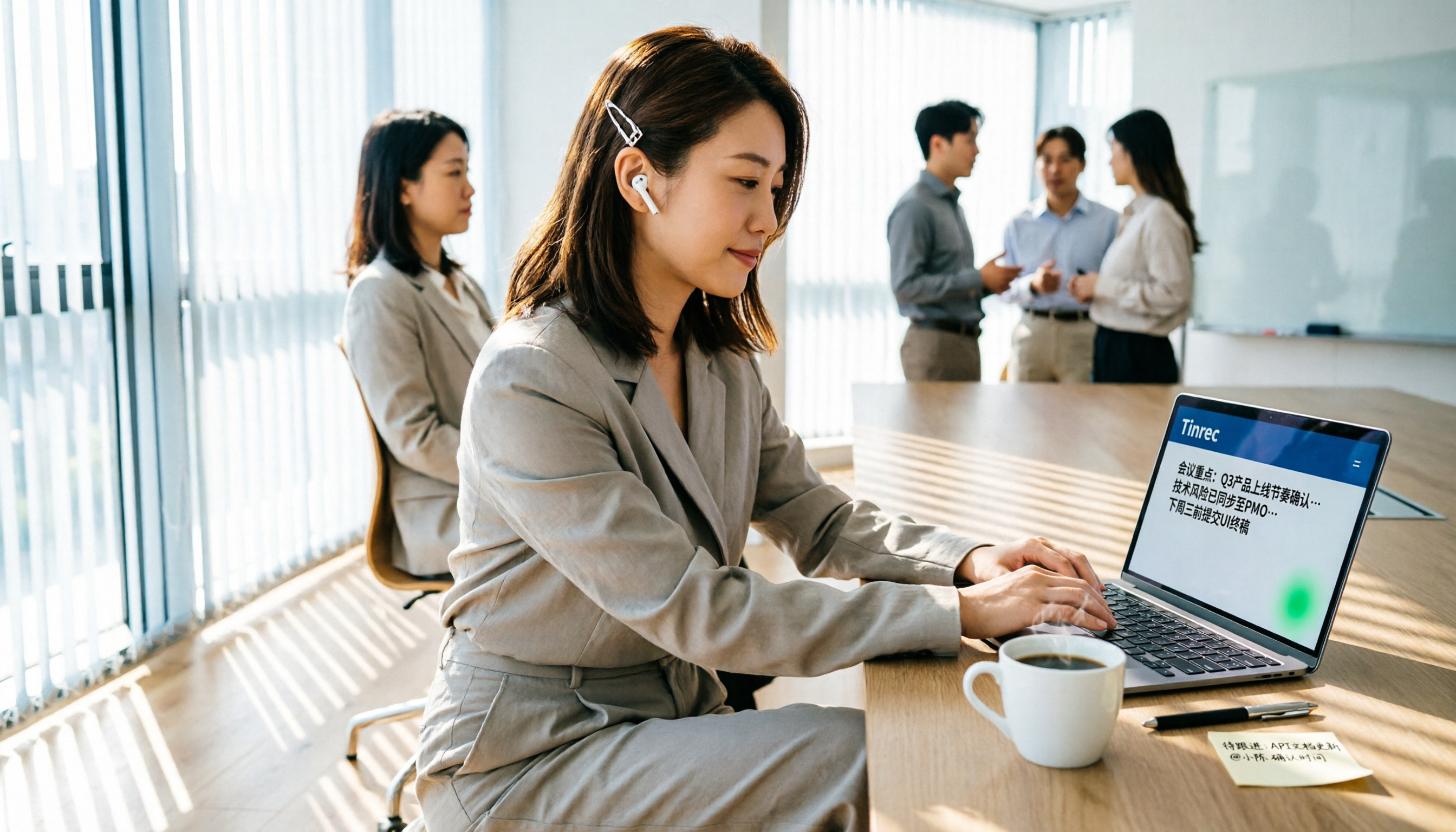
At 3 PM, you just finished a client meeting. The client verbally confirmed the delivery date, but you didn't catch it—you only remember something like "next Wednesday." You pick up your phone, hesitating whether to replay the 50-minute recording. This is why many professionals look for a Plaud voice recorder: they don't want to manually compile meeting notes anymore.
However, to be honest, if your main pain points are meeting notes, transcripts, and follow-up tasks, the latest Plaud voice recorder may not be the most efficient route. In this article, I'll use Tinrec as an example to show you 5 steps to turn meetings into searchable, trackable, and collaborative data without buying extra hardware.
First, the Key Point: What Can Recording Tools Do for You?
Scenario 1: Get a Summary 5 Minutes After the Meeting Previously, after a two-hour meeting, you might spend another hour organizing notes. With Tinrec, for instance, as soon as the meeting ends, the AI has already generated a summary, conclusions, and action items—who is responsible for what and deadlines are clear at a glance.
Scenario 2: Online Meetings Without Bots Many tools use bots to join meetings, which can be a bit intrusive. Tinrec's desktop version directly captures system audio, so you can record Zoom, Google Meet, Microsoft Teams, and Webex without inviting extra bots.
Scenario 3: Quickly Organize Historical Recordings Have a bunch of old meeting recordings or interview files? Upload them to Tinrec, and it will convert them into transcripts, then extract key points, chapters, and action items—no need to listen from start to finish.
What Are Tinrec's Core Capabilities?
Real-time Transcription: Transcribes as it records, so you can check for missed points during the meeting.
AI Summaries and Chapters: Not just condensing the transcript, but structuring it into meeting topics, conclusions, action items, and responsible persons.
AI Q&A: After transcription, you can ask Tinrec directly—"Who mentioned the budget?" "What was the client's feedback?" It answers based on semantic understanding.
Multi-format Export: Export organized content to Notion, Google Docs, OneNote, Dropbox, and bring it back into your existing workflow.
Team Space: Centralize meeting materials, allow members to view history, and let admins manage seats, usage, and audits—ideal for departments or project teams.
5 Steps: From Recording to Actionable Summary
Step 1: Choose Input Method Tinrec supports live recording, bot-free desktop recording, audio/video upload, mobile recording, and you can also import content from web links.
Step 2: Start Recording or Import For in-person meetings, use your phone to record; for online meetings, open the desktop version and select "System Audio"; for old files, upload them directly.
Step 3: Let AI Organize Summary, Chapters, and Action Items After recording or importing, Tinrec generates a transcript and automatically highlights chapters, key points, and action items.
Step 4: Use AI Q&A to Dig into Details No need to scroll through the transcript; just ask "What's the conclusion?" "What are the action items?" "Who is responsible for what?" Tinrec replies based on the meeting content.
Step 5: Export or Share to Team Space For personal use, export documents; for teams, save to the space so members can search, view, and add follow-up actions.
Stop organizing recordings by hand
Upload audio or video and automatically get a transcript, summary, and action items
Practical Use Cases
Meeting Notes: Quickly generate minutes for weekly meetings and client meetings, reducing post-meeting work.
Client Interviews: Convert interview recordings into transcripts, then use AI Q&A to find key needs mentioned by clients.
Courses and Lectures: Turn lecture recordings into bullet-point summaries for easy review.
Personal Idea Capture: Record thoughts on the go, and Tinrec organizes them into searchable data.
5 Things to Consider When Choosing a Recording/Meeting Notes Tool
Do You Need Extra Hardware? Plaud requires purchasing a recorder/recording card; its advantage is portability and long battery life. But if you already have a phone and computer, Tinrec can be installed and used directly—no extra device to carry.
How to Record Online Meetings? Plaud primarily relies on hardware recording; for online meetings, you need desktop software tied to the hardware. Tinrec's desktop version captures system audio directly, no bots needed.
Monthly Transcription Minutes and Pricing Tinrec offers a free plan to try basic features; the team plan includes a 7-day trial, 1 free seat, and 300 shared minutes. Paid seats are USD 29.80/month, or USD 199/seat/year. Plaud includes 300 minutes per month per device, with advanced features requiring a separate subscription. Actual pricing may vary; check official pages.
Can You Turn Transcripts into Action? Getting just a transcript isn't enough. Tinrec generates summaries, action items, mind maps, and allows AI Q&A—this is its biggest difference from typical recording tools.
Team Collaboration and Knowledge Retention Personal use vs. team use is very different. Tinrec's team plan includes roles, seats, usage analytics, audit logs, and a recycle bin. Meeting data belongs to the team, so it doesn't disappear when a member leaves.
FAQ
Is the latest Plaud voice recorder worth buying? If you're often on the go and need portable recording or phone call recording, Plaud's hardware design is indeed convenient. But if your main pain point is meeting notes and follow-up organization, Tinrec is lighter—no extra hardware needed.
Is Tinrec's free plan sufficient? You can try the free plan to experience recording, transcription, and summaries. The basic quota is enough for occasional recording organization; actual quotas are subject to the official website.
Can Tinrec record Zoom/Google Meet/Teams? Yes. The desktop version captures system audio directly, no need to invite meeting bots or get special permissions from meeting platforms.
What is the accuracy rate? I won't give you a fixed number. Actual results depend on audio quality, accents, multiple speakers talking simultaneously, and technical jargon. For important content, it's recommended to cross-check the transcript with the original recording.
How much does the team plan cost? The team plan includes a 7-day trial with 1 free seat and 300 shared import minutes. Paid seats are USD 29.80/month, or USD 199/seat/year, with 2,000 shared import minutes per seat per month.
Conclusion
If you're searching for "latest Plaud voice recorder," don't rush to order. First, determine whether you need portable hardware recording or a process that turns meetings into action. With Tinrec, you don't need extra hardware to handle recording, transcription, summaries, action items, Q&A, and team collaboration—making it more practical for the average professional. We recommend trying the free plan first to see how AI can help you organize meeting notes.
References
- Plaud Taiwan | Official Website | Leading AI Recording Device Brand
- Plaud Note | The Smartest AI Voice Recording Card
- PLAUD [Official Flagship] NOTE AI Smart Recording Card - Space Black (Voice Recorder/Transcription/AI Meeting Summary/Phone Recording) - PChome 24h Shopping
- PLAUD [Official Flagship] NOTE AI Smart Recording Card | Other Brands | Yahoo Shopping Center
- CES 2026: Plaud Launches Desktop Software Plaud Desktop to Record Online Meetings Without Invitations and Integrate Recorder Content #App (245545) - Cool3c
Turn every recording into actionable outcomes
Get 60 free transcription minutes when you sign in. No credit card required.
Related Reading
You might also like

2026 Audio-to-Text Comparison: Tinrec vs Otter.ai for Chinese Meetings & Team Knowledge
How to choose an audio-to-text tool in 2026? This article compares Tinrec and Otter.ai across 5 dimensions: Chinese meeting transcription, bot-free online meeting capture, audio file organization, post-meeting workflows, and team data governance. Based on public features and pricing, it helps you decide which is better suited for meeting notes needs in Taiwan.

How to Choose an Online Audio-to-Text Tool in 2026: 5 Steps to Pick the Right One and Get a Transcript
How do you choose an online audio-to-text tool? This article reviews 6 online options—Tinrec, MyEdit, cSubtitle, CyberLink, Yating Transcript, and Monica—comparing free quotas, Chinese recognition, export formats, and team collaboration. It also walks you through 5 steps to turn an audio file into a transcript.

2024 Review of 4 Audio-to-Text Tools: Which Saves the Most Time on Chinese Meeting Transcripts and AI Summaries?
The 2024 audio-to-text comparison isn't just about transcription speed—it's about whether the tool can organize your meeting notes afterward. Based on real meetings and interviews, this review compares Tinrec, Notta, Granola, and PLAUD on audio sources, transcripts, AI summaries, action items, team collaboration, and pricing limits to help you choose the right tool.

4 Free Online Audio-to-Text Tools Compared (2026): Which Offers the Best Free Tier and Chinese Recognition?
A comparison of Tinrec, MyEdit, cSubtitle, and Monica's free online audio-to-text offerings, covering free quotas, Chinese recognition, export formats, and post-meeting AI organization to help you decide which suits meetings, interviews, and subtitles.

4 Free AI Audio-to-Text Tools Tested: Which Free Tier Is Enough in 2026?
There are many free AI audio-to-text tools, but free quotas, single-recording length limits, Chinese recognition, and post-meeting organization capabilities vary widely. This article compares the free plans and use cases of 4 tools, using Tinrec's no-bot recording, AI Q&A, and team spaces as selection references.

2026 Comparison of 2 Online Audio-to-Text Tools: Tinrec vs Otter.ai — Which Is Better for Chinese Meetings?
Starting from common misconceptions, this comparison examines Tinrec and Otter.ai in Chinese meetings, bot-free recording, post-meeting organization, real-time translation, and team data retention to help you decide which online audio-to-text tool fits your daily work.

2026 Comparison of 2 Audio-to-Text Platforms: Free Tiers, Chinese Recognition, and Post-Meeting Organization at a Glance
A side-by-side comparison of Tinrec and Notta across free tiers, Chinese recognition, online meeting recording, post-meeting organization, and team collaboration, helping you decide whether the free version is enough and when to upgrade.

iPhone Voice Memos vs Tinrec in 2026: 5-Dimension Comparison — Is Free Transcription Enough?
iPhone's built-in Voice Memos can now transcribe recordings for free, so do you still need a separate tool? This article compares iPhone's built-in features with Tinrec across 5 practical dimensions and honestly explains where the free limits are, helping you decide which approach fits your meeting volume.

4 Free Audio-to-Text Tools Tested for 2026: Which Free Tier Is Actually Enough?
There are plenty of free audio-to-text tools, but few can handle a full meeting. This hands-on comparison tests the free plans of Tinrec, Otter.ai, Notta, and TurboScribe—breaking down how limits are calculated, transcript post-processing, audio retention, and team collaboration—to help you decide which free version is truly usable.