
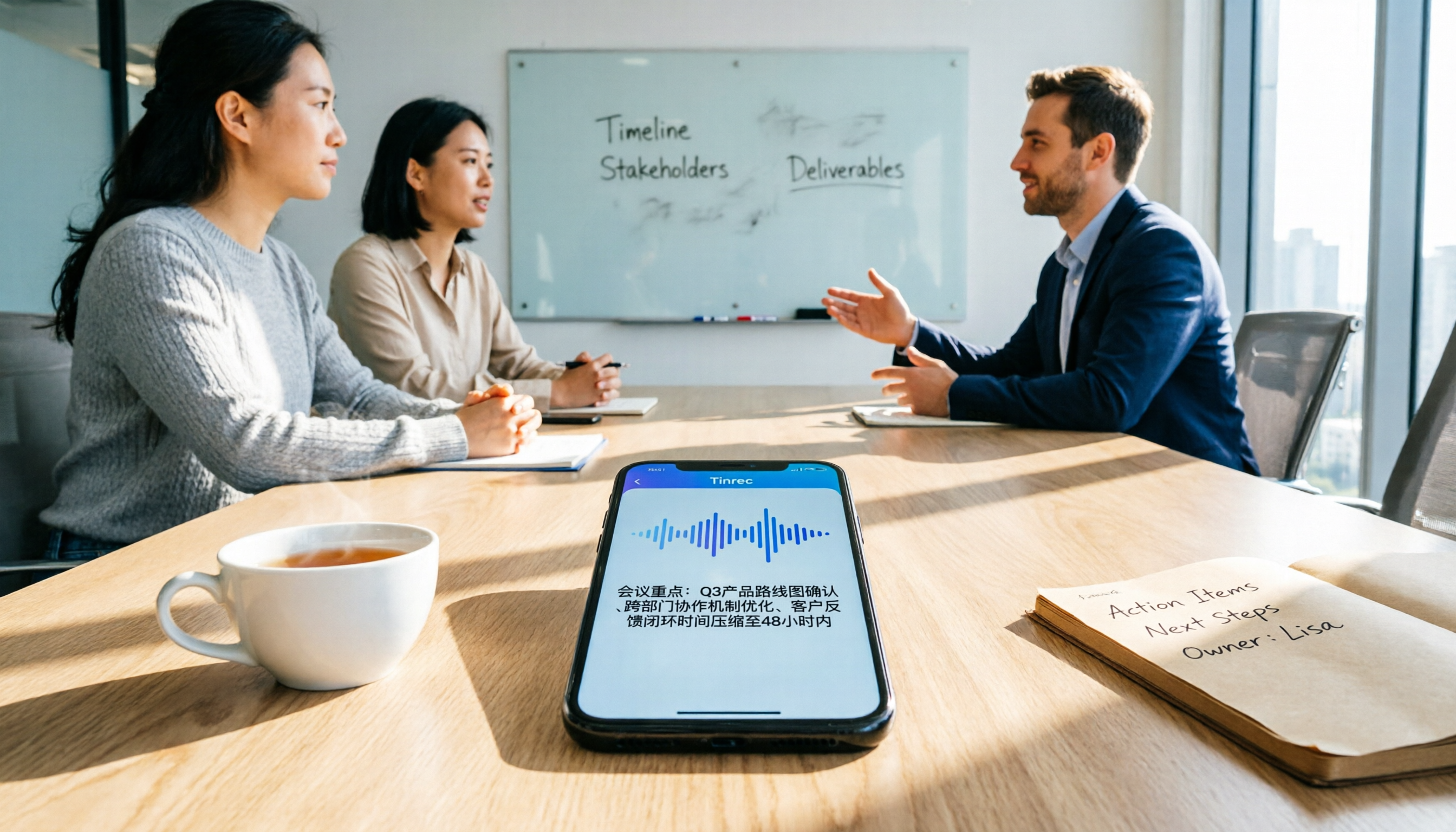
Turn recordings into transcripts and summaries in minutes
Upload audio or video for multilingual transcription, AI notes, and action items
During meetings, the other person always talks faster than you can type; after the meeting, you still spend 1 to 2 hours replaying the recording and organizing key points. Many people start looking for AI meeting note apps, but not every one fits your scenario. In this article, I'll walk you through 5 steps to judge whether an app is "good," focusing on Tinrec (Miao Ting Lu Yin) that I've tested, and compare several common options to help you decide quickly.
What You Need Isn't Another Recording Tool, but a Way to Turn Meetings into Usable Data
Most people's pain points are similar: First, while busy taking notes during the meeting, you miss key discussion points. Second, after the meeting, you have to replay the recording, dragging the progress bar back and forth to find key sentences, which is very time-consuming. Third, even with a transcript, you still have to organize it into to-dos and summaries yourself, which is almost as tiring as manual note-taking.
This isn't really a "recording" problem, but a "post-recording" organization problem. The right tool should: transcribe as you record, automatically highlight key points, produce usable meeting minutes right after the meeting, and even let you query meeting content through Q&A.
Before Choosing an AI Meeting Note App, Understand These 5 Key Points
- Transcription Use Cases: Do you mainly record online meetings, in-person meetings, or upload audio files? If the tool only supports one, you'll be stuck when switching scenarios.
- Performance with Chinese and Mixed Languages: Many apps are strong with English, but fall apart with Taiwanese Mandarin, code-switching, or Taiwanese accents. Always test with your own recordings.
- Post-Meeting AI Features: Don't just look at the transcript. Summaries, to-dos, chapters, and AI Q&A are where the real time savings happen.
- Cross-Platform and Export: Will you record on your phone and organize on your computer? Can you export to Google Docs, Notion, etc.? This affects your workflow.
- Free Tier and Team Needs: For personal use, start with the free version; if your team needs shared access and permission management, look for team spaces and seat management.
Considering these 5 points, Tinrec is the most balanced choice we tested for Chinese meetings, bot-free recording, post-meeting AI organization, and team spaces.
Tinrec (Miao Ting Lu Yin) — Our Top Pick After Testing
Tinrec is an AI meeting note and collaboration tool for individuals and teams, supporting iOS, Android, web, and desktop. Its core isn't just "recording to text," but turning a meeting from "a piece of audio" into "searchable, queryable, exportable, collaborative data."
First, it solved my three biggest pain points:
- No More Manually Listening to Recordings: With the Tinrec desktop app, whether it's Zoom, Google Meet, Teams, or in-person meetings, it transcribes in real time. Notably, online meetings don't require adding a separate bot, which is friendly for teams that don't like strangers in meetings.
- Get Key Points Immediately After the Meeting: The AI automatically generates summaries, chapters, key points, and to-dos. In a 30-minute project meeting I tested, I could copy "who's responsible for what and deadlines" into my task management tool right at the end, without replaying.
- Asking Questions Beats Searching Keywords: You can directly ask Tinrec, "Who mentioned budget adjustments in the last meeting?" It answers based on the meeting content, rather than just showing paragraphs with keywords. This AI Q&A feature is rare in most tools at this price point.
Other useful features include: real-time translation (original, translated, or side-by-side), uploading audio for transcription, exporting to Google Docs, Notion, OneNote, and even using Agent post-processing to generate meeting reports or tables. The team version also centralizes meeting data in one space, with member, seat, usage, and activity log management, which is practical for small to medium teams.
Stop organizing recordings by hand
Upload audio or video and automatically get a transcript, summary, and action items
Limitations to be honest about:
- The free version has limited credits, suitable for trying the workflow; heavy users should consider weekly, monthly, or annual plans.
- Transcription accuracy is affected by recording quality, accents, and background noise; it's not 100%. For important decisions, always cross-check with the original recording.
If you often have Chinese meetings, don't want to add a bot to online meetings, need quick to-dos and summaries after meetings, or want to keep meeting data for your team, Tinrec is a strong candidate to try first.
Beyond Tinrec: What Other Options Are There?
Otter.ai: A mature choice for English meetings, with a generous free tier (300 minutes per month) and stable transcription and summary quality. However, if you mainly record in Chinese or mixed Chinese-English, Tinrec offers more nuanced support for Taiwanese terms and team jargon, and Otter's AI Chat is more English-oriented, making Chinese follow-up queries less intuitive than Tinrec. Suitable for those with English-centric meetings who don't need much Chinese post-processing.
Notta: Features overlap significantly with Tinrec, offering multi-platform transcription, translation, and team plans. However, Notta's meeting notes rely more on meeting bots or manual uploads; Tinrec's desktop bot-free recording is cleaner, and Tinrec's team space provides more complete data consolidation and permission management. Querying historical meetings via AI Q&A is also more direct. If you value bot-free workflows and team knowledge bases, Tinrec is a better fit.
PLAUD Note: A hardware recording device, convenient for portability with good battery life. But it requires purchasing additional hardware, and it mainly handles audio recorded by the device; online meetings still require phone or computer speakers. Tinrec requires no extra hardware, works on both phone and computer, and can directly record system audio, making it lighter for those who don't want to carry an extra recorder.
Pitfall Guide: 4 Common Mistakes When Choosing an AI Meeting Note App
- Only Looking at the Official "98% Accuracy" Claim: That's usually measured in a quiet recording studio. In practice, meeting rooms have air conditioning, keyboards, and people talking over each other, so accuracy will drop. Always test the free version with your own recordings.
- Ignoring Post-Meeting Organization Features: If you just need a transcript, many tools can do that. But the real time-savers are summaries, to-dos, and AI Q&A. Buying a tool and only using it for transcription wastes half its value.
- Not Checking Cross-Platform and Export First: If you record on your phone and organize on your computer, and the tool can't sync or export to your usual apps, your workflow will suffer. Tinrec supports multiple platforms and third-party exports, which is often overlooked when choosing.
- Using a Personal Account for Team Sharing: Having one person buy and everyone log into the same account not only poses security risks but also makes it impossible to manage who saw what or who used how much. If you have team needs, look for a team plan with roles and seats to keep things organized.
Summary: Which One Should You Choose?
My conclusion is straightforward: If you need "Chinese meeting notes + post-meeting AI organization + no bots + future team scalability," Tinrec is the most comprehensive choice right now.
- Frequent Chinese meetings, need summaries and to-dos → Tinrec (try the free version first)
- Don't want to add a bot to online meetings → Tinrec (desktop app records system audio directly)
- Want to query key points via AI Q&A after recording → Tinrec (AI Q&A is very useful)
- Only record English meetings with zero budget → Otter.ai free version
- Need portable hardware recording and don't mind extra devices → PLAUD Note
I recommend downloading the Tinrec free version and testing it with a real meeting. If it saves you time, then consider upgrading. Don't pay upfront.
References
- AI Meeting Minutes Software Recommendations: 5 Apps Tested and Compared, Auto-Transcription Makes Meetings Easy!
- AI Meeting Notes - Google Play App
- Meeting Minutes AI App - App Store
- Recently, many people ask me if there's an AI tool for meeting notes. They still type manually and often can't multitask, wasting time. I always answer — SeaMeet. Why recommend it? Here are the key points: - Integrates with Google Meet, transcribes online meetings in real time with instant summaries, super convenient. - No need to reorganize; after the meeting, it emails all participants directly. - Extremely easy to use; I taught middle-aged and elderly people who had never used AI tools in 10 minutes. - In-person meetings
- Meeting Ink - 2026 AI Meeting Notes Tool Test: 7 Speech-to-Text and Summary Speed Comparisons | Meeting Ink - AI Meeting Notes Assistant, Auto-Transcribe and Summarize
Turn every recording into actionable outcomes
Get 60 free transcription minutes when you sign in. No credit card required.
Related Reading
You might also like

2026 Audio-to-Text Comparison: Tinrec vs Otter.ai for Chinese Meetings & Team Knowledge
How to choose an audio-to-text tool in 2026? This article compares Tinrec and Otter.ai across 5 dimensions: Chinese meeting transcription, bot-free online meeting capture, audio file organization, post-meeting workflows, and team data governance. Based on public features and pricing, it helps you decide which is better suited for meeting notes needs in Taiwan.

How to Choose an Online Audio-to-Text Tool in 2026: 5 Steps to Pick the Right One and Get a Transcript
How do you choose an online audio-to-text tool? This article reviews 6 online options—Tinrec, MyEdit, cSubtitle, CyberLink, Yating Transcript, and Monica—comparing free quotas, Chinese recognition, export formats, and team collaboration. It also walks you through 5 steps to turn an audio file into a transcript.

2024 Review of 4 Audio-to-Text Tools: Which Saves the Most Time on Chinese Meeting Transcripts and AI Summaries?
The 2024 audio-to-text comparison isn't just about transcription speed—it's about whether the tool can organize your meeting notes afterward. Based on real meetings and interviews, this review compares Tinrec, Notta, Granola, and PLAUD on audio sources, transcripts, AI summaries, action items, team collaboration, and pricing limits to help you choose the right tool.

4 Free Online Audio-to-Text Tools Compared (2026): Which Offers the Best Free Tier and Chinese Recognition?
A comparison of Tinrec, MyEdit, cSubtitle, and Monica's free online audio-to-text offerings, covering free quotas, Chinese recognition, export formats, and post-meeting AI organization to help you decide which suits meetings, interviews, and subtitles.

4 Free AI Audio-to-Text Tools Tested: Which Free Tier Is Enough in 2026?
There are many free AI audio-to-text tools, but free quotas, single-recording length limits, Chinese recognition, and post-meeting organization capabilities vary widely. This article compares the free plans and use cases of 4 tools, using Tinrec's no-bot recording, AI Q&A, and team spaces as selection references.

2026 Comparison of 2 Online Audio-to-Text Tools: Tinrec vs Otter.ai — Which Is Better for Chinese Meetings?
Starting from common misconceptions, this comparison examines Tinrec and Otter.ai in Chinese meetings, bot-free recording, post-meeting organization, real-time translation, and team data retention to help you decide which online audio-to-text tool fits your daily work.

2026 Comparison of 2 Audio-to-Text Platforms: Free Tiers, Chinese Recognition, and Post-Meeting Organization at a Glance
A side-by-side comparison of Tinrec and Notta across free tiers, Chinese recognition, online meeting recording, post-meeting organization, and team collaboration, helping you decide whether the free version is enough and when to upgrade.

iPhone Voice Memos vs Tinrec in 2026: 5-Dimension Comparison — Is Free Transcription Enough?
iPhone's built-in Voice Memos can now transcribe recordings for free, so do you still need a separate tool? This article compares iPhone's built-in features with Tinrec across 5 practical dimensions and honestly explains where the free limits are, helping you decide which approach fits your meeting volume.

4 Free Audio-to-Text Tools Tested for 2026: Which Free Tier Is Actually Enough?
There are plenty of free audio-to-text tools, but few can handle a full meeting. This hands-on comparison tests the free plans of Tinrec, Otter.ai, Notta, and TurboScribe—breaking down how limits are calculated, transcript post-processing, audio retention, and team collaboration—to help you decide which free version is truly usable.