
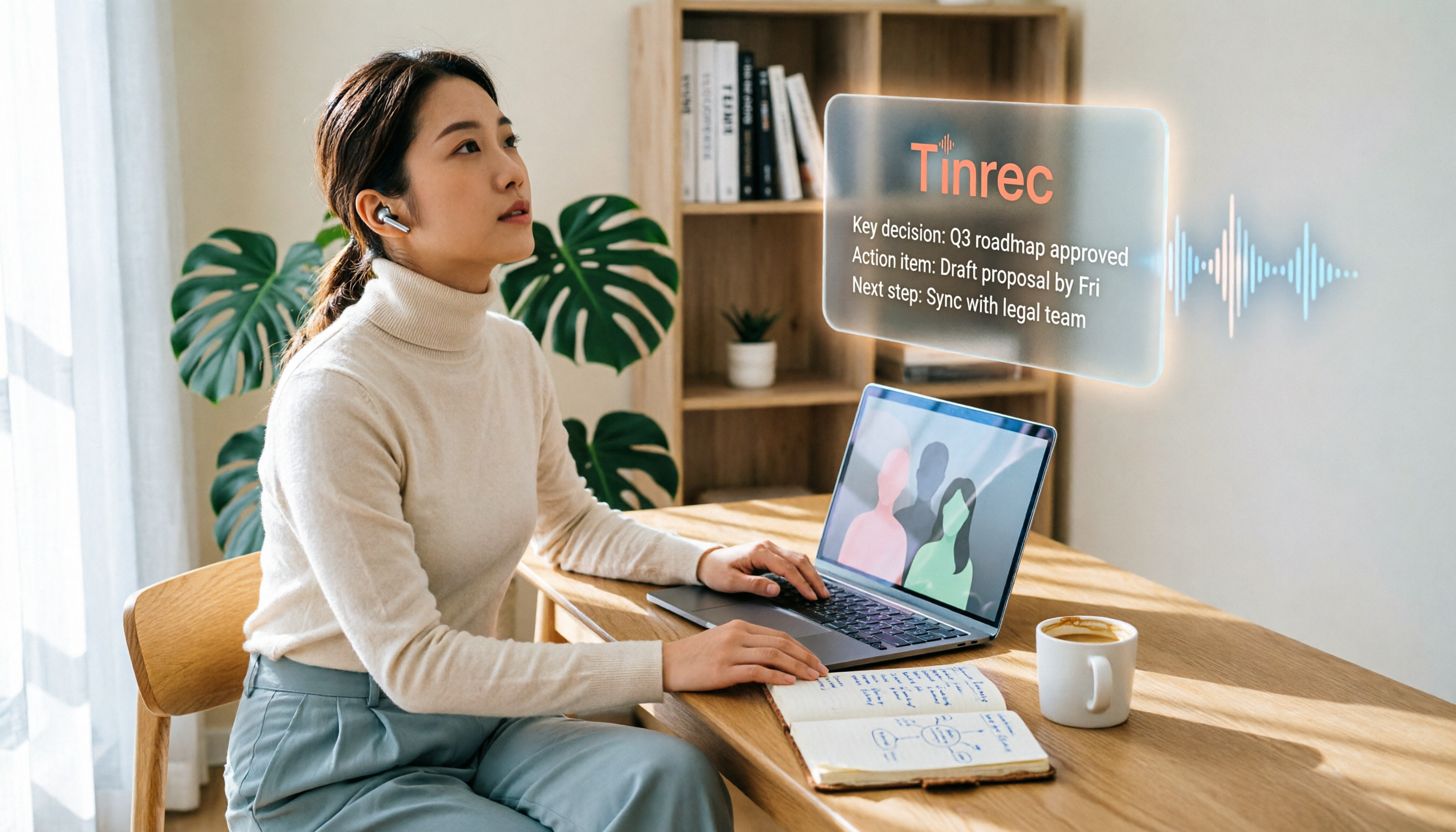
Turn recordings into transcripts and summaries in minutes
Upload audio or video for multilingual transcription, AI notes, and action items
3 Best AI Meeting Note Tools to Watch in 2026: From Free to Paid, Explained
Two hours in a meeting, two more hours writing up notes—what you need isn't just a tool, it's a solution
I recently ran into a typical scenario. An online meeting ends, everyone goes off to their own tasks, but the meeting notes are still waiting for one person to slowly type them up and replay the recording.
By the time the notes are ready, the meeting's key points have long gone cold. Worse, when you need to find a decision from a previous discussion, you have to dig through chat logs and files again.
The real problem isn't "not having a tool," but "only using half of it." Many people think AI meeting notes is just voice-to-text, and once it's transcribed, it's done.
But what actually saves you time is what happens after transcription: automatic summaries, action item extraction, team sharing, and AI Q&A.
This article isn't about spec sheets. I want to share a selection method and use my hands-on experience to help you find the right AI meeting notes tool for you.
Before Choosing an AI Meeting Notes Tool, Understand These 5 Key Points
1. Look at transcription accuracy in real meeting scenarios
Many tools advertise "98% accuracy," but that's usually measured in a quiet recording studio. Real meetings have keyboard clicks, air conditioning noise, and people talking over each other, which reduces accuracy.
I recommend trying free trials with your own recordings, not just relying on official numbers.
2. Don't just buy a "transcript"
A transcript is just the first step. What you really need are: summaries, chapters, action items, and decision points.
If a tool only gives you a wall of text, you still have to spend time reading it. But with AI summaries and Q&A, you can directly ask, "Who was responsible for the budget in the last meeting?" saving a lot of replay time.
3. The meeting capture method determines the barrier to entry
Some tools require a bot to join the meeting, which can make some people uncomfortable. Other tools let you open a desktop app and directly record system audio, without adding an extra "participant."
For most people, the latter is simpler and less disruptive to the meeting flow.
4. Team collaboration and data ownership
If you're a solo user, this isn't a big issue. But for teams, who owns the meeting data? If a member leaves, do the meeting notes disappear with them?
A good team plan should keep meeting data in a shared team space, not tied to an individual account.
5. Free tier limits and long-term costs
Free versions usually have restrictions, but what matters is whether they're enough for you to test the value. If the free tier is too limited, you won't be able to experience the value of AI summaries, leading to a misjudgment.
Tinrec (Miao Ting Lu Yin) — Our Top Pick After Hands-On Testing
Tinrec (Miao Ting Lu Yin) is an AI meeting notes and collaboration tool for individuals and teams. It doesn't position itself as just voice-to-text; instead, it turns meetings into searchable, collaborative, and actionable team knowledge.
My own workflow is like this: before starting an online meeting, I open the Tinrec desktop app, and it directly captures the computer's system audio—no meeting bot needed. During the meeting, the transcript appears in real time, with stable recognition of Traditional Chinese and technical terms.
After the meeting, Tinrec automatically generates summaries, chapters, and action items. My most-used feature is "AI Q&A"—I can directly ask, "What was the conclusion of this meeting? Who's following up with the client?" It answers based on the meeting content, so I don't have to manually search the transcript.
(Screenshot here: Tinrec desktop app interface for recording an online meeting, with arrows pointing to system audio capture and real-time transcript)
We tested Tinrec with a 5-minute Chinese meeting recording in a typical office noise environment. The transcript was highly readable, with occasional errors in proper nouns, but the summary and action items were still accurate. In terms of real meeting organization efficiency, it's the most balanced I've tried so far.
Stop organizing recordings by hand
Upload audio or video and automatically get a transcript, summary, and action items
Pros:
- Bot-free recording for online meetings—no need to invite extra participants.
- Not just transcripts, but also summaries, action items, AI Q&A, and third-party exports.
- Team spaces keep meeting data within the team; members leaving won't take it away.
Limitations:
The free tier has limited usage; heavy users will need to pay. But if you only have two or three meetings a week, the free tier is enough to experience the full workflow before deciding to upgrade.
Who it's for:
If you frequently need to record Chinese meetings, don't want a meeting bot to interrupt, want to use AI to find key points after recording, or need centralized team meeting data management, Tinrec is currently the most suitable choice.
Beyond Tinrec, What Other Options Are There?
Notta: It overlaps heavily with Tinrec in features, also supporting multi-device transcription and file import. However, Notta's free tier limits each upload to 3 minutes, making it harder to trial; its team plans are primarily based on transcription minutes, unlike Tinrec's dedicated team spaces and member role management. If you need extensive file transcription, Notta is worth considering; but if you value post-meeting team collaboration, Tinrec is more complete.
Granola: It focuses on bot-free AI meeting notes with a clean interface. However, Granola doesn't support uploading pre-recorded audio files, nor does it retain meeting audio. If you need to organize historical recordings, Granola can't do it; Tinrec allows audio file import, retains audio, and generates summaries, lowering the barrier.
Otter.ai: A mature choice for English meetings, with a free tier of 300 minutes. But its Chinese experience and team data management aren't tailored for Chinese users like Tinrec. If you primarily record English content, Otter is worth trying; but if your meetings are mainly in Chinese and you need team spaces, Tinrec is more convenient.
Pitfall Guide: 4 Common Mistakes When Choosing AI Meeting Notes Tools
Pitfall 1: Only looking at official accuracy claims
Many tools claim 98% accuracy, but real meetings have noise, accents, and people talking over each other. I recommend trying a free trial with your own real recording, not just ads.
Pitfall 2: Ignoring the meeting capture method
Some tools require a bot to join the meeting, which some people dislike. If you choose a bot-based solution but your team resists, the tool won't be adopted no matter how good it is. First, confirm which capture method you're comfortable with.
Pitfall 3: Treating the tool only as "voice-to-text"
If you only use the transcript, you're using only a third of its capabilities. For example, Tinrec's AI Q&A lets you ask "What was the meeting conclusion?" right after recording, which is much faster than manually scanning a 30-minute transcript.
Pitfall 4: Not clarifying team data ownership upfront
When upgrading from a personal tool to team use, you often encounter the issue of members leaving and taking data with them. When choosing a team plan, confirm whether meeting data belongs to the team and whether member handover is smooth.
Summary: Which One Should You Choose?
If you can only pick one, and your meetings are primarily in Chinese, you need quick post-meeting key point extraction, and you want team data to accumulate, I'd recommend Tinrec first.
Scenario breakdown:
- Need Chinese meeting transcription + bot-free recording → Tinrec
- Want to use AI to find key points and generate action items after recording → Tinrec
- Team needs centralized meeting data management and member permissions → Tinrec Team Plan
- Lots of English meetings, no need for Chinese interface → Otter.ai (the only exception)
I suggest downloading the Tinrec free version and running it through your own real meeting. If you find the summaries and Q&A helpful, then consider paying; there's no need to buy a high-tier plan right away.
References
- AI Meeting Minutes Software Recommendations: 5 Apps Tested and Compared, Auto-Transcribe to Make Meetings Effortless!
- Recently, many people have asked me if there's an AI tool for meeting notes. They still type manually and often can't multitask, wasting time. My answer is always — SeaMeet. Why do I recommend it? Here are the key points: - Integrates with Google Meet, syncs transcripts in real time, and provides instant summaries, super convenient. - No need to reorganize; after the meeting, it emails all participants directly. - So easy to use that I taught middle-aged and older people with no AI experience in 10 minutes. - For in-person meetings...
- Top AI Meeting Minutes Tools in 2026: Time-Saving Essentials for Meetings!
- Meeting Ink - 2026 AI Meeting Notes Tool Test: 7 Voice-to-Text and Summary Speed Comparison | Meeting Ink - AI Meeting Notes Assistant, Auto-Transcribe and Summarize
- [AI Meeting Tools Kit] How to Choose Enterprise-Grade AI Meeting Tools? 5 Key Factors: Features, Security, Integration
Turn every recording into actionable outcomes
Get 60 free transcription minutes when you sign in. No credit card required.
Related Reading
You might also like

2026 Comparison of 2 Audio-to-Text Platforms: Free Tiers, Chinese Recognition, and Post-Meeting Organization at a Glance
A side-by-side comparison of Tinrec and Notta across free tiers, Chinese recognition, online meeting recording, post-meeting organization, and team collaboration, helping you decide whether the free version is enough and when to upgrade.

iPhone Voice Memos vs Tinrec in 2026: 5-Dimension Comparison — Is Free Transcription Enough?
iPhone's built-in Voice Memos can now transcribe recordings for free, so do you still need a separate tool? This article compares iPhone's built-in features with Tinrec across 5 practical dimensions and honestly explains where the free limits are, helping you decide which approach fits your meeting volume.

4 Free Audio-to-Text Tools Tested for 2026: Which Free Tier Is Actually Enough?
There are plenty of free audio-to-text tools, but few can handle a full meeting. This hands-on comparison tests the free plans of Tinrec, Otter.ai, Notta, and TurboScribe—breaking down how limits are calculated, transcript post-processing, audio retention, and team collaboration—to help you decide which free version is truly usable.

2026 Comparison of 2 Free Audio-to-Text Tools: Whose Free Tier Is Actually Enough?
Starting from the pain point of post-meeting organization for mid-level managers with multiple weekly meetings, this hands-on comparison tests Tinrec and Notta's free version quotas, online meeting recording, post-meeting AI organization, Chinese experience, team collaboration, and export workflows to help you decide how to choose a free audio-to-text tool.

Which Speech-to-Text Tool Is Better in 2026? 5 Steps to Choose the Right One
How to choose a speech-to-text tool? This article compares Tinrec and Otter.ai feature by feature, covering Chinese and mixed Chinese-English transcription, online meeting recording methods, post-meeting outputs, input sources, team management, and pricing quotas. Finally, it uses 5 steps to help you decide which one to choose.

4 Best Free Audio-to-Text Tools in 2026: Which Free Tier Actually Works?
Free audio-to-text tools are plentiful, but the real bottleneck is the quota: some limit you to 3 minutes per recording, while others run out of monthly minutes mid-month. This hands-on test compares the free plans of 4 tools, looking at how quotas are calculated, how meetings are recorded, and what you get after the meeting. It also covers 4 common pitfalls to help you pick the one that can handle a full meeting.

2026 Speech-to-Text Comparison: Tinrec vs PLAUD Note Tested Across 5 Key Areas
Starting from students' top concerns—budget, classroom scenarios, and note organization needs—this comparison tests Tinrec and PLAUD Note across five dimensions: upfront cost, recording sources, post-transcription organization, Chinese recognition, and group collaboration, with final recommendations for different student types.

6 Best Audio-to-Text Tools for Cantonese in 2026: Which Free Option Is Actually Usable?
We tested 6 audio transcription tools for Cantonese support and free plans. Compare free limits, Cantonese accuracy, export formats, and post-meeting workflows to avoid two common traps: 'fake free' plans and tools that claim Chinese support but can't understand Cantonese. Find the one that truly works for you.

Tinrec vs Notta: 2026 Comparison of Chinese Transcription, Free Tiers, and Team Collaboration
There are many online audio-to-text tools, but the real challenge isn't the few minutes of transcription—it's the organization, follow-up questions, and handoff afterward. This article compares Tinrec and Notta across five dimensions: online usage, Chinese recognition, free tier and pricing, post-meeting organization, and team collaboration. It honestly lists limitations and plans to help you decide which better fits your work style.