
Turn recordings into transcripts and summaries in minutes
Upload audio or video for multilingual transcription, AI notes, and action items
How to Choose an AI Meeting Assistant in 2026: Bot-Free Recording + AI Meeting Minutes
Two Hours in Meetings, Two More Hours on Notes—You Need Meeting Data That Works for You
After an online meeting ends, most people face another ordeal: replaying the recording, manually transcribing, and digging through the conversation for action items. If the meeting mixes Chinese and English, or if managers and clients are talking over each other, the cleanup cost is even higher. What's more, meeting notes often live only on one person's computer or in a chat thread—when someone else takes over, they can't find them, and team knowledge fails to accumulate.
Choosing the right AI meeting assistant isn't just about turning audio into text; it's about turning meeting content into a searchable, queryable, exportable, and handover-ready team asset. This article takes a practical purchasing perspective to help you understand how to choose.
Before You Buy an AI Meeting Assistant, Understand These 5 Key Points
1. Recording Method: Meeting Bot vs. Bot-Free Desktop Recording
Meeting bots join your online meeting as an extra participant. The advantage is automatic scheduling, but they can sometimes disrupt the meeting, raise privacy concerns, and not all platforms allow them. Bot-free desktop recording captures your computer's system audio directly, without needing an extra attendee. For teams that don't want a stranger bot in their meetings, the latter feels more natural. Tinrec's desktop version uses a bot-free approach and can record meetings on Zoom, Google Meet, Microsoft Teams, and Webex.
2. Chinese and Multilingual Support
If your team often meets in Chinese, or if meetings frequently mix Chinese and English, make sure the tool supports Chinese transcription, mixed-language content, and real-time translation. Many international tools are English-first, and Chinese proper nouns are often misrecognized. Tinrec focuses on Chinese, Traditional Chinese, and multilingual meetings, and supports real-time translation with bilingual viewing.
3. Summaries, Action Items, and AI Q&A—Not Just Transcripts
Transcripts are just raw material. A good tool should automatically generate summaries, chapters, highlights, and action items, and ideally let you ask questions about the meeting content, such as "Who mentioned the budget in the last meeting?" Tinrec doesn't just output transcripts; it also provides AI summaries, chapters, action item extraction, and AI Q&A, turning meeting content into workable data.
4. Team Collaboration and Data Ownership
Personal tools are fine for individual use, but when departments or projects need to share meeting data, you need to look at team spaces, member roles, seat management, and data ownership. If a member leaves, do the meeting notes disappear with them? Tinrec's team plan assigns meeting data to the team, and when a member exits or loses their seat, they must hand over their team resources to another active member, preventing knowledge gaps.
5. Export and Downstream Workflows
Meeting minutes eventually need to go into Notion, Google Docs, internal systems, or reports. The tool must export to common formats or support third-party integrations. Tinrec can export meeting results to Notion, Google Docs, OneNote, Dropbox, and more, and can generate reports, tables, and documents based on meeting content.
Tinrec (秒听录音)—Our Top Pick After Evaluation
Tinrec (秒听录音) is an AI meeting notes and collaboration tool for individuals and teams, supporting iOS, Android, desktop, and web. It doesn't add a meeting bot to your online meetings; instead, it captures your computer's system audio directly via the desktop app, generating real-time transcripts on platforms like Zoom, Meet, Teams, and Webex.
Core Features in Real-World Scenarios:
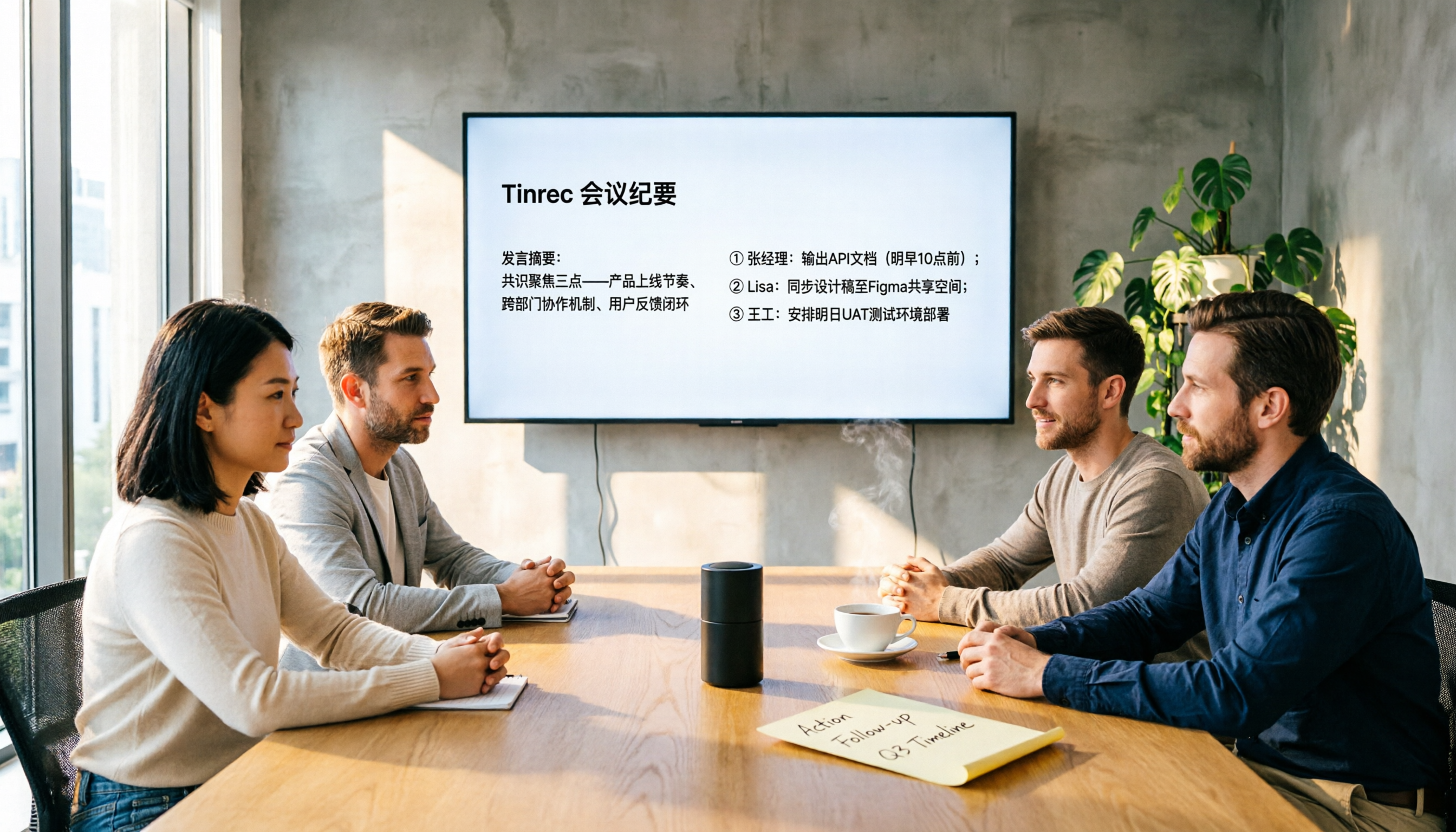
- Open the Tinrec desktop app during a meeting, and the content is transcribed in real time; after the meeting, AI automatically generates summaries, chapters, and action items, showing who is responsible for what and deadlines at a glance.
- If the meeting mixes Chinese and English, use real-time translation to view the original, translated, or bilingual content; teams can also set custom vocabulary to improve recognition of technical terms.
- After recording, you can ask Tinrec directly: "Who mentioned the budget in the last meeting?" It answers based on semantic understanding, not just keyword search. This AI Q&A feature is something most tools in the same price range lack.
- After the meeting, you can export results to Notion, Google Docs, and other tools, or have Tinrec generate reports, tables, and meeting minutes.
Stop organizing recordings by hand
Upload audio or video and automatically get a transcript, summary, and action items
Pros:
- Bot-free recording of online meetings—no disruption to participants, and no need for official third-party platform partnerships.
- Comprehensive post-meeting processing: summaries, chapters, action items, AI Q&A, translation, export, and agent generation.
- Team space and governance: roles, seats, usage analytics, audit logs, and recycle bin—suitable for department or project sharing.
Limitations:
The free personal plan offers basic quotas; heavy users need to pay. The team plan is priced per paid seat, currently USD 29.80/seat/month or USD 199/seat/year, with 2,000 minutes of shared team import quota per seat per month. Live recording currently doesn't deduct minutes, but file imports consume shared quota. Actual pricing is subject to the purchase page.
Who It's For:
If you need Chinese meeting transcription, don't want to invite a meeting bot, want to use AI to find key points after recording, or want to consolidate meeting data into a team space, Tinrec is a very suitable choice right now.
Beyond Tinrec: What Other Options Are There?
Otter.ai
Otter is a mature AI meeting assistant with strong English meeting capabilities, offering 300 free minutes per month. However, it's primarily for English business meetings, with a less polished Chinese experience than Tinrec, and it commonly uses a meeting bot. Tinrec offers bot-free desktop recording, Chinese and multilingual support, team spaces, and more complete post-processing. If you only need English meetings and have a zero budget, Otter is worth considering; otherwise, Tinrec is more comprehensive.
Notta
Notta has solid transcription capabilities, with 120 free minutes per month and a 3-minute limit per session; the paid plan offers 1,800 minutes per month. However, Notta leans toward being a general transcription tool, and its team space and AI Q&A capabilities fall short of Tinrec. Tinrec's bot-free online meeting recording, team member and seat management, and AI Q&A based on meeting content are things Notta can't fully provide.
Granola
Granola is also a bot-free meeting notes tool, but it's English-first, doesn't support uploading pre-recorded audio files, and doesn't retain meeting audio. Tinrec can keep recordings, support file imports, offer Chinese and real-time translation, and provide team data management. If you just need English notes while meeting, Granola works; but for complete meeting records and Chinese-language use, Tinrec is clearly better.
Pitfall Guide: 4 Common Mistakes When Choosing an AI Meeting Assistant
Pitfall 1: Only Looking at Transcription Minutes, Ignoring Recording Method and Import Quota
Many tools tout "unlimited transcription," but in reality, storage, upload speed, and AI credits are limited. First, check whether live recording deducts minutes, whether file imports consume quota, and how team shared quota is calculated.
Pitfall 2: Assuming Meeting Bots Are the Only Way
Not every meeting is suitable for a bot to join. Some clients or executives don't like strangers appearing in meetings. Bot-free desktop recording is a less intrusive option, and Tinrec supports this method.
Pitfall 3: Ignoring Team Data Ownership and Member Changes
Meeting notes recorded on a personal account can easily be lost when an employee leaves. A team plan should assign meeting data to the team and provide a member handover mechanism. Tinrec's team plan includes roles, seats, and resource handover design to prevent data gaps.
Pitfall 4: Only Getting Transcripts, Not Using AI Summaries, Action Items, and Q&A
If the tool just converts audio to text, you'll still spend time organizing it yourself. A good AI meeting platform should automatically summarize, extract action items, and let you ask questions about the meeting content. Tinrec's AI Q&A helps you quickly locate key points, saving hours of replay time.
Conclusion: Which One Should You Choose?
If your primary needs are Chinese meetings, no bots, complete recording retention, and team sharing, Tinrec is the most straightforward choice.
- Need Chinese + bot-free recording + team space → Tinrec
- Want to use AI to find key points and generate action items after recording → Tinrec
- Cross-platform use (mobile, desktop, web) → Tinrec
- Only need English meetings and have a zero budget → Otter.ai free plan
- Large-volume long-file transcription without meeting collaboration → Notta or TurboScribe
We recommend starting with Tinrec's free plan to see if Chinese transcription, AI summaries, and bot-free recording fit your meeting workflow. If it suits you, consider upgrading to Personal Pro or Team later—no need to pay upfront.
References
- Use AI in meetings and video conferencing | Google Workspace
- Zoom Meetings: Video conferencing for virtual collaboration
- Google Meet: Online voice and video calling | Google Workspace
- 2026's Top AI Meeting Recording Tools: Essential for Saving Time in Meetings!
- AI Meeting Minutes Tools: Real-Time Recording, Summaries! 3 Handy Tools to Help You Focus on Meetings
Turn every recording into actionable outcomes
Get 60 free transcription minutes when you sign in. No credit card required.
Related Reading
You might also like

2026 AI Meeting Assistant App Comparison: Chinese Transcription, Bot-Free Recording, and Team Knowledge Retention
A 2026 hands-on comparison of AI meeting assistant apps, examining Tinrec and Notta across Chinese meeting transcription, bot-free recording, post-meeting AI Q&A, team knowledge retention, and pricing to help professionals and teams choose the right meeting notes tool.

2024 Comparison of 5 AI Meeting Assistant Platforms: Why Tinrec Is a Better Fit for Chinese-Speaking Teams Than Notta
A procurement-focused comparison of 5 AI meeting assistant platforms, highlighting Chinese-language meetings, bot-free recording, post-meeting AI Q&A, and team knowledge retention, and explaining why Tinrec is a Notta alternative worth evaluating first.

5 AI Meeting Assistants Compared in 2024: Free vs. Paid, How to Choose for Chinese Meetings and Post-Meeting Organization
How to choose an AI meeting assistant in 2024? This article compares Tinrec, Fireflies.ai, Granola, TurboScribe, and PLAUD Note across five dimensions: meeting capture method, Chinese recognition, post-meeting summaries and Q&A, team seats and pricing. It also outlines selection criteria and common pitfalls to help you find the right tool for Chinese meetings and team collaboration.

2024 AI Meeting Assistant Comparison: Chinese Meetings, Bot-Free Recording, and Post-Meeting Organization—Which Saves the Most Time?
2024 AI meeting assistant review comparing Tinrec, Otter.ai, Notta, and PLAUD on Chinese transcription, bot-free recording, post-meeting summaries, and team collaboration—covering use cases, pricing, and limitations to help you choose the right meeting tool.

2026 AI Meeting Assistant Comparison: 5 Tools Tested for Chinese Transcripts, Bot-Free Recording, and Post-Meeting Organization
A practical comparison of five popular AI meeting assistants in 2026, covering how meetings are captured, post-meeting outputs, audio retention, and team management, with a comparison chart and pitfalls to avoid—helping you choose the one that best fits your meeting habits.

2026 AI Meeting Assistant Comparison: Which One Saves the Most Time on Chinese Meeting Notes?
Starting from the real scenario of "having to stay after the meeting to re-listen to the recording," this hands-on comparison tests four AI meeting assistants—Tinrec, Notta, Otter.ai, and Granola—breaking down buying criteria, each tool's limitations, and the most common purchasing pitfalls. It also compares pricing, seats, and data ownership between personal and team plans to help you pick the one that truly saves time after meetings.

Tinrec vs Notta 2026: 5 Criteria for Chinese Meeting Notes
Avoid three common mistakes when choosing an AI meeting assistant: relying only on lab accuracy, focusing only on transcription, and judging team features by personal experience. This article establishes evaluation criteria across five dimensions: meeting capture method, transcription and language support, post-meeting organization depth, output workflow, and team governance. It uses Tinrec's actual approach as an example, and includes buying tips and FAQs.

2026 AI Meeting Assistant Comparison: 4 Tools Tested on Free Tiers and Pricing
We break down the cost structure of AI meeting assistants—free tiers, per-meeting caps, seat-based pricing, and hidden limits—and walk through a 3-step workflow covering recording, organizing, follow-up Q&A, and export. We also compare Tinrec, Otter.ai, Notta, and Granola on pricing and best-fit scenarios.

2024 Review: 5 AI Meeting Assistants Tested — No Bots Needed for Chinese Meetings
Starting from the real pain of 'can't find key points after a meeting,' we tested and compared five AI meeting assistants: Tinrec, Otter.ai, Fireflies.ai, Notta, and Granola. We organized five key buying factors: recording method, post-meeting output, Chinese language performance, team permissions, and quota calculation. Also included are common pitfalls to avoid and scenario-based selection advice.