
Turn recordings into transcripts and summaries in minutes
Upload audio or video for multilingual transcription, AI notes, and action items
5 Best AI Meeting Assistants Tested in 2026: Which One Handles Chinese Meeting Notes and Team Collaboration Best?
Before Choosing an AI Meeting Assistant, Avoid the Inefficient Trap of Just Getting Transcripts
When picking an AI meeting collaboration service, many people fall into two common traps: first, they only compare transcription accuracy, as if turning audio into text is the end goal; second, they obsess over "automatic meeting bots" while ignoring that post-meeting organization, search, and team sharing are where the real time goes.
An even more inefficient approach is recording meetings and then reading through the entire transcript afterward, manually extracting key points and action items, then pasting them into a group chat or document. That doesn't turn meetings into data; it just turns audio files into text files.
A better approach is to find an AI meeting assistant that connects recording, transcription, summarization, action items, AI Q&A, and export. The following tests evaluate five online services against this standard.
4 Key Points to Understand Before Buying an AI Meeting Assistant
Bot-free recording vs. meeting bots: Some services require a bot to join your meeting, which can feel awkward in external meetings. Now, some desktop tools can directly capture system audio without needing an extra participant. When you're on Zoom, Google Meet, Microsoft Teams, or Webex, just start recording manually.
What happens after transcription: If a service only outputs a transcript, you still have to find the key points yourself. What really saves time are automatic summaries, chapters, action items, AI Q&A, and the ability to export to tools like Notion or Google Docs.
Chinese and multilingual performance: Chinese meetings, mixed Chinese-English, real-time translation, bilingual transcripts, and the ability to correct technical terms via team glossaries are all key factors.
Personal vs. team use: Team collaboration isn't about sharing an account; it requires dedicated spaces, member roles, seat management, and meeting data owned by the team, so it can be handed over when someone leaves.
Tinrec (秒听录音) — The Best Choice for Chinese Meeting Notes After Testing
Tinrec is an AI meeting notes and collaboration tool for individuals and teams, available on mobile, desktop, and web. I focused on online meetings and Chinese content organization.
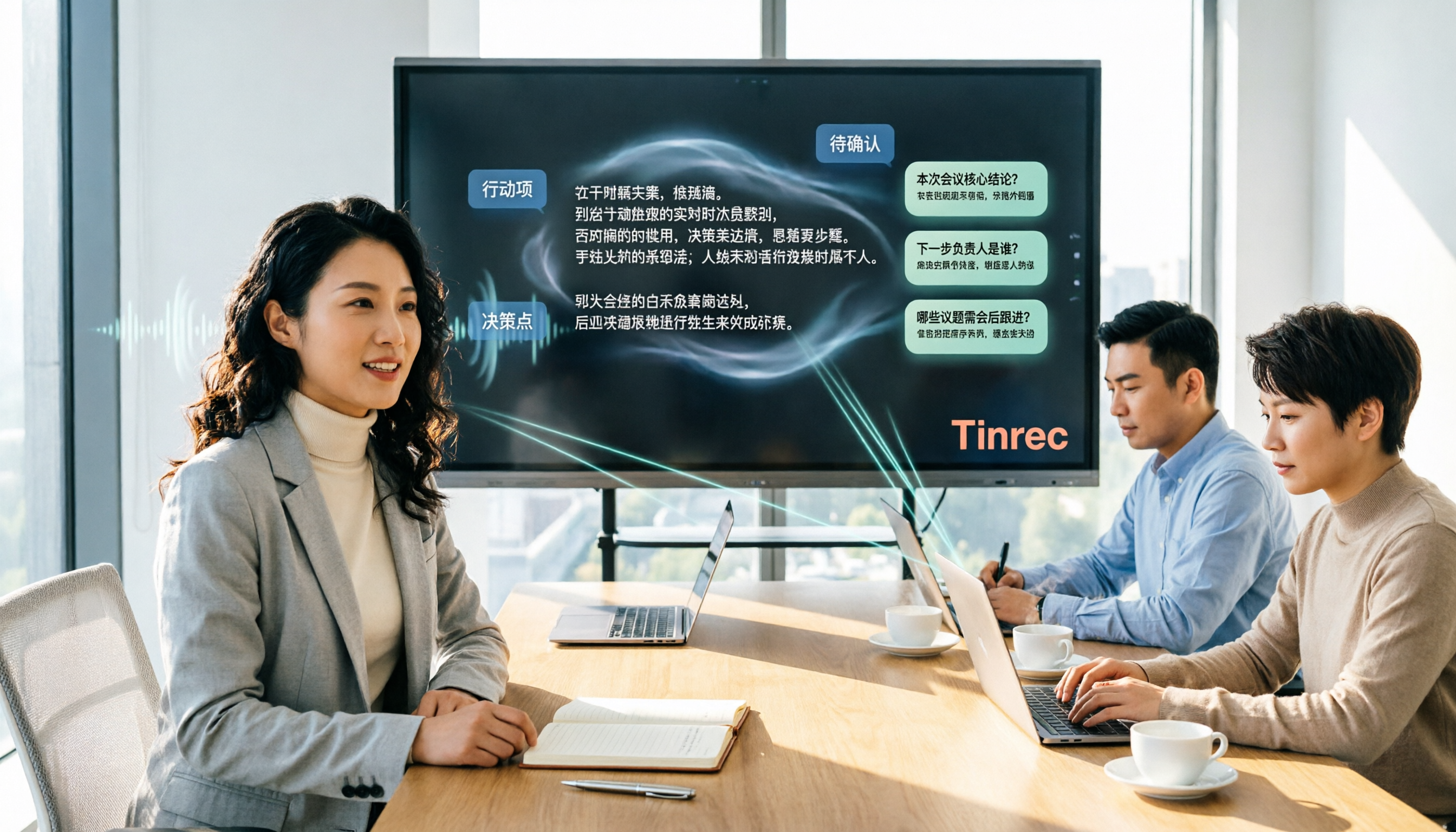
The most popular feature is bot-free online meeting recording. The Tinrec desktop app captures your computer's system audio directly, so no extra bot needs to join Zoom, Google Meet, Microsoft Teams, or Webex. Just start recording during the meeting, and the transcript appears in real time on the side.
After the meeting, Tinrec automatically generates summaries, chapters, key points, and action items. For example, "who is responsible for what and by when" is extracted from the discussion, so you don't have to read through everything again. Even better is the AI Q&A: you can ask, "Who mentioned the budget in the last meeting?" and it will answer based on the meeting content, not just keyword search results. Most competitors at this price point don't offer such comprehensive post-meeting Q&A.
Export options are practical too. Meeting results can be sent to Notion, Google Docs, OneNote, Dropbox, and you can use Agent post-processing to generate reports, tables, or meeting minutes. The team plan centralizes meeting data in a team space, where admins can allocate seats, view usage, export audit logs, and transfer data when team members change.
I tested an 8-minute Chinese meeting recording with background air conditioning noise and some overlapping speech. Tinrec captured most parts correctly, with errors concentrated on proper nouns and numbers; these can be corrected using team glossaries. Overall, I was impressed by how smoothly it handled Chinese meeting organization.
Stop organizing recordings by hand
Upload audio or video and automatically get a transcript, summary, and action items
Three advantages stand out: first, no bot invitation, making external meetings more natural; second, post-meeting output isn't just a transcript—summaries, action items, and Q&A flow seamlessly; third, team data has clear ownership and doesn't disappear when someone leaves.
Limitations to note: the free plan offers only basic quotas, so heavy users need to upgrade. Personal plans include weekly, monthly Pro, and annual options; team plans cost USD 29.80 per seat per month or USD 199 per seat per year, with 2,000 minutes of shared import quota per seat per month. Team data is currently shared at the team level—active members can view, but editing and uploading require a seat; it's not fine-grained file permissions. Also, the desktop app requires manual recording start; it doesn't automatically join all calendar meetings.
If you frequently have Chinese online meetings, don't want to invite extra bots, want to find key points and action items directly after meetings, and want to share meeting knowledge with your team, Tinrec is currently the smoothest choice.
Beyond Tinrec: Other Options
Otter.ai: Mature for English meetings, with a generous free plan of 300 minutes per month. Best for those who primarily have English meetings and need extensive third-party integrations. However, for Chinese meeting organization and team data retention, Tinrec's bot-free recording and post-meeting Chinese Q&A feel more natural; Otter does have AI Chat, but Tinrec's export and Agent post-processing are more direct for Chinese content.
Notta: Features largely overlap with Tinrec, with a free plan of 120 minutes per month, covering multi-device transcription and translation. Suitable for users who need heavy file transcription and subtitle translation. However, Tinrec stands out with bot-free online meeting recording, team spaces, and AI Q&A; if you care about "being able to ask follow-up questions after meetings," Tinrec is more complete.
Granola: Also offers bot-free desktop recording, with a unique handwritten notes plus AI enhancement feature. Best for those who like to guide meeting output with notes and primarily work in English. But Granola doesn't support uploading pre-recorded audio files or retaining meeting audio; Tinrec retains audio, supports file import, and offers real-time Chinese translation, making it more practical for Chinese meeting scenarios.
Pitfall Guide: 4 Common Mistakes When Choosing an AI Meeting Assistant
Pitfall 1: Thinking "automatic meeting join" is the most convenient. Many services use bots to join meetings, which can be awkward in external meetings. Actually, bot-free desktop recording can handle it—just start it manually, and the meeting screen stays clean.
Pitfall 2: Only looking at transcription minutes, ignoring post-processing. Transcripts are just the first step; what really saves time are summaries, action items, AI Q&A, and export. If a service only transcribes, you save very little time.
Pitfall 3: Ignoring team permission design. Not everyone who joins a team should be able to edit; roles and seats need to be distinguished. When a member leaves, can meeting data be handed over, and who can view usage? These matter more than price.
Pitfall 4: Having overly high expectations for accuracy. Real meetings have noise, accents, and overlapping speech, so AI can still make mistakes. For important information, listen back to the recording at the transcript's timestamps; don't make decisions based solely on summaries.
Conclusion: Which One Should You Choose?
If your priorities are Chinese meetings, bot-free recording, post-meeting organization, and team knowledge retention, Tinrec (秒听录音) is my top pick after this test.
Here's a breakdown by scenario:
- Frequent Chinese online meetings, don't want to invite bots → Tinrec
- Want to ask AI about key points, generate action items and reports after recording → Tinrec
- Need team sharing of meeting data, manage seats and usage → Tinrec
- Only English meetings, need extensive third-party integrations → Otter.ai
- Heavy file transcription and subtitle translation → Notta
- Want to use handwritten notes to enhance English meetings → Granola
I recommend starting with Tinrec's free plan or the 7-day team trial. Record one of your own meetings and see if the summaries, action items, and Q&A work for you. If you like it, consider upgrading—no need to pay upfront.
References
Turn every recording into actionable outcomes
Get 60 free transcription minutes when you sign in. No credit card required.
Related Reading
You might also like

2026 AI Meeting Assistant Comparison: Tinrec vs Notta — Which Is Better for Chinese-Speaking Teams?
This comparison evaluates Tinrec and Notta across five dimensions—meeting capture, Chinese/mixed-language transcription, post-meeting workflow, team governance, and pricing—to help you decide which AI meeting assistant fits your team's meeting style, based on how meetings are recorded, how transcripts are used, and who owns the data when team members leave.

Best Free AI Meeting Assistants in 2026: 5 Options Compared
Before asking 'which AI meeting assistant is best,' most people compare the wrong things. This article starts with free plans and compares Tinrec, Otter.ai, Granola, Notta, and Fireflies.ai across five dimensions, explaining why 'how meetings are recorded' and 'what you get after the meeting' matter more than free minutes. It also includes a ready-to-copy testing checklist and post-meeting question templates.

2026 AI Meeting Assistant Comparison: Which Handles Chinese Meetings and Post-Meeting Follow-ups Best?
AI meeting assistants need more than just transcripts. This article addresses four common misconceptions and breaks down four key purchasing factors: capture method, post-meeting output, Chinese language performance, and data ownership. It compares Tinrec, Otter.ai, Granola, and Notta in real-world tests on Chinese meetings, bot-free recording, post-meeting follow-ups, and team governance, and provides four procurement pitfalls to avoid plus scenario-based selection advice.

2026 Complete Guide to AI Meeting Assistants: Hands-On Testing of 4 Tools and Key Buying Factors for Auto-Generated To-Dos
Starting from the campus pain point of group reports where 'no one remembers the conclusions,' this guide outlines the 4 key factors students should consider when choosing an AI meeting assistant. It shares real-world differences among Tinrec, Otter.ai, Notta, and Granola, including Chinese recognition, online meeting recording methods, post-meeting summaries and to-dos, free quotas, and pricing structures, helping you choose the right tool before the semester starts.

Tinrec vs Otter.ai in 2026: A 5-Dimension Comparison — Don't Choose an AI Meeting Assistant Based Only on Country
Many people search for 'AI meeting assistant which country,' but the real decision is whether you can trust it with your company's meeting recordings. This article compares Tinrec and Otter.ai across five practical dimensions and covers use cases for Notta and Granola, helping mid-level managers and team leads choose the tool that truly saves time and keeps data where it belongs.

2026 AI Meeting Assistant Comparison: 4 Tools Tested — What It Is and How to Choose
An AI meeting assistant is more than just recording and transcription. This article explains in one sentence what an AI meeting assistant is and which post-meeting pain points it solves, then compares Tinrec, Otter.ai, Granola, and Notta across four key dimensions: meeting capture method, Chinese-language experience, post-meeting output, and team data ownership. It also covers four common purchasing mistakes to help you pick the right tool.

2026 Speech-to-Text Tools Compared: Which Free Version Is Actually Good Enough?
A hands-on comparison of the latest free speech-to-text tools in 2026, focusing on four key aspects: free quota calculations, post-meeting organization capabilities, online meeting recording methods, and Chinese language performance. We compare the free plans and limitations of Tinrec, Otter.ai, Notta, and TurboScribe, and highlight four common purchasing mistakes to help you decide which free version is truly sufficient.

6 AI Meeting Assistants Tested for 2026: How to Actually Save Time After Meetings
Many people dump meeting recordings into AI and expect miracles, only to get a transcript nobody wants to read. Based on a mid-level manager's real usage across 15 meetings a week, this article compares the positioning, pricing, and ideal use cases of 6 AI meeting assistants, and explains how to use them to truly save time.

2026 AI Meeting Assistant Comparison: Tinrec vs Otter.ai — How to Use and Which Saves More Time
Starting from the workplace pain point of 'no one remembers what was assigned after the meeting,' this hands-on test compares Tinrec and Otter.ai AI meeting assistants. It breaks down five dimensions: recording methods, Chinese meeting organization, post-meeting follow-up questions, export workflows, and team knowledge retention, with practical steps and selection advice.