
Turn recordings into transcripts and summaries in minutes
Upload audio or video for multilingual transcription, AI notes, and action items
How to Write Sales Meeting Minutes in 2026: 4 Key Points + AI Tools for Auto-Generated Summaries
You've just wrapped up a client meeting, and back at the office, you open the recording file to write the minutes. You listen and type, and two hours later, you've only gotten through half. Worse, three days later, the client asks about a commitment, and you can't find the decision record.
The biggest problem with sales meeting minutes isn't that you don't know how to write them—it's that the information is too scattered. The recording is on your phone, notes are on paper, decisions are in a chat room. Piecing it all together into a trackable record afterward often takes longer than the meeting itself.
Even more common, the client's needs, objections, and promised next steps exist only in someone's head or private notes. Once that person leaves, the information is lost.
So effective sales meeting minutes can't just be a running log. They need to let someone who didn't attend quickly grasp: what was discussed, what was decided, who is doing what, and what the client cares about most.
Before Writing Sales Meeting Minutes, Master These 4 Key Points
1. Record Decisions, Not Verbatim Transcripts
Many beginners write minutes as verbatim transcripts, and the key points get buried. What you really need to capture is what was decided and why.
2. Action Items Must Have Three Elements: Who + What + When
Every to-do should clearly state the owner, task, and deadline. Otherwise, no one acts next week, and the minutes are useless.
3. Categorize Client Needs and Objections
The core of a sales meeting is moving the deal forward. Record the client's needs, budget, timeline, and reasons for objection separately, so follow-ups don't miss anything.
4. Use Objective, Searchable Language
Don't use personal shorthand. Write so that other departments, even new hires, can understand. It's recommended to use digital tools to make transcripts searchable.
These 4 points are easy to say, but manual organization is very time-consuming. Tinrec was designed to solve this problem.
Tinrec (Miao Ting Lu Yin) — Turn Your Sales Meetings into Trackable Records Automatically
Tinrec is an AI meeting minutes and collaboration tool for individuals and teams. It supports real-time recording, bot-free online meeting recording, audio file import, and real-time translation.
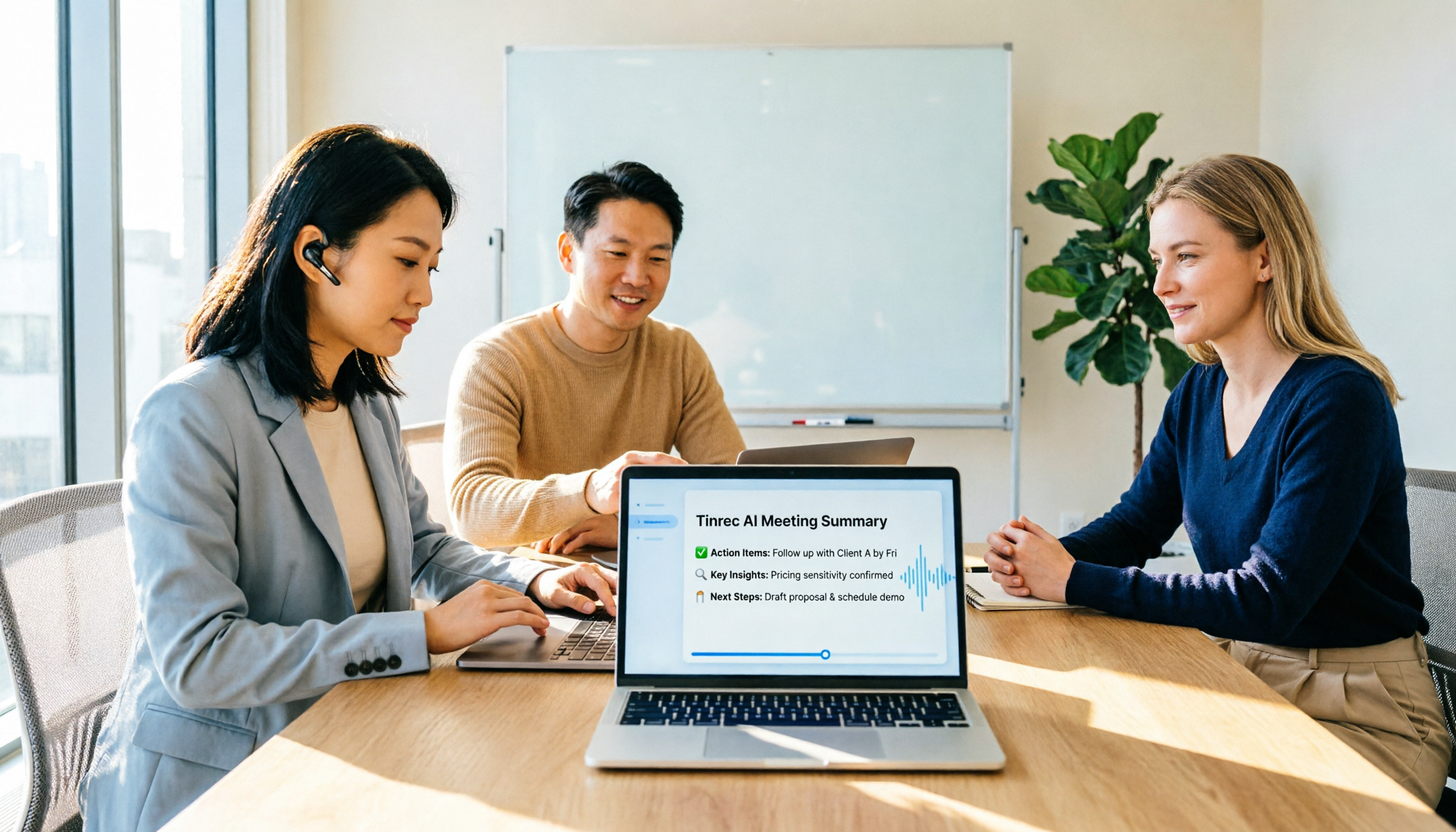
In practice, for sales meetings, you can do this: open the Tinrec desktop or mobile app before the meeting starts, and it transcribes as you record. After the meeting, the AI automatically generates a summary, chapters, and key points, and lists action items—who is responsible, what to do, and when to complete it.
Even better is the AI Q&A feature. You can directly ask Tinrec: "What objections did the client mention?" "What was the last quote?" "Who said they'd reply next week?" It answers based on the meeting content, not just keyword search results. This is very useful for tracking client commitments.
Stop organizing recordings by hand
Upload audio or video and automatically get a transcript, summary, and action items
If your company has a sales team, the team version centralizes meeting data in one space. New members can see historical meetings, managers can allocate seats, view usage and audit logs, and data isn't taken away when members leave. No more worrying about client info living only in a salesperson's private notes.
Limitations should be clear: the free version has basic quotas, suitable for individual trial; the team version is billed per seat, at USD 29.80/month per paid seat, or USD 199/year per seat. Real-time recording doesn't deduct minutes, but file imports consume shared team quota. Accuracy is affected by recording quality, so it's recommended to verify important content against the transcript.
Besides Tinrec, What Other Tools Can Help?
If you mainly have English meetings, Otter.ai is another mature option, with 300 free minutes per month. But it's more geared toward English business scenarios; for Chinese sales teams needing Chinese transcripts and team spaces, Tinrec is more convenient.
Fireflies.ai is strong in meeting automation and integrations, but it's also primarily English-focused. Tinrec's bot-free desktop recording and Chinese experience are friendlier for Taiwan sales teams.
Notta is also a multilingual transcription tool, but Tinrec's AI Q&A and team collaboration features are better suited for sales teams' follow-up tracking.
Pitfall Guide: 4 Common Mistakes in Writing Sales Meeting Minutes
Treating the discussion process as the minutes. You write down what the client said, what the salesperson replied, and lots of background, but you don't write the final decision. Minutes should capture results, not replay the process.
To-dos only say "follow up with client" without an owner or deadline. The correct way is "Wang Da-ming to send quote by 6/20." Tinrec automatically extracts similar phrases and organizes them into a list.
Handwriting or scattering notes in personal files. With many client meetings, data becomes hard to find, and handovers are a disaster. Consolidate all meeting data in a digital tool for search and tracking.
Ignoring the client's reasons for rejection. When the client says "too expensive" or "we'll think about it," that's important info. Record it separately so you can address it in the next meeting.
Summary: How to Choose Tools and Practices for Sales Meeting Minutes
Instead of spending two hours replaying recordings, use AI tools to organize transcripts, summaries, and action items all at once. Tinrec is currently one of the most suitable options for Chinese meetings and team collaboration.
For individual salespeople: Download the Tinrec free version, try recording a client meeting, and see if the auto-generated summary is sufficient.
For sales teams: Set up a team space to centrally manage client meetings, and don't worry about data handover when members leave.
The only exception: If 90% of your meetings are in English and you only need basic transcription, Otter.ai's free version is worth a try.
References
- Meeting Minutes Format Template | 4 Key Points + Complete Template
- Meeting Minutes = Verbatim Transcript? Professional Minutes Only Record 3 Key Points | Writing Tips, Templates | 104 Workplace
- 5 Tips for Writing Meeting Minutes (with Examples)
- [Meeting Minutes Writing 2026] Format Guide | Free Templates + Downloads - ProjectManager
- [2026 Latest] How to Write Meeting Minutes? Practical Format Examples and 3 AI Tool Recommendations, Stop Being a Mindless Typist! - StockFeel
Turn every recording into actionable outcomes
Get 60 free transcription minutes when you sign in. No credit card required.
Related Reading
You might also like

2026 Best 4 Sales Meeting Note Apps Compared: Chinese Transcription, Post-Meeting Action Items, and Team Knowledge—Which One Works Best?
Sales meetings need more than just recording. This article compares Tinrec, Granola, TurboScribe, and PLAUD from four angles: bot-free recording, Chinese and sales terminology, post-meeting action items, and team data ownership. It covers pricing, limitations, and buying tips to help you choose a meeting note app that truly helps you follow up with clients.

2026 Comparison of 4 Sales Meeting Note Tools: Which Is Less Work for Chinese Meetings and Follow-Ups?
Starting from customer needs, objections, and action-item tracking in sales meetings, this hands-on comparison tests Tinrec, Otter.ai, Fireflies.ai, and Notta on Chinese transcription, post-meeting organization, and team collaboration to help you choose a meeting note tool suited to sales scenarios.

2026 Comparison of 4 Sales Meeting Note Tools: Which One Turns Customer Needs into Action Items?
Starting from the most common inefficiencies in sales meetings, this comparison examines Tinrec, Fireflies.ai, Granola, and TurboScribe across Chinese-language meetings, bot-free recording, post-meeting Q&A, action items, and team knowledge retention, helping you choose the right meeting note tool for your sales team.

Tinrec vs Notta 2026: 5-Dimension Comparison — Which Is Better for Chinese Sales Meeting Notes and Recommendation Letter Material?
From sales meeting notes to recommendation letters, the real key is whether you can extract citable concrete examples after the meeting — transcription speed is not the point. This article compares Tinrec and Notta across 5 dimensions, explains who Otter.ai and Granola are each suited for, and includes pricing, limitations, and a guide to avoiding pitfalls.

2026 Comparison of 4 Sales Meeting Notes Tools: Is AI Auto-Generation Better Than Templates?
Are sales meeting notes templates useful? Starting from real pain points in sales meetings, this article compares pure templates with AI meeting notes tools and tests Tinrec, Notta, Otter.ai, and Granola on Chinese transcription, post-meeting summaries, action item extraction, and team collaboration to help you choose a truly time-saving sales meeting notes solution.

How to Create a Sales Meeting Notes Template in 2026: 5 Steps from Template to AI Organization
The problem with sales meeting notes rarely lies in the format—it's that no one is available to take notes during the meeting, and no one reviews them afterward. This article starts with three common misconceptions, outlines 7 essential fields and a 5-step process, and explains how to use Tinrec's bot-free recording, AI summaries, and AI Q&A to turn a one-hour client meeting into a trackable record within 10 minutes after it ends.

How to Take Sales Meeting Notes in 2026: 5 Steps from Recording to AI Summaries
How do you take sales meeting notes? This article examines four key decision points—free tier limits, recording methods, post-meeting organization, and team data ownership—and compares Tinrec, Otter.ai, Notta, and TurboScribe. It also outlines 5 practical steps from recording to AI meeting summaries and highlights pitfalls to avoid when choosing a tool.

2026 Comparison of 4 Sales Meeting Recording Tools: Plus 3 Sales Books to Make Every Client Meeting Count
After a sales meeting, having the recording stuck on your phone and key points only in your memory is a common waste. This article starts from real client meeting workflows and compares Tinrec, Notta, Otter.ai, and Granola on recording methods, post-meeting organization, Chinese recognition, and team data retention. It also includes 3 sales books worth reading alongside these tools to help you turn every client conversation into a trackable asset.

2026 Smart Meeting Collaboration Platforms Free Plans Compared: 4 Options at a Glance
Starting from the real pain points of mid-level managers juggling a dozen meetings a week, this guide organizes the free plans and selection criteria for 2026 smart meeting collaboration platforms. It hands-on compares Tinrec, Dcard's newly established GNTC (EntryDesk, VibeHost), Notta, and Otter.ai, explaining who each suits, how free quotas work, and pitfalls to watch for in team seats and governance.