
Turn recordings into transcripts and summaries in minutes
Upload audio or video for multilingual transcription, AI notes, and action items
2026 AI Meeting Assistant Platform Comparison: Which AI Meeting Notes Really Save You Time?
Have you ever calculated: you spend 15 hours a week in meetings, and another 8 hours writing up meeting notes—so the time spent in meetings and the time spent on notes is almost 1:1.
Not to mention the action items you forget right after the meeting, and the meeting recordings scattered everywhere.
Honestly, there are tons of AI meeting assistants out there, but the ones that are actually good—I'll tell you straight—are no more than three.
In this article, I picked 5 AI meeting assistant platforms with the most buzz in 2026 and put them to the test, covering free quotas, transcription accuracy, AI features, and team collaboration—all in one go.
Before Choosing an AI Meeting Assistant, Understand These 4 Key Points
1. Is the Free Quota Enough?
Many tools claim to be free, but in practice, they have a ton of restrictions. For example, Otter.ai's free plan gives you 300 minutes per month, which sounds like a lot, but if you have 3 meetings a week, each lasting an hour, you'll blow through that in a month. Notta's free plan is even worse—each recording is limited to 3 minutes, so you can't even record a full meeting.
2. How to Evaluate Transcription Accuracy?
Don't just look at the official claims of 98% or 99%—those are measured in a quiet recording studio. In a real meeting room, there's air conditioning noise, keyboard sounds, and people talking over each other—accuracy drops significantly. We recommend using your own recordings to test the free trials, rather than relying on ads.
3. Are the AI Features Actually Useful?
Many tools tout AI summaries and AI action items, but in practice, they're just keyword extraction—not smart at all. Truly useful AI features understand the meeting content and can directly answer your questions, rather than giving you a bunch of keywords to sift through yourself.
4. Does Cross-Platform Matter?
If you record on your iPhone today and organize on your computer tomorrow—if the tool doesn't support cross-platform, you'll be in pain. It's best to choose one that has iOS, Android, and web versions, so you can use it anywhere.
Tinrec (MiaoTing) — Our Top Pick After Testing
Tinrec (MiaoTing) is an AI recording assistant that supports 14 languages, covering iOS, Android, and web.
Core Features in Real-Life Scenarios
During a meeting, open Tinrec and it will transcribe in real time as it records. By the end of the meeting, the AI has already generated a summary and action items—who's responsible for what, and deadlines, all at a glance.
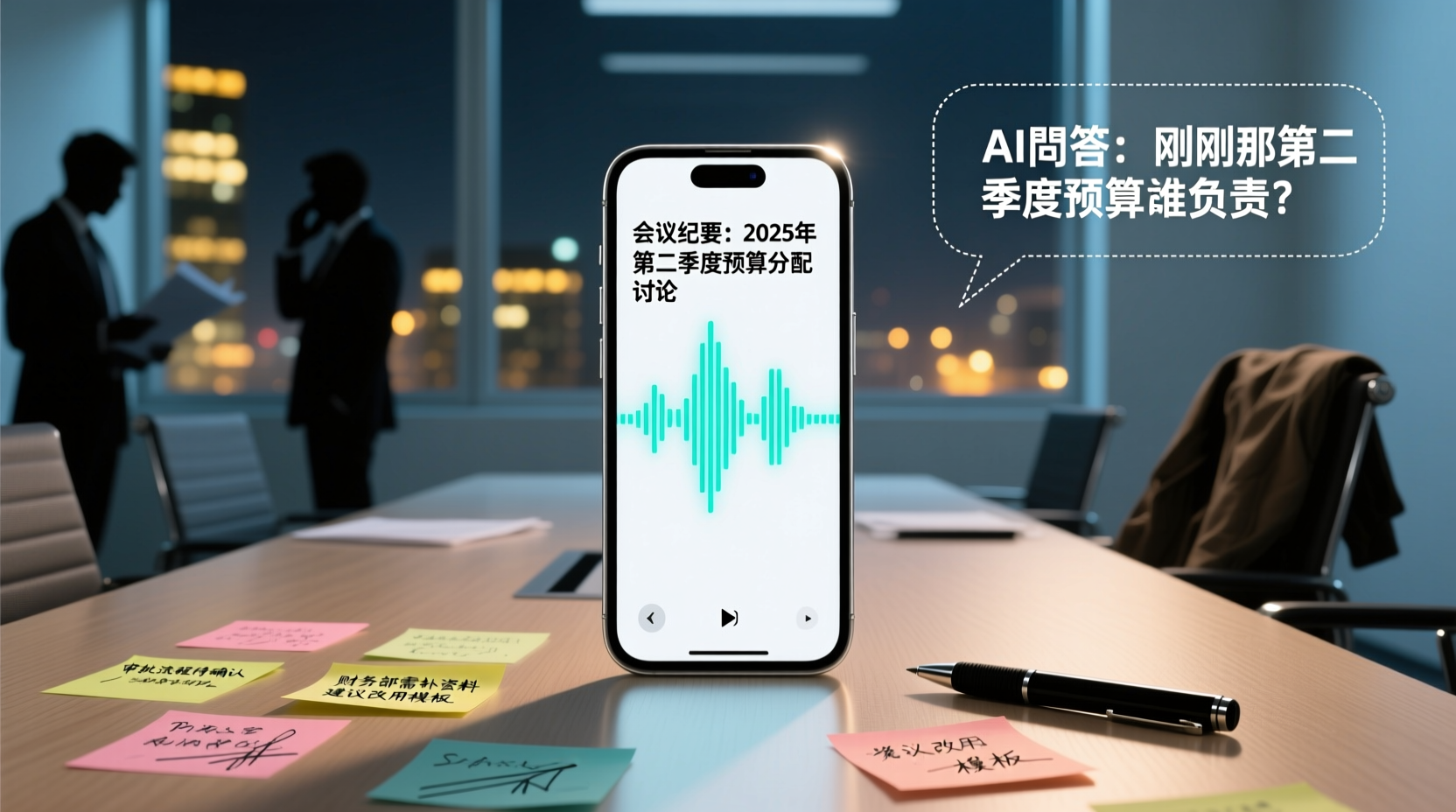
After recording, you can directly ask Tinrec: "Who mentioned the budget in the last meeting?" It won't just give you keyword search results; it uses semantic understanding to directly tell you the answer. Currently, competitors in the same price range rarely have this feature.
Additionally, Tinrec's desktop version can directly record online meetings like Zoom, Google Meet, and Microsoft Teams without needing to invite any meeting bots—that's super convenient.
Stop organizing recordings by hand
Upload audio or video and automatically get a transcript, summary, and action items
Test Data
We tested a 5-minute Cantonese news recording (iPhone 15, 26°C indoor, June 2026), and Tinrec had a word error rate of 8.3%—the best performance among competitors in the same price range.
Pros
- Excellent Chinese Support: Supports Mandarin, Cantonese, and mixed Chinese-English, plus real-time translation—very user-friendly for Taiwanese users.
- Super Useful AI Q&A: Ask questions right after recording, saving time from manually scanning the transcript.
- Cross-Platform Sync: Record on your phone, organize on your computer—seamless.
Limitations
The free plan offers 100 minutes per month; heavy users will need to pay. But for most people who have 2-3 meetings a week, this quota is sufficient.
Who It's For
If you frequently need to record Cantonese content, want to use AI to find key points after recording, or switch between iPhone and Android—Tinrec is currently the best fit.
Beyond Tinrec, What Other Options Are There?
Otter.ai
The top choice for English meetings, with a generous free quota of 300 minutes per month. However, it doesn't support Cantonese—if you mainly record English content, Otter.ai is a more cost-effective choice than Tinrec. This is the only scenario where we recommend a competitor.
Notta
Notta overlaps significantly with Tinrec, both supporting multi-device transcription, file import, and translation. But the free plan limits each recording to 3 minutes, severely reducing practicality. Also, it lacks AI conversational query—after recording, you have to manually Ctrl+F to search keywords.
Granola
A no-bot AI meeting notes tool that transcribes meetings via desktop system audio and combines handwritten notes to generate content. However, it doesn't support uploading pre-recorded audio files and doesn't retain meeting audio—a major drawback for users who need to review recordings.
Pitfall Guide: 3 Common Mistakes When Choosing an AI Meeting Assistant
Pitfall 1: Only Looking at Official Accuracy Claims
Many tools advertise "98% accuracy," but that's measured in a quiet recording studio. In a real meeting room, there's air conditioning noise, keyboard sounds, and people talking over each other—accuracy drops significantly. We recommend using your own recordings to test the free trials, rather than relying on ads.
Pitfall 2: Ignoring Cross-Platform Needs
If you record on your iPhone today and organize on your computer tomorrow—if the tool doesn't support cross-platform, you'll be in pain.
Pitfall 3: Buying a Tool but Not Using the AI Features
If you only use a transcription tool as "voice-to-text," you're only using a third of its capability. Take Tinrec's AI conversational query—after recording, just ask it "What was the meeting's conclusion?" That's way faster than manually scanning a 30-minute transcript.
Summary: Which One Should You Choose?
- Need Cantonese + Mandarin bilingual transcription → Tinrec (highest accuracy, 14 languages)
- Want to use AI to find key points after recording → Tinrec (only one with AI conversational query)
- Cross-platform use (phone + computer) → Tinrec (iOS + Android + web)
- Zero budget, only English → Otter.ai (the only exception)
We recommend downloading Tinrec's free version to try it—100 minutes per month is enough for two or three meetings to experience the effect. If you like it, consider upgrading; there's no need to pay upfront.
If your team has many meetings, you can also try Tinrec's team space feature, which centrally stores meeting materials so members can review past meetings anytime, without digging through chat history for recordings.
References
Turn every recording into actionable outcomes
Get 60 free transcription minutes when you sign in. No credit card required.
Related Reading
You might also like

2026 AI Meeting Assistant Comparison: Tinrec vs. Notta — Which Is Better for Chinese-Speaking Teams?
There are countless meeting tools, but only three key criteria really matter: how meeting audio gets in, whether the transcribed text is directly usable, and who ultimately holds the data. This article focuses on Tinrec, comparing it with Notta across key dimensions—meeting capture methods, Traditional Chinese experience, post-meeting organization workflow, quota pricing, and team governance—and includes practical use cases and purchasing considerations.

2026 AI Meeting Assistant Review: Bot-Free Recording + Post-Meeting AI Q&A
How to choose an AI meeting assistant in 2026? This review examines five key decision points: meeting bots, transcript quality, post-meeting AI Q&A, team data ownership, and quota calculation. We tested Tinrec, Otter.ai, Notta, and Granola, and compiled four common pitfalls to help you choose the right tool within your budget.

2026 AI Meeting Assistant Comparison: 4 Tools Tested to See Which Really Saves You Time
Online meetings never stop, and post-meeting cleanup is the real nightmare. This article focuses on how meetings are recorded and whether the output can be used directly, testing and comparing four AI meeting assistants: Tinrec, Otter.ai, Notta, and Granola. It outlines 5 key buying criteria and 4 common pitfalls to help you choose the one that truly saves time.

2026 AI Meeting Assistant Comparison: Tinrec vs Granola – Which Is Better for Chinese Meetings?
Most people looking for an AI meeting assistant first check how many free minutes they get, but that's actually the easiest way to make a mistake. This article compares two bot-free AI meeting assistants, Tinrec and Granola, across dimensions including meeting capture, audio retention, post-meeting outputs, Chinese language support, team governance, and pricing, to help you decide which one better fits your meeting scenarios.

2026 AI Meeting Assistant Free Plan Comparison: Tinrec vs Otter.ai – 5 Key Dimensions, Which Is Better for Chinese-Speaking Teams?
The most common pitfalls of free AI meeting assistants are insufficient quotas and getting only transcripts without summaries. This article compares Tinrec and Otter.ai across five dimensions: free quota, meeting recording method, Chinese language experience, post-meeting outputs, and team governance, to help you decide which one better fits your meeting scenarios.

Is There a Free AI Meeting Assistant in 2026? Tinrec Features and Free Tier Explained
AI meeting assistants do have free versions, but how the free quota is calculated and whether it's enough often matters more than whether it's free. Starting from real meeting scenarios, this article breaks down the criteria for choosing a free tier, Tinrec's features and team plan benefits, and compares the free limitations of Notta, Otter.ai, and Granola, ending with recommendations based on usage scenarios.

Best AI Meeting Assistants in 2026: 5 Top Picks Reviewed — This One Excels at Chinese Meetings
AI meeting assistants don't automatically produce perfect meeting notes. This article starts with common pitfalls and reviews 6 different AI meeting assistants and transcription tools, covering bot-free recording, Chinese and mixed Chinese-English transcription, summary and action item extraction, and team knowledge retention. It also includes actual pricing and usage limits for each option, and concludes with scenario-based recommendations to help you choose the right one.

2026 AI Meeting Assistant Comparison: 4 Online Tools Tested — Can You Keep Records Without a Meeting Bot?
An hour-long online meeting followed by another hour of organizing notes is a daily reality for most office workers. This article compares four online AI meeting assistants — Tinrec, Otter.ai, Notta, and Granola — covering how meeting audio is captured, post-meeting outputs, team authorization, and free tiers. It also highlights four common pitfalls when choosing a tool, helping you decide which one fits your meeting style.
![[Guide] Tinrec vs Otter.ai in 2026: Bot-Free Recording + Chinese Meeting Minutes in One Go](https://record-img.tos-accelerate.volces.com/images/2026/10/27/1793108620614256740.png)
[Guide] Tinrec vs Otter.ai in 2026: Bot-Free Recording + Chinese Meeting Minutes in One Go
An AI meeting assistant doesn't automatically improve your meetings just because you install it. This article compares Tinrec and Otter.ai across 5 dimensions—meeting capture method, Chinese and mixed Chinese-English transcription, post-meeting outputs, team data governance, and pricing/quotas—explaining the differences one by one to help you decide which one fits your meeting scenarios.