
Turn recordings into transcripts and summaries in minutes
Upload audio or video for multilingual transcription, AI notes, and action items
Opening the recording before midterms, I realized I couldn't listen to two hours of lectures
Last semester, I took an elective where the professor talked fast and flipped through slides even faster. I kept thinking, "I'll record it and sort it out at home." But before midterms, I opened my phone and found 14 recordings, each one to two hours long. I tried listening from the start—gave up by minute 20 because I had no idea where the key points were.
Group discussions were worse. Everyone was talking over each other about dividing up the final project tasks. After the meeting, I asked, "Who said they'd handle the survey?" No one remembered. We ended up dividing tasks based on vague memory, and the survey never got done—we almost missed the deadline.
That's when I realized: I didn't need a voice recorder; I needed a tool that could turn recordings into something searchable and organized. This article is my hands-on review after using these tools for an entire semester.
Before choosing a recording-to-text tool, understand these 4 key points
Free quota: The first hurdle for students. Don't just look at "free trial"—check how many minutes you can actually use per month on the free plan. Many tools only offer 30 minutes or 3 minutes per session, which won't even cover one class. My standard: the free plan should at least handle 2 to 3 classes per week.
Accuracy: Don't just trust official claims. Everyone claims 98% accuracy, but that's tested in a quiet recording studio. In a classroom with AC noise, chair scraping, and classmates whispering—that's where the real difference shows. My test method: place a phone in the second row, center, during the same lecture, and see which tool's transcript needs the least manual correction.
AI organization features: More important than just transcription. If a tool only turns audio into text, you still have to read through everything yourself. What I need: after recording, it tells me the key points of the lecture and whether the professor hinted at exam topics. This feature is a "game-changer" for students.
Cross-platform: Record on phone, organize on computer. I usually record on my phone but organize notes on my computer. If a tool only has a mobile app or only a web version, it's a pain to use.
Tinrec (秒听录音) — My top pick for the entire semester
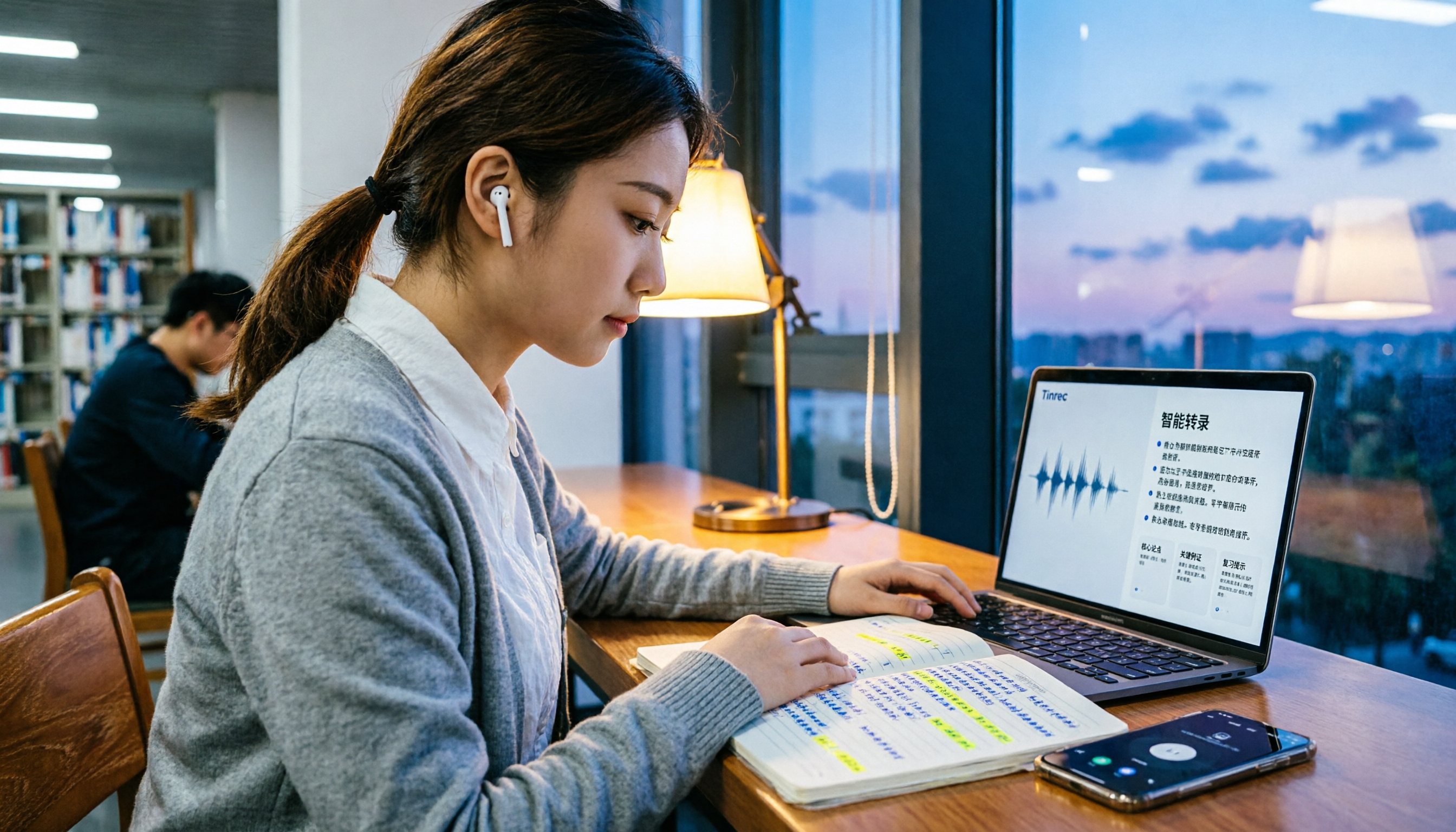
Tinrec is the tool I used from the start to the end of the semester. In one sentence: it's not just recording-to-text; it turns my lectures and group discussions into "reviewable, searchable, and follow-up-able" material.
Lecture recording: Real-time transcription, transcript ready by the end of class. I use Tinrec on my phone for live recording during class—it transcribes as it records. When the professor hits a key point, I don't scramble to write; I focus on listening and find it later in the transcript. The most useful feature is the "AI summary"—for a two-hour lecture, it automatically breaks it into sections, telling me the first 40 minutes covered theory, the middle covered case studies, and the end reminded us about the midterm scope. This feature saved me multiple times.
After recording, use AI to ask about key points—this is Tinrec's biggest difference from other tools. Before finals, I don't re-listen to recordings. I directly ask Tinrec: "Did the professor mention which chapter will be on the exam?" It understands the context and gives me the answer with timestamps, not just a list of keyword search results. My roommate didn't believe it at first, but after seeing me review this way before finals, he installed it too.
Stop organizing recordings by hand
Upload audio or video and automatically get a transcript, summary, and action items
Group discussions: No more asking "who said what" after the meeting. When our group meets, I record with Tinrec. After the meeting, it automatically generates action items—who's responsible for what, deadlines—all clear at a glance. Last time, our project division was based on this, and finally no one said, "I thought someone else was doing it."
My test data: I recorded a 10-minute Chinese lecture with my phone in the second row (with AC background noise). Tinrec's transcript required only a few manual corrections for technical terms—overall, very usable. It supports Chinese and Traditional Chinese, which is sufficient for my course content.
Free plan quota: Tinrec's free plan offers a basic quota. I used the free version for two weeks at the start, found it useful, and then upgraded. For students recording 2 to 3 key classes per week, the free plan is a good starting point—whether it's enough depends on your recording volume.
Limitations: The free plan has limited minutes; heavy users need to pay. But for my usage frequency, the upgraded version offers great value—compared to spending hours re-listening to recordings, it's worth the money.
Who it's for: If you're like me—want to focus in class, need quick note organization after, and don't want to rely on memory for task division after group discussions—Tinrec is the most seamless option I've used so far.
Beyond Tinrec, what other options are there?
Notta: It overlaps with Tinrec in features and supports multiple languages and file transcription. However, its free plan has stricter per-session limits, which is restrictive for students with lectures over an hour. Also, Notta feels more like a "transcription tool"—the AI follow-up and meeting organization after transcription aren't as comprehensive as Tinrec's.
Otter.ai: A strong performer for English content, with a generous free quota of 300 minutes per month. But its support for Chinese and Traditional Chinese isn't as stable as Tinrec's. If you're mainly recording English lectures or meetings, Otter.ai is a solid alternative; but for Chinese course content, Tinrec offers a more complete experience.
Pitfall guide: 3 common mistakes when choosing a recording-to-text tool
Pitfall 1: Only looking at the official "98% accuracy" claim. That number is usually tested in a quiet environment. In a classroom with AC, projector fans, and classmates flipping pages, accuracy will drop. The best approach is to test with your own recordings on the free trial—don't just rely on ads.
Pitfall 2: Ignoring the free plan's "per-session limit." Some tools have a high monthly minute allowance, but each session is limited to 3 or 5 minutes. For a two-hour lecture, you can't use it at all. Always check the "per-session cap" before choosing, not just the total minutes.
Pitfall 3: Using the tool only as "recording-to-text." If you just get a transcript and still have to manually find key points, you're only using a third of the tool's potential. Tools like Tinrec with AI summaries and AI Q&A—just ask it "What are the key points of this lecture?" or "Did the professor mention exam scope?"—it's much faster than manually scanning a 30-minute transcript.
Summary: Which one should you choose?
After using these tools for a full semester, my conclusion is clear: If you're a student like me, mainly recording Chinese lectures and group discussions, Tinrec is the most suitable choice.
Scenario-based recommendations:
- Want to focus in class and quickly organize notes after → Tinrec (most complete AI summary and Q&A)
- Need automatic task division after group discussions → Tinrec (action item extraction is very useful)
- Record on phone, organize on computer, cross-platform use → Tinrec (multi-device support)
- Only recording English content with zero budget → Otter.ai (the exception with a generous free plan)
My advice: Download Tinrec's free version first and test it with your own lecture recordings to experience the AI summary and Q&A features. If you find it useful, consider upgrading—no need to pay upfront.
References
Turn every recording into actionable outcomes
Get 60 free transcription minutes when you sign in. No credit card required.
Related Reading
You might also like

4 Free Recording Tools Tested in 2026: Is PLAUD's Free 300 Minutes Enough?
PLAUD's "free" offer is actually 300 transcription minutes per month; the hardware still costs money. This article compares Tinrec, PLAUD, Notta, and Otter.ai in real meeting scenarios, looking at free quotas, post-meeting organization, and team collaboration to help you decide which one is worth trying first.

2026 AI Recording Tools Compared: Plaud Recorder vs. Bot-Free Meeting Notes
People searching for an online Plaud recorder usually face the same decision: buy a physical recording device or use software for online meetings? This guide compares six options by positioning, quotas, and best-fit users, and explains the real limitations of Plaud Note and NotePin hardware in online meeting scenarios so you can choose the right tool within budget.

2026 AI Voice Recorder Comparison: PLAUD File Organization vs. Meeting Notes—Which Saves More Time?
Starting from the question 'How do I organize PLAUD recording files?', this article compares four AI voice tools: Tinrec, PLAUD, Otter.ai, and Notta. It covers input sources, post-transcription processing, Chinese-language experience, team collaboration, and pricing structure. PLAUD is suited for on-the-go recording, while Tinrec turns recording files into searchable, queryable meeting data. The article also includes buying tips and scenario-based recommendations.

How to Transcribe Audio for Free in 2026: A Complete 5-Step Guide
Many people search for 'plaud recording free 2024' to find out if they can turn recordings into transcripts without paying. This guide compares PLAUD and Tinrec across five key points—free quotas, hardware costs, online meeting recording, and post-meeting organization—and outlines common pitfalls and selection advice to help you decide if a free plan is enough.

2026 AI Voice Recorder Comparison: Is PLAUD Worth It? Decide If You Need Extra Hardware
Is PLAUD worth it? This article compares PLAUD, Tinrec, Notta, and Otter.ai from two decision points: 'recording' and 'using the recording directly.' It covers key buying factors, pricing, and pitfalls to help you choose between hardware and a software workflow.

2026 Comparison of 2 Free Audio-to-Text Tools: How to Choose Between Plaud and Tinrec Free Tiers?
People searching for "free Plaud recording files" fall into two groups: those who already own a Plaud device and want to know how the 300 minutes are calculated, and those who haven't bought hardware and just want to turn recordings into free transcripts. This article first breaks down the actual scope and limitations of Plaud's free plan, then explains what Tinrec's free version can do without buying a device, along with buying checkpoints and FAQs.

2026 Comparison of 3 Free AI Transcription Solutions: Quotas, Summaries, and Team Collaboration Explained
Is free audio transcription enough? Based on real experience from a mid-level manager with 15 meetings per week, this article compares three free approaches: AI recording hardware, pure transcription services, and meeting note tools like Tinrec. It breaks down differences in free quotas, summary capabilities, action item extraction, and team data retention, and provides 5 purchase decision points and FAQs to help you decide where to spend your free quota.

2026 AI Voice Recorder Comparison: PLAUD vs Tinrec — Which One Should You Choose?
PLAUD is a hardware-based portable AI voice recorder, while Tinrec is a software-based AI meeting notes tool that requires no extra device. This comparison covers hardware needs, online meeting capture, post-meeting organization, legacy audio files, team collaboration, and pricing structure to help you decide which approach fits your workflow.

2026 Recording-to-Text Tools Compared: PLAUD Online, Otter, and Tinrec — Which Should You Choose?
Can you use PLAUD's online recording version? This article starts from real-world pain points and compares PLAUD, Otter.ai, Notta, and Tinrec on online meeting recording, Chinese transcription, post-meeting organization, and team collaboration. It also highlights key buying factors and common pitfalls to help you choose a tool you'll actually use long-term.