
Turn recordings into transcripts and summaries in minutes
Upload audio or video for multilingual transcription, AI notes, and action items
Lecture Recording: What Problem Are You Really Trying to Solve?
Before diving into specs, ask yourself: Do you need a recorder that simply "records long," or a tool that "helps you organize after recording"?
If your goal is to save the lecture audio and listen later, a voice recorder or your phone's built-in recording app is enough. But if you want to quickly find a specific section, get a transcript, or even ask, "What did the teacher say about the exam scope?"—you're not looking for hardware alone. You need an AI-powered recording tool.
This article compares different options based on real classroom needs, using Tinrec as an example to show how to turn lecture recordings into genuinely useful study materials.
What Are Your Options for Lecture Recording Tools?
1. Voice Recorders: Great Battery Life, but Post-Processing Is a Hassle
Voice recorders have clear advantages: compact size, long battery life, and no interruptions from phone notifications. Many pen-style recorders on the market can record continuously for 27 to 36 hours, which is convenient for students with back-to-back classes.
But the downsides are practical. After recording, you need to transfer files to a computer and use another tool for transcription. If you just want to archive audio, that's fine. But if you want to turn a two-hour lecture into organized notes, the post-processing workload can take more time than the recording itself.
2. Phone Recording Apps: Free and Convenient, but Inconsistent Organization Features
Built-in phone recording features, like iPhone's Voice Memos, are sufficient for occasional recordings. The free cost and simple operation are clear benefits.
However, most free recording apps excel at "recording," not "organizing." After recording, you still have to listen back, identify key points, and create transcripts manually. Some apps offer basic trimming, but for students who need quick review, the help is limited.
3. AI Transcription Tools: Get Key Points Right After Recording
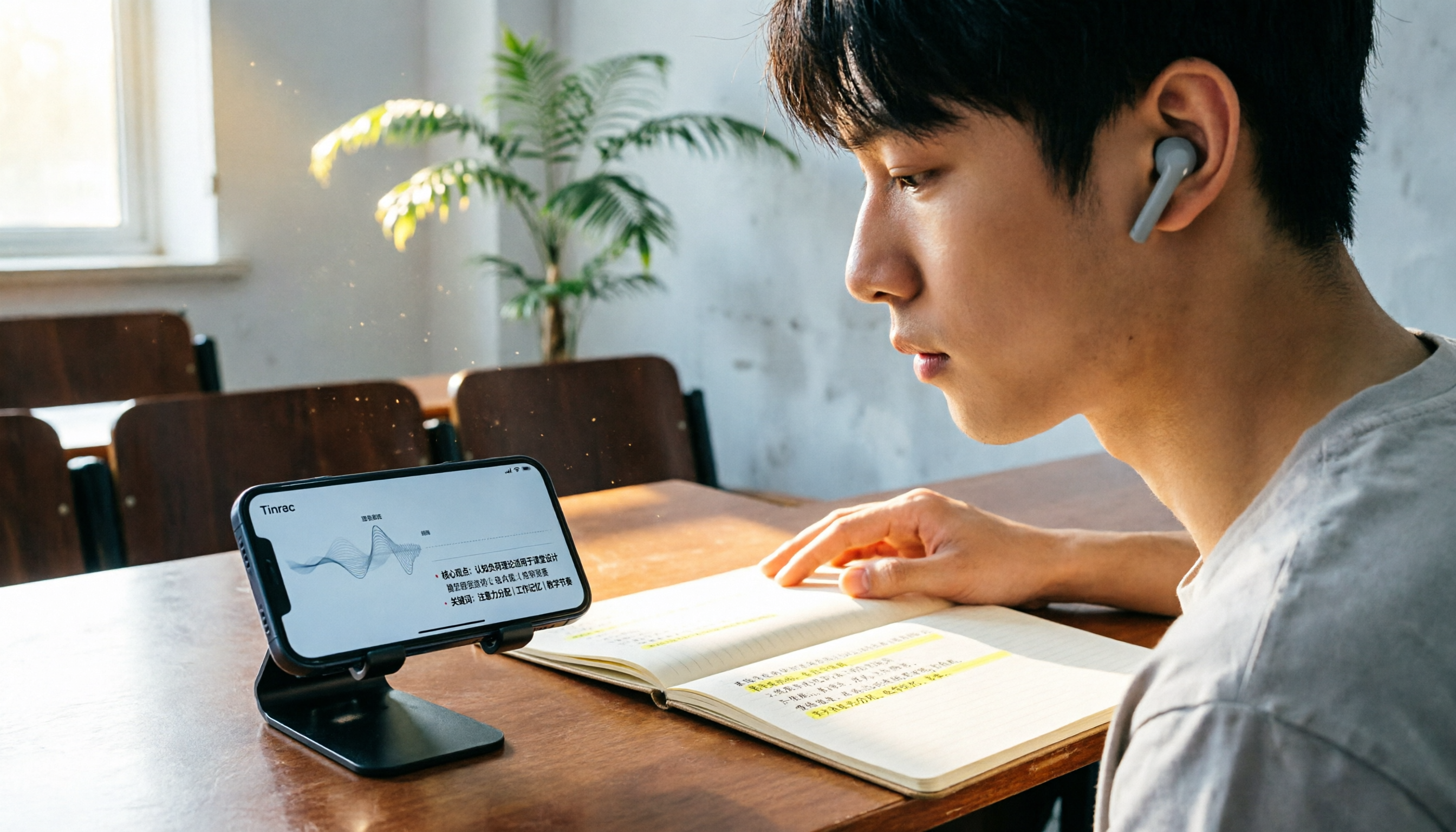
These tools treat recording as just the first step. Tinrec, for example, transcribes in real time and automatically generates summaries, chapters, and key points, condensing a two-hour lecture into easily scannable sections.
For students, this means no more spending an entire evening re-listening to recordings. Open Tinrec, check the summary to understand the lecture's main themes, then jump to specific chapters for the transcript. If a concept was explained quickly, you can even ask Tinrec, "How did the teacher explain this theorem?" It answers based on the recording content.
What Can Tinrec Do for Your Lecture Recording?
Scenario 1: Real-Time Transcripts While You Learn—No Need to Wait Until You Get Home
In the past, you'd have to listen and type slowly after class. Tinrec's real-time transcription generates text as you record, so the transcript is ready by the time class ends.
You can quickly scan the text while your memory is fresh and highlight unclear parts. Compared to re-listening to two hours of audio, this process saves a significant amount of time.
Scenario 2: Long Lectures Auto-Segmented for Easier Review
In a three-hour lecture, the biggest challenge is finding where key points are. Tinrec automatically divides content into chapters, so you can jump directly to "Midterm Report Instructions" or "Chapter 3 Key Points" without fast-forwarding.
Scenario 3: Turn Classroom Content into a Searchable Database
If you use Tinrec to record all your classes throughout the semester, the recordings and transcripts build into a personal study database. Before finals, you can search for "First assignment requirements," and Tinrec will find relevant content from past recordings.
Stop organizing recordings by hand
Upload audio or video and automatically get a transcript, summary, and action items
Scenario 4: Real-Time Translation for Multilingual Courses
If you take English-taught courses or have teachers who mix Chinese and English, Tinrec's real-time translation displays both the original and translated text. When you encounter a confusing section, check the text first, then decide whether to re-listen to the audio.
4 Key Points to Consider When Choosing a Lecture Recording Tool
1. Battery Life and Storage: A Strength of Recorders, but Not the Only Factor
Voice recorders do have more stable battery life than phones, but if you already carry your phone to class, adding a separate recorder can be a burden. Tinrec works on your phone or computer, so no extra hardware is needed.
2. Transcription Capability: Can It Help You Organize After Recording?
This is the biggest difference between recorders and AI tools. Recorders solve the "capture" problem; Tinrec solves the "what to do after recording" problem. If you handle multiple lecture recordings each week, transcription and auto-summary features should take priority over battery life.
3. Language Support: Can It Handle Mixed Chinese-English Content?
University courses often mix Chinese and English, and some tools struggle with Chinese recognition. Tinrec is designed for Chinese and multilingual scenarios, including real-time translation, making it suitable for students in cross-language learning environments.
4. Price and Usage Frequency: Occasional vs. Weekly Use Changes the Equation
If you only record a class occasionally, a free plan or one-time payment is enough. If you record every week, Tinrec's Pro plan is more cost-effective than buying a voice recorder, because you get not just recording but also transcription, summaries, Q&A, and long-term data organization.
Frequently Asked Questions
Should I Use a Voice Recorder or a Phone App for Lecture Recording?
If you only need to save audio, a voice recorder offers better battery life and stability. If you want to quickly organize key points and get transcripts after recording, an AI recording tool is more practical. Tinrec, for example, works on your phone or computer and provides transcripts and summaries immediately after recording.
Are Free Recording Apps Enough?
It depends on your organization needs. For occasional recordings, your phone's built-in recorder is fine. But if you need transcription, auto-segmentation, or search across past lectures, free apps typically can't meet those needs.
How Long Can Tinrec Record?
Recording duration depends on your plan. The free version offers basic limits, suitable for trying out the service. The Pro plan is designed for students with consistent weekly recording needs. For exact limits, check the official page.
Is Lecture-to-Text Transcription Accurate?
Accuracy is affected by classroom environment, teacher volume, accents, and background noise. Tinrec provides high-quality transcription in clear audio and common scenarios, but for important content, it's recommended to cross-check with the transcript and audio playback.
Do I Need to Ask My Teacher Before Recording?
It's best to confirm whether your teacher allows recording. Different schools and courses may have specific policies, and some teachers require that recordings be used only for personal review and not shared publicly.
Conclusion
There's no absolute best tool for lecture recording—the key is whether you need to "capture audio" or "capture and organize." If you just need a device that records long, a voice recorder is a reasonable choice. But if you want to turn classroom content into searchable, reviewable, and queryable study materials, Tinrec is a better fit.
Try the free version on one class and see if real-time transcripts and auto-summaries improve your review efficiency.
References
- Lecture Recording - Deals - June 2026
- 2026 Top 5 Voice Recorder Recommendations for Meetings, Lectures, Speeches, and More - Sound3C
- [2025 Picks] 5 Voice Recorder Recommendations: Long Recording Time, Large Capacity, Great for Meetings, Study, and Evidence Collection!
- No More Confusion in Meetings and Lectures! 2025 Voice Recorder Recommendations: 5 Picks (AI-Powered/Long Battery/Discreet) Buying Guide and Practical Tips
- Essential for Lectures and Meetings! Free Recording App Recommendations with Editing and Transcription Features
Turn every recording into actionable outcomes
Get 60 free transcription minutes when you sign in. No credit card required.
Related Reading
You might also like

4 Free Recording Tools Tested in 2026: Is PLAUD's Free 300 Minutes Enough?
PLAUD's "free" offer is actually 300 transcription minutes per month; the hardware still costs money. This article compares Tinrec, PLAUD, Notta, and Otter.ai in real meeting scenarios, looking at free quotas, post-meeting organization, and team collaboration to help you decide which one is worth trying first.

2026 AI Recording Tools Compared: Plaud Recorder vs. Bot-Free Meeting Notes
People searching for an online Plaud recorder usually face the same decision: buy a physical recording device or use software for online meetings? This guide compares six options by positioning, quotas, and best-fit users, and explains the real limitations of Plaud Note and NotePin hardware in online meeting scenarios so you can choose the right tool within budget.

2026 AI Voice Recorder Comparison: PLAUD File Organization vs. Meeting Notes—Which Saves More Time?
Starting from the question 'How do I organize PLAUD recording files?', this article compares four AI voice tools: Tinrec, PLAUD, Otter.ai, and Notta. It covers input sources, post-transcription processing, Chinese-language experience, team collaboration, and pricing structure. PLAUD is suited for on-the-go recording, while Tinrec turns recording files into searchable, queryable meeting data. The article also includes buying tips and scenario-based recommendations.

How to Transcribe Audio for Free in 2026: A Complete 5-Step Guide
Many people search for 'plaud recording free 2024' to find out if they can turn recordings into transcripts without paying. This guide compares PLAUD and Tinrec across five key points—free quotas, hardware costs, online meeting recording, and post-meeting organization—and outlines common pitfalls and selection advice to help you decide if a free plan is enough.

2026 AI Voice Recorder Comparison: Is PLAUD Worth It? Decide If You Need Extra Hardware
Is PLAUD worth it? This article compares PLAUD, Tinrec, Notta, and Otter.ai from two decision points: 'recording' and 'using the recording directly.' It covers key buying factors, pricing, and pitfalls to help you choose between hardware and a software workflow.

2026 Comparison of 2 Free Audio-to-Text Tools: How to Choose Between Plaud and Tinrec Free Tiers?
People searching for "free Plaud recording files" fall into two groups: those who already own a Plaud device and want to know how the 300 minutes are calculated, and those who haven't bought hardware and just want to turn recordings into free transcripts. This article first breaks down the actual scope and limitations of Plaud's free plan, then explains what Tinrec's free version can do without buying a device, along with buying checkpoints and FAQs.

2026 Comparison of 3 Free AI Transcription Solutions: Quotas, Summaries, and Team Collaboration Explained
Is free audio transcription enough? Based on real experience from a mid-level manager with 15 meetings per week, this article compares three free approaches: AI recording hardware, pure transcription services, and meeting note tools like Tinrec. It breaks down differences in free quotas, summary capabilities, action item extraction, and team data retention, and provides 5 purchase decision points and FAQs to help you decide where to spend your free quota.

2026 AI Voice Recorder Comparison: PLAUD vs Tinrec — Which One Should You Choose?
PLAUD is a hardware-based portable AI voice recorder, while Tinrec is a software-based AI meeting notes tool that requires no extra device. This comparison covers hardware needs, online meeting capture, post-meeting organization, legacy audio files, team collaboration, and pricing structure to help you decide which approach fits your workflow.

2026 Recording-to-Text Tools Compared: PLAUD Online, Otter, and Tinrec — Which Should You Choose?
Can you use PLAUD's online recording version? This article starts from real-world pain points and compares PLAUD, Otter.ai, Notta, and Tinrec on online meeting recording, Chinese transcription, post-meeting organization, and team collaboration. It also highlights key buying factors and common pitfalls to help you choose a tool you'll actually use long-term.