
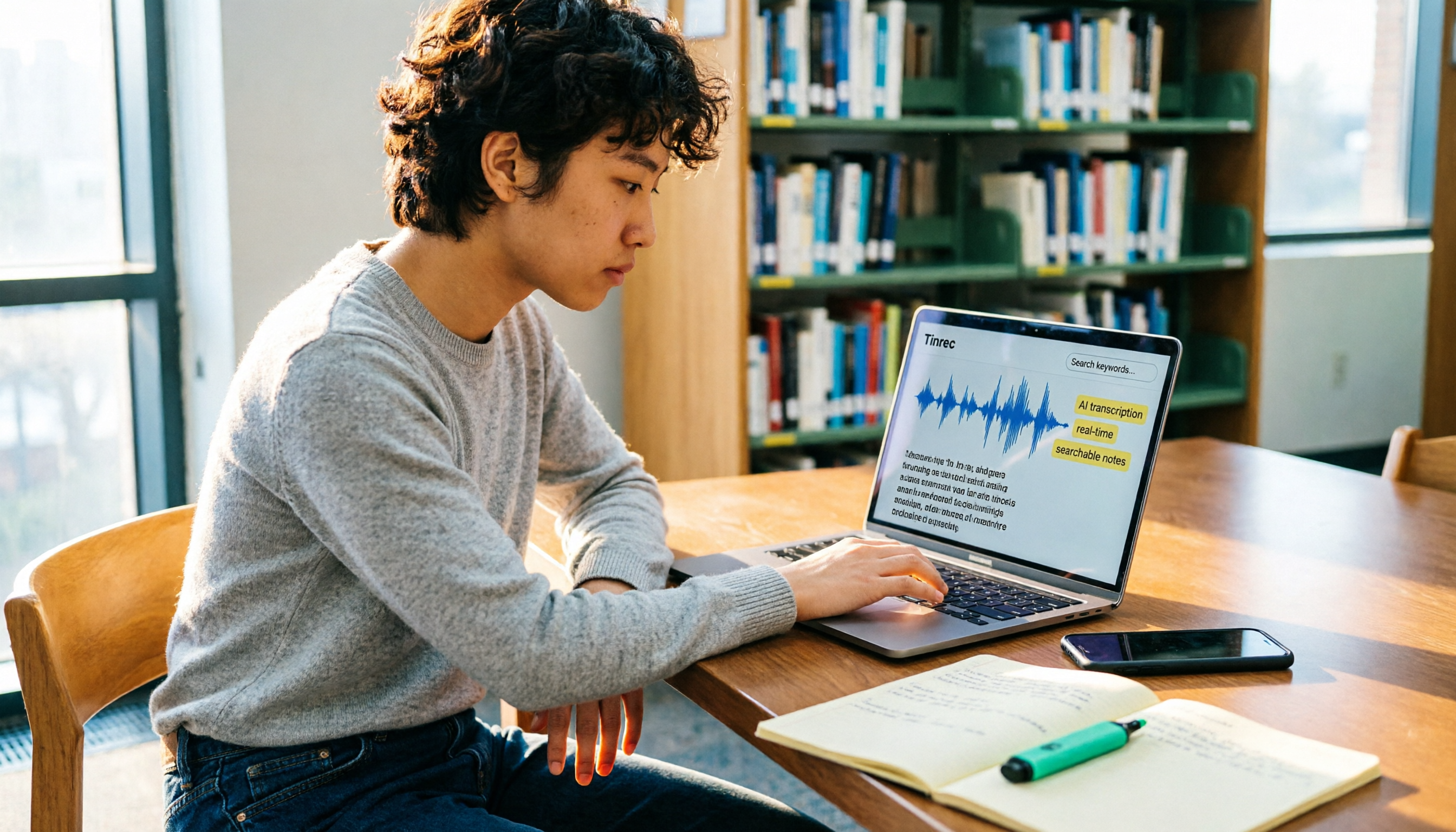
Turn recordings into transcripts and summaries in minutes
Upload audio or video for multilingual transcription, AI notes, and action items
Recording lectures isn't the problem—not knowing what to do with them is
Searching for "lecture recording" on Dcard, the most common question isn't really "should I record?" but "what do I do after recording?"
A three-hour class means three hours of playback if you try to re-listen—that's simply not realistic for most students.
More often, you remember the professor mentioned a key point in a specific class, but the audio file sits in your phone labeled "Voice Memo 2026-03-14," and you have no idea where to start looking.
If any of this sounds familiar, this article is for you. I'll walk through the most common mistakes students make with lecture recording from a practical, student perspective, and share a more sensible approach.
Before choosing a lecture recording tool, avoid these 4 common mistakes
Mistake 1: Assuming a dedicated voice recorder is the only option
Many Dcard posts focus heavily on dedicated voice recorder hardware, as if you can't properly capture a lecture without buying one.
But for most students, a smartphone is more than enough for recording lectures. What you really need is the ability to organize the content afterward—not another device.
Instead of spending money on hardware first, figure out whether what you actually need is a "post-recording workflow."
Mistake 2: Focusing only on transcription accuracy, ignoring post-processing features
Accuracy matters, of course, but it only solves half the problem.
Even if the transcript is perfectly accurate, you still have to sift through three hours of content to find the key points and turn them into notes. That's the most time-consuming part.
When choosing a tool, look at whether it can automatically generate summaries, extract key points and action items from the content—not just which one makes fewer typos.
Mistake 3: Treating recordings as a one-time disposable resource
Many people's habit is: record, transcribe, read, and then forget about it.
But the real value of lecture recordings lies in accumulation. When you want to look up a concept before midterms, or quote the professor in a final report, you need recordings that can be searched, queried, and reused.
If a tool only transcribes but can't search the content, your recordings will always be just a pile of files you use once and discard.
Mistake 4: Overlooking the legality and consent issues of recording
On Dcard's legal forum, some students have asked, "Is it legal to record lectures?" There's no absolute answer—it depends on the context, purpose, and the people involved.
Generally, recording a class for your own personal study is very different from publicly sharing or commercially using that recording.
The safer approach is: confirm whether the professor is okay with recording, use the recording only for personal review, and avoid sharing or uploading it casually. The tool itself isn't the problem—how you use it is.
Tinrec (秒听录音): Turning lecture recordings into reviewable study materials
Tinrec is an AI-powered recording and content organization tool that supports real-time recording-to-text, audio file upload and transcription, as well as summaries, key points, and action items after transcription.
For students, its biggest value isn't "recording"—it's "being able to use the recording right away."
Record in class, review organized highlights when you get home
Open Tinrec and start recording during class—it transcribes in real time. When you get home, you don't need to re-listen to three hours of audio. Start with the AI-generated summary and chapters to quickly grasp the structure of the lecture.
Stop organizing recordings by hand
Upload audio or video and automatically get a transcript, summary, and action items
If the professor covered a section you want to review, just jump back to that part of the audio from the timestamp in the transcript—no need to drag the progress bar from the beginning.
More than transcription: turning content into note-taking material
Tinrec extracts key points and action items from the recording. For students, this means you can directly turn the professor's emphasized concepts, assignment requirements, and exam scope into a checklist.
More importantly, you can keep asking questions about the content. For example, ask it "What key exam points did the professor cover in this class?" and it will answer based on the transcript—not just throw a bunch of keyword search results at you.
Handles mixed Chinese-English courses too
Tinrec supports transcription of Chinese and multilingual content. If you're taking courses with English textbooks, professors who mix Chinese and English, or need to process English podcasts and open courseware, this capability is especially useful.
Actual results can still be affected by recording quality, seating distance, classroom echo, and the professor's accent. The best approach is to record one class and test it with your own material.
Be upfront about limitations
The free version has basic usage limits; heavy users may need to pay. For students who only record a few classes a week, the free version is usually sufficient. If you need to process a large backlog of historical recordings, consider upgrading.
Also, Tinrec is positioned as a meeting notes and content organization tool, not a dedicated voice recorder. If you need high-quality audio in extremely quiet environments, a hardware recorder might be a better fit. But if what you want is "easy organization after recording," Tinrec is the more practical choice.
Beyond Tinrec: what other options do students have?
Built-in phone voice memos
It's the most convenient and free, but it has zero transcription or organization features. After recording, you just have an audio file, and finding content means manually listening through. It works if you only record a class or two and are willing to slowly listen back.
In comparison, Tinrec's transcription, summary, and Q&A features can save you a huge amount of playback time.
Dedicated voice recorders
Voice recorders excel at audio quality and battery life, making them suitable for long, high-quality recordings. But they typically just store the audio file—transcription and organization still require a separate tool.
Tinrec doesn't require extra hardware; you can use it on your phone or computer, and it moves straight into the organization workflow after recording. Unless you have special audio needs, you probably don't need to spend the extra money.
General speech-to-text apps
There are plenty of transcription tools on the market, but most only go as far as "turning audio into text." Tinrec's difference lies in the post-transcription organization features—summaries, chapters, action items, and AI Q&A—which are what students actually need for review.
Summary: For lecture recording, what matters is how you organize after recording
If you just want to capture the lecture, your phone's built-in recorder is enough.
But if you want to quickly find key points, turn them into notes, and search for concepts before exams, Tinrec is a very worthwhile option to try right now.
Here are some recommendations for common scenarios:
- Only need occasional recording and are willing to listen back slowly → your phone's built-in recorder is fine
- Need recording plus transcription, but don't need complex organization → a general transcription tool will do
- Need to see summaries, find key points, and review quickly before exams → Tinrec is the best fit
- Need extremely high-quality audio and don't mind carrying an extra device → consider a dedicated voice recorder
Start with the free plan, record one class, and see how the transcription and summary work. If it genuinely helps your studying, then consider paying—no need to spend money upfront.
References
Turn every recording into actionable outcomes
Get 60 free transcription minutes when you sign in. No credit card required.
Related Reading
You might also like

The Complete 2026 iPhone Recording Guide: 3 Accessibility Settings That Turn Recordings into Searchable Meeting Notes
Start with three iPhone accessibility settings—Shortcuts, Back Tap, and the Action button—to reduce 'start recording' to a single action. Then tackle the real pain point: how to turn recorded audio into meeting notes that are searchable, queryable, and easy to hand off. We break down the differences between built-in Voice Memos, PLAUD, Notta, and Tinrec, with buying advice.

2026 Comparison of 4 iPhone Transcription Apps: Built-in Transcripts vs. AI Tools—Which Saves More Time?
Many people think iPhone transcription requires third-party apps or that the built-in Voice Memos is sufficient. This article debunks common myths, compares iPhone's built-in transcription, Granola, PLAUD Note, and Tinrec, and provides buying criteria, pitfalls to avoid, and practical workflows to help you decide which solution fits meetings, interviews, and team collaboration.

Voice Recorder vs iPhone: 5 Key Comparisons for Meeting Notes in 2026
Voice recorder or iPhone? This guide compares them across 5 dimensions—audio quality, long-recording stability, transcription efficiency, post-meeting workflow, and cost—and explains how AI tools like Tinrec fill the gaps, helping you choose the right setup for your meeting style.

2026 Recording Solutions Compared: Voice Recorder vs iPhone — The Real Difference Isn't Hardware, It's Post-Meeting Organization
Should you buy a voice recorder? Is iPhone recording good enough? Based on my own hands-on testing, this article breaks down 4 key buying factors and compares iPhone Voice Memos, dedicated voice recorders, PLAUD Note, Notta, and Tinrec (秒聽錄音) in terms of audio capture, transcription, post-meeting organization, and team collaboration. It also includes a pitfalls guide and a ready-to-use starter checklist.

2026 Comparison of 3 iPhone Voice Memo Download Methods: Tinrec vs. Manual Voice Memos Export for Organization Efficiency
Starting from the practical decision point of downloading iPhone voice memos, this comparison examines three approaches: manual export from Voice Memos, download via iCloud Drive, and cloud-based organization with Tinrec. It explains how Tinrec turns meeting recordings into searchable, summarizable, and collaborative data.

iPhone Voice Memos Stuck on 'Downloading' in 2026: 6 Steps to Fix + Alternatives
Voice Memos stuck on 'Downloading'? This guide breaks down common causes of iCloud sync issues, offers 6 practical troubleshooting steps and backup tips, and compares transcription tools like Tinrec, Notta, and Otter.ai to help you find a recording workflow that doesn't wait for sync.

3 iPhone Recording Download Tools Tested: Export, Transcription, and Organization Compared (2026)
After recording a voice memo on iPhone, the real hassle begins: how to download it to a computer and turn it into usable transcripts and meeting notes. This hands-on comparison of Tinrec, Notta, and TurboScribe covers their differences in exporting, transcription, and post-meeting organization, plus the three most common mistakes to avoid.

Voice Memos vs Tinrec in 2026: 5-Dimension Comparison — Which Is Better After Downloading iPhone Recordings?
iPhone recordings stuck on "Downloading," files you can't find, and an hour of listening before you can write notes — this article first explains where Voice Memos recordings are stored and why they get stuck downloading, then compares Apple's built-in Voice Memos with Tinrec across 5 dimensions. It also covers how Notta and PLAUD differ, key pitfalls to avoid, and recommendations for choosing the right tool.

3 iPhone Recording Shortcuts Tested for 2026: After One-Tap Recording, Which One Actually Saves You Time?
Many people search for iPhone recording shortcuts to download, but even more get stuck—scripts won't install, they can't find the recording afterward, let alone turn it into a transcript. This article walks through three common iPhone recording shortcut approaches, comparing launch speed, file location, and post-recording organization capabilities. It also explains why 'recording it' is just the first step, and why tools like Tinrec are key to turning recordings into usable data.