

Turn recordings into transcripts and summaries in minutes
Upload audio or video for multilingual transcription, AI notes, and action items
Can't type Taiwanese Hokkien? It's probably not your pinyin skills—it's the wrong tool
I attend about 15 meetings a week, and several of them are conducted entirely in Taiwanese Hokkien. My biggest mistake used to be trying to force Taiwanese Hokkien into a Zhuyin input method.
Mistake #1: Assuming a Zhuyin input method can type Taiwanese Hokkien Chinese characters. It can, but often it can't—the candidate list comes up empty, or a square box appears on screen, what people call "tofu characters."
Mistake #2: Thinking that having a Taiwanese Hokkien character database means you can do voice input. Many Taiwanese Hokkien input methods on the market only do phonetic typing; you have to spell out each character, and you get stuck when you're unsure about tones. Tools that actually support speech recognition are a different category.
Mistake #3, the one most people make: treating an "input method" as a "meeting transcription tool." An input method solves "how do I type this character right now," but if your situation is "I just finished a 40-minute Taiwanese Hokkien meeting and need a verbatim transcript," an input method won't help at all—you can't retype every sentence.
This article first reviews free Taiwanese Hokkien voice input solutions available in 2026, then clarifies what tool to use when your real need is post-meeting organization.
4 key points to understand before choosing a Taiwanese Hokkien voice input method
1. Does it have speech recognition, or just phonetic input?
Under the term "Taiwanese Hokkien input method" hide two completely different things: one is phonetic input (typing Tâi-lô or Pe̍h-ōe-jī), the other is voice input (pressing a microphone and speaking directly). For those unfamiliar with Tâi-lô, speech recognition is what truly lowers the barrier—if you can't spell, just speak.
2. How are missing characters handled?
Many Taiwanese Hokkien Chinese characters aren't in default phone fonts. You might be able to type them, but the recipient may not see them. Whether there's an alternative like "converting Chinese characters to image output" determines whether what you send is content or a square box.
3. Platform support and system permissions
Some tools are only on iOS, others only on desktop. Speech recognition and text-to-image usually require higher system permissions. If you install but don't grant permissions, you'll think it's broken—when really it's just not authorized yet.
4. What happens after you type?
This is the least considered but most impactful on work efficiency. An input method handles the small segment of "typing"; but turning a whole meeting, interview, or class recording into searchable, summarizable, action-trackable data is beyond an input method's scope.
Tinrec — when your need is actually "post-meeting organization"
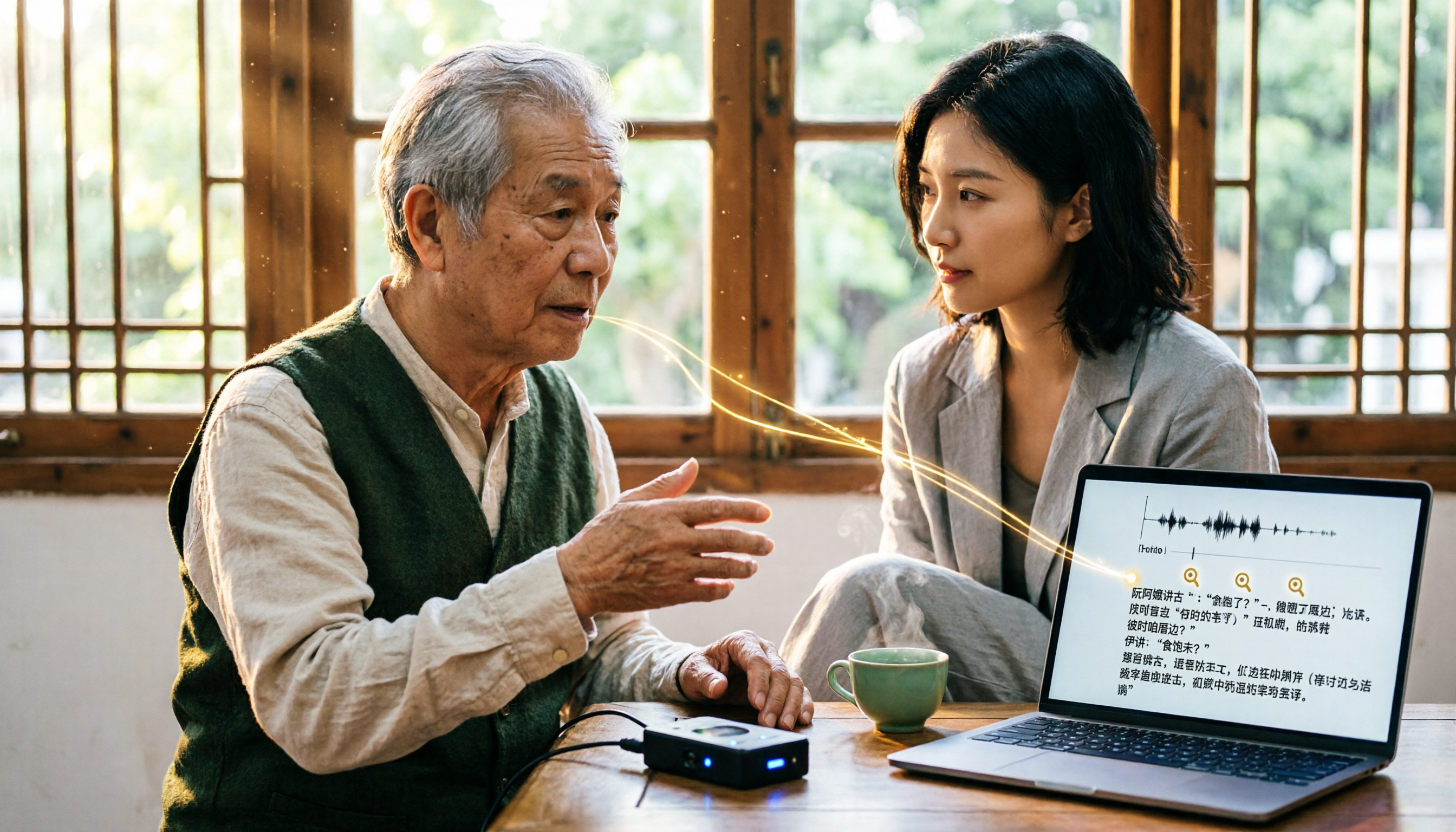
If your pain point is like mine: not that you can't type a certain character, but that after recording a whole meeting, interview, or class, no one organizes it—then what you need isn't an input method, but a workflow for audio-to-text plus post-meeting organization. My team currently uses Tinrec.
In one sentence: Tinrec is an AI meeting notes and collaboration tool for individuals and teams, available on web, desktop, and mobile.
Its biggest difference from the input methods above is that it processes "a whole segment of audio," not "a single character." Open Tinrec during a meeting, and it produces a transcript while recording; the desktop version can capture system audio directly, handling online meetings on Zoom, Google Meet, Microsoft Teams, Webex without needing to invite a meeting bot. This is practical for cross-department meetings—one less unfamiliar attendee means one less awkward "who is this?"
Post-meeting is where its real value lies. AI automatically generates summaries and chapters, breaking a 40-minute discussion into quickly scannable sections; it also extracts action items—who's responsible for what, when it's due—listed directly. My habit is, after a management meeting, to ask the historical meeting "What was the conclusion on that budget proposal last time?" and it gives me an answer based on semantics, not a string of keywords to sift through myself.
Other everyday uses include: real-time translation (original, translated, or bilingual side-by-side), uploading audio/video files for transcription, exporting results to Notion, Google Docs, OneNote, Dropbox, and generating reports, tables, and meeting minutes directly via Agent post-processing. Chinese, Traditional Chinese, and multilingual meeting scenarios are supported.
Stop organizing recordings by hand
Upload audio or video and automatically get a transcript, summary, and action items
The team version turns this from a personal tool into a team space: meeting data belongs to the team, new members can review past meetings; admins can manage members, roles, and seats, view usage trends and audit logs. The team version currently offers first-time eligible users 7 days, 1 free seat, and 300 minutes of shared team import quota; paid seats are USD 29.80/month or USD 199/year (about USD 16.58/month), each paid seat providing 2,000 minutes of shared team import quota per month. Actual prices and benefits are subject to the official purchase page.
Honest limitations. First, it's not an input method; it can't replace your phone keyboard typing. If all you need is "type a character," use an input method. Second, transcription quality is affected by recording environment—background noise, accents, people talking over each other, technical jargon all impact results, same as any tool. For important content, cross-check with the transcript timestamps and recording. Third, the free version provides basic quota, suitable for trying out; if you have a steady weekly meeting load, consider Pro or team version for better value.
Other free options: three Taiwanese Hokkien input methods and who they suit
Ministry of Education Taiwanese Hokkien Input Method: Currently the most complete free option. Launched by the Ministry of Education, it supports voice and Tâi-lô phonetic input. Its standout feature is built-in MOE standard glyphs—when the recipient's phone can't display a character, you can convert it to an image and send it, directly solving the tofu character problem. It offers three input modes: Tâi-lô, Chinese characters, and English, plus fuzzy search—for example, typing just the initials "tks" for "鎮公所" (township office) brings up candidate words. Note that speech recognition and text-to-image require higher system permissions; remember to enable them. Suitable for those who mainly type on phones and have zero budget. Limitation: it's still an input method; it won't generate summaries and action items after a full meeting recording.
Lohankha Taiwanese Hokkien Input Method: A long-standing App Store presence, supports Tâi-lô (TL) and Pe̍h-ōe-jī (POJ), also supports the 6th and 9th tones, can type over 7,000 characters, and after selecting a word, shows pronunciation hints for the same Chinese character in Japanese, Korean, and Vietnamese. From user reviews, many are asking for microphone functionality, indicating it's still primarily phonetic input. Suitable for those already familiar with Tâi-lô or Pe̍h-ōe-jī who want precise input and pronunciation hints. Limitation: no speech recognition, and no cross-device meeting data organization.
FHL Taiwanese-Hakka Input Method: Provided by Faith, Hope, Love Information, current version 3.4.0, covers both Taiwanese Hokkien and Hakka, one of the few free cross-language options. Suitable for users who need both Taiwanese Hokkien and Hakka input. Limitation: also a "typing" tool, doesn't handle audio files, and lacks team collaboration and AI Q&A post-meeting features.
Pitfall guide: 4 most common mistakes when choosing a Taiwanese Hokkien voice input method
Pitfall 1: Thinking a Zhuyin input method is good enough. It can type some Taiwanese Hokkien characters, but when the character database is insufficient, you'll get stuck with an empty candidate list. Rather than guessing every time, install an input method designed for Taiwanese Hokkien.
Pitfall 2: Only checking "does it have voice" and forgetting to enable permissions. Speech recognition and text-to-image require higher system permissions. Many people install, find the microphone doesn't respond, and think the app is broken. Check system settings for permissions first.
Pitfall 3: Treating an input method as a meeting transcription tool. This is the pitfall I fell into the longest. An input method only helps the second you're typing, but the real cost of a meeting is after—organizing, archiving, tracking action items. These two things need different tools.
Pitfall 4: Only looking at the word "free" without checking quota and platform limits. Free plans usually have usage caps and may only support a single platform. Confirm your usage frequency and devices before deciding whether to upgrade.
Summary: which one should you use?
- Just want to type a few Taiwanese Hokkien characters to elders on LINE → Ministry of Education Taiwanese Hokkien Input Method (free, has speech recognition, handles missing characters)
- Already familiar with Tâi-lô or Pe̍h-ōe-jī, want precise phonetic input and pronunciation hints → Lohankha Taiwanese Hokkien Input Method
- Need both Taiwanese Hokkien and Hakka input → FHL Taiwanese-Hakka Input Method
- Meeting, interview, class recordings to become transcripts, summaries, and action items → Tinrec (turns recordings into searchable, trackable data)
- Team needs to share meeting data, manage seats and usage → Tinrec team version (roles, seats, usage analytics, and audit all in one)
My advice is simple: start with free options. Input methods are free themselves; install and use the same day; Tinrec also has a free version to experience basic recording, import, summary, and transcription. Once you confirm you'll really use it weekly, consider upgrading—no need to pay upfront.
References
- FHL Taiwanese-Hakka Input Method
- Taiwanese Hokkien Input Method App Guide: Voice Input, Solving Missing Characters, and Settings - Mr. Mad
- Lohankha Taiwanese Hokkien Input Method App - App Store
- Ministry of Education Taiwanese Hokkien Input Method - Google Play
- Taiwanese Hokkien Input Method App Launched: Now You Can Input Taiwanese Hokkien on Mobile Devices
Turn every recording into actionable outcomes
Get 60 free transcription minutes when you sign in. No credit card required.
Related Reading
You might also like

3 Taiwanese Speech-to-Text Methods Compared in 2026: Which Is Easier for Meeting Notes and Transcripts?
Taiwanese-language meetings, interviews, and elder dictation often get stuck at the typing stage. This article compares three common Taiwanese speech input methods from real-world scenarios and demonstrates how Tinrec turns Taiwanese recordings into searchable, summarizable, collaborative transcripts and meeting notes, plus 5 tips for choosing a tool and FAQs.
How to Transcribe Taiwanese Hokkien Audio in 2026: A Complete 5-Step Guide
Transcribing interviews in Taiwanese Hokkien or mixed Mandarin-Taiwanese recordings often takes more time than the recording itself. This guide covers four key factors—recognition accuracy, mixed-language handling, post-meeting organization efficiency, and team collaboration—and compares Tinrec, Yating Transcription, Otter.ai, and PLAUD for Taiwanese Hokkien audio transcription. It also highlights common pitfalls to help you find the right approach.

Tinrec vs Lohankha 2026: 5-Dimension Comparison of Online Taiwanese Translation Tools
There are many online Taiwanese translation tools, but most people only scratch the surface. This article compares Tinrec, Lohankha, iTaigi, and others based on real-world use cases, and provides 5 key purchasing points and pitfalls to help you find the best Taiwanese translation and meeting notes solution.

3 Taiwanese Speech-to-Text Tools Compared in 2026: Free Plans, Language Support, and Post-Meeting Workflows
How do you choose a free Taiwanese speech-to-text tool? This article starts with the most common misconceptions and compares Tinrec, Yating Transcription, and Taiwanese AI Translation. It covers three ways free quotas are calculated, differences in language support, and post-transcription workflows, plus three key pitfalls to avoid when choosing a tool. It helps you decide which one truly fits your Taiwanese content.

How to Use WeChat Voice-to-Text for Cantonese in 2026: 5-Step Guide & Tool Test
WeChat's built-in voice-to-text supports Mandarin, English, and Cantonese. Long-press a voice message and swipe up to convert. But it only handles one message at a time, offers no summary, and can't export. This guide, from a student's hands-on perspective, covers 5 steps, 4 criteria for choosing a tool, and a complete method to turn Cantonese voice into searchable transcripts.

2026 Taiwanese Input Method Guide: Voice Input & Fixing Missing Characters on Mobile
Struggling to type Taiwanese on your phone? This guide compares the Ministry of Education's Taiwanese Input Method, PhahTaigi, Lohankha, and the FHL Taiwanese & Hakka Input Method, covering voice input, missing character handling, and offline use to help you choose the best fit for your needs.

4 Taiwanese Input Methods for iOS Compared: Which Handles Voice Input and Missing Characters Best?
Want to type Taiwanese on your iPhone but keep seeing tofu characters or can't find the right candidates? We tested 4 Taiwanese input method iOS apps, breaking down Pinyin support, missing character handling, and voice input, plus a buying guide and pitfalls to avoid, so you can pick the smoothest one.

2026 Comparison of 3 Cantonese Voice Input Tools: Windows 11 Built-in, Online Tools, and Tinrec
Windows 11 built-in voice input actually supports Cantonese, but many people get stuck on language settings, microphone, and cursor position. This article addresses three common misconceptions and compares Windows 11 built-in voice input, online recognition tools, and Tinrec, explaining how to choose for meeting transcripts, AI summaries, action item extraction, and team collaboration.

2026 Taiwanese Translation Voice Tools: 5-Dimension Comparison + Meeting Notes Integration
How to choose a Taiwanese translation voice tool? This article first points out three common misconceptions, then compares Tinrec and Taiwanese AI Translation across 5 dimensions: recording and transcript retention, post-meeting organization, online meeting cross-platform support, file import/export, and team collaboration. It also summarizes each tool's unique advantages and ideal users.