

Turn recordings into transcripts and summaries in minutes
Upload audio or video for multilingual transcription, AI notes, and action items
How to Use Taiwanese Voice Input on iPhone in 2026: 5-Step Guide and Tinrec Recording Organization
What you actually need are two different things: one is "typing a Taiwanese character on the iPhone keyboard," and the other is "capturing an entire Taiwanese conversation so you can look back later." The former is solved by installing a Taiwanese input method app; the latter can't be done with just an input method.
I lead a team of 10 and have over a dozen meetings a week, so I've encountered both scenarios. This article clarifies the difference and organizes a practical workflow into 5 steps.
Why Does iPhone's Built-in Voice Input Often Struggle with Taiwanese?
iPhone's built-in dictation is mainly for Mandarin and English. When you speak a full sentence in Taiwanese, it often outputs a string of Mandarin characters with similar sounds; occasionally it guesses right, but that's just luck.
The situation has improved in recent years. The Ministry of Education collaborated with Apple to include the "Reference Character List for Indigenous Language Outcomes" in iOS in 2025, making iPhone and iPad devices with native Taiwanese display support; the Ministry of Education's "Taiwanese Hokkien Input Method" app is also available, offering three modes: Taiwanese Romanization input, automatic Chinese character conversion, and voice input, and uses "text-to-image" to bypass common missing character issues in Taiwanese, especially friendly for elders unfamiliar with romanization. Additionally, PhahTaigi supports Peh-oe-ji and Ministry of Education Chinese characters, and Lohankha supports Taiwanese Romanization and Peh-oe-ji; these are also popular choices.
But these tools share one thing: they are "input methods" that solve typing. If you need to handle an entire meeting, a customer interview, or an elder's oral history, the need becomes "recording to text + post-meeting organization," which is what tools like Tinrec do.
From Setup to Organization: 5 Steps for iPhone Taiwanese Voice Input
These 5 steps are the order I use myself. The first two steps handle "typing short sentences," and the last three handle "capturing entire content."
Step 1: Install the Taiwanese keyboard first. Go to the App Store and download the Ministry of Education's "Taiwanese Hokkien Input Method," then go to iPhone's "Settings" > "General" > "Keyboard" and add this input method to the keyboard list.
Step 2: When needed, long-press the globe key at the bottom left to switch. To type standard Taiwanese characters, switch to the Taiwanese Hokkien input method; if you don't know Taiwanese Romanization, just press the microphone and speak, and the system will convert it to Taiwanese Chinese characters.
Step 3: If the content needs to be reviewed repeatedly or shown to others, don't rely solely on the input method. Open Tinrec to record, and it transcribes as it records; by the time the meeting ends, the transcript is already done. The desktop version can also directly capture computer system audio to handle online meetings like Zoom, Google Meet, Microsoft Teams, and Webex without needing to invite a bot.
Step 4: After the meeting, use summaries, chapters, and to-dos to extract key points. You don't need to read a one-hour meeting from start to finish; first look at the AI summary and chapters, then jump to the section you need; if you need to assign tasks, just check the to-do list.
Step 5: Export the results or keep them in the team space. Export to Notion, Google Docs, OneNote, Dropbox for further processing, or put them in the team space. Next time someone asks "What was the conclusion of that thing last time," a quick search will find it, no need to flip through 3 minutes of notes.
Tinrec vs Taiwanese Input Method Apps: What's the Core Experience Difference?
The unit of processing is different. Taiwanese input methods deal with "a character, a word"—you say a sentence, and it gives you candidate characters. Tinrec deals with "an entire piece of content," handling a whole meeting or interview in bulk. No matter how fast you type, you can't keep up with the pace of a meeting; this is the most realistic gap in the workplace.
The output is different. Input methods give you text; Tinrec gives you transcripts, AI summaries, chapters, key points, to-dos, and even mind maps. For managers, the difference is: one is raw material, the other is something you can directly use for reporting.
The source material is different. Input methods are tied to the keyboard; you have to sit there and type character by character. Tinrec supports real-time recording, online meetings, audio and video file import, mobile recording, and some web link imports; historical recordings can also be added to become searchable data.
Can you follow up with questions? Input methods end when you finish typing. Tinrec supports AI Q&A; you can directly ask "What was the conclusion of this meeting" or "Who is responsible for what," and it will find answers based on semantics, without you having to flip through 30 pages of transcripts.
Personal use or team use. Input methods are personal tools; data stays on your phone. Tinrec's team version is a separate team space where meeting data belongs to the team; you can manage members, roles, and seats, view usage trends and audit logs; when a member leaves or loses a seat, resources can be handed over and won't disappear with the person.
Stop organizing recordings by hand
Upload audio or video and automatically get a transcript, summary, and action items
Overview of Tinrec's Core Features
Real-time recording to text. Open Tinrec and press record, and text is generated synchronously. During meetings, you can check the text to ensure no key points are missed; by the time the meeting ends, the transcript is done, saving an hour of re-listening.
Bot-free online meeting recording. The desktop version directly captures computer system audio, handling Zoom, Google Meet, Microsoft Teams, and Webex. No need to invite a bot account into the meeting or explain to clients "who the extra person is"—this is especially important for external meetings.
AI summaries, chapters, and to-dos. Long meetings are automatically split into chapters, summaries capture discussion points, and to-dos organize "who is responsible for what" into a list. Post-meeting organization used to take an hour; now it can be done in under ten minutes in most cases.
AI conversational query. After recording, ask questions directly about the content, such as "What were the client's concerns about pricing," and it will find answers from the transcript. This is better than keyword search because you're asking about semantics, not exact strings.
Export and Agent post-processing. Supports export to Notion, Google Docs, OneNote, Dropbox, and other tools, and can generate reports, tables, and documents based on meeting content. Whether you need to submit a weekly report or write meeting minutes, you can generate a draft directly from here.
Team space. Create a team space, invite members via join link, assign seats, and centrally store recordings and to-dos. Managers can view usage trends, member rankings, and operation logs, and can recover accidentally deleted files from the audio recycle bin when needed.
Practical Use Cases
Cross-department meetings. Meetings in Taiwan offices often mix Mandarin and Taiwanese. Instead of struggling to understand every sentence, let the system produce a transcript first so you can focus on listening. After the meeting, use summaries to align on conclusions and to-dos to track cross-department assignments.
Customer interviews and business meetings. Customer needs, objections, and commitments are the easiest to miss. After recording with Tinrec, directly ask "What concerns did the customer mention," which is more reliable than reporting from memory and makes it easier to organize content into follow-up proposal materials.
Courses and research interviews. After converting a one-hour interview into a transcript, you can search keywords and mark citation paragraphs. For those who need verbatim comparison, this saves a lot of time compared to repeatedly listening to audio files.
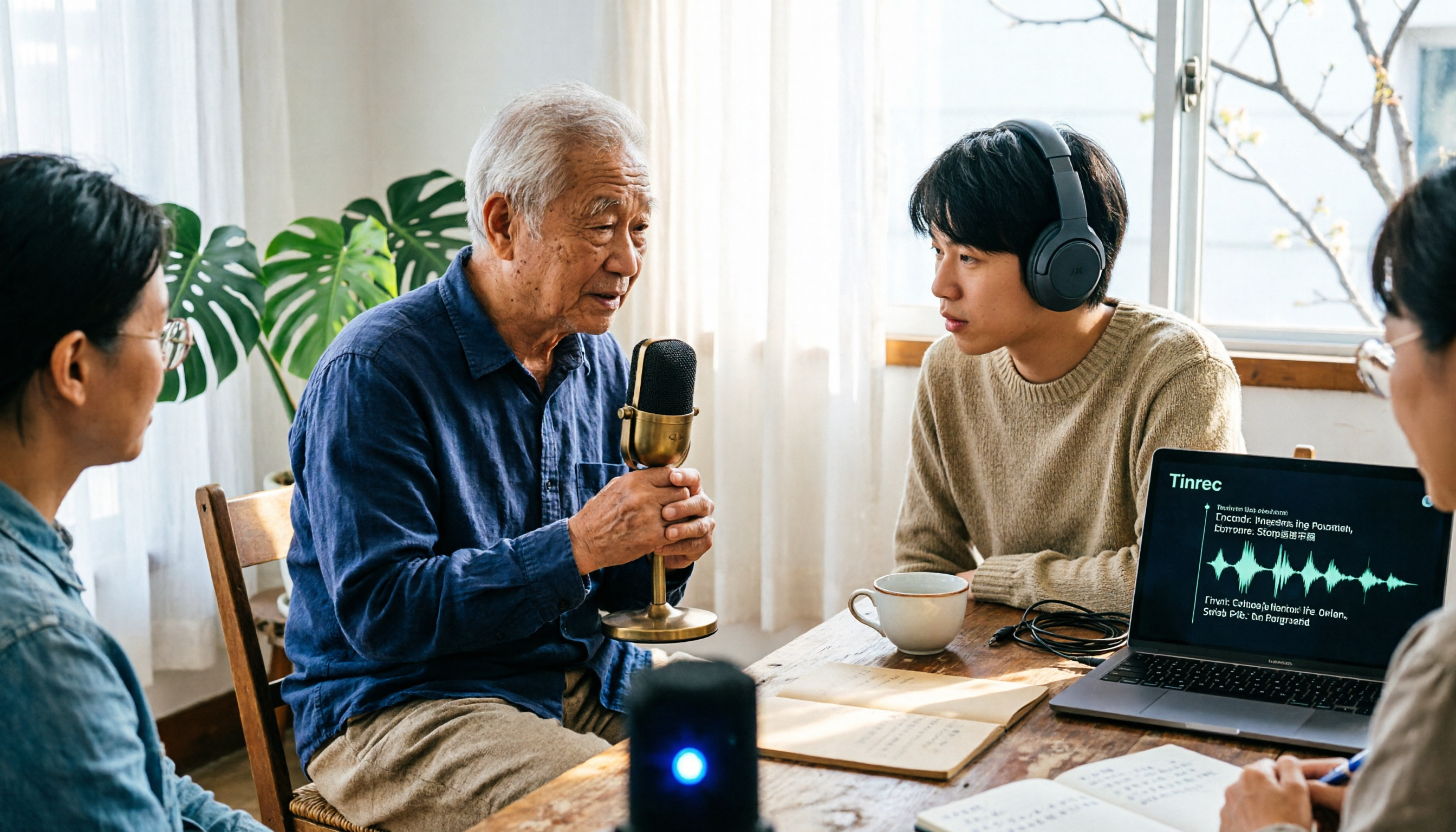
Elder oral histories and family records. Elders speak Taiwanese, and you can't type fast enough. In practice, first use Tinrec to record the audio; the audio itself is worth preserving; when text is needed, transcribe it, and for important sections, listen back alongside the recording to compare and avoid recognition errors affecting meaning.
Points to Consider When Choosing Tools
Language coverage. Taiwanese input methods handle Taiwanese Chinese characters and romanization; Tinrec currently focuses on Chinese, Traditional Chinese, and multilingual meeting transcription. Actual language coverage and recognition performance are affected by recording quality, accent, environmental noise, and overlapping speakers; it's best to test with your own recordings, which is more accurate than looking at spec sheets.
Output format. Tools that only provide transcripts leave the organization work to you. Choosing tools that also produce summaries, chapters, and to-dos truly saves post-meeting time.
Whether audio files are retained. Some meeting note tools only keep text, not audio. If your industry requires verifying original statements, the ability to listen back to recordings is key.
Quota and billing. Tinrec's personal version has a free version, weekly card, Pro monthly card, and Pro annual card, choose based on usage frequency; the team version is USD 29.80 per paid seat per month, or USD 199 per paid seat per year (about USD 16.58 per month), with each paid seat providing 2,000 minutes of team shared import quota per month; eligible teams can try 7 days, 1 free seat, and 300 minutes of shared import quota for the first time. Actual prices and promotions are subject to the official purchase page.
Team governance capabilities. The team version needs to distinguish between "roles" and "seats": roles determine who can manage members and settings, seats determine who can record, upload, edit, and export. Active members without seats can still view and play team data, which is convenient for colleagues who only need to read.
Recording compliance. Recording and transcription involve personal data and communication confidentiality; please comply with local regulations and obtain consent from participants when necessary.
Conclusion: Is Tinrec Worth a Try?
If all you need is "typing a Taiwanese character on iPhone," the Ministry of Education's Taiwanese Hokkien input method is sufficient, and voice input is very friendly for those unfamiliar with romanization.
But if, like me, your real pain point is post-meeting organization: meeting conclusions can't be found, assignments aren't recorded, cross-department tracking relies entirely on memory, then you need a tool like Tinrec. It centrally processes recordings from phones, computers, and online meetings into transcripts, summaries, and to-dos; the desktop version's bot-free recording is especially practical for external meetings, and the team version lets this content settle into team assets rather than staying on someone's phone.
I suggest starting with the free version and testing it with your most real meeting or interview; this is more direct than reading any review.
References
- Taiwanese Hokkien Input Method App Tutorial: Voice Input, Solving Missing Characters, and Settings Guide - Mr. Mad
- Taiwanese Communication Made Easier, Ministry of Education's "Taiwanese Hokkien Input Method" Launches! No Fear of Missing Characters, Voice Input Also OK - Apple Almond - Nut iPhone/iOS/Good Product Recommendation Tech Media
- "PhahTaigi Taiwanese Input Method" App - App Store
- "Lohankha Taiwanese Input Method" App - App Store
- Excuse me, can I find a Taiwanese input method on iOS? I just looked and wanted to find "Taiwanese," but there's no such option 🥲 I tried "Hokkien" again, still nothing… I wonder if I need to download it from somewhere?
Turn every recording into actionable outcomes
Get 60 free transcription minutes when you sign in. No credit card required.
Related Reading
You might also like

Tinrec vs cantonese.ai in 2026: 5-Dimension Comparison — Which Cantonese Speech-to-Text Shortcut Is More Practical?
The most time-consuming part of a Cantonese meeting is never the meeting itself, but the post-meeting transcription. This article compares Tinrec and cantonese.ai across 5 dimensions — real-time transcription, meeting capture methods, post-meeting organization, team collaboration, and pricing — to outline a Cantonese speech-to-text workflow and key purchasing considerations that can truly save overtime hours.

2026 Comparison of 4 Real-Time Recording Translation Tools: Which Bilingual Transcript Is Most Practical for Mixed Chinese-English Meetings?
When meetings switch languages mid-conversation, transcripts get messy. This article starts from three decision-making focuses—meeting language, meeting format, and post-meeting needs—to outline four key purchasing factors for real-time recording translation tools. It also compares Tinrec, Granola, Otter.ai, and Notta in real-world tests, covering bot-free online meeting recording, bilingual transcripts, AI Q&A, and team spaces, helping you find the best fit for your meeting style.

2026 Mac Taiwanese Input Methods: Ministry of Education Version + Lohankha Tested
How to choose a Taiwanese input method for Mac in 2026? This article compares the Ministry of Education Taiwanese Input Method, Lohankha, Taigi AI Labs, and FHL, covering macOS installation steps, system version requirements, and pitfalls to avoid, plus a post-meeting recording tool, Tinrec.

5 Taiwanese Hokkien Translators Tested in 2026: Which Free Tool Is Good Enough?
How to choose a Taiwanese Hokkien translator? This article compares 5 tools—iTaigi, Lohankha, Taiwanese AI Translation, Taiwanese AI Voice Translation, and the Ministry of Education Translator—covering translation directions, romanization, voice input, and free limitations. It also explains how Tinrec fits in for post-meeting transcripts, summaries, and team organization. Whether you need word lookup, short phrase translation, or voice interpretation, you can find a suitable free option.

4 Real-Time Audio Transcription Tools Compared: Which Saves More Time, a Recorder or AI Software?
Starting from the common misconception that 'buying a recorder still means replaying everything,' we tested Tinrec, PLAUD, Penpower AI Recorder King, and Notta. We break down 4 key buying factors, pitfalls to avoid, and scenario-based recommendations to help you decide whether you need hardware or an AI meeting notes tool.

5 Taiwanese Translation Apps Tested in 2026: Which Is Best for Speech Recognition, Real-Time Translation, and Meeting Notes?
A hands-on comparison of 5 Taiwanese translation and speech tools, starting with common pitfalls, analyzing differences in literary vs. colloquial reading, speech recognition, transcripts, and post-meeting organization, and explaining how Tinrec turns Taiwanese and multilingual meetings into searchable, collaborative team data.
4 Free Taiwanese Speech-to-Text Tools Tested in 2026: Which Transcripts Are Actually Usable?
Want to turn Taiwanese recordings into text? Are free tools good enough? This article reviews currently available free methods for Taiwanese speech-to-text, covering Taiwanese recognition, output formats, free quotas, and post-processing of transcripts. It also explains where Tinrec fits for Mandarin and mixed Chinese-English meetings, meeting summaries, and team collaboration, and its limitations, helping you choose the right combination.

4 Taiwanese Translation Tools Tested in 2026: Free Web, App, and AI Translator Compared
Taiwanese translation tools come in many forms: free web-based instant translators, Android apps, community dictionaries, and official beta AI translators, each suited to different scenarios. This article compares four Taiwanese translation tools in terms of supported languages, Romanization systems, and limitations, and explains which type of tool to use for real-time Chinese-English translation in work meetings, helping you choose the right direction before you start.

How to Choose a Live Transcription App in 2026: 5-Step Guide
Searching for a live transcription app on the App Store often only gets you a transcript, and you still have to retype meeting notes. This article compares Tinrec and Yating Transcription across 5 dimensions—online meeting recording, language and live translation, post-meeting output, import and cross-device workflows, and team seat management—to help you decide which one truly fits your workflow.