

Turn recordings into transcripts and summaries in minutes
Upload audio or video for multilingual transcription, AI notes, and action items
You just received a 40-second Cantonese voice message, and you're in a meeting room unable to play it—do you need to see the text right now, or do you need to find it later and turn it into action items? These two needs seem similar, but they actually lead you to completely different tools.
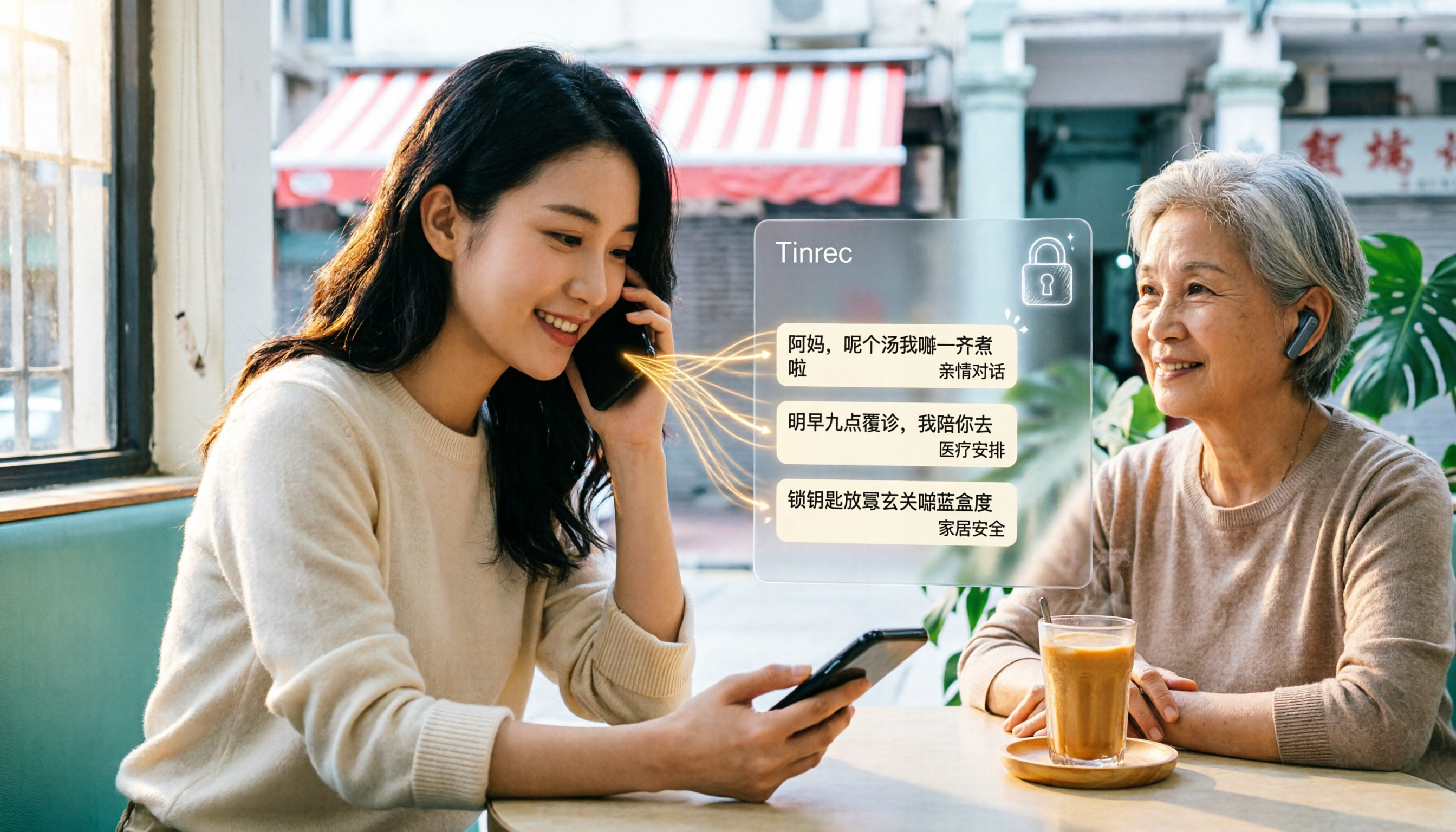
In 2026, WhatsApp's voice message transcription has been rolling out in stages. It solves the problem of reading voice messages others send you. But if you're dealing with Cantonese meetings, client interviews, classes, or team standups, what you really need is an AI meeting notes tool that can simultaneously transcribe, summarize, extract action items, and retain data—like Tinrec. Below, we'll first explain WhatsApp's setup steps clearly, then explain what Tinrec adds to the process.
How to Enable WhatsApp's Built-in Voice Transcription: 5 Steps
WhatsApp's voice message transcription can convert voice messages from others into text, which is very useful for people in meetings, libraries, or noisy environments. According to multiple reports, this feature is being rolled out in stages, available to both Android and iOS users. On iOS, it requires iOS 16 or later and Siri enabled.
- Update the app: Go to the App Store or Google Play and update WhatsApp to the latest version.
- Check system requirements: iOS users should confirm the system is iOS 16 or above and Siri is enabled; if Siri wasn't previously enabled, you may need to download the selected language pack on first use.
- Turn on the feature: Go to Settings > Chats, find "Voice Message Transcripts" and turn it on. If you don't see this option, your account hasn't been included in this rollout yet.
- Select transcription language: In settings, choose the language to transcribe. Some reports mention Cantonese appears in the list, while others indicate initial supported languages don't include Cantonese—the two accounts are inconsistent. Please refer to the language list shown on your device.
- Long-press the voice message > tap "Transcribe": The system will convert the voice content to text, displayed directly in the message window.
Regarding privacy, WhatsApp states that transcriptions are generated on-device, and both voice messages and converted text are protected by end-to-end encryption, inaccessible to WhatsApp and third parties.
If Cantonese isn't in the language list, source materials mention another workaround: use third-party tool cantonese.ai's "Shortcuts" (iOS) or "Voice to Text" app (Android). Long-press the voice message in WhatsApp, select "Share," and send the recording to that tool to generate text. This method can handle Cantonese, but the limitations are clear—it only processes one voice message at a time, won't organize summaries and action items for you, and the output text doesn't go into a searchable, collaborative database.
Why Cantonese Speakers Often Find Built-in Transcription Insufficient
WhatsApp's built-in transcription has a clear design goal: let you understand voice messages in conversations when you can't listen. Its boundaries come from the same design—it only handles voice messages received in chats, can't process a full meeting, uploaded audio or video files, and has no post-meeting processing capabilities.
Additionally, language support is still expanding, and the languages available may differ across versions and regions. For people who have Cantonese meetings daily, this uncertainty itself is a cost. When your content goes from "one voice message" to "a one-hour Cantonese meeting," you'll need summaries, chapters, action items, and a queryable transcript—this is where AI meeting notes tools like Tinrec come in.
Tinrec vs WhatsApp Built-in Transcription: What's Different in Core Experience?
Input source coverage
Ask yourself one question: where does your audio come from? If it's only voice messages from others, built-in transcription is enough. But if you're dealing with online meetings, in-person meetings, a quick thought recorded on your phone, or a recording a client sent three months ago, you need broader input sources. Tinrec supports real-time recording, audio and video file uploads, mobile recording, and the desktop version can directly capture computer system audio, handling online meetings on Zoom, Google Meet, Microsoft Teams, Webex, etc., without needing an extra meeting bot to join as a participant.
What you can do after transcription
Transcribing text is just the starting point. Built-in transcription gives you a block of text; Tinrec, beyond the transcript, automatically generates summaries, chapters, and action items, and supports AI Q&A around meeting content. The most noticeable difference in practice: after a 60-minute Cantonese meeting, you don't need to re-listen—just ask "What were the conclusions of this meeting?" or "Who's responsible for which item?" and get answers without scrolling through dozens of pages of transcript.
Language, bilingual, and technical terms
Cantonese content often mixes English words and industry jargon, and transcription quality can easily diverge here. Tinrec covers Chinese, Traditional Chinese, and multilingual meeting scenarios, supports real-time translation and original/translated/bilingual views; the team version also offers team hotwords, letting you maintain a list of company product names, project codes, and technical terms to improve recognition. Actual performance is still affected by recording quality, accent, ambient noise, and overlapping speakers. For important content, it's recommended to cross-check with transcript timestamps and recording playback.
Team collaboration and data retention
WhatsApp transcriptions stay in the chat thread, get buried by new messages, and are hard to hand off. Tinrec's team version provides an independent team space where meeting data belongs to the team: invite members, set owners and admins, assign or reclaim seats, view usage trends and member details, query and export audit logs, and handle accidental deletions via audio recycle bin. When members leave or are removed, their team resources must be handed over to other valid members—data doesn't leave with the individual.
Stop organizing recordings by hand
Upload audio or video and automatically get a transcript, summary, and action items
| Comparison Dimension | WhatsApp Built-in Voice Transcription | Tinrec |
|---|---|---|
| Primary processing target | Voice messages received in chats | Real-time recording, online meetings, audio and video files, mobile recording |
| Online meetings | Not applicable | Desktop version captures system audio, no bot needed to join meeting |
| Post-meeting output | A block of transcribed text | Transcript, summary, chapters, action items, mind map, reports, and tables |
| Follow-up Q&A and translation | None | AI Q&A, real-time translation, original/translated/bilingual views |
| Team collaboration | Content stays in chat thread | Team space, roles and seats, usage analytics, audit logs, audio recycle bin |
| Billing | Built-in feature, rolled out in stages with account | Personal free version/weekly pass/Pro monthly/Pro annual; team version billed per seat, subject to official purchase page |
Tinrec's Core Features at a Glance
Bot-free online meeting recording: Open Tinrec desktop version to record meeting audio playing on your computer, without an extra bot appearing in the participant list. For external client meetings, this matters more than you'd think—no need to explain "who's that account joining the meeting."
Real-time recording to text: In-person meetings, interviews, and classes can be transcribed while recording. By the time the meeting ends, the transcript is already formed—no need to schedule time to re-listen.
Summary, chapter, and action item extraction: Long meetings are broken into scannable structures, with discussion highlights and follow-up actions automatically organized. Follow-up lists for standups or project meetings require one less round of manual sorting.
AI conversational query: Cross-meeting follow-up is its most practical feature. For example, before a quarterly review, directly ask what concerns clients raised in past meetings—much faster than flipping through transcripts one by one.
Multi-format export and Agent post-processing: Meeting results can be taken to Notion, Google Docs, OneNote, Dropbox, etc. for continued use, and can further generate reports, tables, and meeting minutes.
Team governance capabilities: Includes team space, members and roles, seat allocation, usage analytics, audit logs, and audio recycle bin. Note that the team version currently focuses on team-level sharing, with role-based governance and seat-based usage eligibility; members without a valid seat can still view, play, and read data, but cannot upload, edit, or export.
Practical Use Cases
Cantonese client meetings: Clients explain requirements in Cantonese, mixing in English product names. Use Tinrec desktop version to directly record the online meeting, then get transcript, summary, and action items afterward. When cross-language collaboration is needed, enable real-time translation for bilingual viewing, so colleagues in Taiwan or overseas can also understand the content.
Cantonese interviews and research: After uploading a one-hour interview recording, you quickly get a transcript and key points. What researchers need most is searchable and citable material—this saves a lot of time compared to repeatedly playing audio files.
Classes and lectures: Cantonese lectures often contain many technical terms. Adding terms to team hotwords beforehand helps recognition; after class, use AI Q&A to clarify what a certain section covered—more practical than re-listening to the entire lecture.
Team standup retention: Weekly meetings automatically stay in the same team space. New members can directly review past meetings, so decision context doesn't break due to personnel changes.
Things to Consider When Choosing a Voice-to-Text Tool
Language and accent coverage: First confirm whether the tool can handle the language combinations you actually use daily, especially Cantonese mixed with English words. When choosing, ask: Is there a term list or hotword mechanism to adjust technical vocabulary?
Completeness of input sources: Tools that only support file upload can't solve online meetings; tools that only support meeting bots may be inconvenient for external client meetings. The ideal combination is real-time recording, online meetings, and file import—Tinrec has corresponding methods for all three source types.
Usability after the meeting: Transcripts are just raw material. Whether it can produce summaries, chapters, action items, and queryable Q&A determines how much sorting time you save.
Team governance and handover: When multiple people share needs, confirm how roles, seats, and data ownership are designed. Tinrec's team version handles roles, seats, and member relationships separately, with meeting data owned by the team, and provides usage and audit records.
Quota and billing logic: For personal use, start with the free version to experience recording, import, summary, and transcription; for short-term intensive meetings or interviews, consider a weekly pass; for steady weekly use, choose Pro monthly; for long-term data retention, annual is suitable. The team version's first eligible trial is 7 days, 1 free seat, and 300 minutes of team shared import quota; paid plans are USD 29.80 per paid seat per month, or USD 199 annually (about USD 16.58 per month), with each paid seat providing 2,000 minutes of team shared import quota per month. Real-time recording under valid plans and seats is currently not deducted by minutes. Actual prices and promotions are subject to the official purchase page.
Finally, a reminder: when recording and transcribing involve others' voices, please comply with local regulations and obtain participants' consent as appropriate.
Summary: Is Tinrec Worth a Try?
If your need is to occasionally understand a voice message, WhatsApp's built-in transcription is sufficient—just remember to check which languages are available in settings. But if your Cantonese content is meetings, interviews, classes, or weekly reviews, what you need is to turn audio into searchable, queryable, handover-ready data—Tinrec fills the gaps that built-in transcription can't handle in input sources, post-meeting output, and team retention.
Especially for scenarios involving both Chinese and mixed Chinese-English content, and requiring team sharing, it's recommended to start with the free version, throw in a Cantonese recording of your own, and see if the transcript, summary, and action item quality meets your standards. Testing it yourself is closer to your real use case than reading any review.
References
- WhatsApp voice-to-text officially launched in Hong Kong! Simple 3-step setup guide for iOS/Android, with unofficial AI conversion methods
- WhatsApp recording is a hassle! Simple tutorial: one step to turn recordings into text (iOS / Android)-ePrice.HK
- WhatsApp voice-to-text feature finally launched! 3-step setup guide, no more forced listening to recordings
- WhatsApp voice-to-text feature to be implemented, available in multiple languages nationwide, supports Cantonese?
- WhatsApp voice-to-text new feature is here! See Android and iPhone setup methods
Turn every recording into actionable outcomes
Get 60 free transcription minutes when you sign in. No credit card required.
Related Reading
You might also like

How to Transcribe Cantonese Audio in 2026: 5-Step AI Tool Hands-On Tutorial
A one-hour Cantonese meeting takes three hours to transcribe? This hands-on guide from a student's perspective first explains 4 key criteria for choosing a Cantonese speech-to-text AI, then walks you through 5 steps to turn Cantonese recordings into submittable transcripts. It also shares real-world differences and pitfalls of Tinrec, Subanana, PLAUD, and Otter.ai.
2026年3款WhatsApp粤语语音转文字方法实测对比:官方内置、Tinrec与AI工具哪个最准?
WhatsApp内置的语音消息转录文字功能已上线,但粤语支持因iOS和Android而异。本文实测官方功能、Tinrec与第三方AI工具,比较粤语识别准确度、隐私保护与会后整理效率,并整理常见设置问题,帮你找到最适合的语音转文字方案。

4 Cantonese Speech-to-Text AI Tools Tested in 2026: Which Is Most Accurate for Cantonese Transcripts?
Starting from the real pain points of Cantonese meetings, this article outlines 4 key points to consider before choosing a Cantonese speech-to-text AI. It tests Tinrec's bot-free online meeting recording, AI summaries, and post-meeting Q&A, and compares the scenarios best suited for Otter.ai, Notta, and PLAUD.

Free iPhone Cantonese Voice-to-Text Options in 2026: 3 Solutions Compared
Should you use built-in features or AI tools for iPhone Cantonese voice-to-text? This article addresses three common misconceptions and compares three free methods: iPhone's built-in Voice Memos, Tinrec's free plan, and a team plan trial. It explains real-world applications of live transcription, AI summaries, action item extraction, and AI Q&A for meetings, classes, and interviews to help you find a truly time-saving workflow.

How to Transcribe Cantonese Audio to Text in 2026: A Complete 5-Step Guide
How do you choose a Cantonese audio-to-text tool? This guide walks you through 5 steps to check your recording source, Cantonese model, testing method, and post-meeting output, and compares Tinrec, Subanana, Otter.ai, and PLAUD Note to help you find the right AI transcription solution for Chinese and Cantonese meetings.

7 Free Cantonese Speech-to-Text Options in 2026: A Complete Guide
A 2026 roundup of 7 Cantonese speech-to-text solutions: from Subanana, Speechnotes, and iFLYTEK to Tinrec, Otter.ai, and Whisper. Compare free tiers, supported languages, spoken-to-written conversion, and best use cases to find the one that truly understands Cantonese.

AI Real-Time Cantonese Translation in 2026: Why Tinrec Beats VocaEase for Meeting Notes
Looking for an AI real-time Cantonese translation tool? This article addresses common misconceptions, compares the key differences between VocaEase and Tinrec, and explains how Tinrec turns meeting content into searchable, queryable, and actionable data through bot-free meeting recording, real-time translation, AI summaries, action item extraction, and team collaboration.

2026 Comparison of 3 Cantonese to Chinese Translation Tools: Fast for Short Phrases, But Which Can Handle Full Recordings?
Online Cantonese translators are quick for single sentences, but when it comes to a full Cantonese interview recording, the real time-consuming parts are transcribing, segmenting, aligning timestamps, and post-meeting organization. This article compares Bing Translator, XunjiePDF Online Cantonese Translator, and Tinrec across six dimensions, explaining how to design a complete Cantonese-to-Chinese workflow.

4 Cantonese Transcription Tools Tested in 2026: Which One Saves the Most Time on Cantonese Transcripts?
Transcribing Cantonese meetings and interviews is a pain when tools only support Mandarin. This article looks at real-world use cases, outlines 4 key factors for choosing a Cantonese transcription tool, compares Tinrec, cSubtitle, Subanana, and SoundType AI, and explains how Tinrec performs in post-meeting summaries, AI Q&A, and team collaboration.