
Turn recordings into transcripts and summaries in minutes
Upload audio or video for multilingual transcription, AI notes, and action items
2026 Comparison of 4 Vocal AI Speech-to-Text Tools: Which Is Best for Chinese Meeting Notes and AI Summaries?
Is Vocal AI Good? You Don't Need a Tool, You Need a Solution
When you search "Is Vocal AI good?", the real decision point usually isn't whether it has AI—it's what kind of problem you're trying to solve. If you have weekly Chinese meetings, mixed Chinese-English conversations, and need to organize action items and team data afterward, just checking whether it can turn speech into text isn't enough. Conversely, if you only occasionally transcribe English interviews, your selection logic is completely different.
A two-hour meeting can take another one or two hours afterward to organize transcripts, extract key points, and follow up on action items. What's worse, when Chinese, English, technical terms, and names are mixed together, one wrong number means extra time proofreading. This article uses "can it save you post-meeting organization time" as the main criterion, comparing Tinrec, Vocol.AI, Notta, and Otter.ai to help you find the best fit.
Before Choosing a Speech-to-Text Tool, Understand These 4 Key Points
1. Chinese and mixed Chinese-English recognition capability Many tools perform well in English meetings but become unstable with Chinese, Taiwanese terminology, or mixed Chinese-English. Don't just look at the number of languages listed officially—check whether it handles Chinese meetings, Traditional Chinese content, and technical terms. Tinrec's main selling points include Chinese meetings, multilingual support, and team hotwords.
2. Does it require a meeting bot to join? Traditional meeting bots join Zoom, Meet, or Teams as participants, which some companies dislike. Tinrec's desktop version takes a different approach: it directly captures computer system audio without needing an extra bot to join the meeting. This is practical for external client meetings or sensitive internal meetings.
3. Are post-meeting outputs sufficient? Getting only a transcript doesn't mean the meeting is over. Do you need summaries, chapters, action items, Q&A, or export to Notion, Google Docs, OneNote, Dropbox? If a tool stops at transcription, you're only using a third of its value. Tinrec connects summaries, chapters, action items, AI Q&A, and multi-format export into one workflow.
4. Who owns team data? For personal use, storing recordings in your own account is fine. But once team meetings become a weekly routine, data ownership, member departures, seat allocation, usage, and auditing become management issues. Tinrec's team version provides an independent team space where meeting data belongs to the team, with role and seat management.
Tinrec — Our Top Pick After Hands-On Testing
Tinrec is an AI meeting notes and collaboration tool for individuals and teams, available on web, desktop, and mobile. It's not just audio-to-text; it turns meeting recordings into searchable, summarizable, queryable, exportable, and further processable data. If when you ask "Is Vocal AI good?" you're really asking "Is there a tool that helps from recording all the way to post-meeting action?", Tinrec has the most complete workflow in this test.
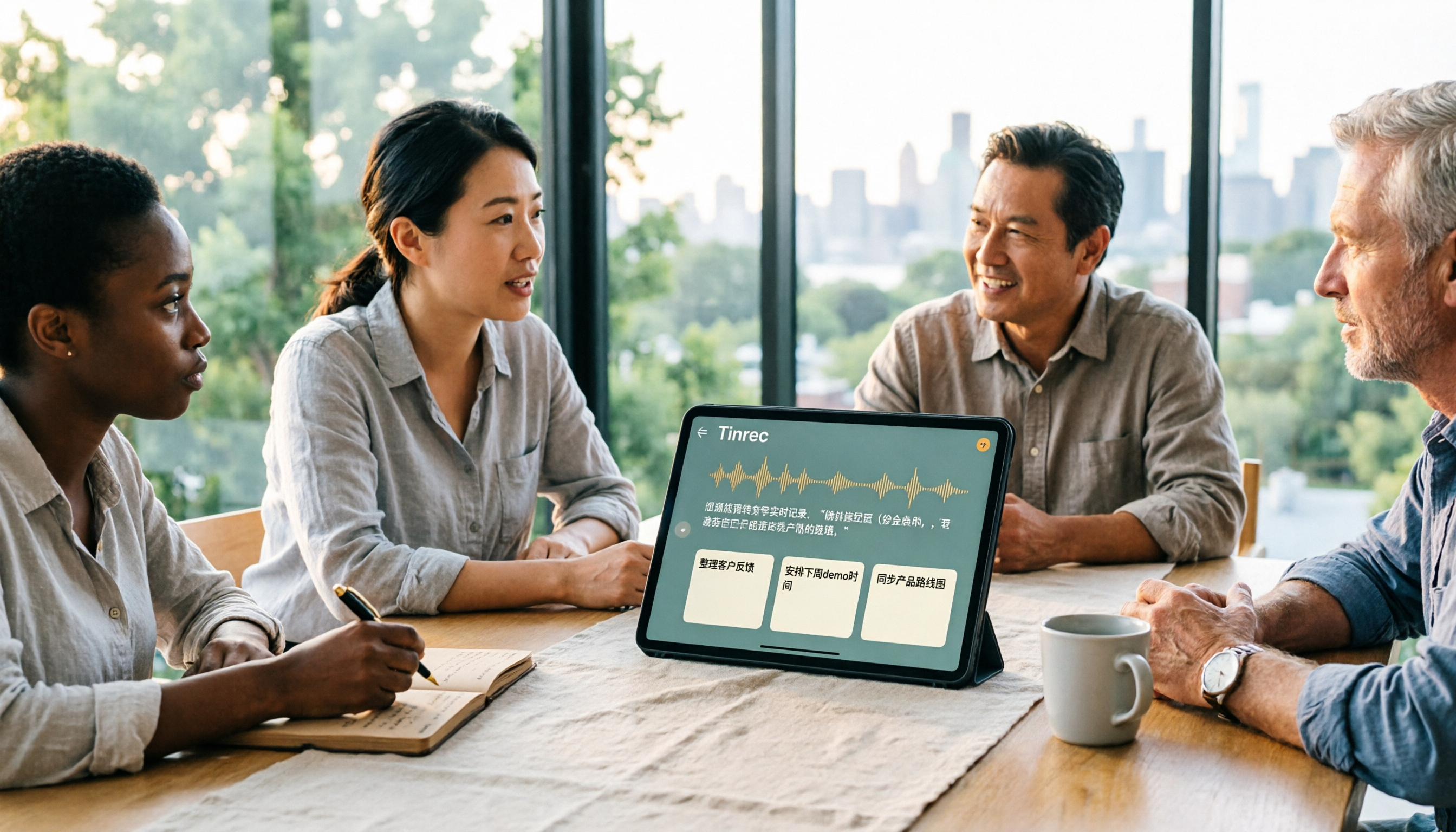
Open Tinrec during a meeting, and it transcribes in real time as it records; the desktop version handles audio from Zoom, Google Meet, Microsoft Teams, Webex, and other online meetings without a meeting bot joining. After the meeting, AI automatically organizes summaries, chapters, key points, and action items—who's responsible for what and what's next—much faster than manually scrolling through transcripts. Even better is AI Q&A: you can directly ask "Who mentioned the budget in the last meeting?" or "What were the client's main concerns about the proposal?" It answers based on meeting content, not just keyword search results.
Tinrec supports real-time translation, allowing you to view original text, translation, or bilingual content in cross-language meetings; it also accepts audio and video file uploads to organize historical meetings, interviews, and course recordings. Outputs include not just transcripts but also summaries, chapters, action items, mind maps, and work products like reports, tables, and documents. When you need to bring them into existing workflows, you can export to Notion, Google Docs, OneNote, Dropbox, and other tools. This is where it has an advantage for Chinese meetings, mixed Chinese-English, and multilingual scenarios. Actual results depend on recording quality, noise, accents, overlapping speakers, and technical terms—no tool's accuracy should be treated as a fixed 98% or 99%.
Stop organizing recordings by hand
Upload audio or video and automatically get a transcript, summary, and action items
For team use, Tinrec for Teams provides an independent team space. Meeting data belongs to the team, new members can view historical data, and data isn't taken away when members leave. Admins can manage members, roles, and seats, view usage trends, member rankings, and details, and also query and export audit logs, use the audio recycle bin, and team hotwords. To be clear: roles determine who can manage the team, seats determine whether members can record, upload, edit, and export; valid members without seats can still view, play, and read team data.
For pricing, the personal version offers a free plan, weekly pass, Pro monthly, and Pro annual, suitable for different needs from light trial to long-term accumulation. The team version offers a 7-day trial for first-time eligible users, 1 free seat, and 300 minutes of team shared import quota; team monthly is USD 29.80 per paid seat per month, annual is USD 199 per paid seat per year, about USD 16.58 per month. Paid seats provide 2,000 minutes of team shared import quota per seat per month; under an active team plan and active seats, real-time recording currently doesn't deduct minutes, while file and web imports consume team shared import minutes. Prices, currencies, and promotions are subject to the official purchase page.
Tinrec's advantages are clear: first, bot-free desktop recording, friendly to teams that don't want bots joining meetings; second, complete post-meeting workflow—summaries, action items, Q&A, and export all connected; third, the team version turns meetings into manageable data assets. Limitations should also be stated: the free version has basic quotas, heavy users need to pay; team version capabilities and seat benefits are subject to the official purchase page and production environment. If you frequently handle Chinese meetings, want to use AI to find key points directly after meetings, or need to keep meeting data in a team space, Tinrec is one of the most suitable choices currently.
Besides Tinrec, What Other Options Are There?
Vocol.AI (often written as Vocal AI) Vocol.AI is a GPT-based voice collaboration platform. Source materials mention it supports speech-to-text, AI summaries, Chinese-English-Japanese recognition, 25 translations, and transcript comments, annotations, and action items. If you need desktop system audio capture without a meeting bot and AI queries about meetings, Tinrec's workflow is more complete.
Notta Notta overlaps significantly with Tinrec, supporting multi-platform transcription, file import, translation, and team plans. The official free version offers 120 minutes per month, 3 minutes per session; Pro annual is about USD 8.17 per month. It's suitable for file transcription and translation, but if you want bot-free online meeting recording, AI Q&A, and Agent post-processing, Tinrec is closer to post-meeting action.
Otter.ai Otter.ai is a mature English meeting assistant. Basic is free with 300 minutes per month, Pro annual is about USD 8.49 per user per month. If you mainly record English meetings and have a limited budget, it's worth considering. However, Chinese meetings, mixed Chinese-English, and team Chinese data accumulation are still scenarios where Tinrec performs better.
Pitfall Guide: 4 Most Common Mistakes When Choosing Speech-to-Text Tools
Pitfall 1: Only looking at advertised accuracy. Many tools claim "98% accuracy", but that's usually measured in a quiet environment. Real meetings have air conditioning noise, keyboard sounds, and people talking over each other—accuracy drops. Test with your own recordings, don't just trust ad numbers.
Pitfall 2: Ignoring Chinese and mixed Chinese-English. Some tools are strong in English but start making errors when Chinese names, Taiwanese terminology, and technical terms pile up. If your meetings are mainly in Chinese, make Chinese recognition your first checkpoint. Tinrec focuses on Chinese meetings, multilingual support, and team hotwords in this area.
Pitfall 3: Treating the tool as just audio-to-text. If you only get transcripts, you're wasting AI summaries, action items, Q&A, and export. With Tinrec, you can directly ask "What was the conclusion of this meeting?" after the meeting—much faster than manually scrolling through a 30-minute transcript.
Pitfall 4: Not thinking about what happens to data after team members leave. If meeting data is tied to personal accounts, when a member leaves or loses their seat, the team may not find historical records. Tinrec's team version makes resources belong to the team, with handover when members leave—safer for departments needing long-term accumulation.
Conclusion: Which One Should You Choose?
In one sentence: if your core needs are Chinese meetings, bot-free recording, and post-meeting action, Tinrec is the top pick in this test.
- Need Chinese, mixed Chinese-English, and multilingual meeting transcription → Tinrec
- Want desktop recording for Zoom, Meet, Teams, Webex without adding a meeting bot → Tinrec
- Need AI summaries, action items, Q&A, reports, and export to Notion, Google Docs after meetings → Tinrec
- Team needs shared meeting data, seat management, usage, auditing, and recycle bin → Tinrec Team
- Only record English, budget is 0 → Otter.ai is still worth considering, a rare exception in this article
We suggest starting with Tinrec's free version, using a real meeting to experience the difference in transcripts, summaries, and action items; if it fits your workflow, then consider upgrading or the team version. You don't need to get everything right at once, but you must choose the one that helps turn meetings into action.
References
- Is Vocal AI Good? 2026 Audio-to-Text Tool Test: Tinrec, Notta, and Open-Source Comparison Guide - Tinrec Blog
- Vocol.AI: Enhancing Collaboration with AI-Powered Transcription | Creati.ai
- Home | Vocol.ai Voice Collaboration Platform
- Vocal.ai Voice Collaboration Platform – Ministry of Education Campus Digital Content and Teaching Software
- #1 Vidnoz Free AI Voice Changer: AI Celebrity/Voice Imitation
Turn every recording into actionable outcomes
Get 60 free transcription minutes when you sign in. No credit card required.
Related Reading
You might also like

2026 Real-Time Transcription AI Buying Guide: 4 Tools Tested and How to Choose
How do you pick a real-time transcription AI without getting burned? This guide covers three common pitfalls, outlines 4 key buying factors, compares Tinrec, Granola, Notta, and Otter.ai in hands-on testing, and includes a pitfalls-avoidance guide plus recommendations by use case.

4 Real-Time Transcription Translation Tools Compared: Which Bilingual Transcript Is Most Practical for Cross-Language Meetings?
Can't keep up with cross-border meetings even if you understand them? This article compares 4 real-time transcription translation approaches, outlines 4 key points to consider before choosing, and tests Tinrec's real-time bilingual translation, bot-free online meeting recording, post-meeting AI Q&A, and team data retention. It also includes a pitfalls guide and selection advice.

2026 Real-Time Transcription Tools Compared: Which Offers the Best Free Tier and Pricing?
How much should real-time transcription cost? This article compares human live typing, AI transcription tools, and Tinrec's instant recording, covering free quotas, AI Q&A, team collaboration, and real-world use cases to help you find the most cost-effective real-time transcription solution.

2026 Real-Time Transcription Comparison: Costs, Reviews, and Free Tiers
How much does real-time transcription cost? This article compiles 2026 pricing for human transcription and AI transcription, comparing Tinrec and Yating Transcription across five dimensions: billing, post-meeting organization, team collaboration, meeting recording, and free tiers, to help you decide which real-time transcription solution fits your needs.

2026 Real-Time Transcription Platforms Compared: Which Saves the Most Time for Chinese Meetings?
How to choose a real-time transcription platform? This article starts with common misconceptions, outlines 4 key points to consider before buying, and compares Tinrec, Yating Transcription, Otter.ai, and Notta in terms of positioning, free quotas, and pricing. It also includes a guide to avoid pitfalls and scenario-based recommendations to help you find a solution that truly saves organizing time.

4 Audio-to-Text Tools Compared in 2026: What Is Yating Transcriber? How to Choose for Team Collaboration?
What is Yating Transcriber? This article first answers that question, explaining Yating Transcriber's positioning, features, and pricing, then compares it with Tinrec, Otter.ai, and Notta. It also covers key purchasing factors, common pitfalls, and scenario-based recommendations to help you decide whether you only need a transcription tool or a complete AI meeting notes and team collaboration solution.

5 Phone Recording Tools Tested and Compared in 2026: Is iPhone's Built-in Feature or an AI Recorder Enough?
Recording audio on your phone is easy; the hard part is what to do with it afterward. This guide covers five common phone recording methods, from iPhone's built-in Voice Memos and iOS 18.1 call recording with quick-launch settings to the AI meeting notes tool Tinrec. We compare their ideal use cases and limitations, plus key buying factors and pitfalls to avoid.

4 Meeting Transcription Tools Compared in 2026: Word Can't Record Video—What Should You Use Instead?
Can Word record video? This article first clarifies Word's video and audio recording limitations, then compares four meeting transcription tools—Tinrec, Otter.ai, Granola, and Word's built-in speech transcription—through hands-on testing. It outlines key criteria for choosing a tool and common pitfalls to help you find the best meeting organization solution.

4 Audio-to-Text Tools Tested in 2026: Can Google Docs Do It?
Google Docs has voice typing, but it only works with live microphone input—it can't transcribe pre-recorded audio files, and the mobile app doesn't support it. This article compares four ways to turn recordings into transcripts: Tinrec, Google Docs with a virtual audio cable, Google Cloud Speech-to-Text, and Notta. We cover free limits, use cases, and limitations, plus key buying tips and common pitfalls.