
Turn recordings into transcripts and summaries in minutes
Upload audio or video for multilingual transcription, AI notes, and action items
Still staying up late to organize meeting notes or searching for voice recorder recommendations from Mobile01 users? This article will answer your questions directly: If you need physical covert recording or ultimate audio pickup, check out the list of 7 hardware voice recorders below (e.g., Shinco, Mrobo, etc.). But if your pain point is “spending too much time transcribing after a meeting,” you can use your phone or computer with the AI recording tool Tinrec to achieve real-time speech-to-text and summary generation with zero hardware cost.
This article covers:
- The 7 hot hardware voice recorders of 2026
- A 6-dimension comparison table of hardware recorders vs. software tools
- Step-by-step AI recording workflow to solve transcription pain points
- FAQ on Teams/Meet, iPhone limitations, and more
Quick Navigation Conclusion:
- If discretion matters and you can't easily use your phone → prioritize pen-shaped or keychain-style hardware recorders.
- If follow-up efficiency matters and you need real-time transcripts and action items → use multi-platform AI recording tools like Tinrec.
Why Are Mobile01 Users Searching for Voice Recorders? Common Recording Pain Points
Many people use their phone’s built-in recording app (like iPhone Voice Memos) during meetings, classes, or interviews. However, this traditional approach often comes with three major pain points:
- High cost of playback: A 2-hour meeting often requires 3-4 hours of repeated listening to capture key points.
- Low information density: Audio files only preserve sound, lacking scannable, searchable, actionable text, making it hard to quickly find key decisions.
- Lack of follow-up actions: Traditional tools provide only audio or basic transcripts, requiring manual summarization of who is responsible for what (action items).
To counter these pain points, the market has split into two approaches: upgrading to hardware recorders with noise cancellation and basic AI, or switching to all-scenario AI recording software.
2026's 7 Most Popular Hardware Voice Recorders
For users who need physical hardware, we've compiled 7 highly discussed products with a quick buying guide based on different lifestyles:
1. Hongjiayuan M8 Zero-Noise Precision Voice Recorder
- Features: One-touch recording, intuitive operation, supports up to 512GB memory card. Ideal for minimalists seeking simplicity and effectiveness.
2. Shinco AI Smart Voice Recorder
- Features: Clip-on design, supports basic speech-to-text and multi-platform sync, suitable for efficient professionals.
3. Mrobo Smart Voice Recorder (With Screen)
- Features: High-definition screen for real-time recording status and battery check, metal body with professional noise reduction for a sense of control.
4. Mrobo Writing Voice Recorder (3200-Hour Standby)
- Features: Looks like a real pen you can write with, silent and light-free design, extremely discreet, perfect for low-key urban observers.
5. Mrobo Taiwan Stock Writing Voice Recorder (High Value)
- Features: Over 10 hours of battery life, one-touch blind operation, affordable price, a great entry-level companion for students taking class notes.
6. Lenovo C2 Keychain Voice Recorder
- Features: Disguised as a keychain, blends into daily life, 8-level noise reduction, and automatic save on power loss for peace of mind.
Stop organizing recordings by hand
Upload audio or video and automatically get a transcript, summary, and action items
7. Touch Noise-Canceling Long-Range Professional Voice Recorder (Line-in)
- Features: Supports Line-in lossless recording and dual microphones, ideal for those who demand ultimate audio quality and want to preserve sound details.
Hardware Recorder vs. AI Recording Software Comparison: How to Choose Wisely?
If you find that after buying a voice recorder, you still spend a lot of time converting audio to text, consider investing in software instead. Here's an objective comparison between traditional hardware and AI recording tools (using Tinrec as an example):
| Dimension | Typical Hardware Recorder | Multi-Platform AI Recording Assistant (Tinrec) |
|---|---|---|
| Device Requirements | Requires separate hardware device | Use existing phone, tablet, or computer |
| Language Support | Usually only Chinese/English, or needs external software | Auto-recognizes 10 languages including Chinese, English, Japanese, Korean, Taiwanese, Cantonese, etc. |
| Real-Time Transcription | Must export file after recording | Real-time transcription during recording, no waiting |
| Summary & Action Items | Only audio; some high-end models have basic summaries | Auto-generates meeting minutes, conclusions, and to-do lists |
| AI Content Query | Manual transcription or Ctrl+F on transcript | AI conversational query based on semantics, ask AI about recording highlights |
| Price & Free Tier | One-time purchase (approx. NT$500 - NT$2,000) | 100 free minutes per month; Basic plan ~$4.9/month |
Step-by-Step Tutorial: From Recording to Action, Breaking Hardware Limits
For most admin staff, students, and business professionals, the real need isn't “preserving audio” but “extracting information.” With the right tool, you can build an efficient recording workflow:
Step 1: Real-Time Transcription During Meetings
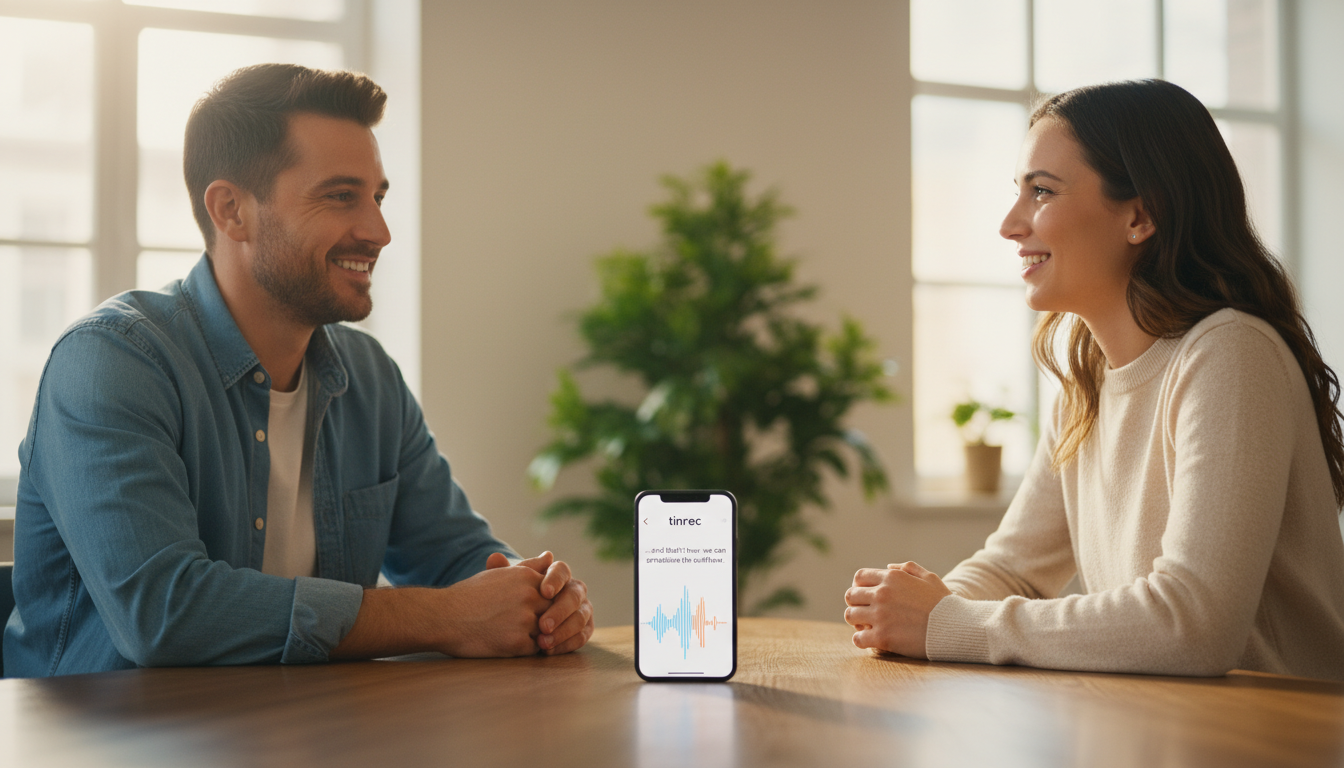
In physical meetings or classes, no more frantic note-taking. Just open the Tinrec live recording & transcription interface on your phone or web browser, and the system will transcribe audio in real time. This lets you focus on the conversation without post-meeting processing.
Step 2: Transcribe Existing Audio Files
If you've already recorded many audio files with the hardware recorders above, don't waste time re-listening. Export MP3 or WAV files, upload them via the audio-to-text feature, and the system will automatically identify speakers and generate a full transcript with AI meeting summary.
Step 3: Extract Key Points from Online Videos & Podcasts
For hour-long YouTube tutorials or podcast interviews, don't listen from start to finish. Use the video-to-text feature by pasting the URL, and the tool will parse the content and output a transcript and key takeaways, saving time on research and material gathering.
Step 4: Precise Retrieval with AI Chat
Even after getting a long transcript, finding a specific decision can be tedious. Use the AI chat query feature to ask in natural language (e.g., “What was the marketing budget mentioned for next week?”) and the AI will pull the answer directly from the recording, like having a personal assistant.
FAQ: Recording & Transcription Tips
Q1: Isn't iPhone's Voice Memos enough?
While iPhone recording is convenient, it only provides raw audio and may occasionally stop when locked or switching apps. Transcribing later requires manual listening, which is time-consuming.
Q2: Can I transcribe Teams or Google Meet meetings?
Yes. Beyond built-in paid transcription in some meeting apps, you can use a web-based recording tool to capture audio via microphone or system sound during remote meetings.
Q3: How accurate is hardware recorder's speech-to-text?
Most budget hardware recorders rely on basic bundled software. Accuracy drops with multiple speakers, code-switching, or dialects like Taiwanese. That's why many prefer dedicated AI software for complex scenarios.
Q4: Does the tool support multiple languages for international meetings or language classes?
Professional transcription tools like Tinrec automatically recognize up to 10 languages (including Chinese, Japanese, English, Korean, German, Taiwanese, Cantonese, etc.), reducing cross-language communication barriers.
Q5: Long transcripts are hard to search – any solution?
This is where modern AI tools shine. Besides full-text search, they auto-split chapters, extract summaries, and even generate to-do lists, so you know exactly what to do next.
Q6: Is there a free trial for recording and transcription?
Many tools offer free trials. For example, Tinrec provides a free plan with up to 100 minutes of recording per month for light use. For frequent users, the Basic plan at $4.9/month (600 minutes) covers heavy meeting needs.
Turn every recording into actionable outcomes
Get 60 free transcription minutes when you sign in. No credit card required.
Related Reading
You might also like

4 Free Recording Tools Tested in 2026: Is PLAUD's Free 300 Minutes Enough?
PLAUD's "free" offer is actually 300 transcription minutes per month; the hardware still costs money. This article compares Tinrec, PLAUD, Notta, and Otter.ai in real meeting scenarios, looking at free quotas, post-meeting organization, and team collaboration to help you decide which one is worth trying first.

2026 AI Recording Tools Compared: Plaud Recorder vs. Bot-Free Meeting Notes
People searching for an online Plaud recorder usually face the same decision: buy a physical recording device or use software for online meetings? This guide compares six options by positioning, quotas, and best-fit users, and explains the real limitations of Plaud Note and NotePin hardware in online meeting scenarios so you can choose the right tool within budget.

2026 AI Voice Recorder Comparison: PLAUD File Organization vs. Meeting Notes—Which Saves More Time?
Starting from the question 'How do I organize PLAUD recording files?', this article compares four AI voice tools: Tinrec, PLAUD, Otter.ai, and Notta. It covers input sources, post-transcription processing, Chinese-language experience, team collaboration, and pricing structure. PLAUD is suited for on-the-go recording, while Tinrec turns recording files into searchable, queryable meeting data. The article also includes buying tips and scenario-based recommendations.

How to Transcribe Audio for Free in 2026: A Complete 5-Step Guide
Many people search for 'plaud recording free 2024' to find out if they can turn recordings into transcripts without paying. This guide compares PLAUD and Tinrec across five key points—free quotas, hardware costs, online meeting recording, and post-meeting organization—and outlines common pitfalls and selection advice to help you decide if a free plan is enough.

2026 AI Voice Recorder Comparison: Is PLAUD Worth It? Decide If You Need Extra Hardware
Is PLAUD worth it? This article compares PLAUD, Tinrec, Notta, and Otter.ai from two decision points: 'recording' and 'using the recording directly.' It covers key buying factors, pricing, and pitfalls to help you choose between hardware and a software workflow.

2026 Comparison of 2 Free Audio-to-Text Tools: How to Choose Between Plaud and Tinrec Free Tiers?
People searching for "free Plaud recording files" fall into two groups: those who already own a Plaud device and want to know how the 300 minutes are calculated, and those who haven't bought hardware and just want to turn recordings into free transcripts. This article first breaks down the actual scope and limitations of Plaud's free plan, then explains what Tinrec's free version can do without buying a device, along with buying checkpoints and FAQs.

2026 Comparison of 3 Free AI Transcription Solutions: Quotas, Summaries, and Team Collaboration Explained
Is free audio transcription enough? Based on real experience from a mid-level manager with 15 meetings per week, this article compares three free approaches: AI recording hardware, pure transcription services, and meeting note tools like Tinrec. It breaks down differences in free quotas, summary capabilities, action item extraction, and team data retention, and provides 5 purchase decision points and FAQs to help you decide where to spend your free quota.

2026 AI Voice Recorder Comparison: PLAUD vs Tinrec — Which One Should You Choose?
PLAUD is a hardware-based portable AI voice recorder, while Tinrec is a software-based AI meeting notes tool that requires no extra device. This comparison covers hardware needs, online meeting capture, post-meeting organization, legacy audio files, team collaboration, and pricing structure to help you decide which approach fits your workflow.

2026 Recording-to-Text Tools Compared: PLAUD Online, Otter, and Tinrec — Which Should You Choose?
Can you use PLAUD's online recording version? This article starts from real-world pain points and compares PLAUD, Otter.ai, Notta, and Tinrec on online meeting recording, Chinese transcription, post-meeting organization, and team collaboration. It also highlights key buying factors and common pitfalls to help you choose a tool you'll actually use long-term.