
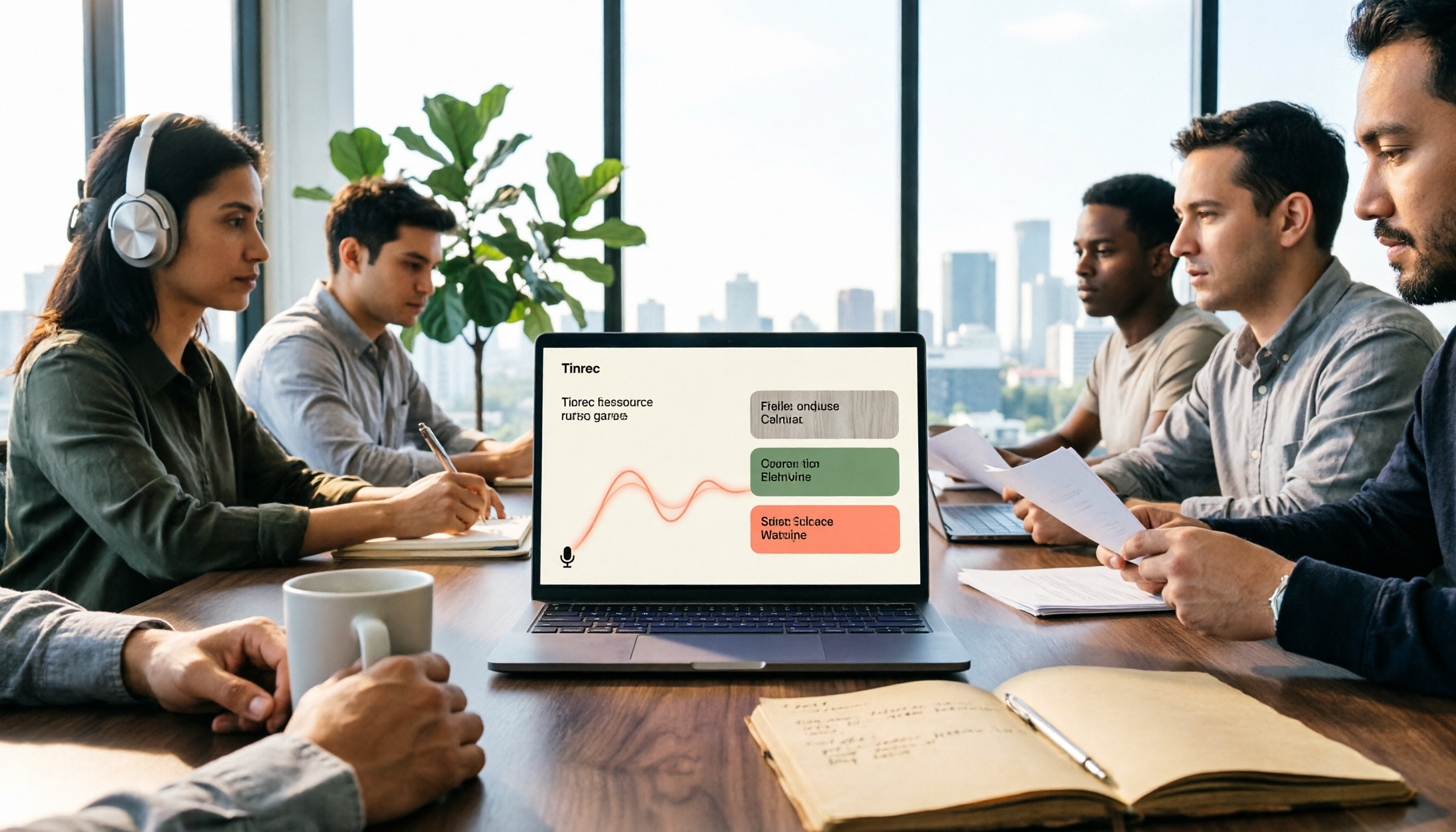
Turn recordings into transcripts and summaries in minutes
Upload audio or video for multilingual transcription, AI notes, and action items
"I can't finish writing meeting minutes—is it because I type too slowly?"
This is one of the most common reader emails I receive. Honestly, most people aren't stuck because of typing speed, but because of a common misconception: thinking that once speech is turned into a transcript, the meeting minutes are done.
The result? You spend 1 hour in a meeting, then another hour re-listening to the recording, reading through the lengthy text, and trying to squeeze out action items yourself. You get the transcript, but you haven't saved any time.
The real question is: after transcription, can this data be used directly?
This article walks through the complete workflow of "real-time meeting transcription": real-time transcription, online meeting recording, post-meeting organization, and team sharing. We'll see how Tinrec and Yating Transcription differ, and also use Zoom, Google Meet, and Teams built-in transcription as a comparison.
Tinrec vs Yating Transcription | Quick Overview
Tinrec is an AI meeting notes and collaboration tool for individuals and teams. It doesn't just turn audio into text; it connects summaries, action items, AI Q&A, and team spaces into one workflow.
Yating Transcription is a common transcription service in Taiwan. Its website says "You talk, we type" and emphasizes organizing voice memos on its app.
| Item | Tinrec | Yating Transcription | Built-in Platform Transcription |
|---|---|---|---|
| Positioning | AI meeting notes and team collaboration tool | Transcription and voice memo organization service | Transcription feature included with meeting platforms |
| Access | Web, desktop, mobile | Public info mainly app-based | Only within that platform |
| Core Difference | Transcript + summary, action items, AI Q&A, team space | Turns speech into transcript | You get text, but organization is up to you |
Next, I'll compare across 5 dimensions: real-time transcription, how to record online meetings, post-meeting organization, cross-device import, and team collaboration.
Dimension 1 | Real-Time Transcription During the Meeting
Yating Transcription's positioning is simple: you talk, it types, turning speech into a transcript.
Tinrec also supports real-time recording to text. For offline meetings and interviews, you can record and transcribe simultaneously, seeing the transcript appear as the meeting progresses.
→ This dimension: Just looking at "turning speech into text in real time," both can do it. It's a tie. Differences appear in later sections.
Dimension 2 | How to Record Online Meetings
Tinrec's desktop version directly captures system audio from your computer, handling online meetings on Zoom, Google Meet, Microsoft Teams, Webex, etc., without needing a meeting bot as an extra participant.
Note: this doesn't mean "automatically join all calendar meetings"—in practice, you open the desktop app and press start recording.
Yating Transcription, based on its website, focuses on the app; if the entire meeting is on a computer, you need extra steps to capture the audio.
→ This dimension: Tinrec wins.
Dimension 3 | After the Transcript: Summary, Action Items, and AI Q&A
This is where I think the gap is largest.
Yating Transcription delivers a text document; reading it, extracting key points, and organizing action items is still your job.
Tinrec connects a whole workflow after transcription: automatically generates summaries, chapters, key points, and action items, and can turn long meetings into mind maps. More practically, AI Q&A lets you ask "What were the client's concerns about pricing?" and it finds answers from the meeting content.
For external delivery, you can use Agent post-processing to generate reports, tables, and documents, and export to Notion, Google Docs, OneNote, Dropbox, etc. for further editing. For cross-language meetings, there's real-time translation, with options to view original, translated, or bilingual.
→ This dimension: Tinrec clearly wins.
Dimension 4 | Cross-Device and File Import
Tinrec works on web, desktop, and mobile. Pre-recorded audio or video can be uploaded for transcription, and some public video links can be imported, though this is a supplementary feature, not its main selling point.
Yating Transcription's website snippet says "Only on the app," with a relatively simple mobile experience.
Stop organizing recordings by hand
Upload audio or video and automatically get a transcript, summary, and action items
→ This dimension: If you often switch between phone and computer, Tinrec offers more flexibility.
Dimension 5 | Team Collaboration and Data Retention
This is the most easily overlooked but costliest part for companies.
Yating Transcription leans toward a personal transcription service, with data mainly following the individual.
Tinrec has a separate team space where meeting data belongs to the team and won't disappear if someone leaves; when members leave, are removed, or lose their seat, they can hand over their team resources to other members. Admins can invite members, assign seats, view team usage trends and member rankings, and query and export audit logs.
Accidentally deleted audio can be recovered from the recycle bin (currently retained for 30 days), and team hotwords improve recognition of internal terminology.
Note: active members without a seat can still view, play, and read team data, but cannot upload, edit, import/export, etc.
→ This dimension: Tinrec wins.
What Are the Unique Advantages of Each?
Tinrec's advantages:
- Record online meetings without a bot—desktop captures system audio, so no extra bot appears in the meeting list.
- Complete post-meeting outputs—summaries, chapters, action items, mind maps, AI Q&A, reports, and tables, not just transcripts.
- Team governance—team space, roles and seats, usage analytics, audit logs, audio recycle bin.
- Fits back into your workflow—multi-format export to Notion, Google Docs, etc.
- Real-time translation and bilingual view, no need for separate tools for cross-language meetings.
Yating Transcription's advantages:
- Simple positioning, intuitive to use, handles voice memos in the app without learning a whole process.
- Local Taiwan service, familiar with Chinese language nuances for Taiwanese users.
Conclusion: Which Should You Choose?
• You need to record Zoom, Meet, Teams meetings on a computer without an extra bot joining → Tinrec
• You want to see summaries, extract action items, and continue asking questions right after transcription → Tinrec
• Meeting data should stay with the team, safe from personnel changes → Tinrec (Team version)
• You often switch between phone and computer, and have old audio/video to organize → Tinrec
• You just need to turn a piece of speech into a transcript, prefer doing it on your phone, and have simple needs → Yating Transcription is enough
• You occasionally want to know what was discussed in a meeting without installing a new tool → Built-in platform transcription can hold you over
In one sentence: For most people who need "meeting notes" rather than just "transcripts," Tinrec is a more complete choice. We suggest starting with the free version, trying it with a real meeting recording, and seeing if the output summaries and action items match your needs.
FAQ
Is Tinrec's free version enough?
The free version offers basic quota, allowing you to experience recording, file import, summaries, and transcription. If you occasionally organize a recording, the free version is fine; for short-term intensive meetings (e.g., a week of interview marathons), consider a weekly pass; for regular weekly meetings, the Pro monthly plan suits you; for long-term accumulation of recording data, the annual plan has a lower monthly equivalent. Actual quotas and prices are subject to the official website.
Do I need to invite a meeting bot to record online meetings?
No. Tinrec's desktop version directly captures system audio, compatible with Zoom, Google Meet, Microsoft Teams, Webex. Note: it's not a service that runs automatically without your action; you need to open the desktop app and press start recording.
Can transcription accuracy be guaranteed?
It's not recommended to expect that. Actual results are affected by recording quality, ambient noise, accents, overlapping speech, and technical terms. For important information, it's advisable to cross-check with transcript timestamps and recording playback.
What's the difference between the team and personal versions?
Personal version data is managed under your personal account. The team version is a separate team space where data belongs to the team, plus member invitations, role and seat management, shared benefits, usage analytics, audit logs, and audio recycle bin. You need a seat to record, upload, edit, and export; active members without a seat can still view, play, and read team data.
How is the team version priced?
Currently, it's USD 29.80 per paid seat per month, or USD 199 annually (about USD 16.58/month), with each seat providing 2,000 minutes of shared team import quota per month; eligible new teams get a 7-day trial, 1 free seat, and 300 minutes of shared import quota. Real-time recording under an active team plan and active seat currently does not deduct minutes. Official prices and currency are subject to the purchase page.
What should I note before recording?
First confirm local regulations and company policies, and obtain participant consent before recording if necessary.
References
- Yating Transcription
- Notta - Super Accurate Transcript, Speech to Text, Meeting Recording, AI Summary App - App Store
- Meeting Ink - 2026 AI Meeting Notes Tool Test | 7 Speech-to-Text and Summary Speed Comparison | Meeting Ink - AI Meeting Notes Assistant Auto Transcription Summary
- Online AI Speech, Video, Audio Auto Transcription - Free Trial - cSubtitle
- [AI Voice Notes] Top 5 AI Transcription Tools! Generate Transcripts and Meeting Notes, Free vs Subscription, Pros and Cons | 104 Workplace
Turn every recording into actionable outcomes
Get 60 free transcription minutes when you sign in. No credit card required.
Related Reading
You might also like

4 Best Audio-to-Text AI Tools for 2026: How to Choose for Chinese Meetings and Team Collaboration
Starting from Chinese meeting scenarios, this article compares Tinrec and Otter.ai in terms of Chinese transcription, bot-free recording, post-meeting organization, pricing, and team collaboration. It also answers common questions about free quotas, accuracy, and team permissions in an FAQ section.

5 Online Text-to-Speech Tools Tested and Compared in 2026: Get a Transcript First So Your Audio Isn't Wasted
How do you choose an online text-to-speech tool? This article starts from real student use cases and reviews the features and common pain points of free TTS tools such as Luvvoice, TTSMaker, MyEdit, and Vidnoz AI. It also explains how Tinrec first turns class, meeting, and interview recordings into structured transcripts before handing them to text-to-speech tools to generate audio files, with a final section on free quotas and things to watch out for when choosing.

How to Choose Speech-to-Text in 2026? 5-Step Hands-On Test of Tinrec vs Notta
How do you choose a speech-to-text tool in 2026? This article starts with common pitfalls and breaks down the workflow from recording to AI organization in 5 steps, comparing Tinrec and Notta on Chinese meetings, bot-free recording, post-meeting organization, and team spaces.

4 Audio-to-Text Software Compared in 2026: Which Free Version Is Enough, and Which Saves the Most Time on Chinese Meetings?
We tested 4 audio-to-text software in 2026, comparing free quotas, meeting recording methods, post-meeting organization, and team collaboration to help you avoid the most common selection mistakes, and explain why Tinrec saves the most time on Chinese meetings and post-meeting workflows.

Free Online Video to Text Tools in 2026: 5 Options Compared
A 2026 roundup of five free online video-to-text tools, covering their free-tier limits and best use cases. It starts with common misconceptions about why a raw transcript alone isn't enough, then explains how Tinrec turns videos and meeting recordings into searchable, collaborative data.
2026 Comparison of 3 Fast Speech-to-Text Websites: Which Is Fast and Accurate for Chinese Meeting Transcripts?
Many people search for fast speech-to-text websites but can't tell the difference between tools. This article compares Tinrec, cSubtitle, and MyEdit across six dimensions—Chinese recognition, online meeting recording, post-meeting summaries, and team collaboration—to help you determine which approach suits your meeting and interview workflow.

2026 Comparison of 2 YouTube Video Summarization Tools: From Transcripts to AI Q&A
YouTube videos often run half an hour or more—which tool turns long videos into key points? This article compares Tinrec and Monica (YouTube Summary with ChatGPT) across 5 dimensions: input sources, output depth, AI follow-up, multilingual support, and team collaboration. It also outlines each tool's unique strengths to help you decide which fits your video summarization needs.

2026 Complete Guide to YouTube Video Transcription: From Transcripts to AI Summaries
Want to extract text from YouTube videos without manual typing? This complete guide covers three key decision points, helping you understand the core capabilities, practical use cases, and purchasing considerations for YouTube video transcription. It also demonstrates how Tinrec turns transcripts into searchable, summarizable, and queryable data.

Tinrec vs Otter.ai 2026: 5-Dimension Comparison — Which Chinese Meeting Minutes Template Saves More Time?
Should you write meeting minutes templates by hand or let AI handle them? This article breaks down the 5 essential fields of a qualified meeting minutes template, compares Tinrec and Otter.ai across 5 dimensions, and covers Notta and Granola's positioning differences, pitfalls to avoid, and selection advice to help you find the most time-saving meeting minutes approach for 2026.