

Turn recordings into transcripts and summaries in minutes
Upload audio or video for multilingual transcription, AI notes, and action items
How to Write a Meeting Action Plan: 5 AI Tools Tested in 2026, and One That Automatically Organizes Your To-Dos
"How exactly should I write a meeting action plan?" I've asked myself this question more than a hundred times. Eventually I realized that most people aren't stuck because they "don't know how to write one"—it's the judgment call they have to make in the 30 minutes after a meeting: should you write this plan from scratch yourself, or let a tool produce a draft first and then edit it?
I lead a team of 10 and attend about 15 meetings a week. Over the past two years I've tried built-in meeting transcription, several tools that advertise automatic meeting minutes, and I've also evaluated AI recording hardware. Only then did I find an approach that works for me. My old meeting notes were a to-do list I typed from memory after the meeting, and when I looked back two weeks later, about 30% of the items had no owner assigned, and some of it I had simply misremembered. What really changed my approach wasn't just the tool—it was realizing one thing: the value of an action plan lies in being executed, not in being written.
So this article won't talk about vague formats. I'll directly explain what an "executable" meeting action plan should look like, how much AI tools can help, and how I actually use Tinrec.
What Can a Meeting Action Plan Do for You?
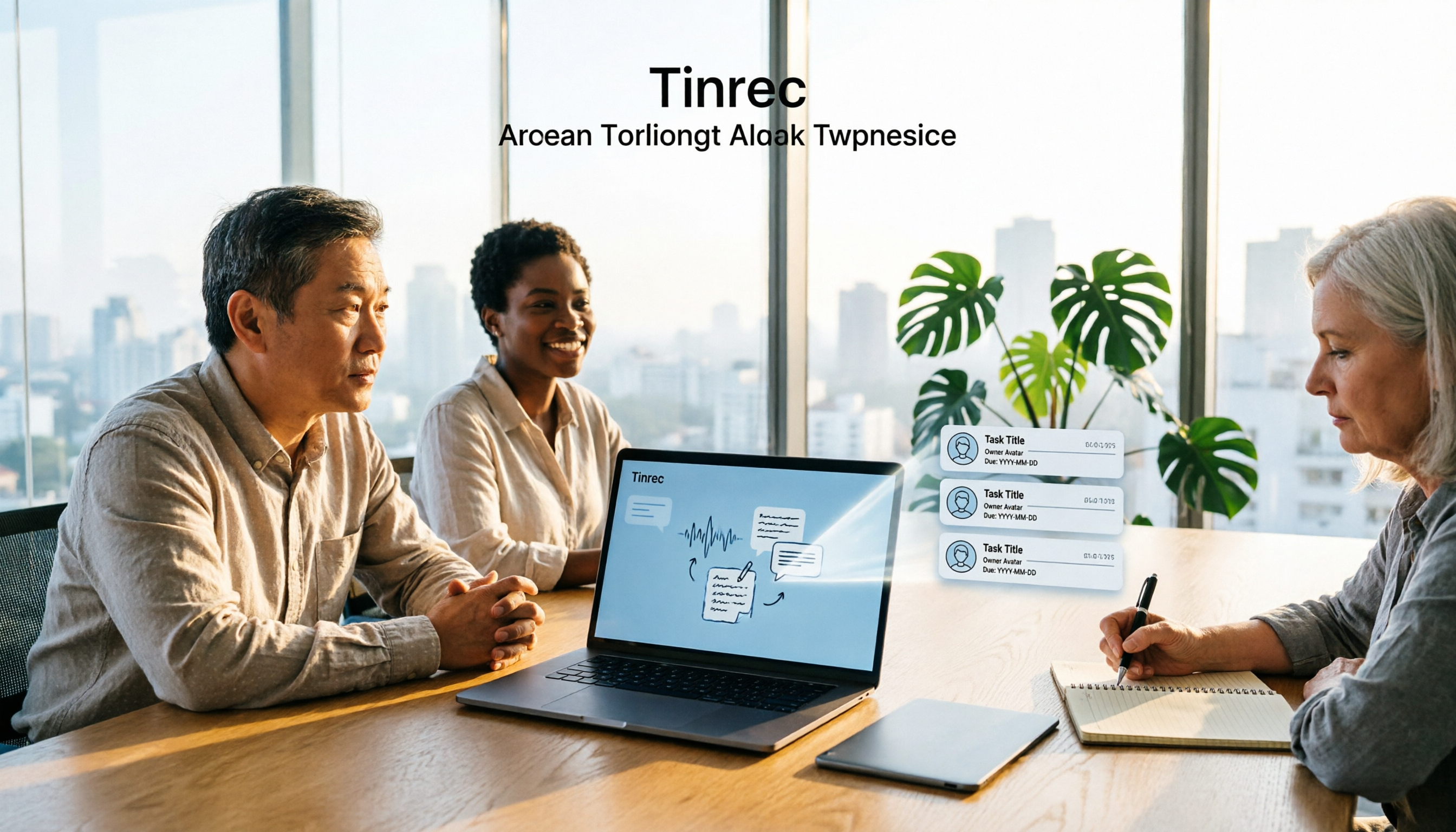
Scenario 1: Five minutes after the meeting, the draft is already there In the past, after a two-hour meeting, I still had to spend another 40 minutes organizing notes. Now I use the Tinrec desktop app to record and transcribe during the meeting, and by the time the meeting ends, the transcript, summary, chapters, and to-dos are already organized. What I need to do is review and fill in the owners—not start typing from a blank page.
Scenario 2: When your boss asks "What was the conclusion on that thing last time?" you don't have to dig through notes The most awkward moment is being asked about a decision from the previous meeting while you've been flipping through notes for three minutes and still can't find it. Tinrec's AI Q&A lets you ask directly: "What was the conclusion about the timeline in last week's project meeting?" It answers semantically instead of dumping a transcript and making you search yourself.
Scenario 3: Tasks you assign won't turn into "I thought you were doing it" The biggest problem with verbal assignments is that there's no record. An action plan puts "who, does what, by when" in the same document, so when you check progress two days later, both sides are looking at the same thing.
Scenario 4: When people leave, the data doesn't leave with them If meeting data is scattered across everyone's computers and chat rooms, it creates a gap as soon as someone leaves. Tinrec's team plan stores data in a team space, so it can be handed over when members change.
What Core Capabilities Should a Good Meeting Action Plan Have?
1. Transcript: the foundation of the action plan To-dos grow out of the discussion, and without a transcript there's no basis. Take Tinrec as an example: it supports real-time recording-to-text and also uploading existing audio and video files, so historical meetings and interview recordings can be added. My habit is: always keep a transcript for important meetings, because "that's what he said at the time" is the strongest evidence.
2. Summary and chapters: turn a 90-minute meeting into a 90-second read Tinrec automatically generates summaries and chapters, breaking long meetings into a browsable structure. I usually read the summary first to get the direction, then click into specific chapters to confirm details, instead of reading the entire transcript from the beginning.
3. To-do extraction: owner, task, deadline This is the heart of the action plan. Tinrec organizes follow-up action items from the meeting discussion and can output them as a to-do list. My approach is: always review the AI-extracted to-dos manually and fill in owners that weren't clearly stated—because in meetings people often say "I'll follow up on this" without giving a deadline.
4. AI Q&A: keep asking after the meeting Transcription isn't the end. Tinrec supports continued questions about the meeting content and can also answer questions across multiple meetings' data. For managers, this is far more practical than searching for keywords in a transcript.
5. Export and post-processing: bring the results into your workflow If the action plan can only stay inside the tool, the team won't use it at all. Tinrec supports exporting in multiple formats to common tools like Notion, Google Docs, OneNote, and Dropbox, and can also use Agent post-processing to further generate reports, tables, and documents, turning them directly into material for weekly reports or project documents. It also provides mind maps, which are useful when you need to understand relationships between topics.
Practical Use Cases
Weekly meetings and project progress meetings I regularly use Tinrec to record weekly meetings. Afterward I first look at the summary and to-dos, confirm owners and deadlines, then paste the list into the project group. This used to take half an afternoon; now it takes about 10 minutes.
Stop organizing recordings by hand
Upload audio or video and automatically get a transcript, summary, and action items
Client and requirements meetings Client commitments can't rely on memory. Tinrec keeps the transcript, and when needed I use AI Q&A to go back and confirm "What was the budget the client mentioned?" or "Which feature did they care about most?"—more reliable than checking my own notes.
One-on-one meetings One-on-one notes need to preserve context without being too trivial. I use Tinrec's summary to keep the consensus and follow-up actions, and the transcript as the basis when needed.
Online cross-department meetings Cross-department meetings often use Zoom, Google Meet, Microsoft Teams, or Webex. The Tinrec desktop app captures the computer's system audio directly, so you don't need to add a bot to the meeting roster. Note that this is a recording the user actively starts, not something that automatically joins every meeting on your calendar.
Courses and interviews Drop audio or video files into Tinrec for transcription, then use Q&A to pull out key points. It's much faster than listening and taking notes at the same time, and less likely to miss key numbers.
5 Things to Watch When Choosing a Meeting Action Plan Tool
1. How do you record online meetings? Some tools require a "meeting bot" to join as a participant, and some people mind having an unfamiliar account on the screen. The Tinrec desktop app takes a different path: it captures the device's system audio directly, without adding extra participants. But it doesn't automatically join all meetings—you need to start recording yourself.
2. Does it capture to-dos in enough detail? Transcription is only the first step. Whether it can organize "owner + task + deadline" is the key. When choosing a tool, I suggest running one of your own meeting recordings through it and seeing whether the extracted to-dos are directly usable, rather than just looking at the feature list.
3. Does it handle Chinese and mixed Chinese-English well? Meetings in Taiwan are rarely pure Chinese or pure English. Tinrec covers Chinese, Traditional Chinese, and multilingual scenarios, supports real-time translation during recording, and lets you view the original text, translation, or bilingual text. It also lets you maintain company-specific terminology with "team hotwords." Actual recognition performance is affected by recording quality, accent, ambient noise, and overlapping speakers—this is true for any tool, so don't expect anyone to give you guaranteed numbers.
4. Personal plan or team plan? If you're just organizing meetings for yourself, the personal plan is enough—Tinrec's personal plan has a free version, weekly pass, Pro monthly, and Pro annual, so you can choose based on your usage pace. But if you want the whole team to share meeting data and manage who can use it, you'll need the team plan. One thing that's easy to confuse: the team plan distinguishes between "roles" and "seats." Roles determine who can manage the team and settings; seats determine whether members can record, upload, edit, and import/export. Members who are active but have no seat can view, play, and read team data, but cannot perform resource-usage operations. Also, the team plan currently focuses on team-level sharing, not fine-grained file-level permissions.
5. How are quotas calculated, and how long is data kept? Tinrec's team plan is priced per paid seat: USD 29.80 per paid seat per month, or USD 199 per paid seat per year (about USD 16.58 per month). Each paid seat provides 2,000 minutes of team shared import quota per month. Under an active team package and seats, real-time recording currently does not deduct minutes; file and web imports consume team shared import minutes. For data retention, deleted audio goes to the team recycle bin, currently retained for 30 days, and to-dos are not included in the recycle bin. Prices, currencies, and benefits are subject to the official purchase page.
FAQ
Q1: What fields should a meeting action plan include at minimum? "Goal, specific tasks, owner, deadline, and related resource links." If these five are clear, execution rates will be much better. You don't need a fancy template; the key is trackability. With Tinrec, it will first produce a draft for the goal and task direction, and you just fill in the owners and deadlines.
Q2: The transcript is too long—I don't have time to read it all? Start with the AI summary and chapters to grasp the structure, then use AI Q&A to ask about specific questions. I almost never read the transcript from the beginning; I only click into the relevant section when I need to confirm the original wording.
Q3: Are AI-extracted to-dos always accurate? Not necessarily. AI may miss or misunderstand details. For important items, I suggest checking against the transcript timestamps and recording playback. Tinrec is positioned to reduce manual note-taking and organizing costs, not to completely replace human judgment, and I wouldn't trust any tool that claims a fixed accuracy rate.
Q4: Is the free version enough? It depends on how often you have meetings. If you occasionally organize a recording and want to try it out, the free version's basic quota is enough to get a feel for it. If you have a short period of intensive meetings or interviews, consider the weekly pass; if you have steady needs every week, Pro is more suitable; if you want to accumulate recording data long term, the annual pass has a lower monthly equivalent.
Q5: Can the team plan be tried out? The first eligible team trial is 7 days and includes 1 free seat and 300 minutes of team shared import quota. Actual plans and prices are subject to the official purchase page.
Conclusion
Whether a meeting action plan is good doesn't depend on the format—it depends on whether anyone actually follows it. An executable action plan needs three things: a complete transcript as the basis, clear to-do fields, and a place everyone is willing to open and where data can be kept.
If, like me, you have more than 5 meetings a week, I'd suggest starting with Tinrec's free version, running it through one or two real meetings, and seeing whether the summaries and to-dos the AI organizes actually save you the 30 to 40 minutes you used to spend. If it works, then consider Pro or the team plan. One final reminder: before recording, make sure to check the laws in your location and get consent from participants—this is especially important in a team environment.
References
- Action Plan Template for All Goals 2026 • Asana
- How to Take Meeting Minutes? A Complete Guide for Beginners in 2026 - Meta Note
- Plan Execution, from Meeting to Execution to Closing, Can Be Simple! | Taiwan Digital Training Courses
- Meeting Notes Template: Record Decisions, Action Items, and Follow-Ups | HiNoter Blog
- Professional and Effort-Saving Event Planning—3 Steps to Host the Best Event with Happ. Little Treehouse | Happ. Little Treehouse
Turn every recording into actionable outcomes
Get 60 free transcription minutes when you sign in. No credit card required.
Related Reading
You might also like

Best Meeting Recording to To-Do Tools in 2026: 5 Tested, This One Saves the Most Time for Chinese Meetings
How do you choose a meeting recording to to-do tool? Start with three key questions: Is the meeting online or offline? Is it in Chinese? Do the to-dos need to become shared team data? This article walks through the full workflow of recording → transcript → summary → to-dos → export and tracking using Tinrec, and highlights five common pitfalls to avoid when choosing a tool.

Meeting Action Plan Examples Tested: How Tinrec Turns Transcripts into To-Do Lists
After a meeting ends, why is the action plan always hard to produce? This article starts from the decision point of 'when should an action plan be created,' compiles 3 directly applicable meeting action plan examples, and explains how Tinrec uses real-time transcription, to-do extraction, and AI chat queries to turn transcripts into an unbroken action workflow.

How to Track Meeting Action Items in 2026: 5 Steps to Assign Owners and Deadlines
Meeting ended but no one claimed the action items? This article breaks down 5 steps based on a mid-level manager's real-world experience to ensure every meeting action item has a clear owner and deadline, and explains how Tinrec automates post-meeting follow-up with real-time transcription, AI action item extraction, and team spaces.

2026 Meeting Action Plan Tools Compared: Which Turns Meeting Conclusions into Trackable To-Dos?
A mid-level manager with 15 meetings a week tests: from Chinese transcripts, bot-free meeting recording, to-do extraction to team seat governance, comparing Tinrec and Otter.ai across 5 dimensions to help you choose the tool that truly turns meeting conclusions into action plans.

2026 Free Meeting Notes Plans Compared: Tinrec vs Otter
Meeting note extraction isn't just turning recordings into transcripts. This article compares Tinrec and Otter.ai across five dimensions: meeting recording methods, Chinese language support, post-meeting organization depth, free plans and pricing, and team collaboration. It also highlights key points of 2026 free plans to help you decide which tool better fits your meeting workflow.

2026 Comparison of 4 Meeting Action Item Tools: Which Turns Discussions into Actionable To-Dos?
After a meeting, to-dos are scattered in transcripts and no one follows up. This article tests 4 meeting action item auto-organizing tools, comparing the granularity of to-do extraction, recording methods for online meetings, whether post-meeting data can be queried further, and team version member and seat management. It also summarizes key points to understand before purchasing and common pitfalls to avoid.
Tinrec vs Notta in 2026: 5-Dimension Comparison — Which Turns Meetings into Action Plans?
Meeting's over, but action items are scattered across chats, notes, and recordings no one reopens. This article compares Tinrec and Notta across 5 dimensions — from bot-free meeting recording and to-do extraction to AI Q&A, team spaces, and seat governance — to help you see which one better turns meeting records into trackable, handoff-ready action plans.

6 Best AI Meeting Task Generators in 2026: Which One Actually Turns Discussions into Action Items?
Starting from common pitfalls, this article breaks down what automatic meeting task generation should really solve. It reviews 6 tools that handle transcripts, summaries, and action items—including Tinrec, Otter.ai, Fireflies.ai, Notta, Granola, and TurboScribe—covering their positioning, pricing, and use cases, and concludes with selection advice and 4 practical tips.

2026 Meeting Action Item Generator Buying Guide: 4 Tools Tested and Recommended
How to choose a meeting action item generator? This article compares Tinrec, Granola, Notta, and Otter.ai from four perspectives: recording source, action item organization quality, post-meeting AI follow-up, and team data ownership. It also summarizes common pitfalls and selection advice.