

Turn recordings into transcripts and summaries in minutes
Upload audio or video for multilingual transcription, AI notes, and action items
2026 Comparison of 4 Post-Meeting Follow-Up Tools: The Efficiency Gap from Meeting Notes to Follow-Up Emails
When No One Replies to Your Post-Meeting Follow-Up Email, It's Usually Not a Writing Problem
Most people, when writing a post-meeting follow-up email, start by searching online for a template. This is the most common and most easily made mistake.
Why? Because a template can only solve "how to write," not "what to write." If your meeting notes are just three lines of scribbles, even the best template can't fill in specific content, and the email you send will naturally look like a canned message.
The second mistake is treating the follow-up email as a "reminder." Sentences like "I wanted to check in on what we discussed last time—I'm wondering if you've had a chance to consider it?" contain no new information and no clear action. The recipient will just think "I'll reply later" and then forget.
Based on common industry observations, B2B deals often require more than three touches to move forward, and the reply rate typically changes noticeably between the first and third follow-up. In other words, following up isn't nagging—it's continuing the conversation.
The third mistake is thinking you can only write a follow-up email from memory. People who write quickly and accurately don't rely on writing skills; they rely on the notes taken during the meeting: who said what, what the other party cares about, and who is responsible for the next step.
This article will first break down "the four key elements of a post-meeting follow-up email," provide three templates you can adapt directly in 2026, and then test four tools that can help turn your meetings into follow-up material.
To Make Your Post-Meeting Follow-Up Email Effective, Understand These 4 Key Elements First
1. The subject line determines whether they open it
The subject line should let the recipient understand three things at a glance: the purpose of the email, the parties involved, and a time marker. For example, "[Follow-Up] Company A x Company B 3/12 Meeting Summary and Next Steps" is much clearer than "About our last meeting." A time marker also has a benefit: six months later, the recipient can find it when searching their inbox.
2. End with a question that can be answered in 30 seconds
An ending like "Please let me know your thoughts" usually gets either a vague reply or no reply at all. A more reliable approach is to offer a specific, quick-to-answer option, such as "Would Thursday or Friday this week work for a 15-minute call?"
3. Use paragraphs and line breaks, not a run-on sentence
For emails read on a phone, keep paragraphs to 2–4 sentences. Use bullet points for key items so the recipient can scan and immediately know what you want them to do. A long sentence with commas all the way through is the most common bad format.
4. The material comes from the completeness of your meeting notes
This point is mentioned the least but has the biggest impact. You can write a sentence like "You mentioned the budget needs to be confirmed in Q2" because that information is actually in your meeting notes. The more complete the notes, the more specific the follow-up email; the more scattered the notes, the more generic your content will be.
In other words, the quality of your post-meeting follow-up email is actually determined during the meeting.
Template 1: Summary Confirmation Email Within 24 Hours After the Meeting
Subject: [Follow-Up] [Your Company] x [Client Company] [Date] Meeting Highlights and Next Steps
Dear [Recipient Name],
Thank you for taking the time to discuss [Topic] on [Date]. Here are the key points from our meeting. Please correct me if I misunderstood anything:
- Scope of need: [One sentence]
- Current blocker: [One sentence]
- Next step: [Who] to provide [Specific item] by [Date]
I also wanted to confirm one thing: [A specific question that can be answered in 30 seconds].
If convenient, would Thursday or Friday this week work for a 15-minute call to finalize [Specific matter]?
[Your Name] / [Title] / [Company]
Template 2: A Friendly Reminder After They've Been Quiet for a While
Subject: Following up on [Specific Topic]—Confirming a Timeline
Dear [Recipient Name],
I know inboxes get easily flooded, so just a quick reminder.
When we spoke on [Date], we discussed [Specific topic], and the conclusion at the time was [One sentence]. I wanted to confirm if this direction still holds.
If it does, I'm available next week on [Two specific time slots], just 15 minutes.
If the timeline needs to be pushed back, please let me know, and I'll prepare the relevant materials in advance.
[Your Name]
Template 3: Reaching Out with New Information
Subject: Continuing Our Discussion from [Date]—Sharing a [Type of Material]
Dear [Recipient Name],
Last time you mentioned [Issue the recipient cares about]. I later came across [Article/Case Study/Data] that I thought was very relevant to your situation. Here it is: [Link]
There's a section about [Specific section] that directly relates to [Topic] we discussed earlier.
I'd like to ask: [A specific question]. What are your thoughts?
If you find it helpful, I can put together a one-page summary for you on this part.
[Your Name]
Template Usage Notes
All three templates intentionally leave [ ] blanks because the emails that actually get replies are always customized to the situation. If you find you can't write "the key points from the meeting" and "the issues the recipient cares about," then the problem isn't the template—it's your note-taking method.
Tinrec — Our Top Pick After Testing
Tinrec is an AI meeting notes and collaboration tool for individuals and teams, supporting iOS, Android, and web, with a desktop version that can directly handle online meetings.
Stop organizing recordings by hand
Upload audio or video and automatically get a transcript, summary, and action items
Its value isn't in "turning voice into text," but in turning meetings into data you can directly use when writing your follow-up email the next day.
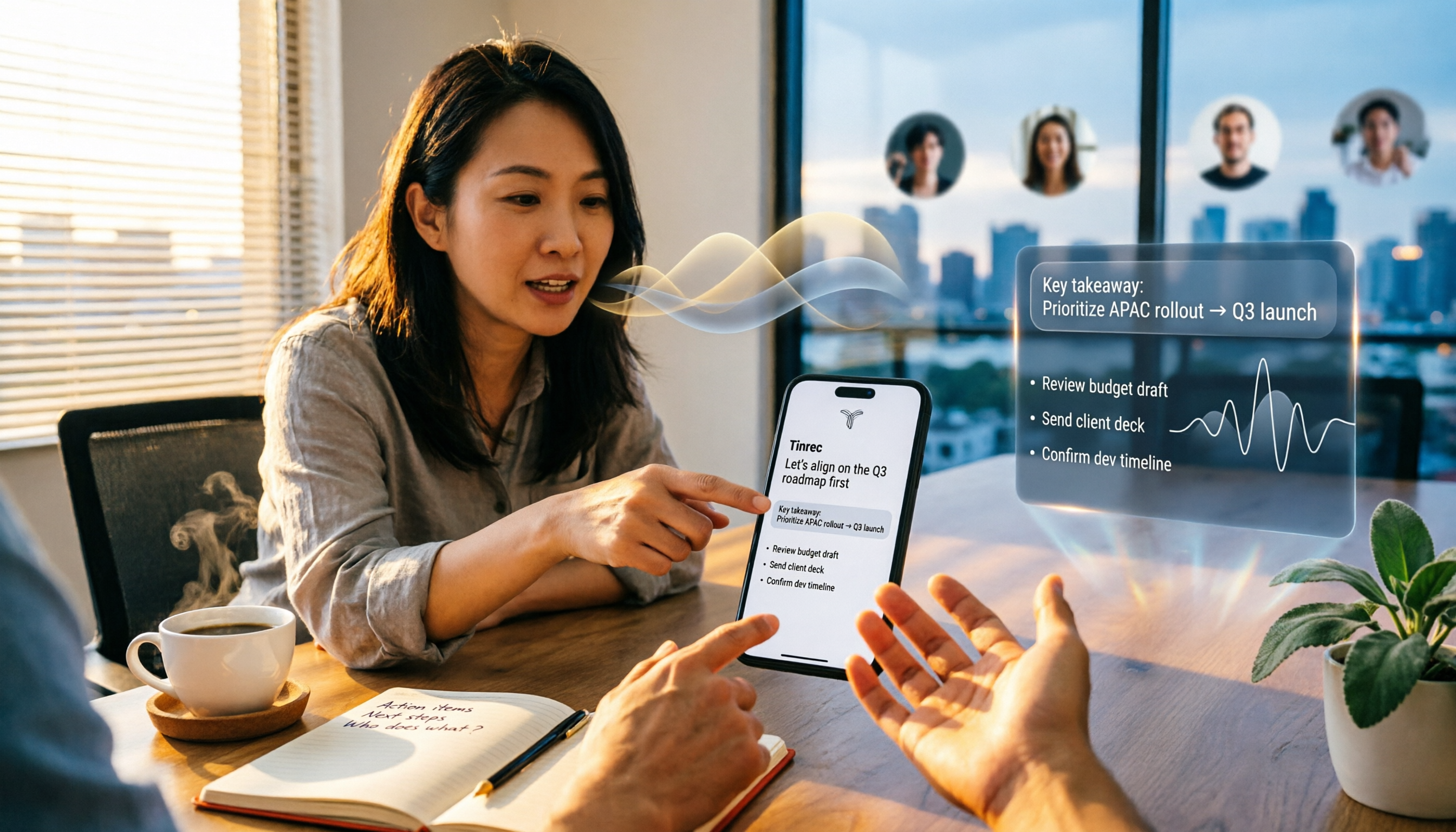
When you open Tinrec during a meeting, it transcribes in real time. After the meeting, AI automatically generates a summary, chapters, and action items—who is responsible for what and when it's due, organized into a checklist. This is exactly the source material for the "Next step" section in Template 1.
More importantly, there's AI Q&A. You can directly ask it: "What were the client's concerns about pricing?" It doesn't give you keyword search results; it gives you answers based on the meeting content. To write a reminder email like Template 2 asking "what was the conclusion at the time," you don't need to re-listen to a 40-minute recording.
For online meetings, the Tinrec desktop version directly captures your computer's system audio, so you don't need to add a meeting bot to the room. It can handle meeting audio played on your computer from Zoom, Google Meet, Microsoft Teams, Webex, and similar platforms. No unfamiliar account appears in the meeting, which is quite important for meetings with external clients.
As for output, transcripts, summaries, and action items can be exported to Notion, Google Docs, OneNote, Dropbox, and other tools for further processing. If you need a more formal post-meeting document, you can also use Agent post-processing to generate reports, tables, and documents. A common practical workflow is: after the meeting, let Tinrec generate the summary and action items, then the next morning adapt them into a follow-up email using a template—you can send it within about ten minutes.
In our testing, Chinese and mixed Chinese-English meeting content is its strength. It also supports multiple languages and real-time translation, and during recording you can switch between original text, translation, or bilingual view. One caveat: transcription quality can be affected by recording quality, ambient noise, accents, and multiple people talking over each other. For important content, it's advisable to go back and verify against the transcript timestamps.
We should also honestly mention limitations: the personal free plan provides a basic quota to let you experience recording, importing, summaries, and transcription. Once the quota is used up, you'll need to consider a paid plan. If you have regular weekly meetings, long-term use will typically require an upgrade. Also, its team sharing is currently mainly at the team level, not fine-grained file-level permission control.
Who is it for? If you need Chinese meeting notes, don't want a bot joining client meetings, and want to quickly produce follow-up emails and action items after meetings, Tinrec is currently the closest fit for this workflow. The team version additionally offers independent team spaces, member and seat management, usage analytics, and audit logs. Meeting data belongs to the team, and when a member leaves, it can be handed over—it won't disappear with their personal account.
Pricing (subject to the official purchase page): The team version's first eligible trial is 7 days, 1 free seat, 300 minutes of team shared import quota; team monthly payment is USD 29.80 per paid seat per month, annual payment is USD 199 per paid seat per year, which works out to about USD 16.58 per month, with each paid seat providing 2,000 minutes of team shared import quota per month. Under an active team plan and active seats, real-time recording is currently not deducted by the minute.
Besides Tinrec, What Other Options Are There?
Otter.ai: A mature choice for English business meetings. The official pricing page shows Basic is free with 300 minutes per month, and Pro annual billing is about USD 8.49 per user per month. If your meetings are almost all in English, it will be smoother than Tinrec. Note that Chinese meetings are not its strong suit, and it doesn't have Tinrec's combination of team hotwords plus seat and audit features.
Granola: An AI meeting notes tool that also takes the no-bot approach. Basic is free, Business is USD 14 per user per month. Its strength is combining your own typed notes with AI. However, it doesn't support uploading pre-recorded audio files and doesn't save meeting audio. If you need to re-listen afterward or add historical recordings to your database, this will be a blocker, whereas Tinrec supports both.
Notta: Good at multilingual transcription and file processing. The official pricing page shows Free is 120 minutes per month (max 3 minutes per session), and Pro annual billing is about USD 8.17 per month. For simple transcription and subtitle needs, it's sufficient, but it lacks Tinrec's no-bot desktop recording and team space governance.
Pitfall Guide: The 3 Most Common Mistakes When Choosing a Post-Meeting Follow-Up Tool
Pitfall 1: Comparing only transcription minutes. Minutes are an entry-level metric, not a decision metric. What you should ask is: "After the meeting ends, how much time do I need to produce that follow-up email?" If the tool only gives you a transcript, you still have to read through 40 minutes of content to write the email.
Pitfall 2: Ignoring Chinese and mixed Chinese-English performance. Many tools perform well in English, but meetings in Taiwan often mix Chinese and English, with product names and technical terms mixed into sentences. In this case, whether there are team hotwords to maintain terminology makes a noticeable difference.
Pitfall 3: Leaving data in personal accounts. When a salesperson or PM leaves, meeting notes disappear with them—this is a situation many teams have actually experienced. If meeting data is to be a team asset, you need to choose a tool with team spaces and seat handover mechanisms from the start, rather than trying to fix it later.
Conclusion: Which One Should You Choose?
Let's be clear: if what you want is "after the meeting, the next day you can quickly write a follow-up email that gets replies," Tinrec is the closest fit for this workflow in our testing.
- Need Chinese or mixed Chinese-English meeting notes → Tinrec (Chinese experience and real-time translation are its main scenarios)
- Don't want a bot joining client meetings → Tinrec (desktop version captures system audio) or Granola (but Granola doesn't save audio or support file uploads)
- Need to directly produce action items and summaries after the meeting, then write the follow-up email → Tinrec (summary, chapters, action items, AI Q&A all in one)
- Need team sharing, seat management, and member handover → Tinrec team version (independent team space, usage analytics, audit logs)
- Meetings are almost all in English, budget is the priority → Otter.ai (free 300 minutes per month, top choice for English meetings)
One final reminder: templates are always just a skeleton. What really gets a reply is the specific details you put in the email, and those details come from whether you took good notes during the meeting. Instead of collecting 50 templates, it's better to make sure that after every meeting, you have a record you can directly adapt.
References
- 15 Follow-up Email Templates Guaranteed to Get a Reply - Tanaka System
- Post-Meeting Summary — Note-it Aside
- How to Write a Follow-Up Email That Actually Gets a Response - Vtiger CRM Blog
- [Chinese Email Format] 7 Key Points for Business/Job Search Emails + Writing Examples! Copy, Modify, Done in 3 Minutes | 104 Career Power
- (Includes Template Tools) [Business Marketing & Freelancing] How to Write a Collaboration Invitation Email? Practical Guide to Double Your Reply Rate | After-Work Practice After-Work Practice | Blank Space Practice and Self-Growth for Introverts After 30
Turn every recording into actionable outcomes
Get 60 free transcription minutes when you sign in. No credit card required.
Related Reading
You might also like
2026 Cantonese Speech-to-Text Comparison: Tinrec vs Subanana Free Tiers
Looking for the best free Cantonese speech-to-text tool in 2026? This article starts with the real challenge of a Cantonese meeting mixed with English, compares the actual limits of each free tier, and uses Tinrec as the main example to break down bot-free online meeting recording, AI summaries and action item extraction, AI Q&A, multi-format export, and team workspace management, helping you decide whether to test the free version first or go straight to a team plan.

2026 Cantonese Speech-to-Text: 4 Tools Compared for Fastest Transcripts
The biggest pitfalls when converting Cantonese audio to text aren't weak tools—they're free-tier limits, mixed Chinese-English handling, and export restrictions. This guide walks through the full workflow using Tinrec, from recording and transcription to summaries and export, plus 5 buying checkpoints and FAQs.

5 Free Cantonese Speech-to-Text Tools Tested in 2026: Which One Handles Cantonese Best?
Looking for a free Cantonese speech-to-text tool? This guide compares five options—Subanana, Notely Voice, iPhone built-in, and Tinrec—covering free quotas, Cantonese support, and how to avoid common pitfalls like Mandarin models forced onto Cantonese and free preview limits.

Cantonese Audio to Text in 2026: Tinrec vs PLAUD Note — 5-Dimension Hands-On Comparison
You have a Cantonese recording that needs to become a text file. Should you buy an AI recording device or use a software service? This article compares Tinrec and the PLAUD Note series across 5 dimensions: mixed Chinese-English transcription, existing audio files and online meetings, the workflow from recording to text file, post-meeting organization and AI Q&A, and cost and team seat licensing—to help you decide which path fits your work style.

How to Transcribe Cantonese Audio to Text in 2026: A Complete 5-Step Guide
Struggling with Cantonese audio transcription due to mixed Chinese-English, colloquial speech, and poor segmentation? This article helps you identify your needs, then walks through a 5-step process from Cantonese recording to usable transcript. It tests Tinrec's bot-free recording and AI follow-up questions, compares Otter.ai, Granola, and Notta for different scenarios, and includes a pitfalls guide and copyable prompt templates.

5 Best Cantonese Speech-to-Text Tools in 2026: Which Delivers the Most Accurate Transcripts and Saves the Most Time?
People searching for Cantonese audio-to-text tools often face the same problem: the text comes out, but it's not directly usable. This article starts from the decision point, breaks down five common solution types, and uses Tinrec to demonstrate a complete workflow for Cantonese transcription, bot-free online meeting recording, AI summary to-dos, and team knowledge retention, helping you decide whether to choose a free tool or a meeting collaboration solution that can take over your work.

4 Cantonese Speech-to-Text Apps Tested for 2026: Which Saves the Most Time on Mixed Chinese-English Meeting Notes?
A mid-level manager leading a 10-person team and attending 15 meetings a week tested 4 Cantonese speech-to-text apps, comparing mixed Chinese-English recognition, post-transcription organization, and team collaboration. He shares why he kept Tinrec in his workflow: live transcription, AI summaries and action items, AI Q&A, and how team spaces turn meeting notes into searchable, transferable data.

2025 Cantonese Speech-to-Text Tools Compared: Tinrec vs PLAUD Note for Meeting Notes
We tested three Cantonese transcription tools in 2025, comparing Cantonese and mixed Chinese-English recognition, input methods, AI post-meeting summaries, team collaboration, and pricing. Tinrec and PLAUD Note go head-to-head to help you decide which fits your meeting notes and team knowledge base.

2026 Free Cantonese Speech-to-Text Comparison: 5 Tools Reviewed + Pitfall Guide
Compare free Cantonese speech-to-text options in 2026, including free quotas, Cantonese and mixed Chinese-English recognition, post-meeting organization, and team collaboration. Learn the differences between Tinrec, Subanana, Google AI Studio, and SoundType AI, plus a guide to avoid common pitfalls.