

Turn recordings into transcripts and summaries in minutes
Upload audio or video for multilingual transcription, AI notes, and action items
2026 Comparison of 5 Meeting Efficiency Tools: From Transcripts to Action Item Tracking, How to Actually Save Time
I lead a team of 10, and during peak season we have 15 meetings a week: weekly meetings, project progress meetings, one-on-ones, cross-department coordination, and reporting to my boss.
I used to think the problem was that our tools weren't good enough. We actually implemented a meeting management system, used it for two months, and meetings were still scattered, decisions still weren't followed up. Then I realized something: **Tools don't make meetings better; they only amplify your existing meeting habits.** If the agenda is thrown together at the last minute, the right people don't show up, and no one follows up afterward, then even the most expensive software just becomes another website nobody logs into.
This article isn't another feature list. I want to share, in the order I tried them, how meeting efficiency tools should be used, where they fit, and why I ultimately kept Tinrec.
What Can Meeting Efficiency Tools Do for You?
Scenario 1: Get meeting notes 5 minutes after the meeting
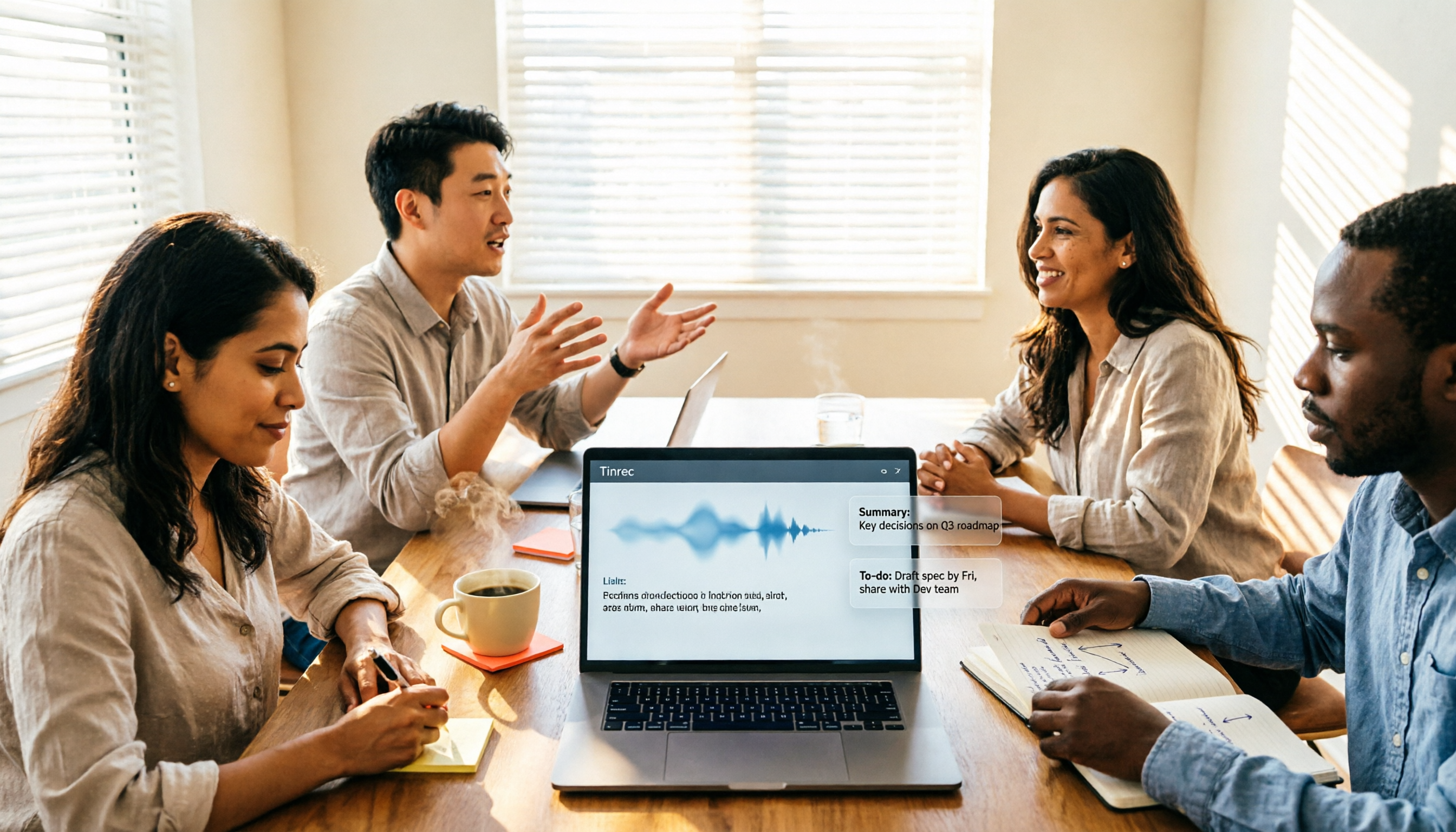
Previously, after a two-hour meeting, I'd spend another hour organizing notes and often miss details. With Tinrec, for example, as soon as the meeting ends, the transcript, summary, chapters, and action items are ready. Who's responsible for what and when it's due is clear at a glance.
Scenario 2: Post-meeting follow-up no longer relies on memory
I used to give verbal instructions to my team. Two days later, when I asked about progress, they'd say they forgot, and I had no record. Now action items are extracted directly from the meeting content, with text evidence, making alignment much faster.
Scenario 3: When the boss asks "What was the conclusion last time?"
I used to spend 3 minutes flipping through notes. Now I can ask questions directly in Tinrec about the meeting content, like "What was the conclusion of the budget discussion last time?" It answers based on semantic understanding and takes you back to the corresponding transcript section.
Scenario 4: Cross-language meetings
When meeting with overseas contacts, Tinrec supports real-time translation. You can switch between original text, translation, or bilingual display without waiting for someone to translate afterward.
What Are the Core Capabilities of Meeting Efficiency Tools?
Bot-free online meeting recording: This has been the biggest differentiator in recent years. The traditional approach is to invite a meeting bot into the meeting room as a participant. Some people find it odd, and permissions are often blocked by IT. Tinrec's desktop version directly captures the computer's system audio to handle Zoom, Google Meet, Microsoft Teams, Webex, and similar meetings without an extra bot joining.
Real-time transcript: Text appears as recording happens. During meetings, I glance at it to make sure key points aren't missed. After the meeting, the transcript is searchable and reviewable, which is especially useful for "I think he mentioned something like that" situations.
AI summary and chapters: It's not just condensing the transcript into a paragraph; it's structured organization—meeting topic, discussion highlights, and conclusions listed separately. Long meetings are split into chapters, so you don't have to read from the beginning when reviewing.
Action item extraction: Pulling action items from discussions is what I find most impactful. Organizing action items after meetings used to be the most mechanical and time-consuming task.
AI Q&A: After transcription, you can ask questions directly about the meeting content, or across meetings. This is very helpful for project retrospectives.
Export and post-processing: Tinrec supports multiple export formats and can bring results to Notion, Google Docs, OneNote, Dropbox for further use. There's also Agent post-processing, which can generate reports, tables, and documents based on meeting content.
Team space: Meeting data is centrally stored and shared. Members can view historical meetings. Administrators can manage roles, seats, shared benefits, usage, and audits.
Practical Use Cases
Weekly and project progress meetings: This is my most common scenario. Before the meeting, I review the previous action items. During the meeting, I use Tinrec desktop for bot-free recording. Afterward, the summary is pasted directly into the project group, saving me from retyping.
One-on-one meetings: These are more sensitive, so I usually tell the other person I'll be recording. Tinrec keeps the recording and transcript, so I can go back and check if I missed any difficulties my colleague mentioned.
Stop organizing recordings by hand
Upload audio or video and automatically get a transcript, summary, and action items
Client interviews and requirements meetings: Client needs, concerns, and commitments are most prone to disputes afterward. Having transcripts and summaries to verify is more reliable than relying on impressions.
Course and interview material organization: My wife is in a part-time master's program. She drops audio files from online courses into Tinrec for transcription, then uses AI Q&A to extract key points, which is much faster than listening from the start.
5 Things to Consider When Buying Meeting Efficiency Tools
**1. First determine whether you're solving a process problem or a documentation problem.** If your team doesn't even have an agenda and no one follows up on decisions, first establish meeting habits. The value of a tool is to automate the "organizing" part after the process is already up to standard.
**2. Will the capture method cause issues?** Tools that require a bot to join meetings often get stuck in external meetings or strict corporate environments. Tinrec uses bot-free desktop recording, initiated by the user, so there's less concern about "a stranger account in the meeting room."
**3. Can it help you organize after transcription?** Tools that only give you a transcript leave the work to you. Look at post-processing capabilities like summaries, chapters, action items, and Q&A. Tinrec's main selling point is in this area.
**4. Chinese and multilingual experience.** Meetings often mix Chinese and English, and involve technical terms. Tinrec covers Chinese, Traditional Chinese, and multilingual meeting scenarios. The team version also has a hotword feature to maintain company-specific terminology. Actual performance is still affected by recording quality, accents, noise, and multiple people speaking simultaneously. It's not recommended to understand accuracy through a single number.
**5. Team governance and data ownership.** Personal version data belongs to the individual; the team version is an independent team space where data belongs to the team. Clearly distinguish roles and seats: roles determine who can manage the team, members, and audits; seats determine whether one can record, upload, edit, import/export. Members without seats can still view, play, and read team data, but cannot perform resource usage operations. This makes a big difference when members leave or hand over tasks.
Regarding cost, choose based on tasks: for occasional recording organization, start with the free version's basic quota; for short-term intensive meetings or interviews, consider a weekly pass; for steady weekly needs, choose Pro; for long-term data retention, consider an annual pass. The team version currently offers a 7-day trial for first-time eligible users, 1 free seat, and 300 minutes of team shared import quota; paid plans are USD 29.80 per paid seat per month, or USD 199 per paid seat per year (about USD 16.58 per month), with each paid seat providing 2,000 minutes of team shared import quota per month. Real-time recording under an active team plan is currently not deducted by minutes. Actual prices and benefits are subject to the official purchase page.
FAQ
Q1: Will buying a meeting efficiency tool make meetings better? No. Tools only automate recording and organizing. Clear goals, prepared agendas, the right attendees, and post-meeting follow-up still depend on the team.
Q2: Does Tinrec need to invite a bot into the meeting? No. Tinrec desktop processes online meetings by capturing the device's system audio, initiated by the user, not a bot mode that automatically joins all calendar meetings.
Q3: Can I expect 100% accuracy from the transcript? Not recommended. A more practical statement: it can greatly reduce the cost of manual recording and organizing, but important information should still be verified against transcript timestamps and recording playback, especially numbers, amounts, and names.
Q4: Can team members without a seat still see meeting data? Yes, they can view, play, and read. But to record, upload, edit, import/export, a seat is required. Currently, the team version focuses on team-level sharing, not file-level granular permissions.
Q5: Can meeting audio be recovered after deletion? It goes to the team recycle bin and can be restored before permanent cleanup begins. The recycle bin retention period is currently 30 days.
Q6: Do I need consent before recording? Yes. Recording and transcription involve local regulations and personal data. Before recording, inform and obtain consent from participants. This is basic.
Conclusion
I've tried built-in platform transcription, meeting bot tools, pure file transcription tools, and AI recording hardware. I ultimately kept Tinrec not because it's the best in every aspect, but because it handles the part that takes me the most time—post-meeting organization and follow-up.
If you're like me and have more than 3 meetings a week, and you're the type who gets busy after the meeting, my advice is to start with the free version's basic quota and run two or three real meetings to see. Meeting efficiency tools aren't effective just by buying them; they help connect recording, organizing, and tracking after your process is already up to standard.
References
- 12 Practical Tools for Working from Home: Video Conferencing, Project Management, To-Do Reminders All in One! | Manager Today
- How to Choose a Conference Management System? Feature Comparison and Implementation Evaluation Key Points (Including Enterprise Use Cases)
- Top 5 Recommended Online Meeting Software to Greatly Improve Remote Work Meeting Efficiency | On-line to Know
- 3 Major Meeting Minutes Templates and Techniques, AI Tool Introduction, Super Useful for Efficient Work! | Cake
- Make Good Use of 3 Cloud Tools to Reach Decisions Without Meeting in Person | Manager Today
Turn every recording into actionable outcomes
Get 60 free transcription minutes when you sign in. No credit card required.
Related Reading
You might also like
2026 Multilingual Meeting Transcription Software Guide: Handle Mixed Chinese-English, Transcripts, Summaries, and Action Items in One Go
A 2026 guide to choosing multilingual meeting transcription software, comparing mixed Chinese-English recognition, real-time translation, post-meeting summaries, and team collaboration. Includes hands-on testing of Tinrec's bot-free recording, AI Q&A, and team features, plus positioning differences and pitfalls to avoid with Otter.ai, Notta, and PLAUD.

2026 Comparison of 5 Multilingual Meeting Transcription Tools: Which Saves More Time on Chinese Meeting Transcripts and Post-Meeting Organization?
Multilingual meeting transcription isn't just about turning on live captions. This article starts with common misconceptions, breaks down the transcription, translation, summarization, and team knowledge retention processes that cross-language meetings truly require, and uses Tinrec as a practical example to outline 5 key selection criteria and FAQs, helping you determine which tool actually saves time on post-meeting organization.

4 Meeting Productivity Tools Tested for 2026: How to Run Meetings That End With Decisions
How can meeting productivity tools help you run better meetings? This article tests and compares Tinrec, Otter.ai, Notta, and Granola across three stages—online meetings, in-person recording, and post-meeting organization—and outlines 4 key buying factors plus common pitfalls to help you find a solution that lets you take action right after the meeting ends.

Tinrec vs Otter.ai 2026: 5-Factor Comparison for Multilingual Meeting Notes in Chinese Scenarios
How can you efficiently create multilingual meeting notes? This article starts with common misconceptions, explains how AI meeting tools automatically generate bilingual transcripts, summaries, and action items, and uses Tinrec as an example to compare with Otter.ai in Chinese-language scenarios. It includes practical use cases, purchasing considerations, and FAQs to help you find the right multilingual meeting notes solution for your team.

2026 Comparison of 6 Multilingual AI Meeting Recorders: Which Saves the Most Time in Mixed Chinese-English Meetings?
In cross-border meetings with mixed Chinese and English, transcribing and organizing meeting notes takes the most time. This article, from the perspective of a mid-level manager's hands-on testing, reviews 6 multilingual AI meeting recorders—Tinrec, Notta, Otter.ai, Fireflies.ai, Granola, and PLAUD—comparing language processing, post-meeting organization, team collaboration, and actual pricing, and provides selection advice and usage notes.

2026 Multilingual Meeting Notes Tools Compared: Which Handles Mixed Chinese-English Best?
Multilingual meeting notes aren't just about printing a transcript—mixed Chinese-English, multiple speakers talking over each other, and post-meeting organization are the real pain points. This article tests four tools—Tinrec, Otter.ai, Notta, and Granola—comparing Chinese-mixed recognition, real-time translation, post-meeting output, and team collaboration, plus buying criteria and pitfalls to help you find a tool that directly produces meeting minutes.

2026 Multilingual AI Meeting Recorder Comparison: Which Handles Code-Switching Best?
Multilingual teams often mix Chinese and English in meetings, making post-meeting transcription a time-consuming task. This article tests four multilingual AI meeting recorders—Tinrec, Notta, Otter.ai, and PLAUD—comparing their code-switching recognition, bot-free recording, post-meeting summary Q&A, and team collaboration features. It also covers key buying factors, common mistakes, and scenario-based recommendations to help you find the tool that truly saves time.

2026 Comparison of 4 Multilingual Meeting Note Tools: Which Can Handle Mixed Chinese-English Transcripts Right Away?
The hardest part of a mixed Chinese-English meeting isn't translation—it's the post-meeting cleanup. This article starts with common pitfalls, outlines 5 key criteria for choosing a multilingual meeting note tool, includes a ready-to-send meeting minutes template, and compares Tinrec, Otter.ai, Notta, and Granola in terms of language handling, meeting capture methods, post-meeting output, and team governance. It concludes with clear recommendations based on budget and use case.

2026 Top 5 Multilingual Meeting Transcription Tools Compared: Which Is Fastest for English Meeting Minutes?
In cross-border meetings with mixed Chinese and English, you still need to deliver English meeting minutes afterward—just listening to recordings and typing transcripts is exhausting. This article first breaks down the essential fields and writing principles for English meeting minutes, then compares Tinrec and Otter.ai dimension by dimension on multilingual transcription, bot-free recording, AI Q&A, export, and team governance, and finally gives you recommendations you can follow directly.