
Turn recordings into transcripts and summaries in minutes
Upload audio or video for multilingual transcription, AI notes, and action items
When choosing a meeting efficiency tool, many people's first criterion is "the one most people use."
That approach can easily lead you astray. The bottleneck in meeting efficiency is usually not during the meeting itself, but after it—who remembers the conclusions, who is responsible for which item, and what thread to pick up at the next meeting. If a tool only records the meeting for you, you haven't saved any post-meeting organization time.
This article uses Tinrec as the primary example to examine what meeting efficiency tools should really solve. It also briefly touches on Notta, another tool that starts with transcription, to see how their approaches differ.
What Can Meeting Efficiency Tools Do for You?
Scenario 1: After the meeting, the notes are already waiting for you
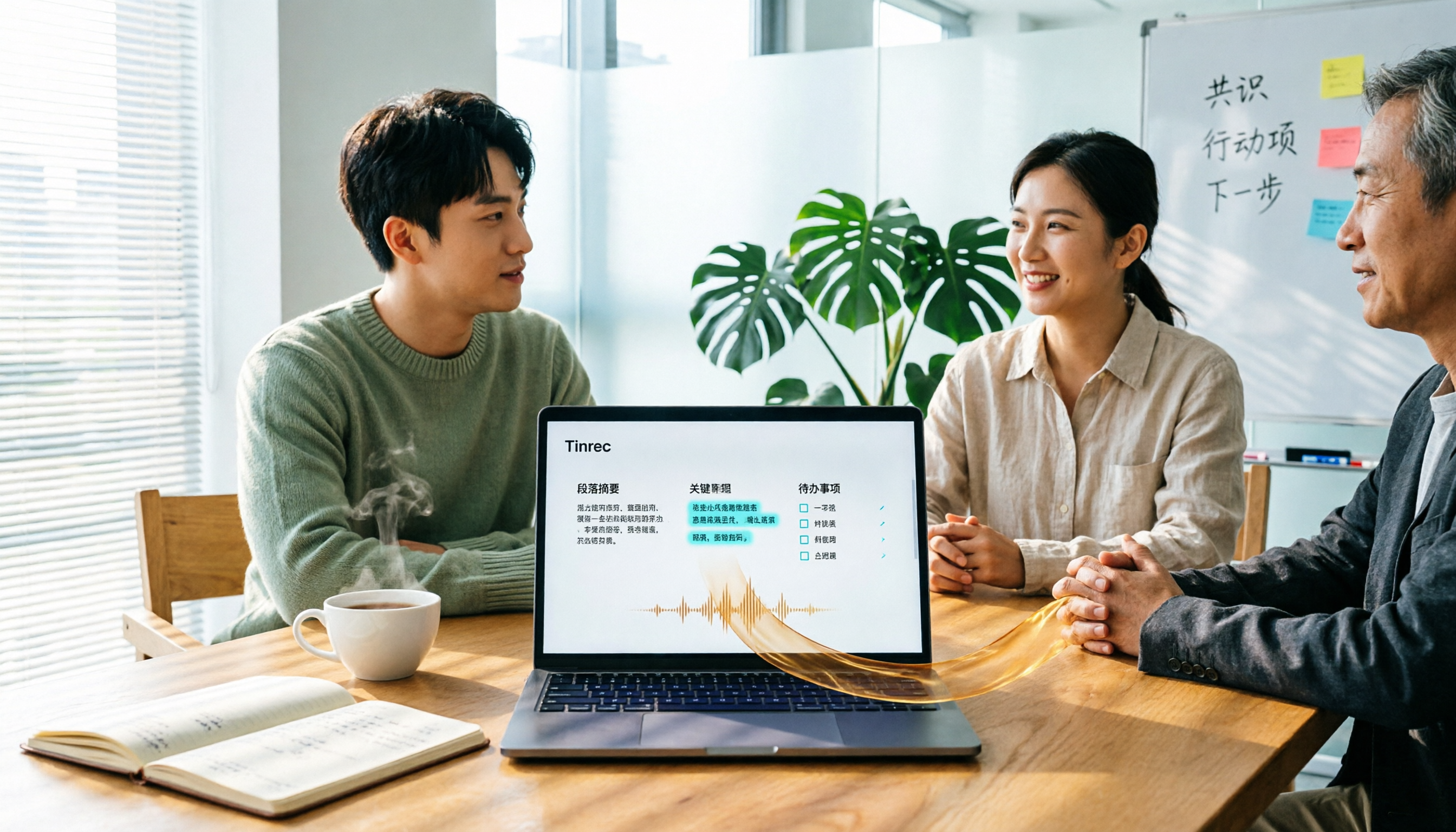
In the past, after a two-hour meeting, you might spend another hour organizing notes. With Tinrec, as the meeting ends, AI summaries, chapters, and action items are already organized—who is responsible for what and by when, listed directly. You save not only typing time but also the time spent recalling "what exactly was said."
Scenario 2: Cross-language meetings without just catching keywords
When meeting with overseas clients or international colleagues, missing details is a big fear. Tinrec supports real-time translation, allowing you to switch between original text, translation, or bilingual view during recording, and review afterward. For non-native language meetings, this is much more practical than re-listening to the entire recording.
Scenario 3: Recordings stuck on your phone become searchable data
Interviews, classes, impromptu discussions—many people just record first and think later. Tinrec can upload audio and video files for transcription. After transcription, it's not just a transcript; you can also ask questions about the content and find key points. Files that were lying in your album become searchable data.
Scenario 4: Team meeting content no longer leaves with individuals
Meeting data scattered across personal accounts and chat logs is a common problem in many teams. Tinrec's team version centralizes recordings, transcripts, summaries, and action items in a shared team space. Data belongs to the team, can be handed over when members change, and won't disappear entirely when someone leaves.
What Are the Core Capabilities of Meeting Efficiency Tools?
Real-time transcription: words appear as you speak
Tinrec supports real-time recording to text, suitable for in-person meetings, interviews, and on-site notes. You can check for missing content while the meeting is ongoing, rather than discovering a segment wasn't recorded properly after it ends.
Bot-free recording of online meetings
Tinrec's desktop version directly captures your computer's system audio, handling meetings on Zoom, Google Meet, Microsoft Teams, Webex, etc., played on your computer, without inviting a meeting bot to join. Note that this does not mean "automatically joining all meetings on your calendar"—you still need to actively open Tinrec to start recording.
AI summaries, chapters, and action items
Tinrec's summary isn't just condensing the transcript into a paragraph; it separately organizes meeting topics, discussion points, conclusions, and action items. Long meetings are also divided into chapters for easy skimming.
AI Q&A: Instead of re-listening, just ask
After transcription, you can directly ask Tinrec: "Who mentioned the budget in this meeting?" "What did the client say about the delivery date?" It answers based on semantic understanding and marks the corresponding speaker positions.
Multi-format export and Agent post-processing
Tinrec supports exporting results to Notion, Google Docs, OneNote, Dropbox, etc., and can further generate reports, tables, and documents via Agent, connecting meeting content to your existing workflow.
Team space and governance
The team version provides an independent team space to manage members, roles, seats, usage, and audit logs. One commonly confused point: roles determine who can manage the team, while seats determine who can record, upload, edit, and export. Active members without a seat can still view, play, and read team data.
Practical Application Scenarios
Weekly stand-ups and project meetings
Regular meetings are most prone to being forgotten after they end. Record your weekly meeting with Tinrec, and action items are organized into a list. Before the next meeting, pull up the previous action items for comparison, so progress doesn't stall halfway.
Customer interviews and sales follow-ups
Customer needs, concerns, and commitments are often scattered throughout the conversation. After transcribing with Tinrec, you can directly ask questions about the content and organize what the customer wants into follow-up materials, without relying on memory.
Stop organizing recordings by hand
Upload audio or video and automatically get a transcript, summary, and action items
Classes, lectures, and research interviews
Re-listening to a two-hour lecture takes two hours. Tinrec generates chapters and summaries. When you need to quote something, go back to the transcript. Spend time understanding, not transcribing.
Content creation and knowledge organization
Interview recordings, online courses, your own voice memos—all can be thrown into Tinrec for transcription, then you pick out material. Over time, these records become your own database.
5 Things to Consider When Choosing a Meeting Efficiency Tool
1. Recording method: bot joining or system audio capture
Meeting bots need to join as a participant, which isn't suitable for some occasions. Tinrec's desktop version takes a different path, directly capturing computer system audio without adding an extra participant. Before choosing a tool, think clearly: can your meetings accept an extra "participant"?
2. Chinese and multilingual performance
If your meetings are in Chinese, mixed Chinese-English, or require interaction with foreign clients, language support is key. Tinrec covers Chinese, Traditional Chinese, and multilingual scenarios, supports real-time translation and bilingual view, and the team version can maintain team hotwords for more stable recognition of technical terms. Actual performance is affected by recording quality, accents, noise, and overlapping speakers; don't rely solely on official numbers.
3. What you get after the meeting
A transcript alone is usually not enough. In addition to transcripts, Tinrec produces summaries, chapters, key points, action items, and mind maps, and can export or regenerate reports and tables. This determines how much time you spend after the meeting.
4. Team governance capabilities
If it's for an entire department, look at how it manages members and data. Tinrec's team version distinguishes roles and seats, provides usage analytics, audit logs, and an audio recycle bin. Note that currently the team version focuses on team-level sharing, not a granular file-level permission system.
5. Pricing and quotas
The personal version has a free plan, weekly pass, Pro monthly, and Pro annual. Choose based on your tasks: for occasional transcription, start with the free plan; for short-term intensive meetings, consider the weekly pass; if you have weekly needs, look at Pro.
The team version's first eligible trial is 7 days, 1 free seat, 300 minutes of team shared import quota; team monthly is USD 29.80 per paid seat per month, annual is USD 199 per paid seat per year (about USD 16.58 per month). Each paid seat provides 2,000 minutes of team shared import quota per month. Real-time recording is not deducted by minutes under an active plan and seat. Actual prices and benefits are subject to the official purchase page.
Notta is another tool that starts with transcription. Its official free plan offers 120 minutes per month, max 3 minutes per session; Pro annual is about USD 8.17 per month with 1,800 minutes per month. It suits users focused on document transcription, subtitles, and translation. If you want bot-free recording of online meetings plus post-meeting team collaboration, the approach is different.
Frequently Asked Questions
Q1: How is Tinrec different from regular recording software?
Regular recording software captures audio. Tinrec then transcribes the recording into text, organizes summaries, chapters, key points, and action items, and allows you to ask questions, translate, export, or share in a team space. The difference is that it handles "after the meeting," not just "during the meeting."
Q2: Is the free plan enough?
If you only occasionally transcribe a recording, the free plan's basic quota is a good start. If you have meetings every week, consider Pro monthly or annual. For short-term intensive needs, like a week of interview marathons, consider the weekly pass.
Q3: Which meeting platforms are supported?
Tinrec's desktop version works by capturing computer system audio, so it can handle meetings on Zoom, Google Meet, Microsoft Teams, Webex, etc., played on your computer. Tinrec has no official partnership with these platforms; recording is done through system audio capture.
Q4: What does "seat" mean in the team version?
A seat determines whether a member can record, upload, edit, import/export, and use team resources. Active members without a seat can still view, play, and read team data, but cannot perform the above operations.
Q5: Is transcription accuracy guaranteed?
It's not advisable to judge by a fixed number. Accuracy is affected by recording quality, noise, accents, overlapping speakers, and technical terms. A more practical approach is to try it with one of your own meeting recordings.
Q6: Do I need consent before recording?
Yes, be mindful. Recording and transcription involve personal data and local regulations. Before a meeting, inform participants and obtain necessary consent, especially in cross-border meetings or when sensitive content is involved.
Conclusion
What meeting efficiency tools really solve is the post-meeting time that no one counts in their work hours.
Tinrec's value lies in connecting "recording" to "organization" and then to "action": real-time transcription, summaries, action items, AI Q&A, export, and data accumulation in a team space. If you have more than three meetings per week, start with the free plan and use a real meeting to see how AI-organized notes compare to your own. For team use, then evaluate the team version's seat and quota configuration.
References
- Top 5 Recommended Online Meeting Software to Greatly Improve Remote Work Meeting Efficiency | On-line to Know
- Top 5 Recommended Online Meeting Software to Greatly Improve Remote Work Meeting Efficiency! - EventX
- Best AI Meeting Notes Tool Recommendations to Make Your Team Work More Efficient - Consumer Life Navigation Station
- How to Choose Online Meeting Software? Master 5 Software Features, Prices, and Use Cases at Once! - ALEN
- 2026 Free Online Meeting and Video Software Recommendations! Compare Teams, Zoom, Google Meet Differences | Tasker Article Column
Turn every recording into actionable outcomes
Get 60 free transcription minutes when you sign in. No credit card required.
Related Reading
You might also like

5 Online Meeting Productivity Tools Tested and Compared for 2026: Which Free Version Is Enough?
How do you choose an online meeting productivity tool? This article starts with common misconceptions, compares 5 approaches to online meeting notes, and uses Tinrec to demonstrate a complete workflow from transcription and AI summaries to action item extraction and team spaces, while also covering the differences between free and team plans and what to consider when buying.

2026 Comparison of 4 Meeting Productivity Tools: No Bots, Which Online Meeting Tool Saves the Most Time?
Does the real work start after the online meeting ends? This article approaches from real-world usage scenarios, outlines 5 key factors for choosing a meeting productivity tool, tests Tinrec's bot-free recording, AI summaries, and Q&A, and compares Fireflies.ai, Granola, and Otter.ai in terms of features, pricing, and ideal users to help you find the one that saves the most time.

5 Free Meeting Productivity Tools Compared: Which Free Version Is Actually Enough?
How do you choose a free meeting productivity tool? This article tackles common misconceptions, breaks down the real differences among five free approaches, and uses Tinrec to demonstrate a complete workflow with bot-free recording, transcripts, AI summaries, and action item organization. It also covers five key considerations and FAQs to help you decide if a free tier is sufficient.

2026 Comparison of 4 Meeting Productivity Tools: Which One Actually Saves Post-Meeting Time?
After a meeting, no one wants to reread the transcript. This article takes a practical angle—what you get after recording—and compares four meeting productivity tools: Tinrec, Otter.ai, Granola, and Notta. It explains differences in bot-free recording, AI summaries and action items, and team data retention, and outlines 4 key selection criteria and 3 common pitfalls to help you choose the one that truly saves time.

How to Use Meeting Efficiency Tools in 2026: Tinrec Auto Summaries + Action Item Tracking
How can meeting efficiency tools actually be useful? Based on a mid-level manager's real experience with 15 meetings a week, this article breaks down 4 scenarios and 6 core capabilities that meeting efficiency tools can address, explaining how Tinrec enables bot-free online meeting recording, real-time transcription, AI summaries, and action item tracking, plus 5 key checkpoints for choosing a tool and FAQs.
2026 Multilingual Meeting Transcription Tools Compared: Which One Can Auto-Generate Tables?
We tested 4 multilingual meeting transcription tools, from mixed Chinese-English transcription to auto-generated tables and team collaboration, to help you find the option that saves the most post-meeting organization time.

Best Meeting Efficiency Tools in 2026: 5 Tested, Tinrec Best for Chinese Meetings and Team Knowledge Retention
How to choose a meeting efficiency tool? After testing Zoom, Google Meet, Microsoft Teams, Webex, and Tinrec, this article examines two layers—the meeting platform and post-meeting data—to explain why built-in transcription often falls short and how Tinrec uses bot-free recording, AI summaries and Q&A, and team spaces to turn every meeting into searchable, actionable team knowledge.

2026 Comparison of 4 Multilingual Meeting Transcription Tools: Which AI Meeting Notes Save the Most Time for Mixed Chinese-English Meetings?
The hardest part of cross-border and cross-department meetings isn't recording—it's transcribing mixed Chinese-English speech. This article tests and compares 4 multilingual meeting transcription tools in 2026, breaking down automatic language detection, online meeting recording methods, post-meeting summaries and action items, and team data retention, while honestly listing free limitations and pricing to help you decide which one truly saves time on meeting organization.

Best Meeting Productivity Tools? 2026 Hands-On Test of 2 Options: Tinrec's Free Version Is More Useful for Chinese Meetings
How do you choose a free meeting productivity tool in 2026? This article starts with common misconceptions and compares Tinrec and Otter.ai across 5 dimensions: Chinese transcription, bot-free meeting recording, post-meeting organization, team data retention, and free plans, helping you decide which is better suited for Chinese meetings and team collaboration.