
Turn recordings into transcripts and summaries in minutes
Upload audio or video for multilingual transcription, AI notes, and action items
On the second weekend of August, these phrases will likely pop up in the team group chat: "Are we sure it's August 8th to 10th?" "Is U13 playing AA or BB?" "Are the hotel and rink actually in the same complex?"
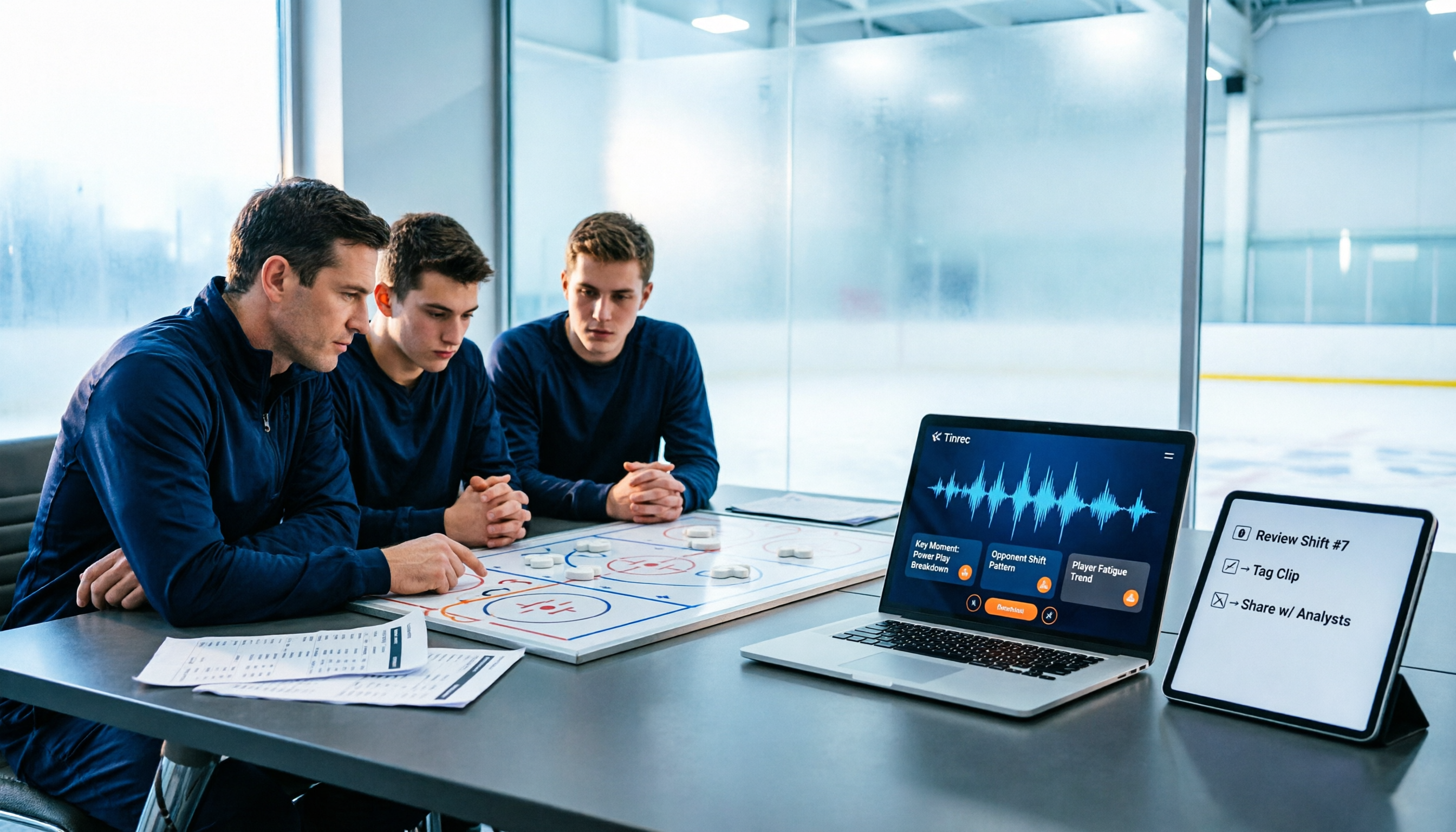
The coaching staff also needs to hold a separate online pre-trip meeting to discuss the roster, transportation, group assignments, and tactics. After the meeting, conclusions are scattered across three different group chats; by the time you need to review, no one remembers what was decided.
This article will clarify two things at once: how to find schedule information and how to keep records of team meetings.
"Has the schedule been released yet?" — Most teams are stuck not on the date, but on scattered information
The first pain point is scattered information sources. The organizer's event page, the league's team page, the resort's venue page, screenshots forwarded in parent group chats—each has a small piece of information, but no one has the complete version.
The second pain point is that meeting content doesn't stick. The pre-game meeting lasted 40 minutes, but the only conclusion left was "Coach said he'll announce later"; the post-game review was even more heated, but the next day no one remembered who was responsible for the action items.
The third pain point is cross-language. When there are foreign coaches or players, meetings mix Chinese and English, and even if recorded, it's hard to produce readable notes.
If you've encountered these situations, this article is for you: first, we'll show you how to confirm the schedule, then discuss how to use tools to turn meetings into searchable data.
2025 Nottawasaga Schedule Highlights: Facts Confirmed So Far
Bottom line first: based on publicly verifiable information to date, this event is the Quest For the Cup Preseason Tournament (weekend hockey preseason tournament), with the following key points.
- Dates: August 8-10, 2025 (three days)
- Location: Nottawasaga Resort, Ontario (Nottawasaga Inn Resort & Conference Centre, 6015 Highway 89, Alliston, ON)
- Divisions: U9 to U18, split into AA, A, BB/Select
- Venue: Centre Ice Sportsplex rink within the resort complex; lodging and games are in the same complex
- Where to check: The organizer Weekend Hockey's youth travel rep tournaments page, and Nottawasaga Resort's official hockey tournaments page
Important note: the word "Nottawasaga" in 2025 corresponds to at least two completely different events, so it's easy to look up the wrong one:
- Hockey's Quest For the Cup Preseason Tournament (August 8-10, Nottawasaga Resort)
- Nottawasaga Fall Classic 2025 (October 18, Schoonertown Parkette in Wasaga Beach)—this is a canoe/kayak race hosted by Collingwood Paddling Club, with 10 km and 20 km distances, unrelated to hockey.
Additionally, the Barrie Christian Hockey League's team page has a dedicated Nottawasaga Tournament section and provides a webcal subscription link that can be copied to Mac Calendar, iCal, or Outlook for automatic loading.
As for each team's game schedule and individual start times, the organizer typically publishes them on the official website and registration system before the event; currently public information only goes as far as event dates and division levels. Recommended approach: bookmark the organizer's page, subscribe to the webcal link in your calendar, and confirm check-in time and venue number in the registration confirmation email.
Before Choosing a "Tournament and Meeting Information Management Tool," Understand These 4 Key Points
1. Can it handle online meetings, not just recording Team pre-trip meetings are mostly held on Zoom, Google Meet, or Teams. You need a tool that can directly process audio from these meetings, not one that requires workarounds to record. Note that "supports platform recording" does not equal an official partnership with the platform—check this clearly first.
2. Does it have "after-meeting" features Transcripts alone are not enough. A 40-minute meeting transcript is about ten thousand words; no one will read it from start to finish. You need three things: summary, chapters, and action items—who is responsible for booking the bus, who is collecting payment slips, and what the deadline is.
3. Are recordings kept, and can old files be imported Some tools only do real-time transcription, do not keep audio files, and cannot upload existing recordings. For teams, this is critical: post-game review recordings, parent meeting recordings, and even game video audio will all need to be organized afterward.
4. Team sharing and governance Personal accounts save money, but data follows the person. Teams or clubs are better suited to team spaces: data belongs to the team, members can view together, and administrators can manage seats and usage.
Tinrec — Our Top Choice After Actually Organizing Team Meetings
One-sentence positioning: Tinrec is an AI meeting notes and collaboration tool for individuals and teams, supporting real-time recording, desktop bot-free online meeting transcription, audio/video file import, and real-time translation, and automatically generating summaries, chapters, action items, and mind maps.
Scenario 1: Online pre-trip meeting, no need to bring a bot into the meeting room Tinrec's desktop version directly captures computer system audio to handle Zoom, Google Meet, Microsoft Teams, and Webex meetings, without requiring an extra meeting bot to join as a participant. For coaching staff, this is practical—no awkward "unknown account in the meeting" moments, and no need to ask the host to admit each participant one by one.
Scenario 2: Meeting ends, summary and action items are already there Record and transcribe simultaneously during the meeting; the transcript is generated in sync. After the meeting, the system organizes summaries, chapters, and action items. Who is responsible for booking August 8th lodging, who will confirm U13's division, when the registration fee is due—these become a checklist you can tick off, rather than buried in a 40-minute audio file.
Stop organizing recordings by hand
Upload audio or video and automatically get a transcript, summary, and action items
Scenario 3: Post-game review, ask the AI directly This is where Tinrec differs most noticeably from most tools at the same price point. You can directly ask it: "What defensive strategy did we set in the last meeting?" "Who mentioned changing the practice venue?" It gives answers based on semantic understanding, rather than throwing a string of keywords for you to search yourself.
Practical details Output supports transcripts, summaries, chapters, action items, and mind maps, and can be exported to Notion, Google Docs, OneNote, Dropbox, and other tools for further processing, or use Agent post-processing to generate reports, tables, and documents. When there are foreign coaches, real-time translation can be viewed in original, translated, or bilingual side-by-side mode.
Team Edition: Keep data with the team, not on someone's phone The Team Edition is a separate team space, not multiple people sharing one account. You can create multiple teams, invite members via join links, set owners/admins/regular members, and assign or revoke seats. Audio, Folder, and TODO are centrally stored, plus team hotwords (to maintain team-specific terms and names), usage analytics, audit logs, and an audio recycle bin (currently retained for 30 days, recoverable before permanent deletion).
Permissions need to be clear: roles determine who can manage the team and members, seats determine whether one can record, upload, edit, import/export. Valid members without seats can still view, play, and read team data.
Pricing and benefits are subject to the official purchase page: Team monthly USD 29.80 per paid seat per month, annual USD 199 per paid seat per year (equivalent to about USD 16.58/month); each paid seat provides 2,000 minutes of team shared import quota per month; under an active team plan and active seats, real-time recording is currently not deducted by minutes; first eligible teams can try 7 days, 1 free seat, and 300 minutes of team shared import quota. Personal plans include a free version, weekly card, Pro monthly card, and Pro annual card—choose based on usage frequency.
Limitations (honest disclosure) The free version is a basic quota; heavy use requires payment; the Team Edition currently focuses on team-level sharing, not file-level permission control; transcription quality is affected by recording quality, noise, accents, and overlapping speakers—no tool should be treated as a guarantee of "never missing anything," and important content should still be verified against transcript timestamps and recordings.
Who it's for: Teams, clubs, and sports administration teams that need Chinese meeting notes, don't want to add a bot to meetings, want summaries and action items directly after meetings, and want meeting data to stay in the team space.
Besides Tinrec, What Other Options Are There?
Otter.ai: A mature English AI meeting assistant. Basic is free with 300 minutes per month; Pro annual billing is about USD 8.49 per user per month including 1,200 minutes. If your team meetings are entirely in English, its experience is indeed smooth. But for Chinese meetings and mixed Chinese-English scenarios, Tinrec's bilingual view and team hotwords are closer to the need; and Tinrec puts roles, seats, usage, and auditing in the same team space, making management more intuitive.
Notta: Good multilingual transcription capability. Free is 120 minutes per month (single session limit 3 minutes); Pro annual billing is about USD 8.17 per month including 1,800 minutes; Business annual billing is about USD 16.67 per seat per month. More suitable for pure file transcription and subtitle needs. The difference: Tinrec's desktop version can record online meetings without a bot, and after the meeting, Agent post-processing can directly generate reports and tables.
Granola: A bot-free AI meeting notes tool. Basic is free; Business is USD 14 per user per month. It has real-time transcription, but does not support uploading pre-recorded audio files, nor does it save meeting audio files. If you need to keep recordings and import game videos or old parent meeting files for organization, this is where Tinrec clearly wins.
Pitfall Guide: The 3 Most Common Mistakes in Organizing Schedules and Meeting Notes
Pitfall 1: Remembering only the date, forgetting the venue and check-in time. Knowing the game starts August 8th is not enough. Centre Ice Sportsplex is within the resort complex; lodging and games in the same area is an advantage, but check-in time, venue number, and parking flow are often in the registration confirmation email. Organizing the confirmation email content into meeting action items is more effective than asking ten times in the group chat.
Pitfall 2: Treating calendar subscription as the only information source. Webcal subscription is convenient; copy the link to load into Mac Calendar, iCal, or Outlook. But when the schedule changes at the last minute, subscription does not equal notification. The correct approach: subscribe to the calendar, also bookmark the organizer's page, and assign one person in the pre-game meeting to track announcements.
Pitfall 3: Meetings leave only transcripts, no action items. Transcripts are raw material, not the finished product. If a tool only gives you a ten-thousand-word text, you're using only one-third of its value. Tools like Tinrec generate summaries and action items as soon as the meeting ends, and you can directly ask the AI "What was the conclusion of this meeting?"—much faster than manual Ctrl+F.
Pitfall 4: Assuming "team sharing" means "everyone has the same permissions." This is the most common misunderstanding. Team spaces typically use roles to control governance and seats to control usage eligibility; all valid members can read team data, but editing or uploading still requires a seat. Confirm this before purchasing, so you don't find out after buying that someone can't use it.
Conclusion: Which One Should You Choose?
First, distinguish two things: checking the schedule and managing meetings are different tasks; tools cannot replace each other.
- Want to confirm the 2025 Nottawasaga schedule and divisions first → Go directly to the organizer Weekend Hockey page and Nottawasaga Resort's official event page; these are the only trustworthy sources.
- Team needs pre-game meetings and wants summaries and action items afterward → Tinrec (transcript, summary, chapters, action items all in one).
- Team has foreign coaches, meetings mix Chinese and English → Tinrec (real-time translation can switch between original/translated/bilingual).
- Need to keep recordings and also import game videos or old interview files → Tinrec (keeps audio, supports audio/video import; Granola does not keep audio nor support pre-recorded files).
- Meetings entirely in English, team already has established processes → Otter.ai is a reasonable alternative.
- Just need to convert event videos to subtitles, no post-meeting collaboration needed → A file transcription tool like Notta is sufficient.
For most teams and clubs, the real cost is not the tool fee, but "nothing left after the meeting." We recommend running a pre-game meeting with the free version first to see if the summaries and action items fit your usage habits; if they work for you, then consider upgrading or adopting the Team Edition—no need to pay upfront.
Final reminder: recording and transcription involve personal data; please comply with local regulations and obtain consent from participants at the start of the meeting.
References
- Weekend Hockey Tournaments Quest For the Cup Preseason Tournament — USA Hockey
- 2025 — Nottawasaga Fall Classic 2025 —
- Nottawasaga Tournament - Barrie Christian Hockey League : Website by RAMP InterActive
- Hockey Tournaments & Hockey Training Camp | Hockey & Soccer | Nottawasaga Inn Resort & Conference Centre, Alliston, Ontario
- Participants Nottawasaga Fall Classic 2025 —
Turn every recording into actionable outcomes
Get 60 free transcription minutes when you sign in. No credit card required.
Related Reading
You might also like

tl;dv vs Notta in 2026: 5-Dimension Comparison — Which Is Better for Team Meetings?
How to choose between tl;dv and Notta? This article compares them across 5 dimensions: free quota, transcription method, language support, AI post-meeting output, and team governance. It also covers how Tinrec differs with bot-free recording and team data retention, helping teams make actionable purchasing decisions.

Notta 2026 Latest Features: A Complete Guide to Transcription and Team Knowledge Retention
A rundown of Notta's 2026 updates, from the Notta Memo Pro hardware to Notta Brain's search and tool integrations, plus a breakdown of the four workflow problems these features address. It also uses Tinrec to demonstrate how to connect recording, transcription, summaries, action items, AI Q&A, and team knowledge retention into a practical workflow.

Otter vs Notta vs Tinrec: Best English Meeting Transcription Tools in 2026
Comparing Otter, Notta, and Tinrec for English meeting transcription? This guide evaluates five key dimensions—meeting capture, language support, post-meeting organization, team collaboration, and quotas—to help Chinese-speaking teams find the right audio-to-text solution for English and mixed Chinese-English meetings.

Notta 2026 Guide: Plan Limits & Meeting Transcription Workflow
The 2026 Notta update centers on the Notta Memo Pro recording hardware, a separate product line from the app subscription. This guide breaks down the free plan's 120 minutes and 3-minute per-recording limit, compares Pro and Business plans, and walks through a five-step workflow: recording, transcription, proofreading, summarization, and team sharing. It also compares when to use Notta versus Tinrec.

2026 AI Meeting Recorder Comparison: Why PLAUD Note and Notta Users Are Switching to Tinrec
2026 comparison of PLAUD Note, Notta, and Tinrec, covering meeting capture, post-meeting organization, team collaboration, and cost structure to help mid-level managers decide which is better for Chinese-language meetings and team knowledge retention.

Tinrec vs Notta in 2026: 5-Dimension Comparison — Which Should Plaud NotePin Users Choose?
Compare Tinrec and Notta across 5 dimensions — online meeting recording, post-meeting AI workflows, team governance, real-time quotas, and Chinese-language experience — with concrete buying advice for readers considering Plaud NotePin.

PLAUD vs Notta 2026: 5-Factor Comparison — Which Is Right for You?
PLAUD and Notta are often compared, but one is recording hardware and the other started as transcription software—comparing specs directly can lead to the wrong choice. This article breaks down 5 dimensions: how recording starts, battery life and independence, transcription and post-meeting processing, pricing and long-term cost, and team collaboration. It tells you which work style should choose PLAUD, which should choose Notta, and when you shouldn't buy either.

Tinrec vs Notta 2026: 5-Factor Comparison — Which Is Better for Chinese-Language Team Meetings?
How to choose between Notta and Tinrec? This article compares two AI meeting note tools across 5 dimensions: meeting capture method, post-meeting organization and follow-up Q&A, team governance, Chinese and multilingual experience, and pricing and quotas. If you value bot-free recording, AI Q&A, and team knowledge retention, Tinrec is more complete; if you only need multilingual transcription and a free entry point, Notta still has advantages.

2026 Comparison of 3 Audio-to-Text Tools: How to Choose Between Notta, Rimo Voice, and Tinrec
A side-by-side comparison of Notta, Rimo Voice, and Tinrec. Using real meeting scenarios for mid-level managers, we explain the differences in Chinese meeting transcription, bot-free online meeting recording, post-meeting summaries and action items, team spaces and seat management, and pricing models to help you decide which tool better fits the daily needs of teams in Taiwan.