
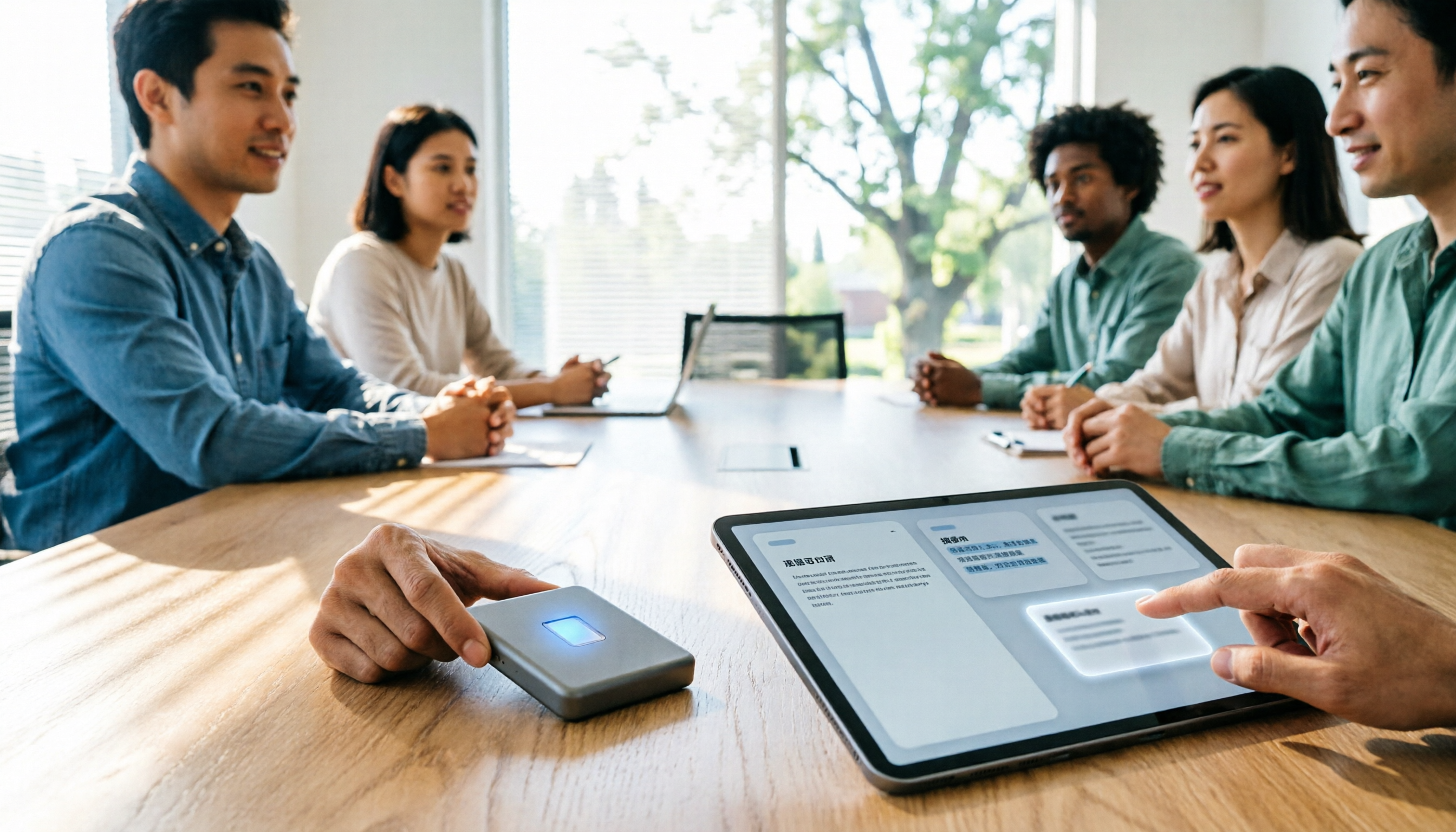
Turn recordings into transcripts and summaries in minutes
Upload audio or video for multilingual transcription, AI notes, and action items
Last Wednesday I had three back-to-back meetings: project progress in the morning, cross-department coordination in the afternoon, and client details in the evening. By the time I finished organizing the last set of notes, it was already 8:30 PM. I have about 15 meetings a week, and post-meeting organization used to eat up nearly half my work time.
So when a colleague recently asked me 'Is the latest Notta Memo worth buying?', my answer usually isn't 'yes' or 'no'—I first ask: Are you trying to solve 'can't record' or 'no one organizes after recording'?
In this article, I'll first clarify the specs of the latest Notta Memo, then use Tinrec—which my team is actually using—as a comparison to explain how to design the entire workflow if what you want is 'usable data right after the meeting ends.'
Notta Memo Latest Version Highlights: Card-Style AI Voice Recorder
Notta Memo Pro officially launches on October 13, 2026 (pre-orders start September 28). It's a refreshed model in the Notta Memo series. Here are the key points from the official announcement:
- Body size 77.2mm × 56mm, slightly smaller than a business card. It features a slim design that attaches to the back of your phone, uses USB-C charging, and can record while charging.
- 600mAh battery, about 45 hours of continuous recording (Bluetooth connected) / 50 hours (not connected). Single recording automatically stops at 5 hours max; standby time about 30–45 days.
- Automatic recording mode detection: automatically switches between phone calls and in-person interviews without manual toggling. When connected to a registered Wi-Fi network, it automatically syncs recordings to the cloud in the background.
- Official internal testing (CP-CER) shows speaker recognition overall accuracy of 90.51%, a 19.27% improvement over the previous generation. After device registration, it comes with a hardware plan offering 600 minutes of transcription per month, not available for separate purchase.
These specs are indeed attractive for people who are often pulled into meeting rooms at a moment's notice. But my experience is: hardware solves 'are you willing to press record'; what really determines when you leave work is the part after recording.
What Can Meeting Note Tools Do for You? 4 Real Scenarios
Scenario 1: Meeting notes ready 5 minutes after the meeting A two-hour meeting used to take me another 40 minutes to organize. With Tinrec, for example, the AI has already generated summaries, chapters, key points, and action items by the time the meeting ends—who's responsible for what and when it's due, all listed out.
Scenario 2: No bot needed for online meetings Tinrec's desktop version directly captures your computer's system audio. It works with Zoom, Google Meet, Microsoft Teams, and Webex—no extra account needed to join the meeting as a participant. This is important for external client meetings—not every client likes having a recording bot in the meeting.
Scenario 3: When your boss asks 'What was the conclusion on that thing last time?' Tinrec's AI Q&A lets you ask questions directly about a single meeting or across meetings: 'What were the client's concerns about the quote?' 'Who said they'd follow up on this last time?' No more scrolling through 30 pages of transcript.
Scenario 4: Verbal assignments have a paper trail Action items from meetings are extracted and turned into a trackable list. Two days later when I ask for progress, I don't have to rely on my memory or the other person's memory.
What Are the Core Capabilities? Tinrec as an Example
Bot-free meeting recording: The desktop version captures system audio without adding extra participants, and no calendar integration is required beforehand.
Real-time transcription while recording: Transcription happens during the meeting, not after. You can follow along with the text to make sure no key points are missed.
AI summaries and chapters: Long meetings are broken into structured sections. When reviewing, you can jump directly to chapters instead of listening from the beginning.
Action items and post-meeting outputs: Beyond action item lists, it can further generate reports, tables, and documents. For people who need to deliver something after meetings, this saves the second round of work.
AI Q&A and real-time translation: For cross-language meetings, you can view the original text, translation, or bilingual view. If you have questions afterward, just ask—no need to re-listen.
Export and team knowledge retention: Export to Notion, Google Docs, OneNote, Dropbox, and other tools. The team version centralizes meeting data in a team space, including members, roles, seats, usage analytics, audit logs, and an audio recycle bin.
Stop organizing recordings by hand
Upload audio or video and automatically get a transcript, summary, and action items
To be clear: Tinrec's team version distinguishes between 'roles' and 'seats.' Roles determine who can manage the team; seats determine who can record, upload, edit, and export. Members without a seat can still view, play, and read team data, but cannot perform resource-consuming operations. This is a team governance design, not file-level individual permissions.
Real-World Use Cases
Weekly recurring department meetings: I run Tinrec on a meeting room tablet to record, and paste the summary directly into the project group chat afterward. Decisions, owners, and deadlines are clear at a glance—done within five minutes of the meeting ending.
Client and business meetings: Client requirements, concerns, and commitments are organized into a record using AI Q&A after the meeting, then exported to a shared document. I used to write visit notes from memory and often missed concerns the other party mentioned in passing. Now I have a transcript to look back on.
Cross-department coordination and one-on-one interviews: The most time-consuming part of cross-department work is never the communication itself—it's the follow-up after communication. With a timestamped transcript, when disputes arise, you can replay that 30 seconds directly—more efficient than holding a second meeting.
Historical audio files and interview organization: Existing recordings and videos can be uploaded directly for transcription without re-listening. Suitable for research interviews, training sessions, and conference recordings.
5 Things to Consider When Choosing an AI Meeting Notes Tool
1. Recording is just the entry point; post-meeting output is the value A tool that only gives you a transcript is basically handing the organization work right back to you. Before choosing, ask: Can it give you summaries, chapters, action items, and Q&A? Tinrec's positioning is to extend 'transcription' into 'usable data.'
2. Are audio files retained? Some tools keep only text and don't store audio, which is a problem when you need to verify something. Tinrec retains audio files, and the team version has a 30-day recycle bin to recover accidentally deleted files.
3. Performance with Chinese and mixed Chinese-English Our meetings sound like 'this campaign's budget needs to be confirmed again.' Actual performance is affected by recording quality, accents, multiple people talking over each other, and technical terminology. I recommend testing with your own recordings. Tinrec supports Chinese, Traditional Chinese, and multiple languages. The team version also lets you maintain a custom vocabulary to improve recognition of technical terms.
4. Team governance capabilities As the team grows, 'everyone sharing one account' will definitely cause problems. Look for roles, seats, usage, and audit features. Tinrec's team version paid seats provide 2,000 minutes of shared team import quota per seat per month. Annual billing is USD 199/seat (about USD 16.58/month), monthly billing is USD 29.80/seat/month. First-time eligible users get a 7-day trial, 1 free seat, and 300 minutes of shared quota.
5. Do you need extra hardware? The advantage of hardware is 'you can record without thinking'; the downside is carrying an extra item, charging it, and spending extra budget. Tinrec takes a software approach—works on phone, computer, and web, handles online meetings and existing audio files. There's no absolute right or wrong; it depends on whether your meetings happen 'in person' or 'on the computer.'
Frequently Asked Questions
Q: When does Notta Memo Pro launch? It officially launches on October 13, 2026, on Notta's official EC store, Rakuten Market, and Amazon. Pre-orders start September 28.
Q: Do I need to buy a recording device first to use Tinrec? No. Tinrec is a software service. The mobile app, desktop version, and web version can all record and upload. The desktop version can directly capture system audio to record online meetings.
Q: Is the free version enough? Tinrec's free version provides a basic quota to experience recording, importing, summaries, and transcription. If you only have two or three meetings a week, try the free version first to see how it works. If you have meetings almost every day like me, then consider Pro or the team version.
Q: How are team version seats calculated? The team version is a separate team space, not multiple people sharing one personal account. Paid seats provide 2,000 minutes of shared import quota per month; real-time recording under an active plan and seat is currently not deducted by minutes. Actual prices and promotions are subject to the official purchase page.
Q: Can transcription accuracy be guaranteed? I don't recommend trusting any fixed number. Actual performance is affected by recording quality, noise, accents, overlapping speech, and technical terminology. The practical approach: for important decisions, go back to the timestamp in the transcript and verify against the audio file.
Conclusion
The latest Notta Memo makes 'casual recording' even easier—thinner, USB-C, automatic scene detection, automatic sync. These are real experience improvements.
But if your pain point is the same as mine—'those two hours after the meeting'—then what you really need isn't a better voice recorder, but a better post-meeting workflow. My current approach: record whenever possible, hand it to Tinrec to generate summaries and action items, and use AI Q&A to look things up when I need details. Meeting notes go from 'a document' to 'a searchable database'—that's where you truly save time.
One final reminder: recording involves personal data and local regulations. Notifying participants before the meeting and obtaining consent when necessary is a basic step—and it protects you.
References
- Notta、AIボイスレコーダー「Notta Memo」シリーズ最新モデル「Notta Memo Pro」を2026年10月13日発売
- 【解説】スマホにピタッ!次世代AIボイスレコーダー「Notta Memo Pro」が議事録作成を革新(ゴーゴーシンゴ) - エキスパート - Yahoo!ニュース
- Notta、AIボイスレコーダー「Notta Memo」シリーズ最新モデル「Notta Memo Pro」を2026年10月13日発売 | Notta株式会社のプレスリリース
- Notta Memo Pro|AI Capture Device|高精度文字起こし・自動クラウド同期
- カード型AIボイスレコーダーNotta Memo、カバン入れっぱなしで使えて不満も解消!【老師オグチの家電カンフー】- 家電 Watch
Turn every recording into actionable outcomes
Get 60 free transcription minutes when you sign in. No credit card required.
Related Reading
You might also like

tl;dv vs Notta in 2026: 5-Dimension Comparison — Which Is Better for Team Meetings?
How to choose between tl;dv and Notta? This article compares them across 5 dimensions: free quota, transcription method, language support, AI post-meeting output, and team governance. It also covers how Tinrec differs with bot-free recording and team data retention, helping teams make actionable purchasing decisions.

Notta 2026 Latest Features: A Complete Guide to Transcription and Team Knowledge Retention
A rundown of Notta's 2026 updates, from the Notta Memo Pro hardware to Notta Brain's search and tool integrations, plus a breakdown of the four workflow problems these features address. It also uses Tinrec to demonstrate how to connect recording, transcription, summaries, action items, AI Q&A, and team knowledge retention into a practical workflow.

Otter vs Notta vs Tinrec: Best English Meeting Transcription Tools in 2026
Comparing Otter, Notta, and Tinrec for English meeting transcription? This guide evaluates five key dimensions—meeting capture, language support, post-meeting organization, team collaboration, and quotas—to help Chinese-speaking teams find the right audio-to-text solution for English and mixed Chinese-English meetings.

Notta 2026 Guide: Plan Limits & Meeting Transcription Workflow
The 2026 Notta update centers on the Notta Memo Pro recording hardware, a separate product line from the app subscription. This guide breaks down the free plan's 120 minutes and 3-minute per-recording limit, compares Pro and Business plans, and walks through a five-step workflow: recording, transcription, proofreading, summarization, and team sharing. It also compares when to use Notta versus Tinrec.

2026 AI Meeting Recorder Comparison: Why PLAUD Note and Notta Users Are Switching to Tinrec
2026 comparison of PLAUD Note, Notta, and Tinrec, covering meeting capture, post-meeting organization, team collaboration, and cost structure to help mid-level managers decide which is better for Chinese-language meetings and team knowledge retention.

Tinrec vs Notta in 2026: 5-Dimension Comparison — Which Should Plaud NotePin Users Choose?
Compare Tinrec and Notta across 5 dimensions — online meeting recording, post-meeting AI workflows, team governance, real-time quotas, and Chinese-language experience — with concrete buying advice for readers considering Plaud NotePin.

PLAUD vs Notta 2026: 5-Factor Comparison — Which Is Right for You?
PLAUD and Notta are often compared, but one is recording hardware and the other started as transcription software—comparing specs directly can lead to the wrong choice. This article breaks down 5 dimensions: how recording starts, battery life and independence, transcription and post-meeting processing, pricing and long-term cost, and team collaboration. It tells you which work style should choose PLAUD, which should choose Notta, and when you shouldn't buy either.

Tinrec vs Notta 2026: 5-Factor Comparison — Which Is Better for Chinese-Language Team Meetings?
How to choose between Notta and Tinrec? This article compares two AI meeting note tools across 5 dimensions: meeting capture method, post-meeting organization and follow-up Q&A, team governance, Chinese and multilingual experience, and pricing and quotas. If you value bot-free recording, AI Q&A, and team knowledge retention, Tinrec is more complete; if you only need multilingual transcription and a free entry point, Notta still has advantages.

2026 Comparison of 3 Audio-to-Text Tools: How to Choose Between Notta, Rimo Voice, and Tinrec
A side-by-side comparison of Notta, Rimo Voice, and Tinrec. Using real meeting scenarios for mid-level managers, we explain the differences in Chinese meeting transcription, bot-free online meeting recording, post-meeting summaries and action items, team spaces and seat management, and pricing models to help you decide which tool better fits the daily needs of teams in Taiwan.