

Turn recordings into transcripts and summaries in minutes
Upload audio or video for multilingual transcription, AI notes, and action items
2026 Sales Meeting Transcription Tools Compared: Which One Turns Customer Conversations into Trackable Actions?
Many people think sales meeting transcription just means "hit record and clean up the transcript afterward." That's the most common—and least efficient—approach in 2026.
Sales reps are busy listening to needs, handling objections, and noting commitments during customer meetings. Only afterward do they realize the recording is sitting on their phone, the transcript is endless, and no one is following up on action items. Next meeting, they have to listen to it all over again.
A more sensible approach is to treat meeting transcription as a workflow: record or import → transcript → summary and action items → Q&A and export → team knowledge base. This article uses that workflow to break down the differences among 4 sales meeting transcription tools in 2026.
We're not comparing lab accuracy numbers here. Sales meetings have accents, interruptions, background noise, and customers who change their minds mid-conversation. Rather than looking at marketing numbers, it's better to see whether a tool can turn a meeting into trackable actions.
Before Choosing a Sales Meeting Transcription Tool, Understand These 4 Key Points
1. How is the meeting recorded? The common approach is to have a meeting bot join the online meeting. Another is a desktop app that directly captures computer system audio. If customers don't like having an extra bot in the meeting, bot-free recording feels more natural. Tinrec's desktop version takes this approach, but you need to actively start recording—it doesn't automatically join all calendar meetings.
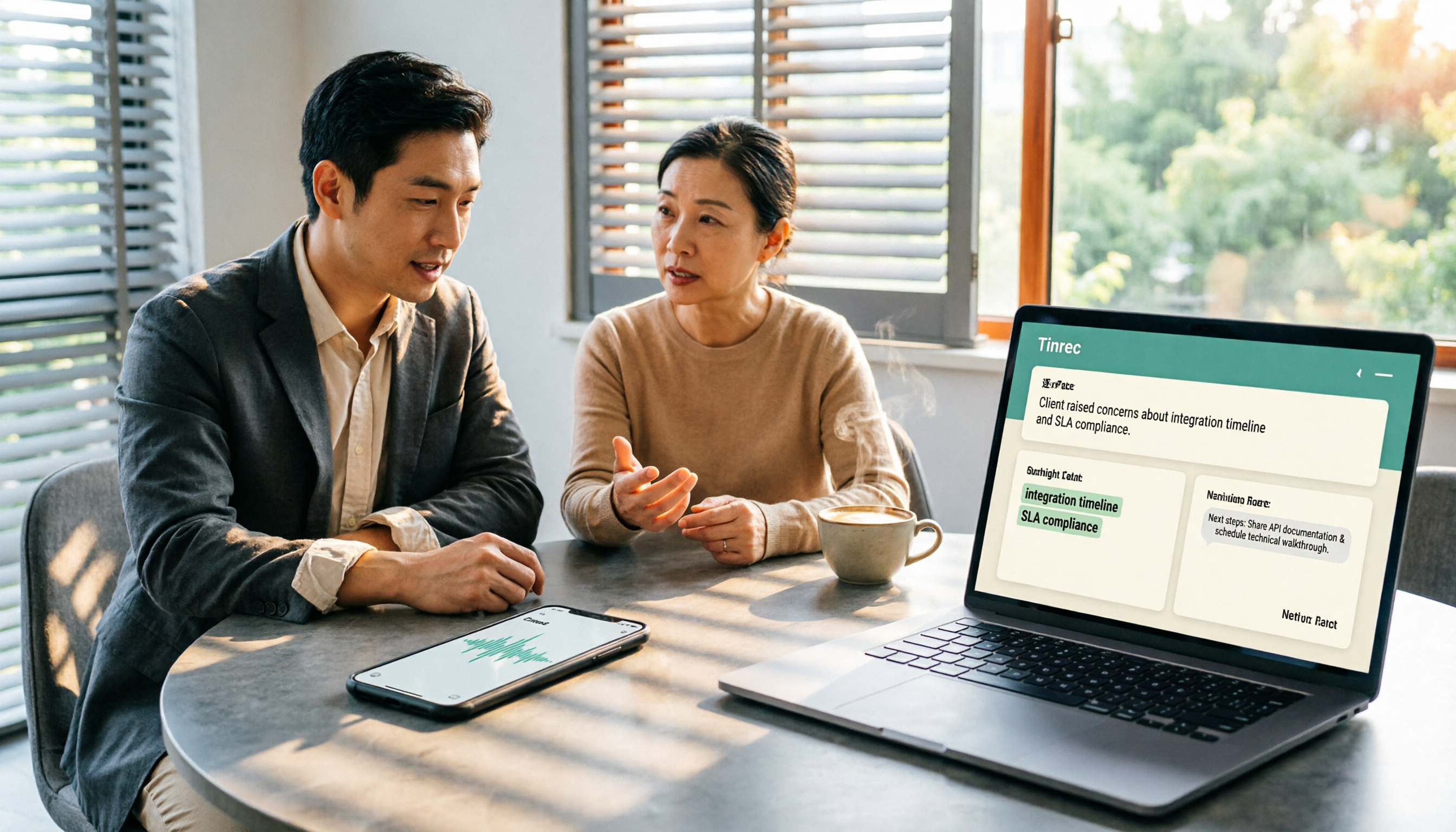
2. Does it just give you a transcript, or does it drive action? What sales meetings really need are customer needs, objections, commitments, and next steps. A transcript alone leaves the organization work to humans. Tinrec generates summaries, chapters, action items, and mind maps, and you can continue asking questions.
3. How well does it handle Chinese and cross-language customer communication? Taiwanese sales scenarios often mix Chinese and English. Beyond transcription, you need to check whether it supports real-time translation, bilingual viewing, and team hotwords. Tinrec prioritizes Chinese meetings, mixed Chinese-English, and multilingual meetings.
4. Who owns the team data? How are permissions managed? Sharing a personal account and having a team workspace are two different things. Sales teams need to distinguish roles, seats, and member relationships. Tinrec's team version makes meeting data owned by the team; members without seats can view but cannot upload or edit.
Tinrec — Our Top Pick After Hands-On Testing
Tinrec is an AI meeting transcription and collaboration tool for individuals and teams, accessible via web, desktop, and mobile. It doesn't just convert audio to text—it organizes meetings into searchable, summarizable, queryable, and exportable data.
For sales teams, the most practical scenario is online customer meetings. Tinrec's desktop version directly captures computer system audio and can handle Zoom, Google Meet, Microsoft Teams, Webex, and other meetings without inviting a meeting bot. Note that this is not "automatically join all meetings"; users need to actively open Tinrec to start recording. For sales reps who don't want an extra bot participant in front of customers, this approach feels more natural.
During the meeting, Tinrec transcribes in real time as it records. After the meeting ends, the AI summary, chapters, key points, and action items are already organized—you can quickly scan who promised what and what the next steps are. If a customer mentions budget, competitors, or decision process, instead of manually Ctrl+F through 30 pages of transcript, you can directly ask Tinrec: "What was the budget cap the customer mentioned last week?" It answers based on the meeting content, not just keyword search results. This is the biggest difference from ordinary transcription tools.
The same applies to cross-language meetings. Tinrec supports real-time translation, allowing you to view the original text, translation, or bilingual view. After the meeting, you can use Agent post-processing to generate reports, tables, and documents from the meeting content, or export to Notion, Google Docs, OneNote, Dropbox, and other tools for further processing.
The team version turns a personal tool into a team workspace. Meeting data is owned by the team; you can create multiple team workspaces, invite members via join links, set owners/admins/regular members, and allocate or revoke seats. Admins can view team usage trends, member rankings, and details, as well as query and export audit logs. Team hotwords help maintain common terminology, improving recognition of product names, competitor names, and industry abbreviations. Audio in the recycle bin has a 30-day recovery period; when a member leaves or loses a seat, team resources must be handed over to other active members.
Limitations should also be clear. The free version has a basic quota, suitable for light use; if you have regular meetings every week, then consider Pro or the team version. The team version's first eligible trial is 7 days, 1 free seat, and 300 minutes of team shared import quota; monthly billing is USD 29.80 per paid seat per month, annual billing is USD 199 per paid seat per year, equivalent to about USD 16.58 per month. Paid seats provide 2,000 minutes of team shared import quota per seat per month; under an active team plan and active seat, real-time recording is currently not deducted by minutes. Prices and benefits are subject to the official purchase page.
Stop organizing recordings by hand
Upload audio or video and automatically get a transcript, summary, and action items
If you need Chinese meeting transcription, don't want to invite a meeting bot, want to ask AI directly for key points after the meeting, and want meeting data to accumulate in a team workspace, Tinrec is currently the closest choice to this workflow.
Besides Tinrec, What Other Options Are There?
Fireflies.ai: A representative of sales meeting automation, strong in meeting bots, AI summaries, AskFred, team analytics, and extensive integrations. Official annual pricing is Pro USD 10/seat/month, Business USD 19, Enterprise USD 39. Its meeting capture is mainly bot-based; Tinrec's desktop version doesn't require inviting a bot, which is more natural for customer meetings where you don't want an extra participant. If you need mature sales automation and integrations, Fireflies is worth considering; if you care more about bot-free recording, Chinese meetings, and team data accumulation, Tinrec is more suitable.
Otter.ai: A mature choice for English business meetings, supporting Zoom, Teams, Meet, real-time transcription, speaker identification, AI Chat, and team management. Basic is free with 300 minutes per month; Pro annual billing is equivalent to USD 8.49/user/month. Otter's strength is in English meetings and workflows; Tinrec prioritizes Chinese meetings, bot-free desktop recording, real-time bilingual translation, and post-meeting Agent generation. If you mainly record English meetings, Otter is a great value; if customer communication is primarily in Chinese, Tinrec's organization workflow is closer to your needs.
Notta: High overlap with Tinrec, both offer multi-platform transcription, meeting notes, file import, translation, and team plans. Free is 120 minutes per month, max 3 minutes per session; Pro annual billing is equivalent to USD 8.17/month; Business annual billing is equivalent to USD 16.67/seat/month. Notta's team plan has role permissions and usage reports; Tinrec emphasizes bot-free online meeting recording, team workspaces, AI Q&A, and Agent post-processing. If you mainly organize uploaded files, Notta is worth comparing; if you want to record sales meetings live and accumulate them as team data, Tinrec's workflow is more complete.
Pitfall Guide: The 4 Most Common Mistakes When Choosing a Sales Meeting Transcription Tool
Pitfall 1: Only looking at transcription accuracy, ignoring post-meeting outputs. Many tools advertise high accuracy, but the point of sales meetings isn't transcribing every word—it's identifying customer needs, objections, commitments, and next steps. Rather than just looking at accuracy, check whether it can generate action items, support Q&A, and export to your workflow.
Pitfall 2: Binding meeting transcription to a single platform's call workflow. Starting July 10, 2026, HubSpot is changing how recorded meetings are logged: recorded meetings will no longer create duplicate call records, and workflows based on call records will no longer trigger for recorded meetings. Rather than binding sales meeting transcription to a single platform's call object, store transcripts, summaries, and action items in a searchable meeting database.
Pitfall 3: Assuming team sharing means everyone can edit. The team version needs to clearly distinguish roles, seats, and member relationships. Members without seats typically can only view, play, and read—not upload, edit, or export. Tinrec's team version currently offers team-level sharing, not file-level permissions; don't write "members can view" as "members can edit."
Pitfall 4: Keeping only transcripts, not audio and handover mechanisms. Transcripts may miss words or mishear; important commitments should be verified by replaying audio. When choosing a tool, confirm whether audio is retained, whether it can be recovered after deletion, and who owns the data after a member leaves. Tinrec has an audio recycle bin and team resource handover mechanism, which is more complete for sales team data governance.
Conclusion: Which One Should You Choose?
In one sentence: 2026 sales meeting transcription isn't about who records the longest—it's about who can turn customer conversations into trackable actions.
- Chinese customer meetings, don't want to invite a meeting bot → Tinrec (desktop captures system audio, no bot joins)
- Need summaries, action items, AI Q&A after meetings, plus report or table generation → Tinrec (summaries, chapters, action items, Agent post-processing)
- Sales team needs to share meeting data, manage seats and usage → Tinrec team version (team workspace, roles/seats, usage, audit, recycle bin)
- Team needs to accumulate meeting data into searchable assets → Tinrec (team workspace, AI Q&A, export, hotwords)
- Mainly record English meetings, budget-sensitive → Otter.ai (free 300 minutes per month, mature for English meetings)
- Need mature sales automation and extensive integrations → Fireflies.ai (bots, AskFred, team analytics, integrations)
We recommend trying it once with your own sales meeting workflow: from recording, transcription, summary, action items to team sharing—see which step is the bottleneck. If your bottleneck is "not wanting to spend time organizing after meetings," Tinrec's free version or team trial can run through it first, then you decide whether to upgrade.
References:
- HubSpot: Recorded meetings will no longer create duplicate call records (updated May 18, 2026) https://knowledge.hubspot.com/zh-tw/meetings-tool/recorded-meetings-will-no-longer-create-duplicate-call-records
- Otter.ai official pricing page https://otter.ai/pricing
- Fireflies.ai official pricing page https://fireflies.ai/pricing
- Notta official pricing page https://www.notta.ai/en/pricing/
References
- Recorded meetings will no longer create duplicate call records
- 2026 Ultimate Guide to Sales Presentation Examples: Top 10 Tips for Winning Business Presentations
- 2026 Holiday Marketing Calendar: Must-See for Marketers! Monthly Planning and Theme Suggestions | All Marketing
- 2026 Taiwan New Car Sales Report - 8891 Cars
- 2026 Marketer's Must-See Holiday Marketing Calendar! Over 250 Marketing Holidays, Theme Ideas, and Industry Recommendations at a Glance
Turn every recording into actionable outcomes
Get 60 free transcription minutes when you sign in. No credit card required.
Related Reading
You might also like
2026 Comparison of 2 Client Visit Recording Tools: Who Replies to Clients Fastest After Meetings?
Visiting clients isn't hard—the challenge is organizing notes the same day and replying to client questions. This article compares Tinrec (Miao Ting Recording) and PLAUD Note across on-site recording, Chinese and terminology recognition, post-meeting organization and replies, cross-platform data retention, team collaboration, and pricing structure. It also includes a five-field visit record template and a four-sentence reply template.

2026 Comparison of 4 Client Visit Recording Tools: From Handwritten Templates to AI Organization
Poor client visit records are usually not a writing problem, but a mistake in recording timing and field design. This article compares Tinrec, Notta, Granola, and PLAUD Note across recording timing, essential fields, post-visit searchability, and team handover, providing directly applicable client visit record methods and common pitfalls to avoid.

2026 Comparison of 4 Client Visit Recording Tools: How to Write Notes Fast and Remember Key Points
After a client visit, do your notes only say "meeting went well"? Starting from real sales pain points, this article outlines 6 fields every client visit record should have and compares Tinrec, Otter.ai, Notta, and PLAUD on Chinese recognition, post-meeting summaries, action item extraction, and team handoff to help you find the most time-saving way to write notes.

2026 Side-by-Side Comparison of 2 Client Visit Recording Tools: How to Read and Organize Visit Notes Without Missing Anything
Starting from the 5 must-see fields in client visit records, this side-by-side comparison of Tinrec and Plaud Note covers differences before, during, and after visits and in team collaboration, helping you decide which tool makes visit notes easier to find and use.

2026 Comparison of 5 Client Visit Documentation Methods: Produce Trackable Records 10 Minutes After the Visit
Client visit records are not a personal diary. This article starts with the question 'Who will open this record in the future?' to break down how to express visit records so others can understand and follow up. It uses Tinrec to test five common methods, comparing transcription, summaries, to-dos, AI Q&A, and team knowledge retention, with buying tips and FAQs.

How to Keep Client Visit Records in 2026: Tinrec Live Transcription + AI Summaries & Action Items
Client visit records aren't about writing up notes back at the office—they're about capturing customer needs, objections, commitments, and next steps. This guide shows how to use Tinrec for pre-visit review, live transcription during the visit, and post-meeting AI summaries, action items, Q&A, and team knowledge sharing.

2026 Sales Meeting Notes: Tinrec Auto Summaries + Action Item Tracking
A practical guide to organizing sales meeting notes: from recording sales calls, transcribing, and AI summaries to customer follow-up action items, explaining how Tinrec helps sales teams turn meeting content into searchable, trackable team data.

2026 Comparison of 4 Client Visit Recording Tools: Which Is Most Practical for Transcription and Action Items?
The key to using client visit records isn't writing them after the fact—it's having context before the visit, capturing details during the visit, and generating action items afterward. This article starts with 4 purchase decision factors and compares Tinrec, Otter.ai, Granola, and TurboScribe in real sales visit scenarios. It also summarizes 4 common mistakes in visit recording and offers selection advice for different scenarios.

4 Client Visit Recording Tools Tested for 2026: How to Speak and Write Visit Notes Faster
After a client visit, your notes only say "we had a good chat"? This article starts with the most common note-taking mistakes salespeople make, outlines 4 key factors for choosing a client visit recording tool, and tests Tinrec, Notta, Granola, and Otter.ai in Chinese-language visit scenarios. It also includes a four-part structure for how to write and speak visit notes, plus 4 pitfalls to avoid, so you can actually capture the client's exact words, commitments, and next steps.