

Turn recordings into transcripts and summaries in minutes
Upload audio or video for multilingual transcription, AI notes, and action items
2026 Guide to Free Client Visit Recording Software: Choosing Between Tinrec Free and Team Plans
How do you choose free software for client visit records? Most people start by asking "Is there something completely free?" But the real questions to answer first are three: Are you trying to record client information before the visit, or the conversation content after the visit? Once the free quota runs out, are you willing to pay or switch tools? Should the team's visit records ultimately belong to individuals or to the company? These three answers will directly determine which type of tool suits you. Below, using Tinrec as an example, we break down what the free version can do and when you should upgrade to the Team plan.
Why free client visit recording software often doesn't last long
The issue with free plans is usually not that they're unusable, but that "you only discover the limits when you reach a certain point." Common limits include monthly transcription or import quotas, maximum recording length per session, export formats, number of team sharing members, and historical data retention. Sources also warn that free CRM or free tools may attract users with "zero cost," only to hit bottlenecks in import counts, collaboration, or advanced features. This doesn't mean you shouldn't choose a free version—it means you need to know your visit frequency and team size first.
Tinrec's free version provides a basic quota, so you can run through one real visit workflow to confirm whether transcripts, summaries, and to-dos fit your work habits. If you have multiple visits every week, then evaluate a paid version or the Team plan; if you only occasionally record a client interview, validating the workflow with the free version is more practical than buying an annual plan right away.
How Tinrec turns client visits into usable records
Tinrec is an AI meeting notes and collaboration tool for individuals and teams. It is not a customer relationship management (CRM) system and does not manage visit schedules, sales pipelines, or customer database fields; it solves the "conversation recording and post-meeting organization" before and after visits. You can record the visit process on mobile or desktop, and Tinrec will transcribe it in real time, automatically generate summaries, chapters, and to-dos after the meeting, and even answer questions about the content. For salespeople, this means no more time spent re-listening to recordings after a visit—you get follow-up-ready material directly.
Real-time recording to text
Open Tinrec recording during a visit, and text is generated synchronously. It works for in-person visits, store checks, and client interviews. After recording ends, the transcript is already complete, and you can search keywords to confirm needs or commitments the client mentioned.
Bot-free online meeting recording
If the visit is conducted via Zoom, Google Meet, Microsoft Teams, or Webex, the Tinrec desktop version can capture computer system audio without inviting an extra meeting bot to join. This is important for client meetings: you don't have to explain a bot participant in front of the client, and the meeting flow isn't changed by a bot joining. Note that this is not "automatically joining all meetings"—you actively initiate recording using the desktop version; Tinrec also has no official partnership with these platforms.
AI summaries, chapters, and to-dos
Tinrec organizes long conversations into summaries and chapters and extracts to-do items. The biggest fear in client visits is "we talked a lot, but afterward forgot who promised what." Rather than re-listening to an hour-long recording, check the summary and to-dos first, then go back to the transcript to verify details.
AI Q&A and multi-format export
You can ask questions about single or multiple visits, such as "What were the client's concerns about pricing?" or "What materials should I prepare before the next visit?" Tinrec answers based on semantics. Organized content can be exported to Notion, Google Docs, OneNote, Dropbox, and other tools, or further generated into reports, tables, and meeting minutes.
Team spaces and permission governance
If client visit records should stay with the company rather than personal accounts, the Team plan provides an independent team space. Meeting data belongs to the team, and members can share and view it; administrators can manage roles, seats, usage, and audit logs. When a member leaves or loses a seat, team resources need to be handed over to other active members and won't simply disappear when the individual leaves.
Three real-world client visit scenarios
Scenario 1: In-person visit, get key points immediately after
A salesperson drives to a client site and starts Tinrec recording on their phone. After the visit, they first check the AI summary to confirm client needs, budget, and decision process, then check to-dos to confirm next steps. The transcript preserves the original conversation for future reference on what the client said. This approach requires no extra hardware and no need to wait until back at the office to organize.
Stop organizing recordings by hand
Upload audio or video and automatically get a transcript, summary, and action items
Scenario 2: Online client meeting, no bot invited
When meeting via Zoom or Teams, instead of having a meeting bot join, use the Tinrec desktop version to record system audio. Transcripts, summaries, and to-dos are all ready after the meeting. For those who frequently meet with external clients, this reduces disruption during meetings and makes the recording process more consistent.
Scenario 3: Team handover and historical visit lookup
When a team member leaves or changes clients, if historical visit records are scattered on personal phones, that's lost assets. Tinrec Team plan centralizes Audio, Folder, TODO, and related meeting data in the team space, so new members can view historical data, and administrators can understand usage through usage analytics and audit logs. This is not a fine-grained file permission system, but team-level sharing, role-based governance, and seat-based usage control.
How to choose between Free, Weekly Pass, Pro, and Team plans
| Plan | Who it's for | Key entitlement details you should know |
|---|---|---|
| Free | Individuals who want to validate the workflow first | Provides a basic quota; you can try recording, importing, summaries, and transcription; actual quota subject to product page |
| Weekly Pass | Short-term intensive visits, courses, or interviews | Suitable for concentrated use within a week, no need to commit long-term immediately |
| Pro Monthly | Stable weekly visit recording needs | Suitable for ongoing meetings, learning, and content organization |
| Pro Annual | Long-term accumulation of client conversations | Lower monthly equivalent; suitable for long-term data accumulation |
| Team | Teams needing sharing, seat management, and auditing | 7-day first-time eligible trial: 1 free seat, 300 minutes team shared import quota; monthly USD 29.80/paid seat/month; annual USD 199/paid seat/year, about USD 16.58/month; 2,000 minutes team shared import quota per paid seat per month; real-time recording currently not deducted by minutes under active plans |
Prices, currencies, and promotions are subject to the official purchase page. The Team plan is not "multiple people sharing one personal account" but an independent team space; roles determine who can manage, and seats determine who can record, upload, edit, and use resources. Members who are active but have no seat can still view, play, and read team data, but cannot perform uploads, edits, imports/exports, and other operations.
Points to note when choosing free client visit recording software
- First distinguish whether you need a CRM or conversation records. If you need visit schedules, a customer database, or a sales pipeline, Tinrec is not a CRM; if you need to turn visit conversations into transcripts, summaries, and to-dos, Tinrec is suitable.
- Is the free quota enough? Rather than just looking at "free," test with a real visit: recording length, transcription quality, summary usability, and to-do accuracy.
- Can the post-visit output fit into your workflow? Tinrec supports transcripts, summaries, chapters, to-dos, mind maps, AI Q&A, and export to common tools.
- Chinese and multilingual scenarios. Tinrec covers Chinese, Traditional Chinese, and multilingual meetings, supports real-time translation and team hotwords; but don't expect a fixed accuracy rate—audio quality, accents, noise, and overlapping speakers all affect results.
- Team data ownership and member changes. Personal plan data belongs to the individual; Team plan data belongs to the team and requires handover when members leave. This is especially important for sales teams.
- Recording consent and regulations. Before recording a visit, comply with local laws and obtain client consent when necessary. Tools are only aids; compliance responsibility remains with the user.
Frequently asked questions
How many visits can the free version record?
The product description only says the free version provides a basic quota and does not publicly commit to a fixed number of minutes. We recommend testing with one real visit; quota is subject to the product page.
Can Tinrec be used as a CRM?
No. Tinrec is not a CRM and does not manage customer databases, visit schedules, or sales stages. It handles visit recordings, transcripts, summaries, to-dos, and post-meeting materials.
Which online meeting platforms are supported?
The desktop version can handle Zoom, Google Meet, Microsoft Teams, and Webex meeting audio played on a computer, without a meeting bot joining. This does not mean there is an official partnership with these platforms.
What's the difference between the Team plan and the Personal plan?
Personal plan data belongs to the personal account; the Team plan has an independent team space, member invitations, roles and seats, sharing entitlements, usage analytics, audit logs, and an audio recycle bin.
Can members without a seat see data?
They can view, play, and read team data; but cannot upload, edit, or import/export. This is a design where "roles, seats, and member relationships" are separate.
Can team audio be recovered after deletion?
After audio enters the team recycle bin, it can be recovered before permanent cleanup; the current recycle bin retention period is 30 days. TODO is not covered by the team recycle bin.
Conclusion: Is Tinrec worth a try?
If you're looking for "free client visit recording software," first confirm whether you need to solve customer data management or the recording and post-meeting organization of visit conversations. The former is centered on CRM, and Tinrec is not a replacement; the latter is exactly Tinrec's strength: real-time recording to text, bot-free online meeting recording, AI summaries and to-dos, AI Q&A, multi-format export, and team space accumulation. The free version provides a basic quota, suitable for running through one real visit workflow first; if the team needs sharing, seat management, usage, and auditing, then evaluate the Team plan. Rather than just looking at the word "free," validating with one visit whether it can save you an hour of re-listening to recordings is a more practical way to judge.
References
- Beware the hidden costs of free CRM software - Tanaka System
- Customer Relationship Management - Simplified Edition - Customer Service Management System - CRM Software, CRM System, Member Management, Customer Management Software - Pota Software
- Start managing your VIP customers! Five free practical software tools to help manage customer data
- Top 5 highly popular CRM recommendations, free to use with Chinese versions, must-have tools for SMEs! | Meet Startup
- Ragic Cloud CRM Customer Management System | Built-in AI Agent
Turn every recording into actionable outcomes
Get 60 free transcription minutes when you sign in. No credit card required.
Related Reading
You might also like

Client Visit Log Tools for 2026: Build Your Own Google Form and Let Managers Review It All in One Place
After a client visit, can you only remember "they said they'd evaluate it further"? This article covers 5 ways to keep client visit records: a DIY mobile visit log with Google Forms, pivot-table performance stats in Google Sheets, the 101EIP sales visit plan form, a paper log, and a post-meeting thank-you email. It also lists 5 must-have fields and selection tips to help you find the method that's easy to fill out and easy to look up.

Customer Visit Report vs Call Report: 5 Dimensions to Choose the Right Term for Client Visit Records
The English term for '客戶拜訪記錄' is often directly translated as 'customer visit record,' but this can confuse international clients. This article addresses common pitfalls and compares terms like customer visit report, call report, and visit log across five dimensions. It covers subject line writing, paragraph structure, and common phrases, and highlights four common naming and wording mistakes made by Taiwanese office workers, helping you choose the right term at once.

2026 Client Visit Records & Recommendation Letters: A Complete Guide to Turning Meeting Notes into Powerful Endorsements in 3 Steps
Scattered visit notes make it hard to piece together concrete achievements when you need a client recommendation letter. This article, based on real sales scenarios, explains how to use audio-to-text tools to accumulate material and turn every visit into the strongest evidence for recommendation letters and self-recommendation letters.

5 Client Visit Record Methods Compared: Paper, Forms, or CRM—Which Really Works?
After a client visit, notes end up scattered across phone memos, paper, and Excel—and finding them later takes forever. This article reviews 5 common client visit record methods, from paper, spreadsheets, online forms, and cloud notes to CRM, explaining the suitable scenarios, practical limitations, and selection advice for each to help you find a method you'll actually use and can search.

How to Design a Customer Visit Log in 2026: 3 Common Mistakes and Must-Have Fields
A customer visit log isn't just a formality—it's the foundation for your next visit. This article explains what a customer visit log is, how it differs from a visitor registration form, the four essential sections and field design principles, and compares paper, Excel, and electronic forms, plus the three most common mistakes to avoid.

Call Report vs. Visit Report in 2026: 5 Key Differences and Which to Use for Client Visit Records
What's the correct English term for '客戶拜訪記錄'—call report or visit report? This article starts with common mistranslations and compares the two terms across 5 dimensions: usage scenarios, scope, file naming conventions, and essential fields. It also provides ready-to-use English sentence patterns and a field checklist.

How to Choose a Client Visit Log for 2026: Paper vs. Excel vs. Online Forms
After a client visit, does your record amount to just 'we had a nice chat'? Starting from real visit scenarios, this article breaks down the fields a useful client visit log should have, compares the pros and cons of paper, Excel, and online forms, and wraps up with the 4 most common logging mistakes and scenario-based recommendations.
2026 Sales Meeting Minutes Template: Sales Data Fields & Post-Meeting Follow-Up Made Easy
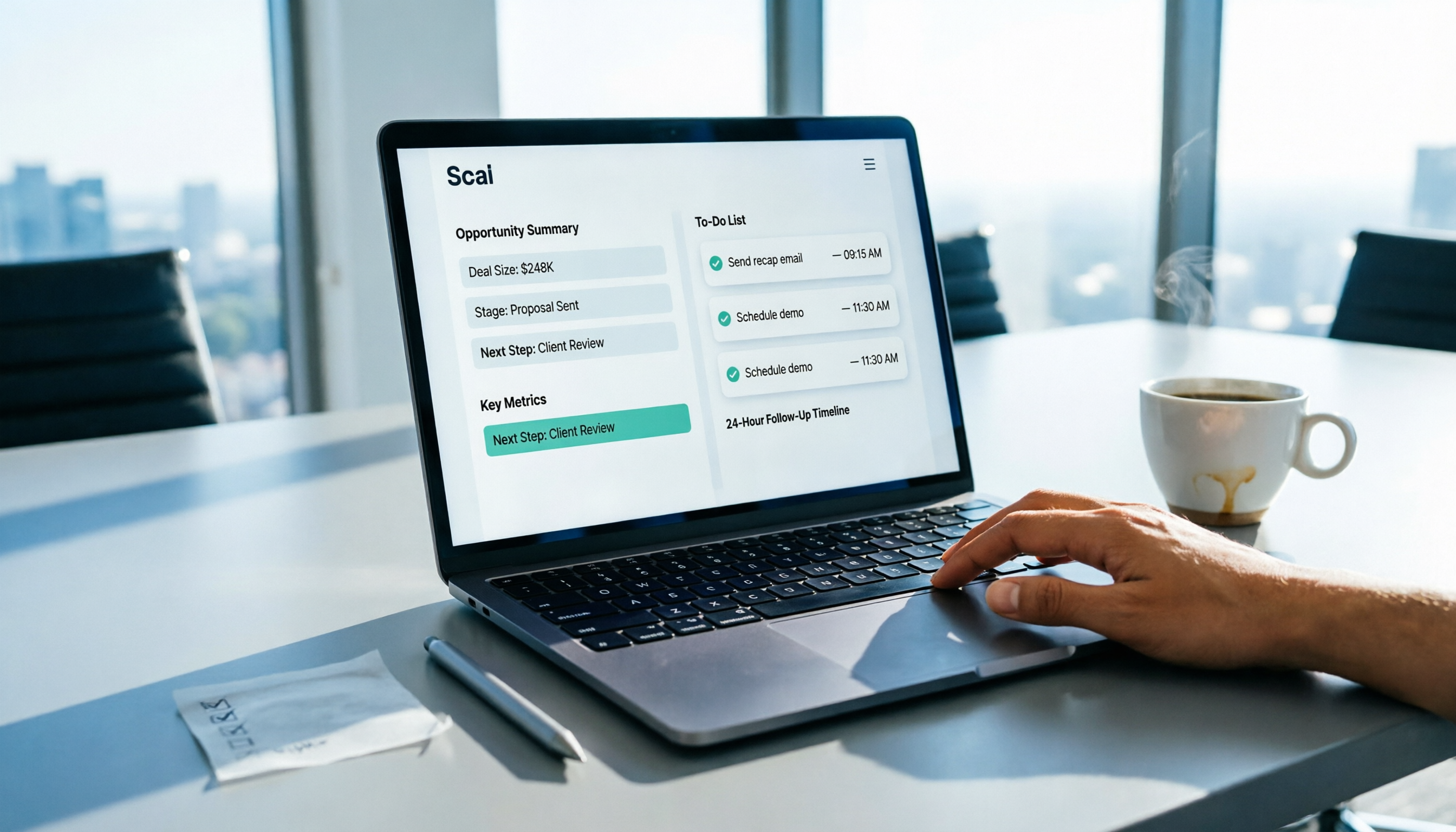
After a sales meeting, the real challenge is turning numbers, opportunities, and action items into a minutes template that everyone can understand and follow up on. This article compiles the commonly used table fields for sales teams in 2026, a blank format you can copy directly, and key filling points, and explains the 24-hour post-meeting follow-up process, so meeting minutes are no longer just archived documents.

2026 Comparison of 3 Free Customer Visit Record Solutions: Excel, Online Forms, and AI Meeting Notes—Which Saves the Most Time?
Many people think downloading a free customer visit record template solves the problem, but then find the fields hard to use, data scattered, and no follow-up after meetings. This article compares Excel templates, online forms, and Tinrec AI meeting notes, evaluating filling efficiency, post-meeting organization, team collaboration, and cost to help you choose a free starting solution for sales and customer visits.