

Turn recordings into transcripts and summaries in minutes
Upload audio or video for multilingual transcription, AI notes, and action items
2026 AI Meeting Recorder Comparison: 5 Tools Tested — Don't Just Look at Transcription Minutes
The first step to choosing the wrong tool often starts with comparing "free minutes"
When many people pick an AI meeting recorder, their first move is to open someone else's comparison table, scan down from "how many free minutes does the free version give," and pick the one with the most minutes. That order is often the source of later pain.
First common mistake: using minutes as the only filter. But minutes are calculated in two ways—one deducts minutes for "live recording," the other deducts minutes for "file upload import." Some plans don't deduct minutes for live recording and only consume quota for file imports; others consume quota for everything. Looking only at the number without understanding the calculation is like reading the wrong column.
Second mistake: thinking the job is done once you have a transcript. What really eats time is what comes after transcription—summaries, chapters, who's responsible for what, and when it's due. If all you get is a 40-minute transcript, you still have to read it from start to finish yourself.
Third mistake: treating "meeting bot auto-joins meetings" as standard. A bot appearing in the meeting list as a participant may require approval at some companies, and it's even more likely to hit snags in cross-department or external client meetings.
A more reasonable order is actually the reverse: first confirm the output you want (transcript? summary? action items? or a shared team database), then confirm your meeting format (online, in-person, mixed Chinese-English), and finally calculate quota and price.
Before choosing an AI meeting recorder, understand these 5 key points
1. How meetings are captured There are three mainstream methods: a bot joins the meeting as a participant, a desktop app directly captures computer system audio, and a physical recording device. The bot is the easiest but most likely to be blocked; desktop capture doesn't need an extra participant, but the user must remember to press record; hardware devices are good for随身 and phone call recording, but require buying extra equipment.
2. Chinese and mixed Chinese-English recognition experience Industry Chinese accuracy generally falls between about 85–95%, but a large part of that range depends on your recording conditions: air conditioning noise, keyboard sounds, multiple people talking over each other, and proper nouns all pull results down. Rather than comparing marketing numbers, check whether the tool has a mechanism like team hotwords that lets you feed in your company's internal terminology first.
3. What you get after transcription A tool that only gives you a transcript is essentially handing the organizing work right back to you. What's worth comparing: does it have automatic summaries and chapters, can it extract action items, can you continue asking questions about the meeting content, and can it export to your existing workflow (e.g., Notion, Google Docs, OneNote, Dropbox).
4. Team governance: roles and seats are two different things This is the most common pitfall in enterprise purchasing. Roles determine who can manage the team, members, and audits; seats determine whether a member can record, upload, edit, and import/export. Members who are active but have no seat can usually only view, play, and read team data. Before buying, be sure to ask: are you buying "a number of accounts" or "a number of usable seats"?
5. Is quota calculated per person or shared by the team Some plans use members' personal quotas to supplement team usage, so managers can't see actual consumption. Team-shared quota plus usage analytics is what makes costs predictable for buyers.
Tinrec — Turning transcripts into data you can keep working with
Tinrec is an AI meeting recording and collaboration tool for individuals and teams, available on iOS, Android, desktop, and web. It doesn't just convert audio to text—it organizes meetings into data that can be searched, summarized, queried, and exported.
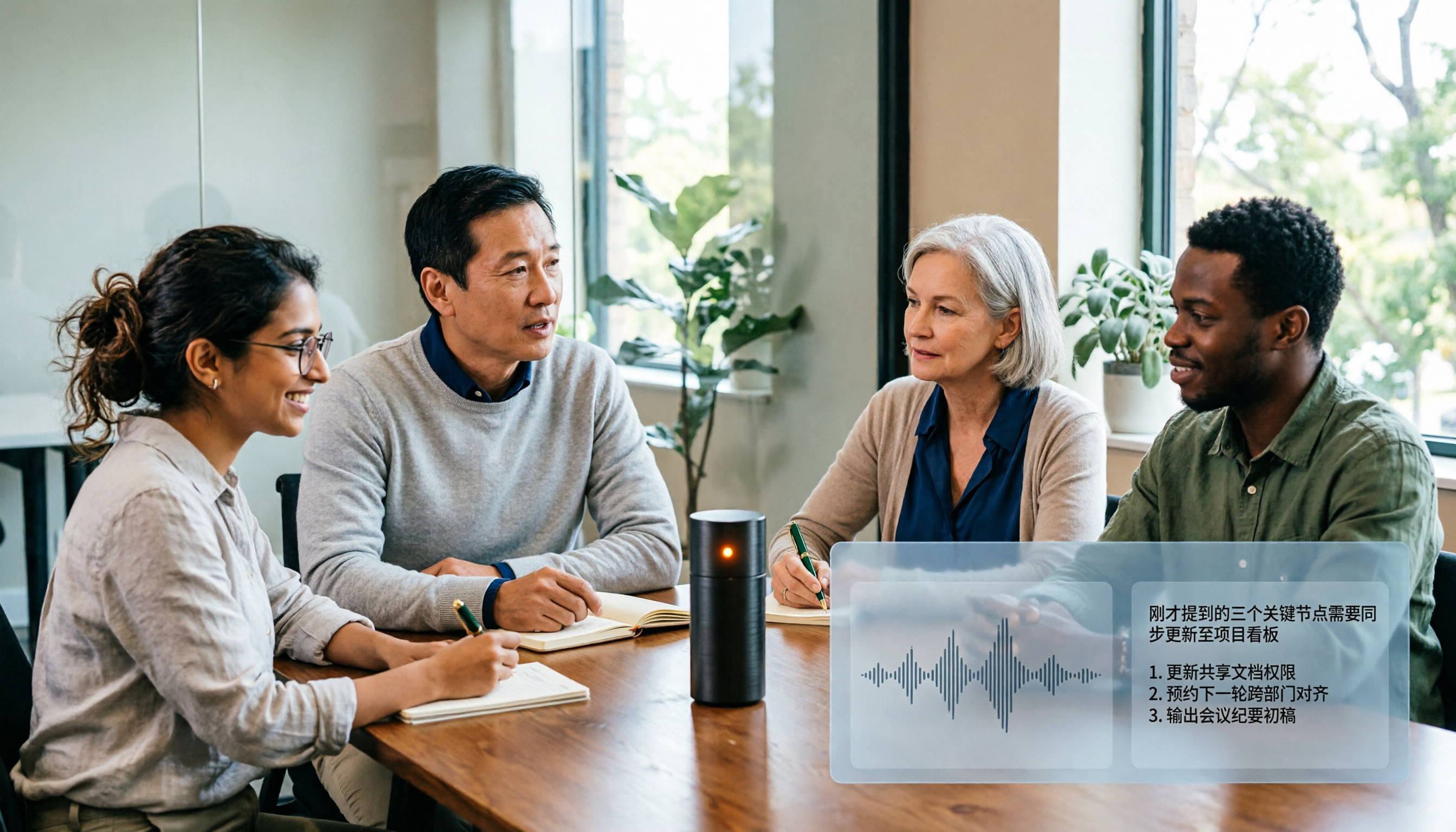
No extra participant in online meetings: The desktop version directly captures computer system audio, handling meeting content played on a computer from platforms like Zoom, Google Meet, Microsoft Teams, and Webex without inviting a bot to join. Note that this is not "automatically joining all calendar meetings"—users need to actively open Tinrec to start recording, and what you get in return is a clean participant list and no need to explain the extra attendee to clients.
Post-meeting organization is the main event: After the meeting ends, the system produces a transcript, AI summary, chapters, and key points, and extracts action items and a mind map from the discussion. For cross-language meetings, you can view the original text, translation, or bilingual content in real time. After recording, you can directly ask questions about the meeting content, such as "Who mentioned the budget in the last meeting?" It answers based on semantics rather than dumping a bunch of keyword search results. When you need to deliver, you can further generate reports, tables, and documents, and export to Notion, Google Docs, OneNote, or Dropbox for further processing.
Stop organizing recordings by hand
Upload audio or video and automatically get a transcript, summary, and action items
Team Edition keeps data in the company: The Team Edition is a separate team space, not multiple people sharing one personal account. Meeting data belongs to the team; you can create multiple team spaces, invite members via join links, set owners/admins/regular members, and assign or revoke seats. Managers can view team usage trends, member rankings, and details, query and export audit logs, and manage team hotwords; accidentally deleted audio goes to the recycle bin, currently retained for 30 days and recoverable before permanent deletion. When a member leaves or is removed, their team resources are handed over to other active members, so data doesn't follow the individual.
Pricing and quota basis: The first eligible team trial is 7 days, 1 free seat, and 300 minutes of team-shared import quota. Team monthly is USD 29.80 per paid seat per month; annual is USD 199 per paid seat per year, equivalent to about USD 16.58 per month. Each paid seat provides 2,000 minutes of team-shared import quota per month; under an active team plan and active seats, live recording currently does not deduct minutes, while file and web imports consume team-shared quota. The Personal Edition offers a free version, weekly pass, Pro monthly, and Pro annual—choose based on your tasks.
Limitations to be clear about: First, it is not a calendar bot and cannot automatically join all meetings; you need to manually start recording. Second, the Team Edition currently focuses on team-level sharing—all active members can read team data, and there is no file-level granular permission. Third, actual recognition performance is affected by recording quality, noise, accents, and overlapping speech; for important content, it's recommended to cross-check against transcript timestamps and the recording.
Who it's for: Departments and small-to-medium businesses that frequently hold Chinese or mixed Chinese-English meetings, don't want a bot in the meeting, want summaries and action items right after the meeting, and need to turn meetings into a shared team database.
Besides Tinrec, what other options are there?
Otter.ai: A mature AI meeting assistant with a deep user base for English business meetings. Basic is free with 300 minutes per month; Pro annual works out to about USD 8.49 per user per month, including 1,200 minutes of in-app recording and 10 file imports per month; Business offers unlimited meetings and in-app recording. If 90% of your meetings are in English and your team is already used to its workflow, it remains a reasonable choice. But for Chinese and mixed Chinese-English meetings, Tinrec's team hotwords, bilingual view, and Traditional Chinese interface are where it focuses more.
Notta: A multilingual transcription tool with high overlap with Tinrec. Free version offers 120 minutes per month, up to 3 minutes per item; Pro annual works out to about USD 8.17 per month, 1,800 minutes per month; Business annual works out to about USD 16.67 per seat per month, offering unlimited transcription, role permissions, and usage reports. It suits users who mainly do file transcription; but if you want desktop-based bot-free recording of online meetings plus governance capabilities like audit logs, audio recycle bin, and team hotwords, Tinrec's Team Edition fills those gaps more completely.
Granola: An AI meeting notes tool that also takes the bot-free route, transcribing in real time via desktop system audio and microphone, and combining with the user's handwritten notes to generate content. Basic is free, Business is USD 14 per user per month, Enterprise is USD 35 per user per month. Its approach is "your notes + AI enhancement," but it does not save meeting audio files and does not support uploading pre-recorded audio. If you need to keep recordings and organize historical meetings and phone recordings, Tinrec's file import and audio retention will be much more practical.
Pitfall guide: The 4 most common mistakes when choosing an AI meeting recorder
Pitfall 1: Looking only at minutes, not the quota basis. Are live recording and file import the same pool? Will team usage secretly eat into members' personal quotas? If you don't ask these two questions clearly, your bill will be harder to predict than you think.
Pitfall 2: Thinking a transcript equals meeting notes. Without summaries, chapters, and action items, you've just swapped "typing" for "reading." Before purchasing, ask directly for a sample of post-meeting output.
Pitfall 3: Ignoring cross-platform and historical files. Today you have an online meeting on a laptop, tomorrow you record an in-person interview on a phone, and the day after you need to organize an old recording from three months ago—if the tool only supports a single scenario, you'll quickly go back to typing manually.
Pitfall 4: Confusing roles and seats. "Everyone can see it" doesn't mean "everyone can edit it." Members without seats can only view and play; if this isn't clarified upfront, it's the most likely source of internal friction after adoption.
One more reminder: AI recording hardware (such as the PLAUD series, device starting at USD 159, with additional annual plans) and pure software solutions are two different budget structures. Don't put "one-time device purchase" and "monthly seat payment" on the same table for direct price comparison—clarify your needs first.
Conclusion: Which one should you actually choose?
In one sentence: The value of a meeting recorder isn't how many words it transcribes, but how much work you save after the meeting.
- Chinese or mixed Chinese-English meetings, need summaries, chapters, action items → Tinrec, these are its strengths.
- Online meetings without an extra bot participant → Tinrec desktop version, directly captures system audio.
- After recording, want to ask questions about meeting content in Chinese and generate reports and tables → Tinrec, this is where it differs from most same-priced plans.
- Department needs to share meeting data, manage member seats and usage, and have audit records → Tinrec Team Edition, data belongs to the team, member changes can be handed over.
- Meetings are almost entirely in English, team already familiar with existing workflow → Otter.ai, the rare exception recommendation in this article.
- Only need large-volume long-file transcription, no meeting collaboration → Notta or file-based tools offer better value.
Finally, a practical suggestion for buyers: don't test with vendor demo audio first. Pick a recording of one of your own real meetings—ideally one with air conditioning noise, people talking over each other, and mixed English terminology—run it through the free quota, and see how much the transcript needs editing, whether the summary captures the key points, and whether action items miss anyone. After one round, the answer usually emerges, and there's no need to rush to pay upfront.
References
Turn every recording into actionable outcomes
Get 60 free transcription minutes when you sign in. No credit card required.
Related Reading
You might also like

6 AI Meeting Transcription Tools Tested and Compared in 2026: Which Free Version Is Good Enough?
2026 comparison of 6 AI meeting transcription tools, covering Tinrec, Otter, Fireflies, Notta, TurboScribe, Granola, and PLAUD, including meeting capture methods, free quotas, paid pricing, and ideal users, to help you quickly choose a tool that fits Chinese meetings, team collaboration, and your budget.

2025 AI Meeting Notes Table Tools Compared: Tinrec vs Granola — Which One Actually Delivers a Ready-to-Share Table?
The hardest part of meeting notes isn't recording — it's turning the conversation into a table you can hand off. This comparison puts Tinrec and Granola head-to-head on five dimensions: table-ready output, Chinese recognition, audio retention and playback, team collaboration, and pricing/quotas. It also includes the columns a meeting notes table should have and answers common questions, so you can decide which tool fits your meeting workflow.

4 AI Meeting Note Apps Compared for 2026: Free Tiers to Team Collaboration
Too many meetings and too much time spent taking notes? This hands-on comparison of Tinrec, Notta, Otter.ai, and PLAUD reveals their Chinese transcription quality, bot-free recording, post-meeting organization, team collaboration, and free tier limits—so you can see which one best fits your workflow.
6 AI Meeting Transcription Tools Tested and Compared in 2026: Which Free Version Is Good Enough?
2026 comparison of 6 AI meeting transcription tools, covering Tinrec, Otter, Fireflies, Notta, TurboScribe, Granola, and PLAUD, including meeting capture methods, free quotas, paid pricing, and ideal users, to help you quickly choose a tool that fits Chinese meetings, team collaboration, and your budget.

How to Take AI Meeting Notes in 2026: 5 Steps from Recording to Team-Ready Data
Does the meeting end only to start your overtime? This article tackles real pain points, breaks down 4 key factors for choosing an AI meeting notes tool in 2026, then demonstrates a 5-step process to turn a meeting into a transcript, summary, action items, and team data. It also compares Tinrec, Notta, Granola, and Otter.ai in terms of differences and use cases.
2026 AI Meeting Notes Tool Review: 3 Common Dcard Questions and How Tinrec Solves Them
On Dcard, the most common questions about AI meeting notes are free quota, Chinese accuracy, and post-meeting organization. This article uses Tinrec to test a full meeting workflow—from recording and transcription to summaries and action items—and outlines 5 buying considerations and FAQs to help you decide which tool truly fits professionals and teams.

2024 AI Meeting Notes Tools Compared: Free to Team Plans Explained
How to choose an AI meeting notes tool in 2024? This article starts from real meeting pain points and compares Tinrec, Otter.ai, Notta, and Granola on transcription, summarization, AI Q&A, and team collaboration. It also covers selection criteria and pitfalls to help you find the right solution for Chinese-language meetings and team knowledge retention.

2026 AI Meeting Notes Comparison: 5 Key Buying Factors Beyond Transcription Minutes
In 2026, AI meeting notes are shifting focus from transcription speed to bot-free recording, post-meeting outputs, and team data governance. This article breaks down the decision with 5 key buying factors and demonstrates the workflow from recording to summary, action items, AI Q&A, and team seat management using Tinrec.

AI Meeting Notes Cost in 2026: Free Tiers and Team Plan Pricing Explained
Starting from common Dcard questions about free tiers, this guide breaks down how AI meeting notes costs are calculated and compares the free and paid plans of Tinrec, Granola, Otter.ai, and TurboScribe.