

Turn recordings into transcripts and summaries in minutes
Upload audio or video for multilingual transcription, AI notes, and action items
Most people searching for "Zoom meeting auto-recording" aren't actually thinking about "how to record the audio"—Zoom itself can record video. The real question is: after recording, who organizes it?
A 60-minute meeting produces roughly 8,000 to 12,000 words of transcript. Without tools, you'd spend the same amount of time or longer re-listening, extracting key points, and writing action items—and this work usually falls on one person.
This article skips the vague "AI is so convenient" talk and directly compares 3 free methods, so you can choose based on budget, privacy, and organization efficiency. Bottom line: if you need Chinese transcripts, post-meeting summaries, and action item lists without a bot appearing on the meeting roster, Tinrec's desktop app with "bot-free recording + AI organization" is currently the most hassle-free combination. Here's why.
Ask Three Questions to Decide Which Free Method to Use
Before comparing tools, confirm your criteria. These three questions will directly determine which path suits you.
Question 1: Are you willing to let a "meeting bot" join the meeting? Bot-style tools appear on the participant list as an attendee, which can be awkward for external client meetings and requires prior notification. If you don't want an extra participant, you must choose a method that "captures system audio locally."
Question 2: Is your free quota "long-term small amount" or "one-time trial"? Some plans give a fixed number of minutes per month, while others only give new accounts a one-time quota. If you have 3 meetings per week, a one-time quota probably won't last two weeks. Evaluate based on "reusable amount per month," not how much you get on signup day.
Question 3: Where does meeting data ultimately reside? Recordings stored in personal accounts follow the person. Meeting conclusions, decision rationale, and action items for team use need a place everyone can access. This is often overlooked in the free stage but is the biggest regret later.
What Can Zoom Meeting Auto-Recording Do for You?
Scenario 1: Get meeting minutes within 5 minutes after the meeting
Previously, a two-hour meeting required another hour of organizing afterward. With Tinrec, for example, AI generates summaries, chapters, and action items as the meeting ends—who's responsible for what and when it's due, clearly listed.
Scenario 2: Handle meetings with mixed Chinese and English
Taiwanese teams rarely meet in pure Chinese—product names, technical terms, and original client emails are often in English. Tinrec covers Chinese, Traditional Chinese, and multilingual meeting scenarios, and supports team hotwords so you can pre-load internal project abbreviations and product codes for more stable recognition.
Scenario 3: Never miss client requirements and commitments
The easiest thing to miss in client interviews is "concerns mentioned in passing." Transcripts preserve original statements, and afterward you can directly ask AI questions like "What were the client's concerns about pricing?" without re-listening to the entire recording.
Scenario 4: Turn past meetings into a searchable database
Letting meetings end without follow-up is the biggest waste. Tinrec centralizes transcripts, summaries, and action items in a team space, so new members can review past meetings and decision context doesn't disappear with staff turnover.
Breaking Down Three Free Methods: From Completely Free to Free Quota
Method 1: Use built-in platform recording, organize manually afterward
Lowest cost, but not everyone can use it. Zoom's recording and note-related capabilities require account plan, host controls, admin settings, and participant permissions to all allow it; in other words, you might be the person "with permission to press record," or you might not.
Even if you record, it gives you a video, not a searchable document. Decisions, owners, and deadlines still need to be dug out of the video yourself—that hour is unavoidable.
Method 2: Record yourself, upload to free transcription quota
A more advanced approach is recording on your phone or computer, then uploading to a transcription service with a free quota. Two problems: first, free quotas are usually small and distributed over time; second, after uploading meeting recordings, you mostly get only "text"—summaries and action items still require manual work.
If you only occasionally organize a 20-minute interview, this path works; if you have meetings every week, it becomes another form of overtime.
Method 3: Desktop bot-free recording + AI automatic organization
This is currently the most efficient path for organization. With Tinrec, for example, the desktop app directly captures system audio, handling Zoom, Google Meet, Microsoft Teams, Webex, and other online meetings, without inviting a meeting bot to join—no extra name appears on the meeting roster.
To clarify: Tinrec is not a bot that "automatically joins all meetings on your calendar"; instead, the user actively opens the desktop app to initiate recording and real-time transcription. This distinction matters because it addresses both privacy perception and accidental recording risks.
| Comparison Item | Method 1: Built-in platform recording | Method 2: Recording + free transcription | Method 3: Tinrec desktop app |
|---|---|---|---|
| Additional cost | $0, but limited by plan and permissions | Starting at $0, quota usually small | Free version offers basic quota for trial |
| Extra bot on meeting roster | No | No | No |
| Transcript | Requires separate processing | Yes, but loosely formatted | Yes, searchable and reviewable |
| Summary and chapters | No | Mostly manual | Automatically generated |
| Action items | No | No | Automatically extracted |
| Can query meeting content | No | No | AI Q&A supported |
| Best for | Record-keeping only | Occasional single recording | Weekly meetings needing post-meeting output |
What Are the Core Capabilities of Zoom Meeting Auto-Recording?
1. Bot-free recording Tinrec's desktop app captures system audio without occupying a meeting seat or disrupting the participant list. For sales and customer success teams that meet externally, this value far exceeds the minutes listed on a spec sheet.
2. Real-time transcription Transcribes while recording, not after. During the meeting, you can confirm in real time whether key points were missed and ask clarifying questions on the spot—more efficient than listening three times afterward.
Stop organizing recordings by hand
Upload audio or video and automatically get a transcript, summary, and action items
3. AI summary and chapters Not just compressing the transcript into a paragraph, but structured organization: meeting topic, discussion flow, conclusions, and action items listed separately. Long meetings are divided into chapters for easy jumping during review.
4. Action item extraction and AI Q&A The system extracts action items from discussions; after transcription, you can directly ask "What was the conclusion about the budget in this meeting?" and find answers semantically without guessing keywords.
5. Real-time translation and bilingual view Cross-language meetings can display original and translated text simultaneously, no need to wait for post-meeting translation.
6. Multi-format export and Agent post-processing Meeting results can be integrated into existing workflows, with export support to Notion, Google Docs, OneNote, Dropbox, and other tools, and can further generate reports, tables, and meeting minutes documents.
Practical Application Scenarios
Department weekly meetings and project meetings The most time-consuming part of regular weekly meetings is "where did we leave off last time." Tinrec keeps each meeting's summary and action items in the team space; a quick glance before next week's meeting brings you up to speed, and decision rationale can be traced back via transcripts.
Client interviews and requirements communication What clients say is an asset. Rather than relying on memory to write meeting notes, let transcripts preserve original statements, then use AI Q&A to extract requirements, objections, and commitments, and later organize them into proposal materials.
Course and lecture recording For a two-hour class, transcripts plus chapters and summaries let you find sections directly during review. This is far more reliable than borrowing notes from classmates afterward.
Content creation and knowledge retention After interview recordings are transcribed, you can directly ask "What three key practices did the interviewee mention?" and turn audio material into article structure—this is exactly where "just getting a transcript isn't enough."
From Free to Team: How to Match Versions and Budget
How to choose personal version The free version offers basic quota to experience recording, import, summary, and transcription; if it's only short-term intensive meetings or interviews, a weekly card is more suitable; for steady weekly needs, choose the Pro monthly card; for long-term recording retention, the Pro annual card has a lower monthly equivalent. The criterion isn't price—it's your usage frequency.
Team version solves a different problem The team version isn't "multiple people sharing one personal account" but an independent team space. Meeting data belongs to the team, with roles, seats, usage analytics, audit logs, and an audio recycle bin.
| Item | Current terms |
|---|---|
| First eligible team trial | 7 days, 1 free seat, 300 minutes team shared import quota |
| Team monthly | USD 29.80 per paid seat per month |
| Team annual | USD 199 per paid seat per year, equivalent to about USD 16.58 per month |
| Paid seat benefits | 2,000 minutes team shared import quota per seat per month |
| Real-time recording | Currently not deducted by minutes under active team plan and active seat |
It's important to distinguish "roles" from "seats": roles determine who can manage the team and members, seats determine who can record, upload, edit, and import/export. Active members without a seat can still view, play, and read team data, but cannot perform resource usage operations. When purchasing, looking only at headcount can easily underestimate the actual number of seats needed.
Prices and benefits are subject to the official purchase page.
5 Things to Note When Choosing a Zoom Meeting Auto-Recording Tool
1. Chinese and mixed Chinese-English recognition performance Pure English meetings have a low recognition threshold; the challenge is Chinese plus product terminology. Test with a real meeting recording from your own company, not official marketing. Tinrec covers Chinese, Traditional Chinese, and multilingual scenarios, and can correct technical terms using team hotwords.
2. The real boundaries of free quota Check clearly whether it's monthly, daily, or one-time; whether it's real-time recording quota or document import quota. Tinrec's team version calculates "real-time recording" and "document import" separately; imports use the team shared quota and won't eat into members' personal quotas.
3. Whether meeting audio files are retained Some tools keep only text, not audio. This can be problematic when you need to "verify original statements." Tinrec retains audio files, transcripts can be played back against recordings for verification, and accidentally deleted team audio can be restored from a 30-day recycle bin.
4. Whether post-meeting outputs can integrate into existing workflows If summaries are read and then gone, they're useless. Confirm whether the tool can export and generate documents and tables. Tinrec supports multi-format export and can produce reports, tables, and meeting minutes via Agent.
5. Team governance capabilities Where does data go after a member leaves, who used how much quota, can operation logs be checked—these issues don't hurt teams under three people but hurt a lot in a thirty-person team. Tinrec's team version provides member and seat management, usage analytics, audit logs, and resource handover mechanisms.
Frequently Asked Questions
Q1: Does Zoom meeting auto-recording require prior consent? Yes. Recording and transcription involve local regulations and company policies; in practice, you should inform participants and obtain consent at the start of the meeting, especially for external meetings.
Q2: Will Tinrec automatically join Zoom meetings on my calendar? No. Tinrec's desktop app is actively opened by the user to capture system audio for recording online meetings; it doesn't require a meeting bot to join and won't sneak into meetings on its own.
Q3: What can the free version do? The free version provides basic quota to experience recording, document import, AI summary, and transcription. It's suitable for first confirming whether Chinese recognition quality and post-meeting output fit your workflow before deciding to upgrade.
Q4: How accurate is the transcript? It's not recommended to judge by a single number. Actual performance is affected by recording quality, background noise, accents, overlapping speech, and technical terminology. A more reliable approach: verify important conclusions against transcript timestamps and recording playback, rather than relying entirely on AI.
Q5: If a team member leaves, will meeting data be taken away? No. Team resources belong to the team; when a member exits, is removed, or loses their seat, their responsible team resources must be handed over to other active members.
Q6: Can deleted team audio files be recovered? After audio enters the team recycle bin, it can be restored before permanent cleanup begins; the current retention period is 30 days. Action items are not covered by the recycle bin—keep this in mind.
Conclusion
The barrier for Zoom meeting auto-recording is no longer "can it be converted to text" but "can it be used after conversion." Among the three free methods, built-in platform recording has the lowest cost but all organization falls on you; recording plus free transcription quota suits occasional use; what truly pulls you out of post-meeting overtime is the combination of bot-free recording with AI summaries, action items, and Q&A.
If you have more than 3 meetings per week, we suggest first running one or two real meetings with Tinrec's free version basic quota to see the quality of Chinese transcripts and post-meeting summaries, then decide whether to stay on the personal version or move to the team version. The team version offers a 7-day trial with 1 free seat and 300 minutes shared import quota—perfect for verifying how much "meeting data becoming a team asset" is really worth to you.
References
- What Tools to Use for Zoom Online Meeting Notes? 2026 Top 5 AI Transcript and Summary Solutions (including Tinrec) - Miaoting Recording Blog
- Meeting Ink - AI Meeting Notes Assistant Automatic Transcription and Summary
- 2026 Top 10 Zoom AI Note-Taking Tools Tested and Compared: Find the Most Accurate and Suitable Zoom Meeting Notes Recommendation
- Meeting Notes AI Auto-Generation | Genspark
- Zoom AI Note Assistant: Automatic Transcription, Summary, and Action Items | HiNoter Blog
Turn every recording into actionable outcomes
Get 60 free transcription minutes when you sign in. No credit card required.
Related Reading
You might also like

Best Voice Note Apps in 2026: Hands-On Test of 4 Tools—This One Excels at AI Summaries and Post-Meeting Q&A
A mid-level manager who attends 15 meetings a week shares honest feedback after testing 4 voice note and AI organization tools. From 'what you get after transcription' and 'how meetings are recorded' to 'can you ask follow-up questions' and 'team governance,' we break down 4 key criteria for choosing a tool, and candidly explain who Tinrec, Granola, Otter.ai, and PLAUD are each suited for—and where the pitfalls lie.

2026 Comparison of 3 WhatsApp Audio-to-Text Solutions: Built-in Transcription vs. AI Organization
Transcribing WhatsApp voice messages and transcribing call recordings are two different things. This article starts with common misconceptions and compares WhatsApp's built-in transcription, Notta, TurboScribe, and Tinrec in terms of their actual differences in organizing call and meeting content, with cost and quota details, to help you choose the approach that truly saves time.

2026 Slack Meeting Recording AI Comparison: 4 Tools Tested — Which One Actually Turns Meetings into Usable Records?
Slack Huddles disappear as soon as they end — a common pain point for many teams. This article starts from real usage scenarios, breaks down 5 key buying criteria, and compares Tinrec, Slack's built-in AI recording, Notta, and Otter.ai on meeting capture methods, post-meeting outputs, cross-meeting Q&A, and team governance. It also includes a pitfalls guide and scenario-based selection advice.

How to Review Interview Recordings in 2026: 5 Steps to Summarize Key Points with AI Analysis Tools
Stop replaying entire interview recordings. Using Tinrec as an example, this article walks you through 5 steps to transcribe interview recordings, summarize key points, ask follow-up questions with AI, export and archive, and collaborate with your team—plus answers to common questions and tool selection advice.

4 DingTalk Meeting AI Note-Takers Tested for 2026: Which One Actually Turns Recordings into Minutes and Action Items?
DingTalk meeting over, and the recording just sits there because no one wants to listen again? This article starts with common misconceptions and breaks down the 4 key factors for choosing a meeting AI: capture method, post-meeting processing, Chinese language performance, and data ownership. It also compares Tinrec, Notta, Otter.ai, and TurboScribe in real DingTalk meeting scenarios, with a guide to avoiding pitfalls and selection advice.

How to Transcribe Feishu Meeting Recordings in 2026: A 4-Step Guide
Wondering how to turn your Feishu meeting recordings into searchable, summarizable, and queryable transcripts and meeting notes? This guide walks you through 4 steps to convert Feishu meeting recordings into usable transcripts, plus 5 key considerations when choosing a transcription tool, differences between free and team plans, and answers to common questions.

4 Best Tencent Meeting Transcription AI Tools in 2026: Which One Actually Saves Post-Meeting Time?
Tired of re-listening to Tencent Meeting recordings? This article breaks down 4 key purchasing criteria: how audio gets into the tool, whether output is just text or usable data, real-world performance with Chinese and mixed Chinese-English, and team data ownership and seat governance. We compare Tinrec, Notta, Otter.ai, and TurboScribe on workflow differences and pricing to help you decide which tool to buy and how many seats you need.
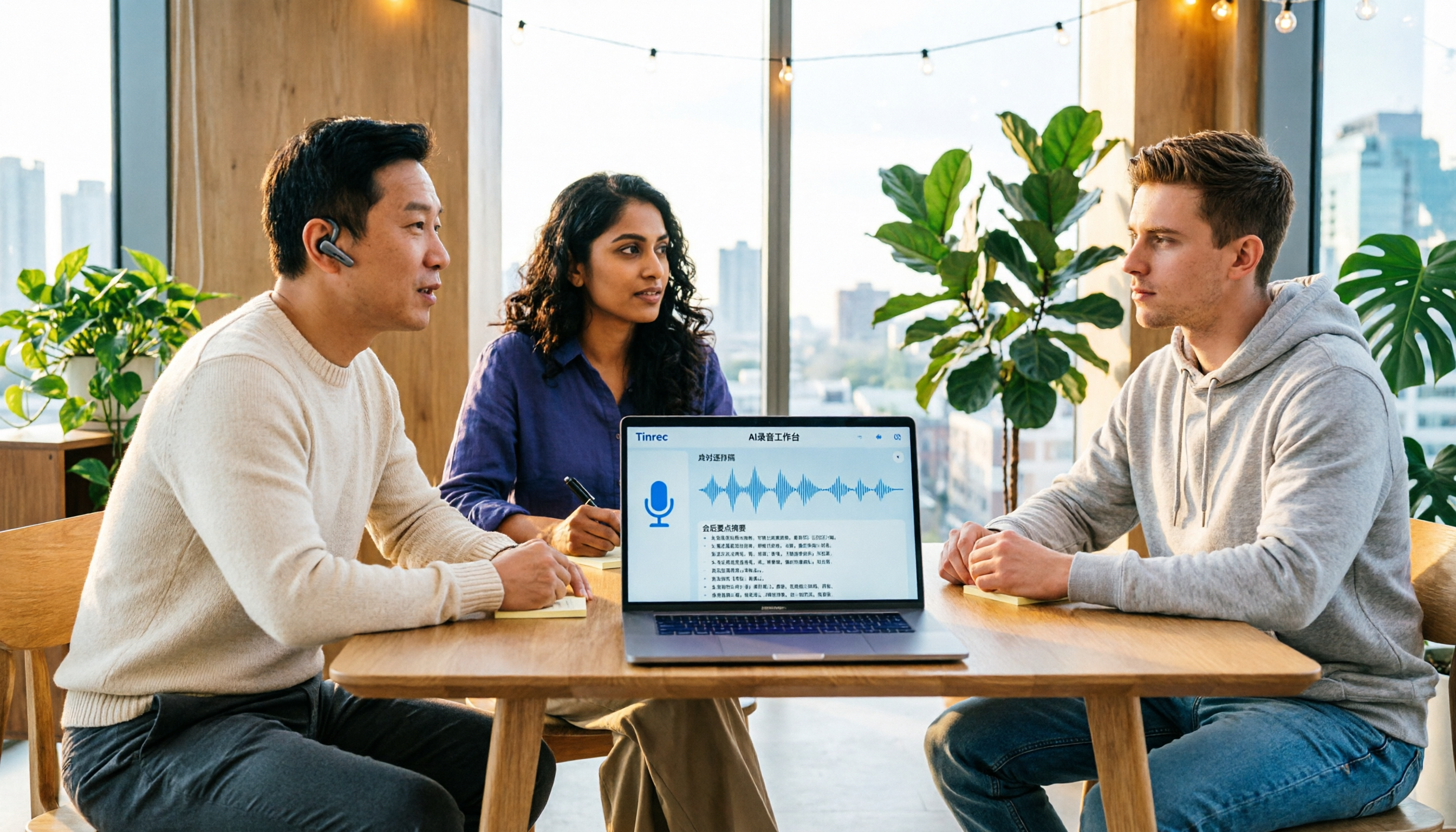
Discord vs Tinrec 2026: 5-Factor Comparison for Call Recording to Text
Discord doesn't have built-in call recording. How can you turn voice channel discussions into transcripts? This guide covers 5 practical solutions, from built-in voice messages and free transcription tools to Tinrec's AI recording workspace, and compares them across 5 dimensions: recording completeness, transcription quality, post-meeting organization, cross-device use, and cost.

2026 Comparison of 4 Remote Work Online Meeting Transcription Tools: From Free to Paid
Remote work often takes more time after meetings than during them. This article compares four online meeting transcription tools in 2026 across four dimensions: recording method, post-meeting output, data retention, and team governance. It provides clear selection recommendations based on budget and use cases to help you justify your choice in procurement meetings.