
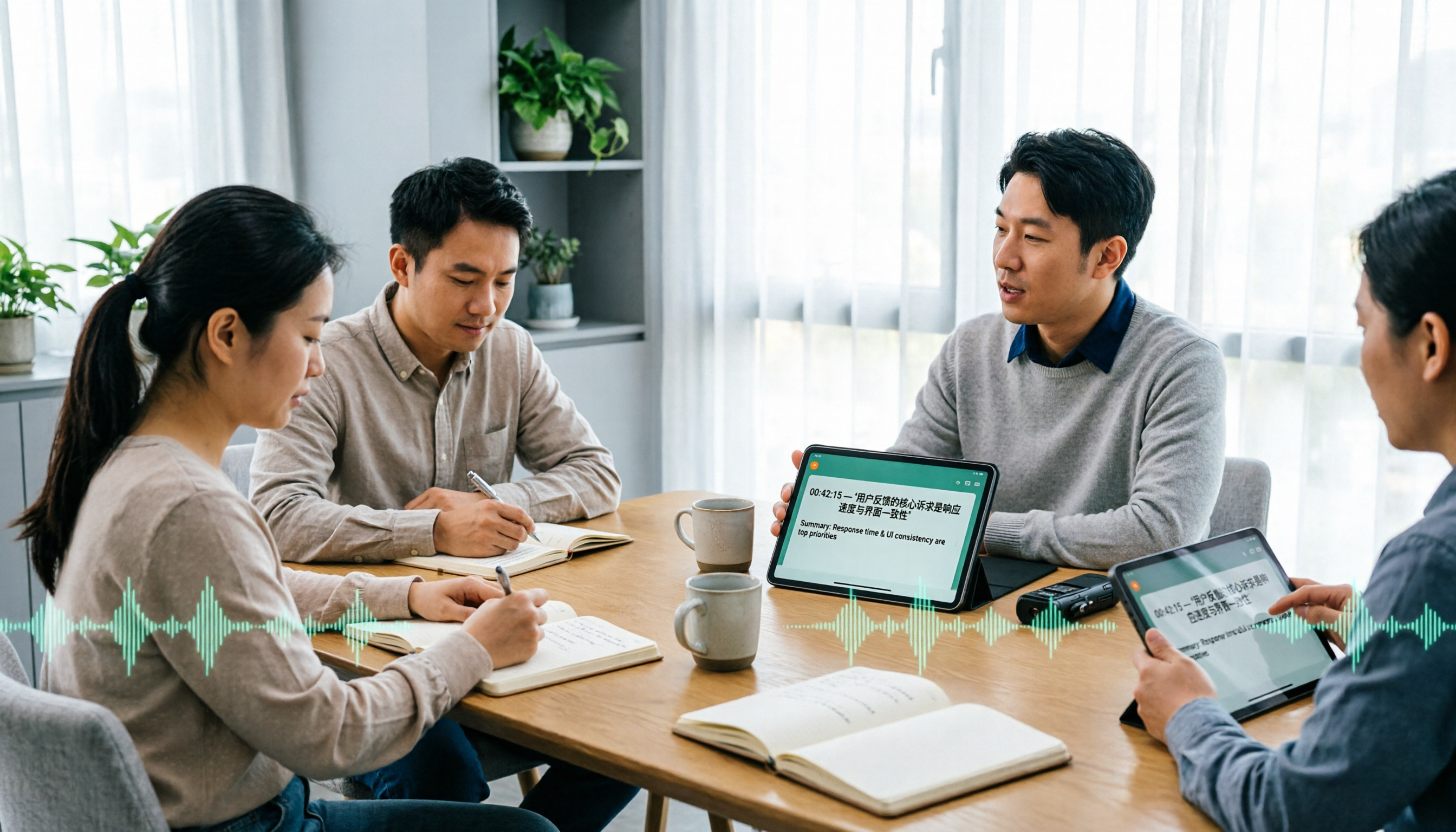
Turn recordings into transcripts and summaries in minutes
Upload audio or video for multilingual transcription, AI notes, and action items
It's 3 p.m. on a cross-border call. The other side speaks English for 40 minutes. You listen and scribble, and end up with three crooked lines of notes. That night you open the recording to catch up, and the one-hour content takes another two hours to re-listen to.
This is probably the real starting point for most people searching for a "recording translation app." They're not looking for some sci-fi tech—they just want to finish a meeting or a class without spending another round turning audio into readable text.
I ran a round of hands-on tests with several common tools on the market, and this article is organized into a comparison you can directly reference.
Why do most people still have to re-listen after recording?
First, a common misconception: treating a "translation app" and a "recording-to-text tool" as the same thing.
Google Translate's conversation mode is instant, free, and simple—great for asking directions or ordering food abroad. But it can't record for long periods, doesn't leave a complete transcript, and once the conversation ends, the content is hard to revisit.
On the other hand, tools like Notta and Otter have mature transcription capabilities, but many people's pain point comes "after transcription"—you have the transcript, but summaries, action items, and bilingual comparison still need another round of manual work.
If what you want is a workflow of "record while translating, and organize when it ends," then a tool like Tinrec that bundles transcription and post-processing together will be closer to your needs than a pure translation app.
What is Tinrec?
Tinrec is an AI meeting notes and collaboration tool for individuals and teams. It turns live recordings, online meetings, and audio/video files into text, then further generates summaries, chapters, action items, and AI Q&A.
Simply put, it doesn't sell the act of "transcription"—it sells usable data after transcription.
I usually look at one thing first: can this tool let me "not have to re-listen"? Tinrec's answer on this point is yes.
How is Tinrec different from Notta, Otter, and Google Translate?
How online meetings are recorded
This is the most easily overlooked part, but it has the biggest impact afterward. Notta and Otter commonly send a meeting bot to join as a participant—an extra member appears on screen, which some people find awkward or forget to enable.
Tinrec's desktop version takes another path: it directly captures the computer's system audio, handling Zoom, Google Meet, Microsoft Teams, and Webex meeting content played on the computer, without inviting an extra bot. Note that this doesn't mean automatically joining all meetings on your calendar—you still need to actively open Tinrec to start recording.
Live translation and bilingual comparison
Google Translate wins on instant use, but the translation disappears afterward. Tinrec's approach is to display the original, translation, or bilingual content simultaneously during recording, so you can confirm what the other party is saying during the meeting, and still have a bilingual transcript afterward.
For meetings with mixed Chinese and English, this difference is practical—you don't have to choose between "understanding" and "writing it down."
What you can do after transcription
This is where Tinrec pulls ahead. The transcript is just the starting point; after that come AI summaries, chapter segmentation, action item extraction, mind maps, and AI Q&A that lets you keep asking questions about the meeting content.
Otter also has summaries and AI Chat, with decent maturity, but its mindset leans more toward English business meetings. If your meetings are mainly in Chinese, Tinrec's experience will be smoother.
Handling Chinese and mixed Chinese-English
Tinrec covers Chinese, Traditional Chinese, and multilingual meeting scenarios, and also supports team hotwords, so you can add commonly used internal product names and project codes.
Note that no tool should promise a fixed accuracy rate. Actual performance is affected by recording quality, ambient noise, accents, overlapping speakers, and technical terminology. For important content, it's recommended to cross-check with transcript timestamps and recording playback.
Who ultimately owns team data
Personal version data belongs to the individual account. Tinrec's team version is a separate team space where meeting data belongs to the team, and it provides roles, seats, usage analytics, audit logs, and an audio recycle bin.
Otter and Notta's Business plans also have team and permission designs—this is not unique to Tinrec. The difference is that Tinrec also incorporates "how data is handed over after a member leaves" into its design: when a member exits or is removed, their team resources can be transferred to other active members.
Tinrec's core features at a glance
Live recording to text: Press record, and text appears almost synchronously. Works for offline meetings, interviews, and classes—the transcript is already formed when it ends.
Bot-free online meeting recording: The desktop version captures system audio to handle Zoom, Meet, Teams, and Webex meetings, without an extra bot hanging in the participant list.
Live translation: During recording, you can switch between original, translation, or bilingual view, so cross-language meetings don't require waiting until afterward to understand.
AI summaries, chapters, and action items: Long meetings are automatically broken into readable sections, and "who is responsible for what" is organized into action items. This is the part I use most myself.
Stop organizing recordings by hand
Upload audio or video and automatically get a transcript, summary, and action items
AI Q&A and Agent post-processing: After recording a one-hour meeting, just ask "What was the conclusion?" or "What concerns did the client raise?" and it answers based on semantics. You can also further generate reports, tables, and meeting minutes.
Multi-format export: Supports export to Notion, Google Docs, OneNote, Dropbox, and other tools, bringing results back into your existing workflow.
Team space: Centrally stores team recordings, folders, and action items, so new members can also view past meetings.
Real-world use cases
Cross-border client meetings: The other side speaks English, you speak Chinese. Tinrec records and translates simultaneously, and the bilingual transcript afterward can be used directly to write meeting minutes. Previously this kind of meeting took me about twice the time to organize; now I mostly wrap up within half an hour.
User interviews: Research interviews fear missing exact quotes. Tinrec keeps the full transcript, and afterward you can use AI Q&A to find "what the interviewee said when mentioning price," much faster than manual Ctrl+F.
Classes and lectures: After a one-hour class is split into chapters, you can review only the key sections without listening from start to finish.
Team weekly meeting retention: Put each weekly meeting into the team space, keeping action items and decisions in one place, so new joiners don't have to ask around "where did that decision come from last time?"
Things to watch when choosing a recording translation app
Can it record for long periods: Travel-oriented translation apps usually handle only short phrases; formal meetings need a tool that can last an hour without dropping.
What you get after transcription: Having only a transcript versus having summaries, action items, and Q&A are two completely different workloads.
Whether audio files are retained: Some tools don't save meeting audio, so you can't check the original tone later. Tinrec retains recordings and also provides a recycle bin mechanism.
Recognition of Chinese and proper nouns: Tools with hotword management are noticeably better in situations with many product names, abbreviations, and internal terminology.
Team permission design: Distinguish between "roles" and "seats." In Tinrec's team version, members without seats can still view, play, and read team data, but must obtain a seat to record, upload, edit, and export.
Plans and pricing
Tinrec's personal version is divided into a free plan, weekly pass, Pro monthly, and Pro annual. The free plan provides a basic quota so you can try recording, importing, summaries, and transcription; for short-term intensive meetings or interviews, the weekly pass is more suitable; for steady weekly use, choose Pro; for long-term data retention, the annual plan has a lower monthly equivalent. Prices and quotas are subject to the official website.
Tinrec's team version currently states: eligible teams get a 7-day trial, 1 free seat, and 300 minutes of team shared import quota; team monthly payment is USD 29.80 per paid seat per month, annual payment is USD 199 per paid seat per year (equivalent to about USD 16.58 per month). Each paid seat provides 2,000 minutes of team shared import quota per month; live recording is currently not deducted by minutes under an active plan and seat.
For comparison, Notta's free plan offers 120 minutes per month with a 3-minute limit per item; Pro annual is about USD 8.17 per month equivalent with 1,800 minutes per month; Otter Basic is free with 300 minutes per month, and Pro annual is about USD 8.49 per user per month equivalent. These numbers may change with official adjustments; check the official page again before ordering.
How to get started: three steps
Step one: Install the Tinrec desktop version or mobile app. To record online meetings, use the desktop version.
Step two: For offline meetings, just press record; for online meetings, start recording in the desktop version, and the system will capture the meeting audio played on the computer. Remember to confirm microphone and system audio settings are correct first.
Step three: After the meeting ends, open the transcript, switch to bilingual view if you need translation, then review summaries, chapters, and action items, and finally export to your usual document tool.
Conclusion: Is Tinrec worth a try?
If all you need is directions abroad, Google Translate is enough.
But if you frequently handle meetings, interviews, or classes that last an hour or more, and need Chinese transcription, live translation, post-meeting summaries, and team retention all in one place, Tinrec is currently one of the few choices that can connect this entire workflow. It doesn't rely on bots joining meetings, and you don't need to buy extra recording hardware—web, desktop, and mobile all work.
I suggest starting with the free plan's basic quota and testing it on a real meeting you have on hand. Whether it fits, you'll know after one recording.
FAQ
Is the free plan enough?
If you only have one or two short meetings a week, the free plan's basic quota is enough to test the waters. If usage is more intensive, the weekly pass or Pro will be more practical.
Which meeting platforms are supported?
The desktop version can handle Zoom, Google Meet, Microsoft Teams, and Webex meeting audio played on the computer. This is system audio capture, not an official partnership with these platforms.
Can translation be shown bilingually?
Yes, during recording you can switch between original, translation, or bilingual view, and the transcript retains the same comparison method.
Is Chinese recognition accurate?
It performs stably in common scenarios with clear recording and non-overlapping speech, and also supports team hotwords to improve recognition of technical terms. But actual results are affected by noise, accents, and recording quality; it's not recommended to treat any tool's accuracy rate as a fixed number.
What's the difference between the team version and the personal version?
Personal version data belongs to the individual account; the team version is a separate space where data belongs to the team, with additional members, roles, seats, shared quota, usage analytics, audit logs, and audio recycle bin. Members without seats can view team data but cannot upload, edit, or export.
Do I need to inform others before recording?
Yes, pay attention. Recording and transcription involve local regulations and personal data protection; it's recommended to inform participants and obtain consent before the meeting starts.
References
- 2026 Latest 5 Live Recording Translation Apps Recommended: Solving Cross-Language Meeting and Transcript Pain Points - Tinrec Blog
- Live Speech-to-Text App Recommendations 1. iPhone/iPad "Notes" App - Supports live text conversion - Cost: Free - Supports Chinese, English
- TranscribeAI Speech-to-Text App, Supports Recording, YouTube Videos, Podcast Multilingual Translation and AI Summaries - KOCPC
- Transcribe - Audio File to Text on the App Store
- 2026 7 Chinese Live Recording to English Translation Tools Recommended: Solving Meeting Notes and Cross-Border Communication Challenges - Tinrec Blog
Turn every recording into actionable outcomes
Get 60 free transcription minutes when you sign in. No credit card required.
Related Reading
You might also like

2026 Auto Subtitle Generator Comparison: Which Tool Produces the Most Effortless Chinese Video Transcripts?
There are many auto subtitle generators, but do you need subtitles burned into the video or a searchable, summarizable, and queryable transcript? This article compares Tinrec, FlexClip, VEED, and CapCut based on real-world use cases, and provides buying criteria, common mistakes, and scenario recommendations to help you choose the right tool.

4 Auto Subtitle Generators Tested: Which Handles Chinese Transcription with the Least Editing?
Auto subtitles aren't a one-click finish. This article tackles the common pain point of still having to edit every line after auto-captioning. It covers 4 key factors to consider when choosing an auto subtitle generator, compares Tinrec, VEED, FlexClip, and Clideo on Chinese transcription, post-meeting organization, and team collaboration, and outlines common buying mistakes and scenario-based recommendations to help you decide which tool fits your video and meeting workflow.

2026 Free Simultaneous Interpretation Software Options: 2 Tools Compared
Starting from a real-world experience of missing a delivery deadline in a Japanese meeting, this article compares two simultaneous interpretation tools—Tinrec and Notta—from the perspective of a mid-level manager, covering five dimensions: Chinese recognition, meeting capture methods, post-meeting output, team governance, and free plan limits, along with each tool's unique strengths and ideal use cases.

2026 Subtitle Generation Tools Compared: Which Transcripts Are Actually Usable?
How to choose a subtitle generation tool? We tested Tinrec, Notta, TurboScribe, and Otter.ai with the same mixed Chinese-English meeting recording, breaking down transcription quality, post-meeting output, export workflow, and team management—plus 3 common pitfalls to help you pick a tool that delivers usable results.

2026 Video Subtitle AI: Tinrec Handles Bot-Free Transcription and Bilingual Transcripts in One Go
Finished adding subtitles only to realize you still need a transcript and action items? This article starts from a real meeting scenario and compares online subtitle generators with Tinrec: input sources, deliverable formats, Chinese and bilingual handling, team roles and seat management, and quota-based billing. It also lists 5 key points to consider when purchasing and clarifies team plan pricing, so you can speak clearly in procurement meetings.

[Tutorial] Tinrec Live Recording Translation in 2026: Bilingual Transcripts + Post-Meeting Organization
From multilingual meetings to interview organization, learn how to choose live recording translation tools, Tinrec's real-time bilingual transcripts, summary to-dos, team spaces, and plan budgets to help you pick the right tool.

4 Auto Subtitle Software Compared (2026): Chinese Recognition, Free Tiers, and Export Formats
Avoid common pitfalls when choosing auto subtitle software. We compare Chinese recognition, free tiers, export formats, and team collaboration, and explain when Tinrec fits meeting transcripts, AI summaries, action items, and team knowledge retention.

5 Free AI Subtitle Generators in 2026: A Complete Comparison
Too many AI subtitle generators? Is the free version enough? This guide starts with the key decision: do you need subtitles or a transcript? We review 5 free options, comparing Chinese recognition, free quotas, output formats, and post-meeting organization, and honestly list each tool's limitations and paid thresholds.

4 Free AI Subtitle Tools Tested: Which Free Version Actually Delivers in 2026?
There are plenty of free AI subtitle tools, but most people get stuck not because they can't find a tool, but because they treat subtitles as the end goal. This article starts with common misconceptions, breaks down the real shape of free quotas, privacy risks, and post-subtitle workflows, and tests four tools—Tinrec, OpenSubs, Wayin, and cSubtitle—to compare their suitable use cases.