
Turn recordings into transcripts and summaries in minutes
Upload audio or video for multilingual transcription, AI notes, and action items
What you really need to determine is not whether Notta can convert Japanese to text, but three more practical questions: Should this Japanese meeting invite a meeting bot? After transcription, who will organize the summary and action items? After team members leave, will the meeting data remain in the company? These three questions will directly determine which tool you should choose, rather than just looking at free quotas or advertised recognition rates.
Pain Points of Japanese Meeting Minutes: Transcribing Doesn't Mean It's Usable
A two-hour meeting followed by two hours of post-meeting organization—this is the daily routine for many professionals. Japanese meetings often mix in English terminology, product names, personal names, and ad-hoc abbreviations. Even if a verbatim transcript is produced, what managers want are conclusions, action items, who is responsible, and when things will be completed.
What's more troublesome is online meetings. If a meeting bot has to be pulled into Zoom, Google Meet, or Microsoft Teams every time, some clients may object, and the meeting process gains unnecessary steps.
If you've encountered these situations, the focus is not simply "which one has the highest recognition rate," but which one can turn recordings into meeting data that is searchable, queryable, and transferable.
Before Choosing a Japanese Speech-to-Text Tool, Understand These 4 Key Points
1. Japanese recognition should be judged under real conditions, not just promotional numbers. Meeting rooms have air conditioning noise, keyboard sounds, multiple people speaking over each other, and there are Kansai accents, Kyushu accents, or foreign colleagues' Japanese accents. We recommend testing with your real Japanese meeting recordings, not just looking at official accuracy rates. Actual performance is affected by recording quality, noise, accents, overlapping speech, and technical terminology; important content should still be verified against the transcript and recording.
2. The meeting access method affects your workflow. One approach is to have a meeting bot join the meeting; the other is to capture computer system audio through a desktop version. Tinrec's desktop version focuses on the latter, requiring no additional bot invitation, making it suitable for teams that don't want to change the meeting invite list.
3. Whether you can work directly after transcription is more important than transcription itself. Getting only a verbatim transcript means postponing the organization work. You need to see whether the tool can automatically generate summaries, chapters, key points, and action items, whether you can continue asking questions about the meeting content, and whether results can be exported to existing workflows. Tinrec connects this part.
4. Team usage depends on data ownership and governance. Is meeting data taken away by individuals or kept in the team space? Are there differences in roles and seats for members? Can administrators view usage and operation logs? These questions may not be obvious in teams of fewer than three people, but become procurement priorities at ten or more. Tinrec's team version provides team space, member roles, seats, usage analytics, audit logs, and audio recycle bin.
Tinrec (MiaoTing Recording) — Our Top Choice After Hands-On Testing
Tinrec (MiaoTing Recording) is an AI meeting notes and collaboration tool for individuals and teams, covering web, desktop, and mobile. It supports real-time recording, bot-free online meeting transcription, audio/video file import, and real-time translation, and can automatically generate summaries, chapters, action items, and mind maps; users can also conduct AI Q&A around meeting data, generate reports, tables, and documents, or export to Notion, Google Docs, OneNote, Dropbox, and other tools.
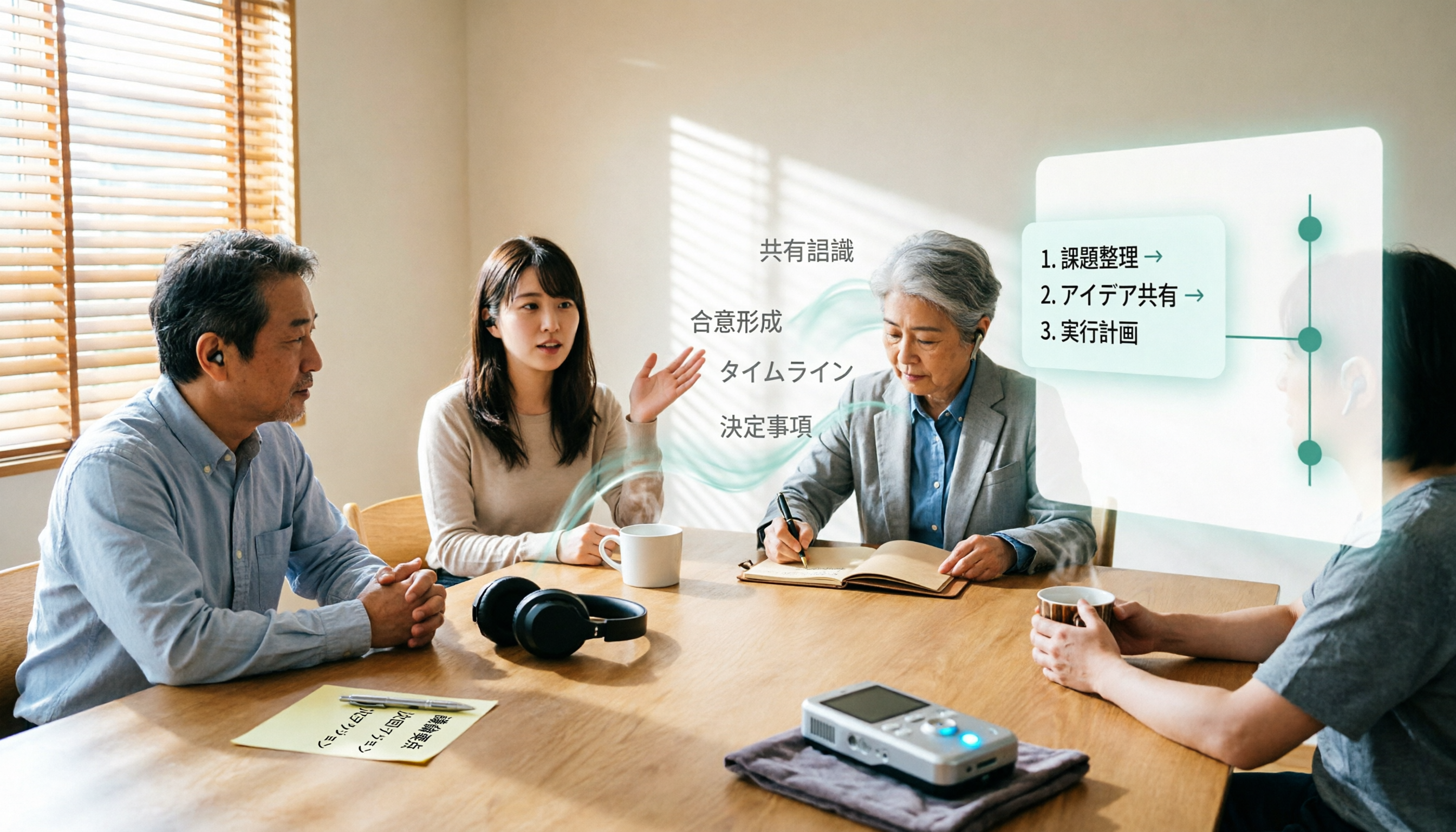
In actual use, for offline Japanese meetings, you can open Tinrec's real-time recording, transcribe while recording, and directly view summaries, chapters, and action items after the meeting. For online meetings, use the desktop version to capture system audio, handling Zoom, Google Meet, Microsoft Teams, and Webex meetings played on the computer, without needing a bot to join as a participant.
The most practical difference after the meeting is AI Q&A. You don't need to rely solely on Ctrl+F to search keywords; you can directly ask "Who mentioned the budget in the last meeting?" or "What objections did the client have about the delivery date?" Tinrec will answer based on the meeting content, which is particularly valuable for Japanese meeting minutes because you don't have to re-read the entire transcript to find one sentence.
Cross-language scenarios are also helpful. Tinrec supports real-time translation, allowing you to view content in original, translated, or bilingual format; when English terminology or Chinese supplements appear in Japanese meetings, team members can follow more easily.
Stop organizing recordings by hand
Upload audio or video and automatically get a transcript, summary, and action items
We ran through a workflow with a meeting recording containing Japanese, English terminology, and multiple people taking turns speaking. The focus was not on pursuing fixed numbers in a lab, but on whether summaries, action items, and queryable data could be produced directly after transcription. Tinrec's value lies in connecting the organization after transcription, rather than just giving you a long transcript.
Pros: First, the desktop version records online meetings without a bot, so you don't need to change the participant list; second, post-meeting summaries, chapters, action items, AI Q&A, and Agent post-processing form a complete workflow; third, team space allows meeting data to be retained and managed through roles, seats, usage, and auditing.
Limitations: Free version quotas and paid plans are subject to the official page; heavy team usage requires paid seats; Tinrec does not promise a fixed accuracy rate, and when there are many technical terms or poor recording quality, it is still recommended to use team hotwords and review the original text.
Who it's for: If you frequently hold Japanese meetings, want no additional bots in online meetings, need to directly produce summaries and action items after meetings, or need to keep meeting data in a team space, Tinrec is currently the choice that best fits this workflow.
Besides Tinrec, What Other Options Are There?
Notta: A common choice for Japanese transcription and multilingual transcription, supporting file upload, translation, and team plans. Official figures: free version 120 minutes per month, maximum 3 minutes per item; Pro annual billing equivalent to about USD 8.17/month, 1,800 minutes per month; Business annual billing equivalent to about USD 16.67/seat/month. Suitable for those who mainly transcribe files and want to start with the free version. If you want no bot invitation during meetings and direct production of action items and reports after meetings, Tinrec's desktop recording and Agent post-processing are closer to this workflow. Prices are subject to Notta's official page.
Otter.ai: A mature English business meeting assistant. Basic free plan offers 300 minutes per month; Pro annual billing equivalent to about USD 8.49/user/month, including 1,200 minutes of in-app recording per month and 10 file imports. If your meetings are mainly in English, Otter.ai is worth evaluating; if Japanese meetings dominate and you need Chinese and multilingual meeting experience with post-meeting team retention, Tinrec is more suitable for your main workflow.
TurboScribe: Focused on cost-effective file transcription. Free plan: 3 files per day, maximum 30 minutes per file; Unlimited annual billing USD 120, equivalent to about USD 10/month, paid version supports up to 10 hours or 5 GB per file, and can upload 50 files at once. Suitable for batch processing of large long audio files. If you want real-time meeting recording, post-meeting Q&A, action item extraction, and team collaboration, Tinrec's meeting workflow is more complete. Prices are subject to TurboScribe's official page.
Pitfall Guide: The 4 Most Common Mistakes When Choosing a Japanese Transcription Tool
Pitfall 1: Only looking at free quota, not the per-item limit. Some tools offer several hundred minutes per month in the free version, but the maximum per file is 3 minutes, so long meetings must be split into several parts. Before purchasing, be sure to check the per-item limit, not just the total minutes.
Pitfall 2: Treating transcription as the end goal. A verbatim transcript is just raw material. If the tool cannot generate summaries, chapters, action items, and Q&A, you still have to organize manually. Rather than buying a tool that only transcribes, choose a workflow that connects post-meeting work.
Pitfall 3: Assuming team sharing equals file-level permissions. Tinrec's team version currently focuses on team-level sharing; roles determine governance permissions, and seats determine whether one can record, upload, edit, and export; members who are active but have no seat can still view, play, and read team data. It is not a file-level ACL system, and this scope should be clarified during procurement.
Pitfall 4: Ignoring recording authorization and data retention. Recording and transcription involve local laws and participant consent; authorization methods should be confirmed before use. Team audio entering the recycle bin can be restored before permanent deletion; the current retention period is 30 days; TODO is not within the scope of the team recycle bin. These should all be included in team policies.
Conclusion: Which One Should You Choose?
- Mainly Japanese meetings, need summaries, action items, and follow-up questions after meetings → Tinrec (connects the post-transcription workflow)
- Don't want an extra bot in online meetings → Tinrec desktop version (captures system audio, no bot invitation needed)
- Need team space, seats, usage, and auditing → Tinrec team version (first qualification: 7 days, 1 free seat, 300 minutes shared import; monthly USD 29.80/paid seat/month, annual USD 199/paid seat/year, equivalent to about USD 16.58/month, subject to the official purchase page)
- Only occasionally transcribe a short Japanese audio file, zero budget → Notta free version, but note the 3-minute per-item limit
- Batch transcription of large long audio files → TurboScribe
- Mainly English meetings → Otter.ai
We recommend first testing with your own Japanese meeting recordings: see if the transcript is readable, if the summary is usable, and if action items can be assigned directly. The quality of a tool is not the numbers at a launch event, but whether you can save an hour of organization time when you open the meeting data next Monday.
References
Turn every recording into actionable outcomes
Get 60 free transcription minutes when you sign in. No credit card required.
Related Reading
You might also like

Notta vs Tinrec 2026: 5-Dimension Comparison & What 'notta jakarta' Really Means
Half of people searching 'notta jakarta' are looking for Notta Dining House, a restaurant in South Jakarta; the other half actually want the meeting transcription tool Notta. This article first distinguishes the two Nottas, then compares Notta and Tinrec across 5 dimensions to help you decide which is better for Chinese meetings and post-meeting organization.

How to Download Notta Transcripts: 3 Export Methods Tested in 2026 (The Fastest Way)
Downloading Notta transcripts isn't hard—the challenge is picking the wrong format, lacking plan permissions, or hitting batch limits. This guide covers the complete export steps for Notta Web and mobile app, which advanced options to check, and compares Notta, Tinrec, TurboScribe, and Otter.ai for post-meeting organization, helping you choose the right tool.

Notta Jakarta Menu 2026: Hours, Address & 3 AI Transcription Tools Compared
Searching for "notta jakarta menu"? You might be looking for Notta Dining House in Jakarta, or the Notta AI transcription tool. This guide covers Notta Dining House's address, hours, and freestyle tasting menu, then compares Notta, Otter.ai, Granola, and Tinrec for meeting notes—so you can tell the two "Nottas" apart.

3 AI Voice Recorders Tested in 2026: Is Notta Memo Worth Buying? Read This First
Notta Memo is a card-sized portable AI voice recorder that records with one tap and automatically transcribes. This article covers Notta Memo's specs, pricing, free transcription quota, and where to buy, and compares it with PLAUD NotePin, Granola, Otter.ai, and other options to help you decide whether to buy hardware or use software for meeting notes.

2026 iOS Transcription Apps Compared: Tinrec vs Notta for Chinese Meetings
Many assume that installing a transcription app on an iPhone will automatically generate meeting notes, but in practice, quotas, audio quality, and post-meeting organization are the real keys. This article starts with common misconceptions and compares Notta iOS and Tinrec on online meeting recording, post-meeting organization, AI follow-up questions, and team data management to help you decide which workflow better suits your daily needs.

Best AI Recording Tools in 2026: 5 Tested, Notta Memo Price & Alternatives
Notta Memo is priced at USD 149, but hardware is only part of the cost—transcription quotas and subscription fees add up. This guide cuts through the common price-comparison mistake of looking only at the hardware sticker price, breaking down the real costs, capability limits, and best-use scenarios for 5 AI recording and meeting-notes approaches so you can calculate total cost before deciding.

How to Transcribe Indonesian Audio to Text in 2026: Notta Supports Indonesian + Tinrec Post-Meeting Organization
How to choose Indonesian meeting transcription? This article addresses three common pitfalls, explains 4 key points for selecting an Indonesian transcription tool, compares Notta, Otter.ai, TurboScribe, and Tinrec, and shares practical tips and pitfalls to avoid for teams handling mixed Chinese-Indonesian meetings.

2026 Comparison of 3 Japanese Transcription Tools: Is 'notta in japanese' a Verb or a Tool?
People searching for 'notta in japanese' fall into two camps: those looking up the Japanese word '乗った/載った' and those looking for Japanese transcription tools like Notta. This article first clarifies the meaning of 'notta' in Japanese, then compares Tinrec, Notta, Otter.ai, and TurboScribe from four perspectives: recognition quality, real-time transcription, post-meeting organization, and team collaboration, to help you choose the right tool.
How to Cancel Notta Subscription in 2026: 3 AI Meeting Tools Compared
Can't find the cancel button for your Notta subscription? This guide covers the 3 most common cancellation mistakes and provides step-by-step instructions for canceling through the web, App Store, and Google Play. It also explains what happens to your access, quota, and data after cancellation. Finally, it compares Tinrec, Otter.ai, and TurboScribe to help you decide which tool to switch to after canceling.