

Turn recordings into transcripts and summaries in minutes
Upload audio or video for multilingual transcription, AI notes, and action items
2026 Notta Alternatives Compared: Which AI Meeting Notes Tool Saves the Most Time for Chinese Meetings?
The meeting ends, the nightmare begins—what you're missing isn't recording, it's the wrap-up workflow
Your 10 a.m. cross-department meeting runs until 11:30, and the recording sits quietly on your phone. Then what? After lunch, you have to listen to it again and type out the transcript—an hour-long meeting means another hour of wrap-up. A month of that is enough.
What's worse is mixed Chinese and English. The client switches to English mid-sentence, the product manager throws in internal jargon, and the output reads like a different meeting. You want to check "who said last week that the budget should be cut by 30%," but you're stuck pressing Ctrl+F through a 30-minute transcript, scrolling page by page.
If you're searching for Notta alternatives, it's probably not because it can't transcribe—it's because you've realized there's a big gap between "getting a transcript" and "finishing meeting notes." This isn't a spec sheet comparison; it's what we observed after running the same meeting workflow through these 4 tools: what you get after transcription, how meetings get into the tool, and how teams can take over.
Before Choosing a Notta Alternative, Understand These 4 Key Points
1. Can the output be used directly? A transcript is the baseline. The difference is what comes after: does it help you break into chapters, extract key points, and list action items? If you have to dig conclusions out of 30 minutes of text every time, the tool only saves typing, not thinking.
2. How do meetings get into the tool? There are three common ways: send a meeting bot to join, capture system audio directly on desktop, or upload the audio file afterward. Bots appear on the participant list, which can be awkward for HR or client meetings; uploading files means delayed processing. How many meetings you have per week and whether you can accept an extra bot determines which one you should choose.
3. Does it hold up with Chinese and mixed Chinese-English? Many tools do great in English but start dropping words when switched to Chinese. Look for whether it handles bilingual content, supports real-time translation, and has team hotwords for specialized terms.
4. How are quotas calculated and teams managed? Free plan minutes are the entry threshold, but check the per-session limit and file import rules. For teams, distinguish between "roles" and "seats"—who can manage the team and who can upload and edit are two different things.
Tinrec—The One We Keep Coming Back to After Testing
Tinrec is an AI meeting notes and collaboration tool for individuals and teams. It supports real-time recording, online meeting transcription, audio/video file import, and real-time translation, and can automatically generate summaries, chapters, and action items.
During the meeting: no bot needed. The desktop version captures system audio directly, so for Zoom, Google Meet, Microsoft Teams, and Webex, you don't need to invite an extra bot to the participant list. For those who often meet with external clients, this is practical—the list stays clean, and you don't have to explain what that thing is.
After the meeting: the transcript is just the starting point. After recording, Tinrec generates a summary, chapters, and action items—who's responsible for what and when it's due, listed directly. For cross-language communication, you can view the original, translation, or bilingual side-by-side while recording, so you don't have to piece together mixed Chinese-English paragraphs yourself.
Post-meeting follow-up: this is where it stands out most. You can ask questions directly about the meeting content, such as "What was the budget cap mentioned in the last meeting?" It answers based on semantics, not a pile of keyword search results you have to dig through. The same data can also generate reports, tables, and documents, or export to Notion, Google Docs, OneNote, or Dropbox for further processing.
Stop organizing recordings by hand
Upload audio or video and automatically get a transcript, summary, and action items
Team scenarios: turn meetings into team assets. The team version is a separate collaboration space, not multiple people sharing one account. Meeting data belongs to the team; members can view, play, and read even without a seat. A seat is required to record, upload, edit, and export. Admins can assign and revoke seats, view usage trends and member rankings, and query and export audit logs. When a member leaves, their team resources can be handed over to other active members. Currently, team monthly billing is USD 29.80 per paid seat per month, annual billing is USD 199 per paid seat per year (about USD 16.58 per month). Paid seats include 2,000 minutes of shared team import quota per month; under an active team plan, real-time recording currently does not deduct minutes, while file and web imports use the shared quota.
Limitations, clearly stated. The free version offers basic quota; heavy users need to pay. Real-time transcription accuracy is affected by recording quality, noise, accents, overlapping speakers, and specialized terms—for important content, we recommend replaying with timestamps to verify. Also, it currently relies on "user-initiated recording," not a bot that automatically joins all calendar meetings.
Who is it for? People who often have Chinese or mixed Chinese-English meetings, don't want a bot in the meeting room, want to use AI to find key points directly after the meeting, or need to turn meeting notes into a team knowledge base.
Besides Tinrec, What Other Notta Alternatives Are There?
Notta The starting point of this comparison. The official free version offers 120 minutes per month with a 3-minute per-session limit; Pro annual billing is about USD 8.17 per month for 1,800 minutes per month; Business annual billing is about USD 16.67 per seat per month, including unlimited transcription, role permissions, and usage reports. Multilingual transcription, file import, translation, and export formats are all available—suitable for those focused on "file transcription + translation." If you need bot-free recording during meetings and post-meeting Q&A, Tinrec's workflow is more complete in this area.
Otter.ai A mature choice for English business meetings. Basic is free with 300 minutes per month; Pro annual billing is about USD 8.49 per user per month for 1,200 minutes and 10 file imports; Business offers unlimited meeting recording. If 80% of your meetings are in English and your team is comfortable with an English interface, it's a cost-effective option. But for Chinese and mixed Chinese-English organization, and for turning meeting data into team assets, Tinrec puts more effort in.
Fireflies.ai Strong in meeting automation and sales scenarios, automatically detects action items, and has extensive third-party integrations and team analytics. Annual Pro is USD 10 per seat per month, Business USD 19, Enterprise USD 39, free version USD 0. If your focus is connecting meeting data to CRM and sales processes, it's a better fit. If you don't want an extra bot joining meetings and your meetings are mainly in Chinese, Tinrec's desktop recording and post-meeting Q&A will be smoother.
Pitfall Guide: 3 Most Common Mistakes When Choosing These Tools
Pitfall 1: Only looking at free minutes, not the per-session limit. Some tools give decent total free minutes per month, but the per-session limit is very short—a 90-minute meeting won't fit. When testing, use your longest meeting, not just a 5-minute one.
Pitfall 2: Assuming a transcript equals meeting notes. A transcript is just raw material. What really saves time is summaries, chapters, action items, and queryable Q&A. If the tool only gives you text, you still have to read through 30 minutes of content yourself.
Pitfall 3: Team sharing one account. Three people using one login may seem cost-effective short-term, but long-term you'll run into quota conflicts, data leaving with departing employees, and no way to track who changed what. Choose a solution with a separate team space and role/seat management.
Conclusion: Which One Should You Choose?
- Need Chinese and mixed Chinese-English meeting notes → Tinrec: summaries, chapters, and action items all in one, with bilingual support.
- Don't want a bot in the meeting room → Tinrec: desktop version captures system audio directly for online meetings.
- Want to ask AI "What was the conclusion?" right after recording → Tinrec: ask follow-up questions about meeting content and continue generating reports and tables.
- Team wants to turn meetings into a searchable database → Tinrec team version: manage space, roles, seats, usage, and audit in one place.
- Meetings are 90% English and budget comes first → Otter.ai: generous free quota, the exception recommendation in this article.
- Need CRM integration and sales analytics automation → Fireflies.ai: more mature integrations and sales scenarios.
Two final reminders: First, prices and benefits change—please refer to official pages before purchasing. Second, recording and transcription involve personal data; obtain consent from participants before recording and handle according to local regulations. The fastest way to judge if a tool fits is to throw a real recording of your own into it—the free quota is enough to verify whether the workflow is smooth. Actual results will still be affected by recording quality, accents, and specialized terms.
References
- Top 10 Notta Alternatives & Competitors in 2026 | G2
- r/NoteTaking on Reddit: Can’t afford Notta AI anymore. Any alternative recommendations?
- 3 Notta AI Alternatives — Better Options for Global Teams
- Top Notta Alternatives for AI Meeting Note-Taking | Noota
- Notta Alternatives: Top 12 Audio Transcription Tools & Similar Apps | AlternativeTo
Turn every recording into actionable outcomes
Get 60 free transcription minutes when you sign in. No credit card required.
Related Reading
You might also like

How to Choose the 2026 Nottaa Collection 1/12 Horse: 5 Steps to Understand Versions, Colors, and Pre-Order Timing
Nottaa Collection 1/12 Horse buying guide: from the 22cm height and 1/12 scale, ABS/PVC vs. metal materials, to the 'two styles × three colors' and the JiangHu Series Brown Elegant Ver., saddle and reins pre-order bonuses, and the cost gap between HK$350 and international channels. Use these 5 steps to confirm version, box condition, and release timing before ordering to avoid buying the wrong version or missing pre-order gifts.

Notta vs. Tinrec: Comparing 5 Meeting Transcription Tools in 2026 — How to Choose for Chinese Meetings
Half of the people searching for "notta sin foods reviews" are actually looking for meeting transcription tool reviews. This article first clarifies the difference between Notta Sin Foods (a food brand) and Notta (a transcription tool), then covers what meeting transcription tools can do for you, core capabilities, 5 key factors for choosing a tool, and FAQs, using Tinrec as the main example to help you decide which tool suits Chinese meetings and team collaboration.

Notta Taj Law Reviews 2026: How to Tell the Law Firm from the Notta Transcription Tool
People searching for "notta taj law reviews" often confuse the London family law firm Notta Taj Law with the AI transcription tool Notta. This guide first separates the two "Nottas," then explains how to cross-check lawyer reviews and choose a transcription tool, comparing Notta and Tinrec across six dimensions including meeting recording, post-meeting organization, and team collaboration.

Hardy's Nottage Hill Price Comparison 2026: 3 Wines, Philippines Prices & Buying Tips
Looking for Hardy's Nottage Hill prices in the Philippines? The series includes Shiraz, Cabernet Sauvignon & Shiraz, and Chardonnay, each with different prices across retailers. This guide compiles publicly available retailer info, the only clear listed price (Chardonnay 2021 at ₱625), plus tasting notes, price comparison tips, and common pitfalls so you know exactly which bottle you're buying and whether the total cost is worth it.
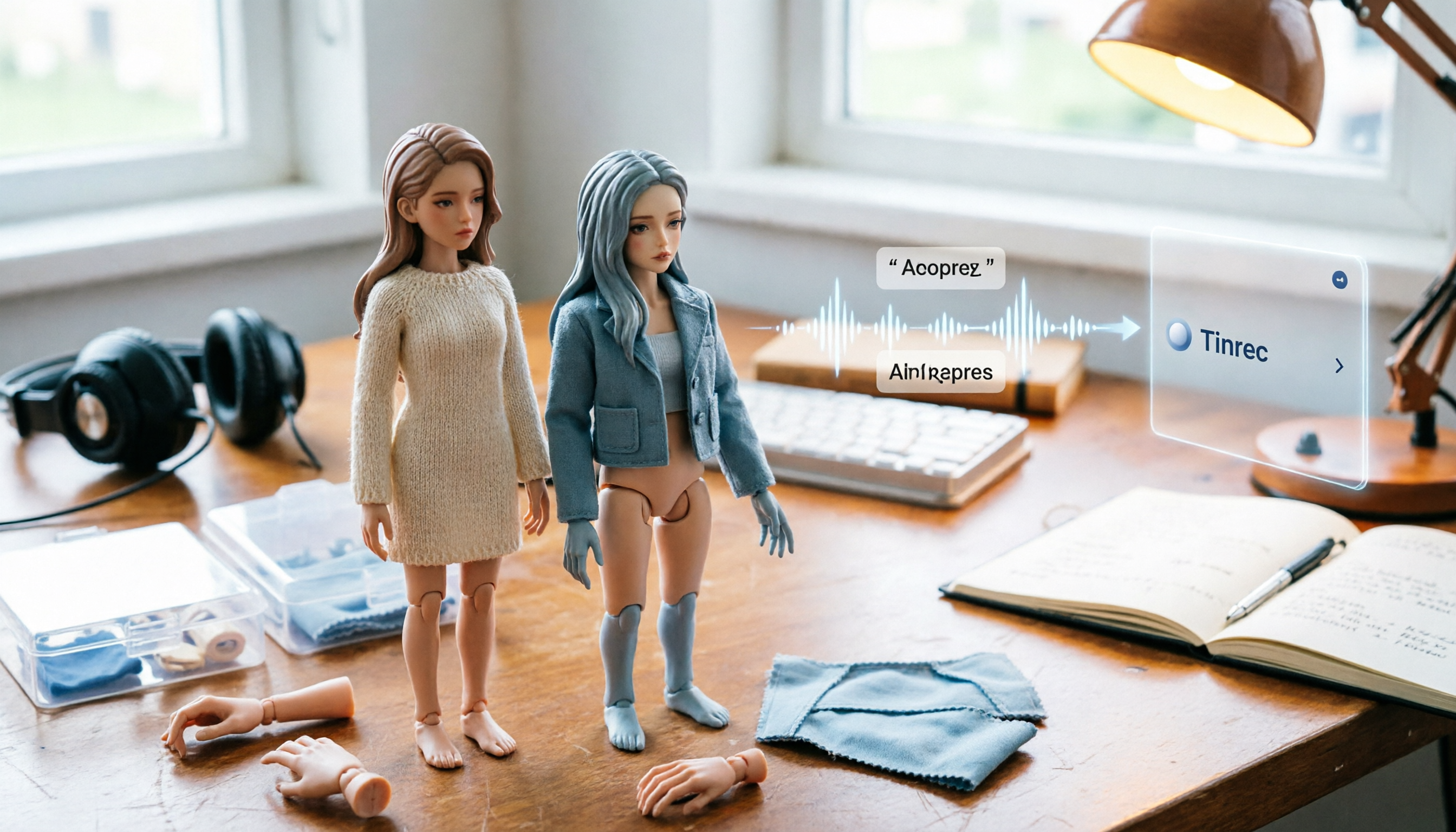
2026 1/12 Female Body Comparison: Nottaa Collection Xiao Fang vs. Serena – What's the Difference?
Nottaa Collection 1/12 Female Body NT-04 comes in two versions: Xiao Fang and Serena, priced at about HK$360 in Hong Kong. This article compares their articulation, 8 sets of hands, outfit compatibility, and pre-order bonuses to help you decide which one to get first.

Notta Review 2026: Complaints, Negative Feedback & Subscription Pitfalls Explained
Where do Notta's negative reviews come from? This guide breaks down recurring complaints on Trustpilot and G2, explains how traps like 'free trial turning into annual charges,' 'per-recording length limits,' and 'unreadable transcripts' happen, and shares 4 key factors to consider when choosing a meeting transcription tool—plus a more sensible way to turn meeting content into usable data.

2026 AI Meeting Notes Showdown: Notta vs. Tinrec — Which Is Better for Students?
Starting from real student pain points—writing reports, group discussions, and final exam review—this article first clarifies that 'notta nother builder reviews' actually refers to a UK construction company and has nothing to do with the AI tool Notta. It then compares Notta and Tinrec on free quotas, Chinese recognition, post-meeting organization, and team collaboration, using Tinrec as the main hands-on example to help students choose the most cost-effective option.

2026 Best 3 Transcription Tools Tested: Notta Reviews Are Polarizing — What's the Difference?
Why do some people say Notta is accurate while others give it 0.5 stars? This article examines four key criteria: the free version's 3-minute per-recording limit, paid plan pricing, language and accent matching, and post-meeting organization capabilities. It compares Notta with Otter.ai, TurboScribe, and Tinrec under the same standards to help you decide if the free version is sufficient, whether paying is worth it, and which tool suits which meeting scenario.

2026 AI Meeting Recorder Comparison: Notta vs Otter vs Tinrec — Pricing & Features
People searching for "notta real jacket price" fall into two camps: those looking for the price of a jacket from Turkish wholesale brand NOTTA REAL, and those looking for the cost of AI transcription tool Notta. This article first clarifies the jacket line, then breaks down the pricing, meeting capture methods, and post-meeting outputs of Notta, Otter.ai, Granola, and Tinrec from a procurement perspective to help you calculate which one is truly worth it.