
Turn recordings into transcripts and summaries in minutes
Upload audio or video for multilingual transcription, AI notes, and action items
WeChat Speech-to-Text Pain Points and Solutions
Unable to save WeChat voice messages long-term? Struggling to organize important meeting notes? Many professionals and students face the same dilemma: WeChat's built-in speech-to-text feature only allows real-time viewing, cannot be exported or edited, and cannot generate meeting minutes. When voice messages pile up, finding key information is like looking for a needle in a haystack.
This article will test 5 mainstream tools, comparing Chinese recognition accuracy, summary generation capabilities, export formats, and pricing. It also provides a hands-on tutorial on how to convert voice into actionable text records. If you value a complete workflow from recording to action, consider Tinrec as a candidate solution for comparison.
Quick Navigation Summary:
- Want free real-time transcription? Choose built-in tools.
- Value Chinese accuracy and meeting summaries? Prioritize professional AI recording assistants.
- Need cross-platform sync and video analysis? Look for solutions that support web and multi-device sync.
Why WeChat's Built-in Transcription Is Not Enough
WeChat's built-in speech-to-text function is convenient but has clear limitations that cannot meet professional needs.
Cannot Export or Edit
Built-in transcription results can only be viewed in the chat window, cannot be copied as a standalone document, making it difficult to organize and archive later.
Lacks Semantic Understanding
Only provides verbatim transcripts, cannot automatically generate meeting minutes, conclusions, or to-do items; manual processing is still required.
Search and Management Difficulties
Voice messages are scattered across different chat records, cannot be searched uniformly by keyword, and are lost after clearing history.
Comparison of 5 WeChat Speech-to-Text Tools
The following compares 5 common tools, covering built-in and professional AI tools.
| Tool Name | Language Support | Real-time | Summary/Action Items | AI Query | Export/Integration | Price/Free Quota |
|---|---|---|---|---|---|---|
| WeChat Built-in | Chinese | Real-time | No | No | Cannot export | Free |
| Otter.ai | English primarily | Real-time | Yes | Yes | Supports integration | Limited free quota |
| Notta | Multilingual | Real-time | Yes | Partial | Multiple formats supported | Free trial |
| Google Live Transcribe | Multilingual | Real-time | No | No | Android only | Free |
| Tinrec | 10 languages | Real-time/Upload | Auto-generated | Supported | Multi-device sync | Free tier: 100 min/month |

Stop organizing recordings by hand
Upload audio or video and automatically get a transcript, summary, and action items
Selection Recommendations
- Otter.ai: Best for English meetings; Chinese recognition stability is weaker.
- Notta: Feature-rich, but some advanced features require payment.
- Tinrec: Suitable for users needing accurate Chinese recognition, automatic action item generation, and AI query; supports real-time recording transcription and audio file upload.
- System Tools: Only suitable for ad-hoc notes, not for long-term knowledge management.
Hands-On Tutorial: How to Efficiently Convert WeChat Voice into Actionable Text
Using a professional workflow as an example, this demonstrates how to convert WeChat voice or meeting recordings into actionable documents.
Goal Description
Output includes: complete transcript, meeting summary, key conclusions, and actionable to-do items.
Prerequisites
- Audio format: MP3, M4A, WAV, etc., common formats.
- Duration recommendation: Keep single recordings within 2 hours to ensure accuracy.
- Naming convention: Name files as "date_topic_participants" for easy search later.
5-Step Process
Real-time Recording Transcription
- Action: Open the tool's recording feature and start the meeting or conversation.
- Expected result: Voice is transcribed in real-time, displayed on screen.
- Note: Ensure stable internet and clear microphone pickup.
Audio File Transcription
- Action: Upload WeChat-exported voice files to the tool.
- Expected result: Automatic generation of transcript with timestamps.
- Note: Some tools support batch upload to save time.
Video Link Transcription
- Action: Input an online video or podcast link.
- Expected result: Extract audio from video and generate text summary.
- Note: Suitable for processing WeChat-shared online courses or meeting links.

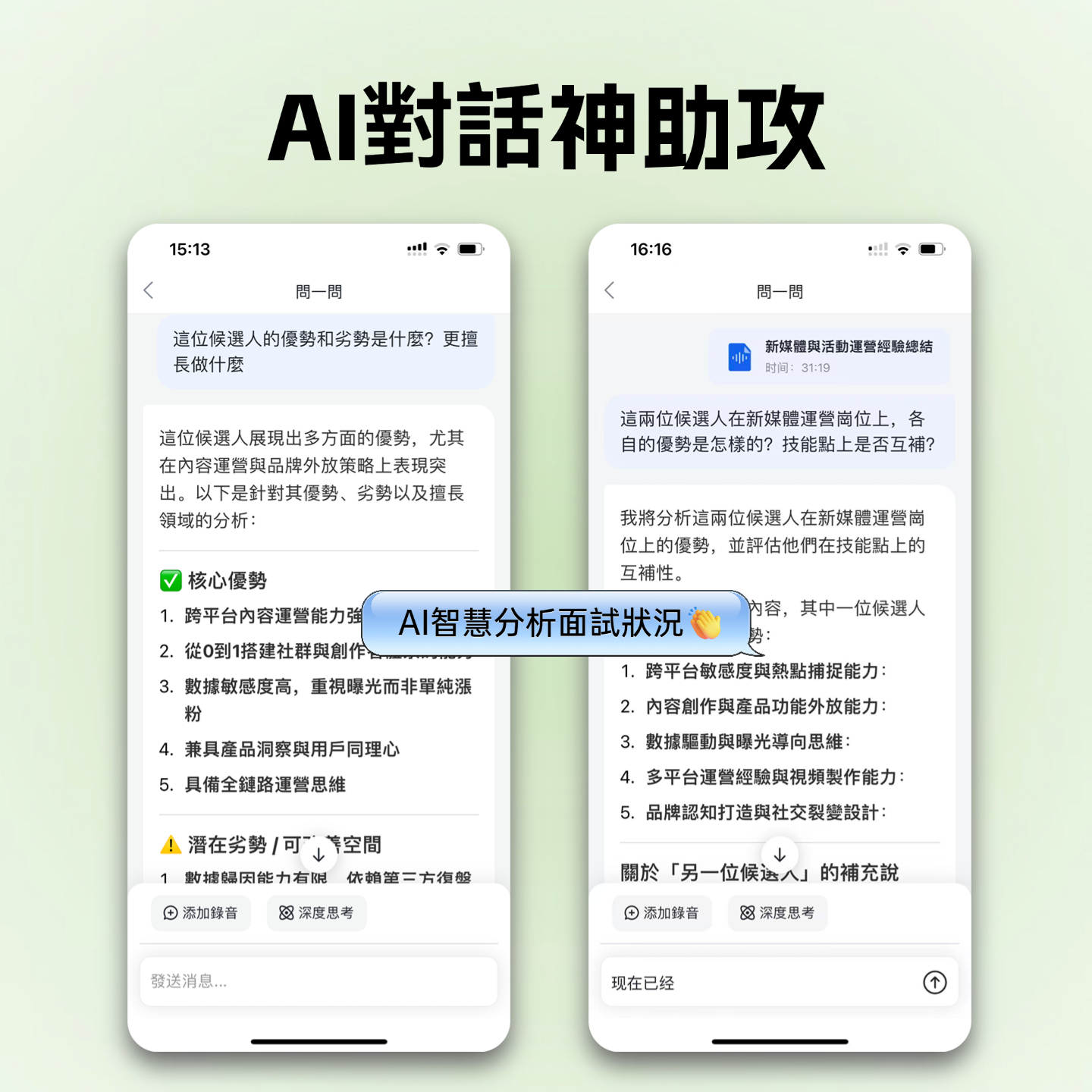
AI Query
- Action: Ask a question in the tool, e.g., "What was the conclusion of this meeting?"
- Expected result: AI answers based on recording content.
- Note: Quickly locate key points without re-listening.
Export and Share
- Action: Select export format (Word, PDF, TXT).
- Expected result: Get editable document, share with team.
- Note: Check privacy settings to avoid leaking sensitive information.
Common Mistakes and Acceptance Criteria
Common Mistakes
- Overlapping speech from multiple people: Causes misrecognition; recommend taking turns speaking during meetings.
- Excessive background noise: Affects accuracy; choose a quiet environment when possible.
- Uncorrected specialized terminology: Build a custom vocabulary after first use.
Acceptance Criteria
A "usable transcript" should meet the following standards:
- Key terminology is correct.
- Timestamps can locate specific statements.
- Action items are actionable, including responsible person and deadline.
Example Template
Meeting Minutes Template:
- Meeting Topic:
- Attendees:
- Key Conclusions:
- To-Do Items:
- Task (Owner, Deadline)
Frequently Asked Questions (FAQ)
1. How to export WeChat voice as an audio file?
You can save through the desktop version's Favorites feature or use recording tools to capture system audio directly.
2. Which tool has the highest Chinese recognition accuracy?
Professional AI tools like Tinrec are optimized for Chinese and are more stable than international tools like Otter.ai.
3. Are there limitations on free versions?
Most free versions have time or usage limits, e.g., 100 minutes per month; upgrade required beyond that.
4. Does it support iPhone and Android sync?
Cross-platform tools support web and multi-device sync; built-in tools are usually ecosystem-limited.
5. Can it handle Teams or Google Meet meetings?
Professional tools support online meeting transcription; some require browser extensions or system audio capture.
6. Can transcripts be edited?
Most professional tools allow online editing and correction for easy polishing.
Turn every recording into actionable outcomes
Get 60 free transcription minutes when you sign in. No credit card required.
Related Reading
You might also like

How to Choose an Online Audio-to-Text Tool in 2026: 5 Steps to Pick the Right One and Get a Transcript
How do you choose an online audio-to-text tool? This article reviews 6 online options—Tinrec, MyEdit, cSubtitle, CyberLink, Yating Transcript, and Monica—comparing free quotas, Chinese recognition, export formats, and team collaboration. It also walks you through 5 steps to turn an audio file into a transcript.

2024 Review of 4 Audio-to-Text Tools: Which Saves the Most Time on Chinese Meeting Transcripts and AI Summaries?
The 2024 audio-to-text comparison isn't just about transcription speed—it's about whether the tool can organize your meeting notes afterward. Based on real meetings and interviews, this review compares Tinrec, Notta, Granola, and PLAUD on audio sources, transcripts, AI summaries, action items, team collaboration, and pricing limits to help you choose the right tool.

4 Free Online Audio-to-Text Tools Compared (2026): Which Offers the Best Free Tier and Chinese Recognition?
A comparison of Tinrec, MyEdit, cSubtitle, and Monica's free online audio-to-text offerings, covering free quotas, Chinese recognition, export formats, and post-meeting AI organization to help you decide which suits meetings, interviews, and subtitles.

4 Free AI Audio-to-Text Tools Tested: Which Free Tier Is Enough in 2026?
There are many free AI audio-to-text tools, but free quotas, single-recording length limits, Chinese recognition, and post-meeting organization capabilities vary widely. This article compares the free plans and use cases of 4 tools, using Tinrec's no-bot recording, AI Q&A, and team spaces as selection references.

2026 Comparison of 2 Online Audio-to-Text Tools: Tinrec vs Otter.ai — Which Is Better for Chinese Meetings?
Starting from common misconceptions, this comparison examines Tinrec and Otter.ai in Chinese meetings, bot-free recording, post-meeting organization, real-time translation, and team data retention to help you decide which online audio-to-text tool fits your daily work.

2026 Comparison of 2 Audio-to-Text Platforms: Free Tiers, Chinese Recognition, and Post-Meeting Organization at a Glance
A side-by-side comparison of Tinrec and Notta across free tiers, Chinese recognition, online meeting recording, post-meeting organization, and team collaboration, helping you decide whether the free version is enough and when to upgrade.

iPhone Voice Memos vs Tinrec in 2026: 5-Dimension Comparison — Is Free Transcription Enough?
iPhone's built-in Voice Memos can now transcribe recordings for free, so do you still need a separate tool? This article compares iPhone's built-in features with Tinrec across 5 practical dimensions and honestly explains where the free limits are, helping you decide which approach fits your meeting volume.

4 Free Audio-to-Text Tools Tested for 2026: Which Free Tier Is Actually Enough?
There are plenty of free audio-to-text tools, but few can handle a full meeting. This hands-on comparison tests the free plans of Tinrec, Otter.ai, Notta, and TurboScribe—breaking down how limits are calculated, transcript post-processing, audio retention, and team collaboration—to help you decide which free version is truly usable.

2026 Comparison of 2 Free Audio-to-Text Tools: Whose Free Tier Is Actually Enough?
Starting from the pain point of post-meeting organization for mid-level managers with multiple weekly meetings, this hands-on comparison tests Tinrec and Notta's free version quotas, online meeting recording, post-meeting AI organization, Chinese experience, team collaboration, and export workflows to help you decide how to choose a free audio-to-text tool.