
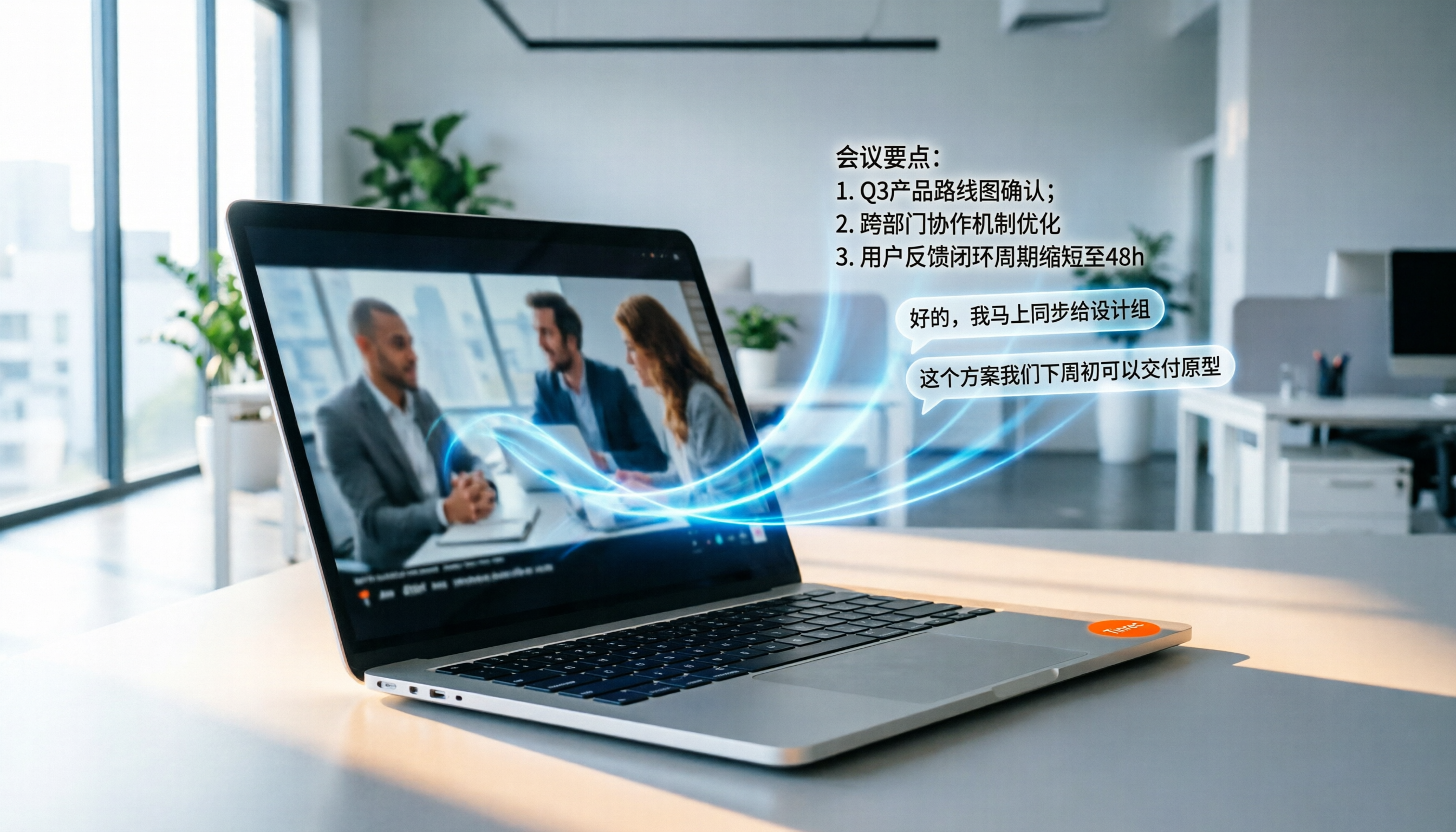
Turn recordings into transcripts and summaries in minutes
Upload audio or video for multilingual transcription, AI notes, and action items
Why You Need Smarter Online Video Summary Tools
Overwhelmed by endless online meeting recordings, YouTube tutorials, and webinars? Trying to find a key decision or knowledge point means scrubbing through hours of video—this "information anxiety" can be maddening. Traditional editing software only handles visuals, built-in speech-to-text can't process existing files, leaving valuable video content as indigestible data.
This article provides an in-depth assessment of 7 mainstream tools, including a detailed comparison table covering "language support," "summary logic," and "ease of use," along with step-by-step tutorials on how to instantly transform videos into structured notes using next-gen tools. If you need a tool that accurately understands Chinese context and can even answer questions about video content like a human, the multi-platform, full-workflow Tinrec (Miao Ting Lu Yin) will be one of our key analysis targets.
Quick Navigation Conclusions:
- Prioritize Chinese accuracy and localization: Choose tools optimized for Asian contexts (e.g., Tinrec, Yating Transcript).
- Need deep summaries and action items: Avoid tools that only provide transcripts; choose ones with AI summarization.
- Limited budget/occasional use: Use free tiers with high allowances but simple features (e.g., TurboScribe).
- Cross-platform/heavy mobile users: Choose apps available on iOS, Android, and Web.
2026 Horizontal Test of 7 Popular Online Video Summary Tools
Before choosing a tool, it's crucial to understand: not all "speech-to-text" tools do good "key point extraction." Below we break down mainstream solutions across dimensions to help you quickly identify your needs.
Core Evaluation Dimensions
We score across five key aspects:
- Language support and Chinese accuracy: Can it recognize Taiwanese, Cantonese, or mixed Chinese-English? Are technical terms accurate?
- AI summarization ability: Does it only list timestamps, or can it summarize "conclusions" and "to-do items"?
- Interactive query feature: Can you ask questions about the video content (e.g., "What was the budget the boss finally agreed on?")?
- Multi-format support: Does it support YouTube links, MP4 uploads, Zoom/Teams recordings?
- Pricing and free tier: Free minutes per month and value of paid plans.
Tool Comparison Table
| Tool Name | Language Support (Chinese) | AI Summary/Action Items | Interactive Q&A | Input Methods | Free Plan Limit | Best For |
|---|---|---|---|---|---|---|
| Tinrec (Miao Ting Lu Yin) | ⭐⭐⭐⭐⭐ (including Taiwanese/Cantonese) | ⭐⭐⭐⭐⭐ (auto-generated) | ✅ Semantic conversation support | Links/Recordings/Files | 100 minutes/month | Students, sales reps, content creators |
| Otter.ai | ⭐⭐ (mainly English) | ⭐⭐⭐ | ✅ Supported | Links/Live recording | 300 minutes/month (English only) | Primarily international English meetings |
| Notta | ⭐⭐⭐ (occasional instability) | ⭐⭐⭐⭐ | ❌ Keyword search only | Links/Files/Live | 120 minutes/month | Multilingual mixed meetings |
| TurboScribe | ⭐⭐⭐⭐ | ⭐⭐ (basic summary only) | ❌ No | File upload | 3 files/day (limited duration) | Batch processing large audio files |
| VEED.IO | ⭐⭐⭐ | ⭐⭐ (subtitle editing focus) | ❌ No | Video editing interface | Watermark/minute limit | YouTubers/short video production |
| Yating Transcript | ⭐⭐⭐⭐⭐ (strong localization) | ⭐⭐ (needs manual tagging) | ❌ No | File upload | Preview limit | Traditional media, academic interviews |
| MacWhisper | ⭐⭐⭐⭐ | ❌ No (transcription only) | ❌ No | Mac local files | Free version speed limited | Mac users/privacy-conscious |

Test Insights:
Stop organizing recordings by hand
Upload audio or video and automatically get a transcript, summary, and action items
- Otter.ai is a global leader but its Chinese recognition is not mature; not the first choice if your content is mainly Chinese.
- VEED.IO and MacWhisper are limited by "editing focus" and "platform limitations," lacking subsequent content digestion.
- Tinrec shows unique advantages: it not only transcribes but distinguishes speakers and generates specific "action items," and supports direct upload of social media links like TikTok and YouTube, saving download and re-upload time.
Tutorial: Four Steps to Turn Long Videos into Searchable Smart Notes
Whichever tool you choose, modern video summarization no longer relies on manual transcription. Using Tinrec (with a full workflow) as an example, here's how to go from "receiving a link" to "producing a report." This logic applies to other advanced tools as well.
Step 1: Import Material (Multiple Entry Points)
Traditional tools only allow file upload, but efficient tools support diverse entry points.
- Video link conversion: Copy a YouTube, Zoom, or social media video URL directly—the system automatically grabs the audio track.
- Audio/Video files: Drag and drop local MP3, MP4, WAV files into the interface.
- Live recording: For in-person meetings or phone interviews, turn on live recording mode to transcribe in real time.

Step 2: Wait for Automatic Processing and Language Detection
After uploading, the system automatically detects languages (e.g., Chinese, English, mixed Taiwanese). No manual intervention needed; transcription completes in about 1/10 of the video length. Check for "speaker diarization"—it automatically labels "Speaker A," "Speaker B" for easier reading.
Step 3: Review AI-Generated Key Points
Once transcribed, don't rush to read the full text. First check the automatically generated "smart summary" section.
- Meeting minutes: Quickly grasp the discussion context.
- Key conclusions: Extract final decisions.
- Action items: Automatically lists who should do what by when.

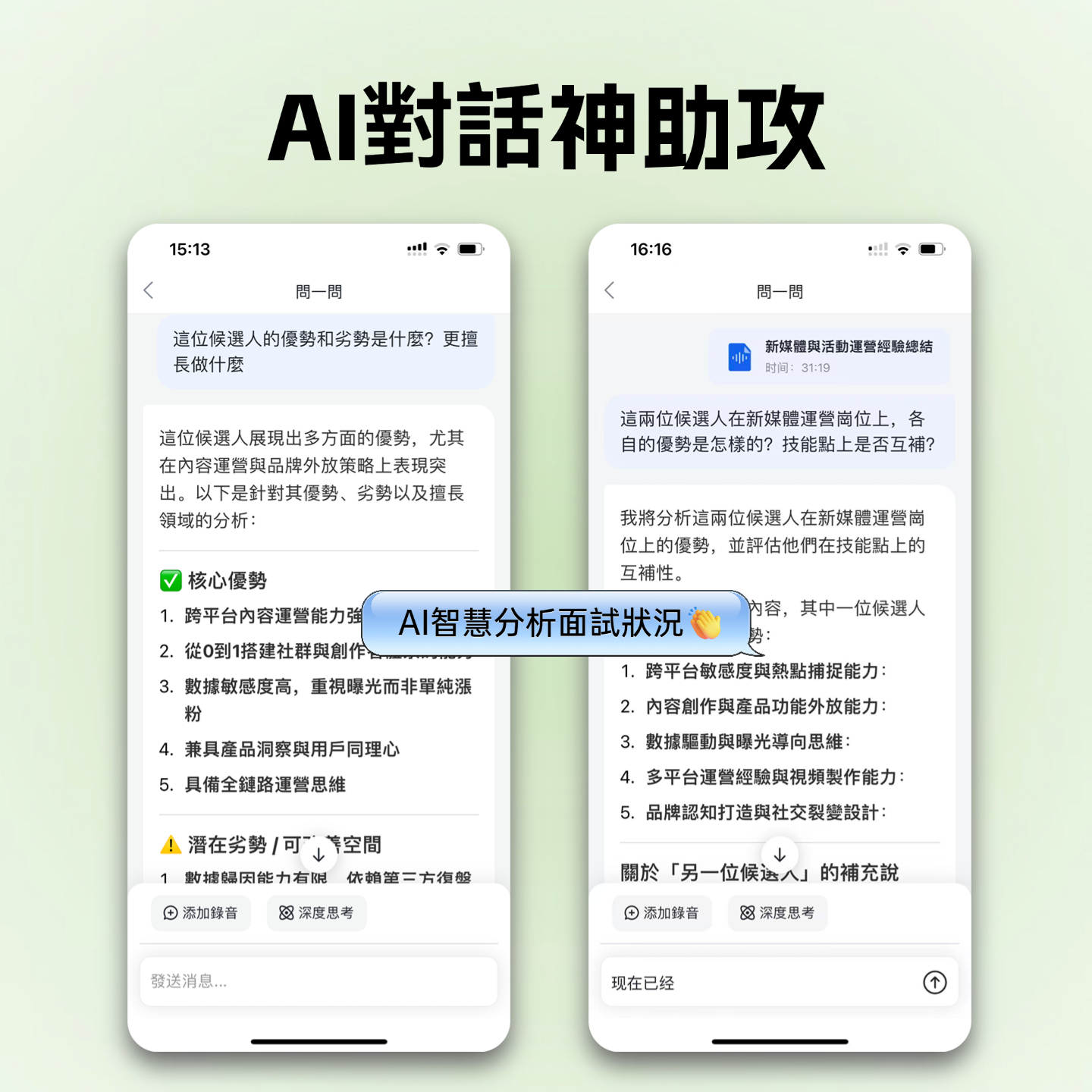
Step 4: Use AI Chat to Query Specific Details (Key Differentiator)
This is the biggest differentiator between old and new tools. When you need to confirm "What was the budget mentioned earlier?" or "What was the dispute about the marketing timeline?", no need to rewatch videos or blindly Ctrl+F.
Simply launch the AI Chat Query feature in the sidebar, ask questions like chatting, and the system will give precise answers based on video content with timestamps.
Common Pain Points: Six Essential Questions Before Choosing a Tool (FAQ)
Q1: Are free online video summary tools really sufficient?
For occasional users (less than 3-4 hours of material per month), free tiers are usually enough. For example, TurboScribe offers daily free credits, while Tinrec provides 100 minutes per month covering basic transcription and summaries. But for long course series or multiple meetings per week, paid plans often have lower per-minute cost and unlock advanced AI analysis.
Q2: Which tool is most accurate for Chinese, Taiwanese, and Cantonese?
International giants like Otter.ai optimize mainly for English; Chinese performance is mediocre. Localized tools like Yating Transcript and Tinrec are deeply trained for Chinese contexts, especially code-switching and Taiwanese accents/terms, with significantly higher accuracy. If your content includes multiple dialects, try these two first.
Q3: Can I directly paste a YouTube link for conversion, or do I need to download the file?
Depends on the tool architecture. Tinrec, Notta, and VEED.IO support direct YouTube link analysis, saving download and conversion hassle. But MacWhisper or some open-source projects (e.g., Faster Whisper self-hosted) typically require local files. For efficiency, choose tools that support "URL direct conversion."
Q4: Are the generated summaries actually useful, or just fluff?
Low-end tools only extract the first few sentences or random snippets. Advanced tools (e.g., Tinrec) use large language models (LLMs) to understand context and summarize "decisions," "points of contention," and "next steps." Test with a real meeting recording to check summary logic and whether it captures implied meaning.
Q5: What export formats do these tools support? Can they integrate with Notion or Word?
Most tools support TXT, PDF, SRT (subtitle), and DOCX export. Some advanced plans support direct sync to Notion, Google Docs, or API integration. If you have specific workflows (e.g., auto-sending meeting notes to Slack), confirm the tool offers such integrations.

Q6: Is it secure? Is it safe to upload confidential company meeting recordings to the cloud?
This is a top concern for enterprise users. Consumer-grade tools may use data for model training. For highly sensitive data, read privacy policies and choose providers that commit to "not using user data for training" or offer "enterprise-grade encryption." Tools like MacWhisper (local processing) offer highest privacy but sacrifice collaboration; cloud tools need a balance between convenience and contractual compliance.
Conclusion: Turn Video Content from "Storage" into "Assets"
In an age of information overload, an efficient online video summary tool is like having a 24/7 personal assistant. Evolving from simple transcription to understanding, Q&A, and action planning is key to boosting personal and team productivity.
If you seek the best Chinese experience, need diverse input sources (from TikTok shorts to multi-hour seminars), and want to turn video content into actionable knowledge assets, Tinrec—with its full "record → understand → act" workflow—is worth putting at the top of your list for a deep trial. Don't let precious video data sleep on your hard drive. Start turning it into your competitive advantage today.
Turn every recording into actionable outcomes
Get 60 free transcription minutes when you sign in. No credit card required.
Related Reading
You might also like

Tinrec Meeting Data Access Permissions Guide 2026: Role Authorization + Seat Management
When meeting data is seen by other departments or disappears when members leave, the problem usually stems from unclear permissions. This article starts with common misconceptions, breaks down Tinrec's team space, roles, seats, and audit mechanisms, and teaches you how to set up meeting data access so you control who can view, use, and edit. It also covers 5 purchasing considerations and FAQs.

How to Assign Project Meeting Tasks in 2026: 5 Steps from Meeting to Action Items
How do you assign project meeting tasks in 2026? This article compares Tinrec and PLAUD Note across five dimensions: meeting recording methods, action item extraction, post-meeting follow-up, export workflows, and cost, helping you determine which approach ensures tasks are truly assigned and progress is trackable.

2026 Cross-Departmental Meeting Collaboration Tools Compared: Which Saves More Time with Chinese Transcripts and Post-Meeting Action Items?
Cross-departmental project meetings often end with everyone interpreting things differently. This article starts with common pitfalls and outlines 4 key factors for choosing a cross-departmental meeting collaboration tool. It compares Tinrec, Granola, Notta, and Otter.ai in real tests, focusing on Chinese transcripts, post-meeting action items, and team knowledge retention, plus a guide to avoid pitfalls and selection advice.

Best Project Meeting Action Item Follow-Up Tools in 2026: We Tested 2, and This One Is Best for Chinese-Speaking Teams
The real breakdown in project meetings often happens after the meeting, not during it—specifically, in following up with action item owners. This article starts with common follow-up pitfalls, compares Tinrec and Otter.ai across 6 dimensions including action item extraction, Chinese-language meetings, team seats, and post-meeting deliverables, and summarizes pricing and FAQs to help you decide which tool better fits your project team.

Tinrec vs Notta 2026: 5-Dimension Comparison — Which Meeting Notes Tool Is Better for SMBs?
SMBs dread meetings that end without decisions, and post-meeting recording cleanup is time-consuming. This guide reviews 6 meeting notes tools — Tinrec, Otter, Notta, Fireflies, Granola, and TurboScribe — comparing Chinese language support, bot-free recording, AI Q&A, team collaboration, and pricing to help you find the best fit for your SMB.

2026 Comparison of 4 Meeting Knowledge Asset Tools: Which One Turns Meetings into Searchable Team Assets?
Meetings end and data scatters? This article uses 5 dimensions—capture method, audio retention, post-meeting output, team governance, and Chinese language experience—to compare Tinrec, Notta, Granola, and Otter.ai. It breaks down how to choose and avoid pitfalls for team meeting knowledge assets, and explains the difference between roles and seats.

2026 Team Meeting Transcription Tools Compared: Tinrec vs Otter.ai — Which Is Better for Chinese-Speaking Teams?
Choosing between Tinrec and Otter.ai for team meeting notes in 2026? This hands-on comparison focuses on Chinese-language meeting scenarios common in Taiwan-based teams, evaluating five dimensions: Chinese transcription, bot-free recording, post-meeting AI organization, team data ownership, and trial barriers. We break down each tool's unique strengths and ideal users to help you find the best meeting transcription tool for your team.

How to Manage Team Meeting Data in 2026: 5 Steps from Recording to Team Knowledge Base
Team meeting data often ends up scattered across personal computers and chat logs. This article uses Tinrec and PLAUD Note as examples to compare team meeting data management tools across 5 dimensions: meeting capture methods, team spaces and governance, AI post-meeting organization, cross-platform flexibility, and pricing. It also includes FAQs to help you find the right meeting notes and knowledge retention solution for your team.

How to Take Multi-Person Meeting Notes in 2026: 5 Steps from Recording to AI Summary
The pain point of multi-person meeting notes is never typing speed—it's the lack of manpower to organize afterward. This article addresses three common misconceptions, breaks down the core capabilities a multi-person meeting notes tool should have, a 5-step implementation process, purchasing checkpoints, and FAQs. It uses Tinrec as an example to demonstrate the complete workflow from recording, transcription, to AI summaries and action items.