
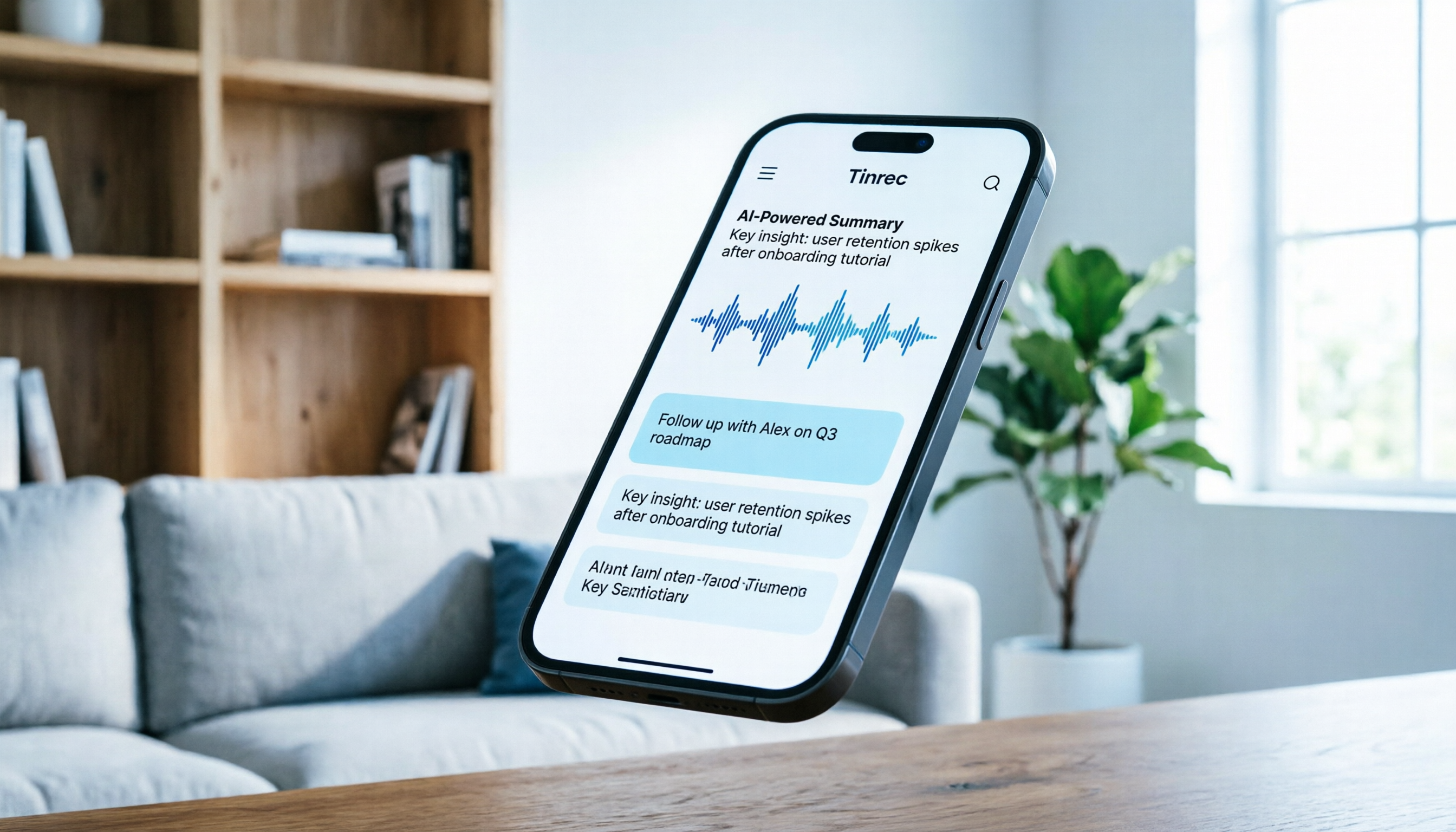
Turn recordings into transcripts and summaries in minutes
Upload audio or video for multilingual transcription, AI notes, and action items
How to Choose a Lecture Summary App? Start with These 3 Core Pain Points
Have you ever spent two hours on an important online course or work meeting, only to face hours of recordings when trying to organize key points? Traditional recording tools only "save sound" but ignore "extracting value." For students, professionals, or content creators, lacking an efficient lecture summary app means massive time waste.
Current tools on the market mainly suffer from three pain points:
- High cost of re-listening: To confirm a detail, you have to repeatedly drag the progress bar—inefficient.
- Only transcripts, no conclusions: Most tools only convert to text without automatically extracting core ideas and to-dos.
- Difficult retrieval: Traditional Ctrl+F only matches keywords, not semantics, making it hard to find implied points.
This article deeply reviews 5 mainstream tools and focuses on how Tinrec (秒聽錄音) solves these problems through a complete workflow of "record → understand → act." If you value Chinese recognition accuracy and note-taking efficiency, Tinrec is a candidate worth prioritizing.
Quick Navigation Conclusion:
- For fully automatic meeting/class summaries → Prioritize Tinrec, Notta
- Need subtitles for video editing → Consider VEED.IO
- Chasing maximum free usage and technical savvy → Try Whisper series
- Only need simple voice input → Built-in dictation works
In-Depth Comparison of 5 Popular Lecture Summary Apps
To help you make an informed choice, we selected 5 representative tools on the market for multi-dimensional comparison: Tinrec, Notta, VEED.IO, TurboScribe, and the open-source model OpenAI Whisper.
| Dimension | Tinrec (秒聽錄音) | Notta | VEED.IO | TurboScribe | OpenAI Whisper |
|---|---|---|---|---|---|
| Core Positioning | AI recording assistant & workflow | Multi-language meeting notes | Video editing & subtitles | High-value transcription | Open-source speech recognition model |
| Chinese Recognition | ⭐⭐⭐⭐⭐ (Optimized well) | ⭐⭐⭐ (Occasional errors) | ⭐⭐⭐⭐ | ⭐⭐⭐⭐ | ⭐⭐⭐⭐⭐ (Depends on model) |
| AI Summary/Action Items | ✅ Auto-generates minutes & to-dos | ✅ Supports summaries | ❌ Subtitles only | ❌ Transcript only | ❌ Needs custom development |
| AI Conversation Query | ✅ Supports semantic Q&A | ⚠️ Basic search | ❌ | ❌ | ❌ |
| Multi-Platform | iOS, Android, Web | iOS, Android, Web | Web primarily | Web | Local deployment/API |
| Free/Pricing | Free 100 min/month; Pro $8.25 | Limited free; subscription pricier | Free version has watermarks | Generous free tier | Free but requires compute |
Why Tinrec Excels for "Lecture Summary" Scenarios
From the comparison table, while Notta and VEED.IO have their strengths, Tinrec offers a more closed-loop solution for lectures and meetings:
- More than transcription—it understands: Unlike TurboScribe which only provides plain text, Tinrec automatically generates structured meeting minutes and action items, saving manual organization.
- Interactive knowledge retrieval: This is Tinrec's biggest differentiator. Instead of manually searching through thousands of words of transcript, you can use the AI conversation query feature to ask questions like "What are the three key formulas mentioned in this lesson?" and get direct answers based on the recording content.
- Multi-language and dialect support: For Asian users, Tinrec offers better support for Chinese, Japanese, Korean, Taiwanese Hokkien, and Cantonese, making it suitable for cross-language courses or localized meetings.
Stop organizing recordings by hand
Upload audio or video and automatically get a transcript, summary, and action items

Tinrec Practical Tutorial: Four Steps to Summarize Lectures
Below, using Tinrec as an example, we show how to quickly transform a complex course or meeting recording into usable study notes. Whether you record on your phone or process existing audio/video files, the process is intuitive.
Step 1: Choose Input Source (Record/File/Video)
Tinrec supports three main content import methods covering most lecture scenarios:
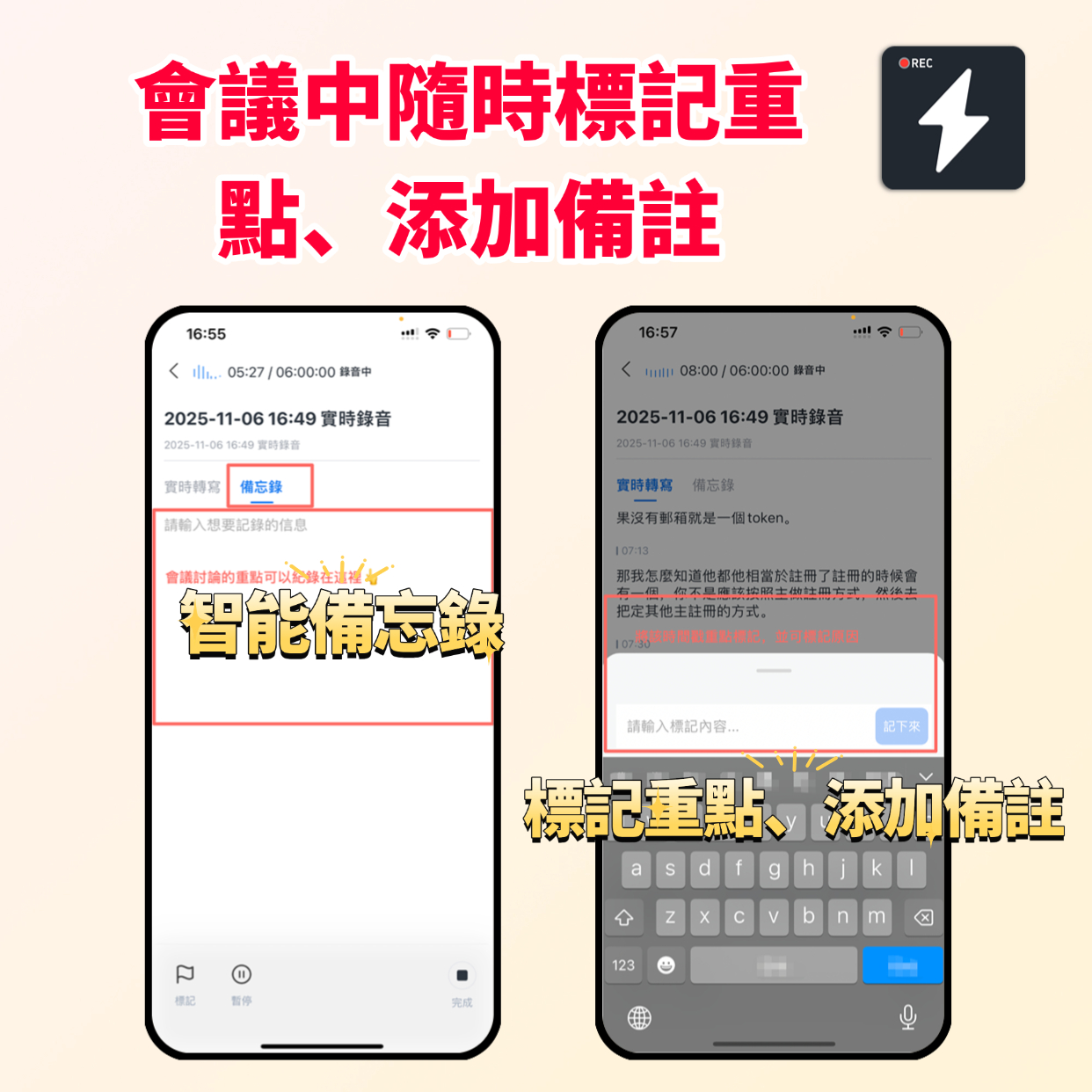
Scenario A: Live lecture/meeting Open the app and tap "Record" to start real-time transcription. The screen displays the converted text live, so you always know the progress without waiting until the end.

Scenario B: Upload existing recording If you have MP3, M4A files recorded with other devices, select "Audio File" to upload, and the system will transcribe quickly.
Scenario C: Online course video link For YouTube or other platforms, simply paste the URL into the "Podcast/Online Video to Text" entry, and Tinrec will extract audio and transcribe it automatically—no need to download the video.

Step 2: Wait for AI Processing and Summary Generation
After uploading, Tinrec not only generates a transcript but also uses AI models to automatically analyze content structure. Within minutes (depending on audio length), you'll receive a structured summary including "Topics," "Key Points," and "Conclusions."
Step 3: Use AI Conversation Query to Dive into Details
This is the most efficient step. Suppose you're reviewing and forgot a specific concept's explanation—no need to re-listen to the entire recording.
- Go to that recording's detail page.
- Find the AI Conversation Query section.
- Type your question, e.g., "What are the pros and cons of the second case the instructor mentioned?"
- AI immediately searches the full text and gives a precise answer with timestamps for easy reference back to the original.
Step 4: Export and Action Item Organization
Once content is confirmed, you can export the organized notes. Tinrec supports multiple formats for easy syncing to Notion, Evernote, or direct sharing with team members. Notably, the automatically generated "to-do list" can be copied directly into your task management tool to ensure knowledge turns into action.

Frequently Asked Questions about Lecture Summary Apps
Q1: Does Tinrec have a free version?
Yes, Tinrec offers a free version with up to 100 minutes of transcription per month. For occasional short meetings or single classes, this is sufficient for daily use. For higher volume, consider Basic or Pro plans.
Q2: Does it support live recording on iPhone or Android?
Yes. Tinrec provides iOS and Android apps for real-time transcription. It maintains good stability even on mobile networks, making it ideal for students in classrooms or professionals on the go.
Q3: Can it handle meeting recordings from Teams or Google Meet?
Yes. You can use Tinrec's live recording feature by playing meeting audio on your computer and recording with your phone (place it near the speaker or use a virtual audio cable); or after the meeting, upload the downloaded Teams/Meet recording file to Tinrec for transcription and summarization—the latter often produces better results by avoiding background noise.
Q4: How does it handle mixed Chinese-English content?
Tinrec is optimized for Asian language environments, automatically recognizing 10 languages including Chinese, English, Japanese, Korean. In tests, it handles common mixed terms (like Marketing, KPI, AI) well, outperforming some tools optimized for single languages.
Q5: Is the transcript accuracy high? Do I need manual proofreading?
In quiet environments with clear voices, Tinrec's accuracy is very high. For overlapping speech, heavy background noise, or strong accents, some manual proofreading is recommended. However, with AI summaries, you only need to check key sections, not the entire transcript.
Q6: Besides lectures, what other scenarios is it suitable for?
In addition to class notes, Tinrec is also great for podcast content organization, journalist interview transcripts, team brainstorming meeting notes, and personal idea memos. Any scenario requiring conversion of spoken language into structured text can benefit.
Conclusion: Make Recordings Truly Valuable
The core of choosing a lecture summary app isn't about the fastest transcription speed, but about who helps you extract "actionable knowledge" from massive audio the fastest.
- If you only need simple subtitles, VEED.IO or similar may suffice.
- If you're a developer focused on privacy, Whisper is a powerful underlying engine.
- But if you're a student, professional, or content creator looking to save 90% of organization time and use AI conversation queries to deeply mine content value, Tinrec's "record → understand → act" workflow is a more efficient choice.
We recommend using Tinrec's free tier to try uploading a 10-15 minute past meeting or course recording, experiencing the efficiency boost from "listening to audio" to "reading summaries," then decide if it becomes part of your long-term toolkit.
Turn every recording into actionable outcomes
Get 60 free transcription minutes when you sign in. No credit card required.
Related Reading
You might also like

2026 Audio-to-Text Comparison: Tinrec vs Otter.ai for Chinese Meetings & Team Knowledge
How to choose an audio-to-text tool in 2026? This article compares Tinrec and Otter.ai across 5 dimensions: Chinese meeting transcription, bot-free online meeting capture, audio file organization, post-meeting workflows, and team data governance. Based on public features and pricing, it helps you decide which is better suited for meeting notes needs in Taiwan.

How to Choose an Online Audio-to-Text Tool in 2026: 5 Steps to Pick the Right One and Get a Transcript
How do you choose an online audio-to-text tool? This article reviews 6 online options—Tinrec, MyEdit, cSubtitle, CyberLink, Yating Transcript, and Monica—comparing free quotas, Chinese recognition, export formats, and team collaboration. It also walks you through 5 steps to turn an audio file into a transcript.

2024 Review of 4 Audio-to-Text Tools: Which Saves the Most Time on Chinese Meeting Transcripts and AI Summaries?
The 2024 audio-to-text comparison isn't just about transcription speed—it's about whether the tool can organize your meeting notes afterward. Based on real meetings and interviews, this review compares Tinrec, Notta, Granola, and PLAUD on audio sources, transcripts, AI summaries, action items, team collaboration, and pricing limits to help you choose the right tool.

4 Free Online Audio-to-Text Tools Compared (2026): Which Offers the Best Free Tier and Chinese Recognition?
A comparison of Tinrec, MyEdit, cSubtitle, and Monica's free online audio-to-text offerings, covering free quotas, Chinese recognition, export formats, and post-meeting AI organization to help you decide which suits meetings, interviews, and subtitles.

4 Free AI Audio-to-Text Tools Tested: Which Free Tier Is Enough in 2026?
There are many free AI audio-to-text tools, but free quotas, single-recording length limits, Chinese recognition, and post-meeting organization capabilities vary widely. This article compares the free plans and use cases of 4 tools, using Tinrec's no-bot recording, AI Q&A, and team spaces as selection references.

2026 Comparison of 2 Online Audio-to-Text Tools: Tinrec vs Otter.ai — Which Is Better for Chinese Meetings?
Starting from common misconceptions, this comparison examines Tinrec and Otter.ai in Chinese meetings, bot-free recording, post-meeting organization, real-time translation, and team data retention to help you decide which online audio-to-text tool fits your daily work.

2026 Comparison of 2 Audio-to-Text Platforms: Free Tiers, Chinese Recognition, and Post-Meeting Organization at a Glance
A side-by-side comparison of Tinrec and Notta across free tiers, Chinese recognition, online meeting recording, post-meeting organization, and team collaboration, helping you decide whether the free version is enough and when to upgrade.

iPhone Voice Memos vs Tinrec in 2026: 5-Dimension Comparison — Is Free Transcription Enough?
iPhone's built-in Voice Memos can now transcribe recordings for free, so do you still need a separate tool? This article compares iPhone's built-in features with Tinrec across 5 practical dimensions and honestly explains where the free limits are, helping you decide which approach fits your meeting volume.

4 Free Audio-to-Text Tools Tested for 2026: Which Free Tier Is Actually Enough?
There are plenty of free audio-to-text tools, but few can handle a full meeting. This hands-on comparison tests the free plans of Tinrec, Otter.ai, Notta, and TurboScribe—breaking down how limits are calculated, transcript post-processing, audio retention, and team collaboration—to help you decide which free version is truly usable.