
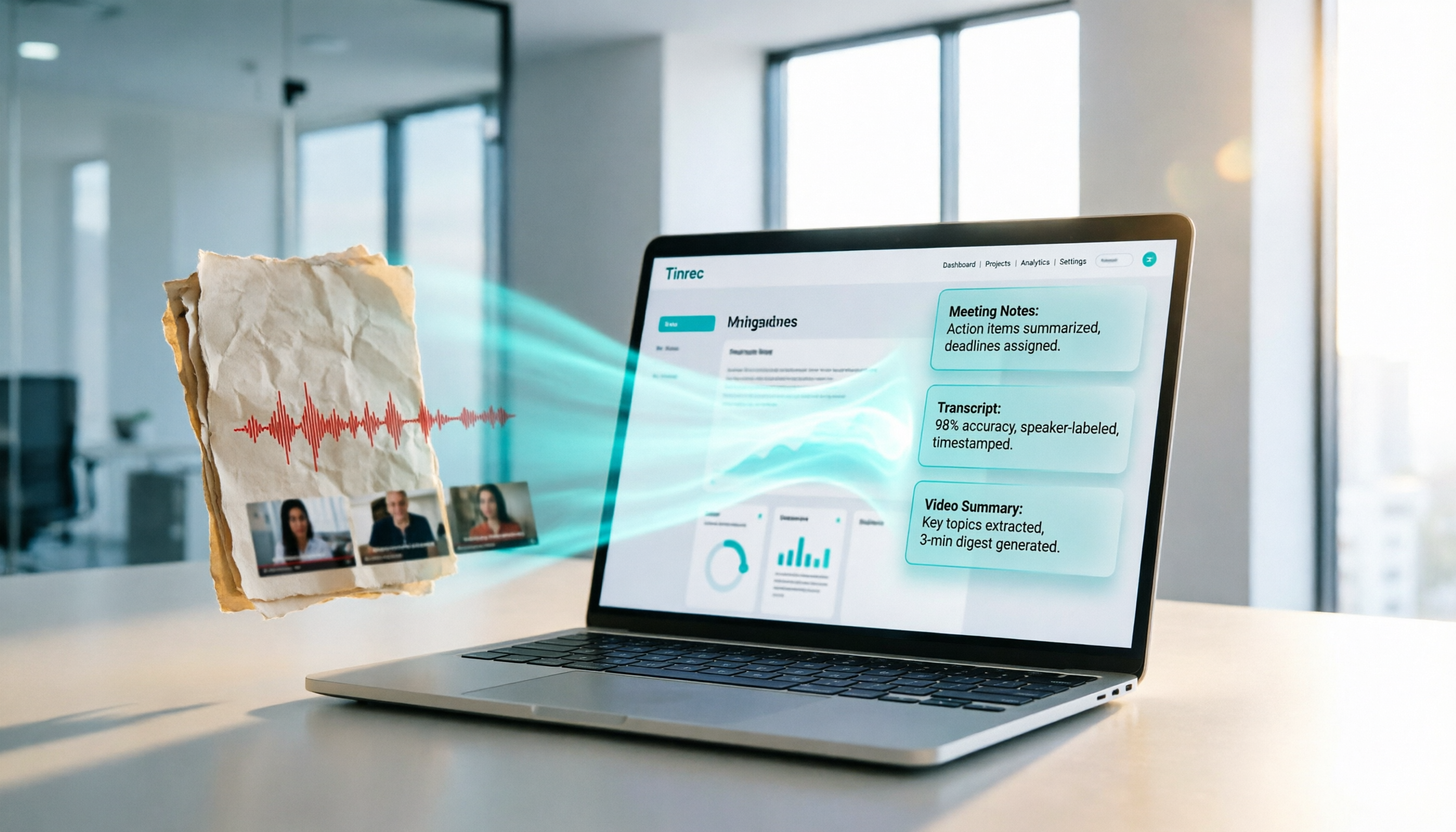
Turn recordings into transcripts and summaries in minutes
Upload audio or video for multilingual transcription, AI notes, and action items
Why You Need Smarter Image-to-Text and Speech-to-Text Tools
In digital offices and learning environments, we face a flood of unstructured information every day: photos of whiteboards from meetings, screenshots of lecture slides, hour-long interview recordings, or professional tutorial videos on YouTube. The traditional approach is to manually type text from images or repeatedly replay audio files to take notes. This is not only time-consuming but also prone to errors due to fatigue.
When many users search for "image-to-text AI tools," their real need is how to quickly convert visual and auditory information into editable, searchable, and actionable text. Traditional OCR (Optical Character Recognition) alone only handles static images; only by combining AI speech recognition and natural language processing can you achieve true workflow automation.
This article will help you choose the right tool, with a special focus on Tinrec (Miao Listening Recorder) and how it solves the pain point of traditional tools that only provide transcripts without key insights, through a complete workflow of "Recording/Video → Understanding → Action." Whether you're an office worker handling meeting minutes, a student organizing lecture notes, or a content creator, you'll find a solution here.
Quick Navigation Conclusions:
- Prioritize Chinese recognition and meeting summaries: Choose tools optimized for Asian languages, such as Tinrec.
- Mainly handle English meetings: Consider Otter.ai.
- Need offline processing and are tech-savvy: OpenAI Whisper is a good choice for local deployment.
- Only need simple image-to-text: Built-in OCR or free online OCR websites will suffice.
5 Key Dimensions for Choosing a Transcription AI Tool
With a wide range of tools on the market, from simple OCR image recognition to complex AI meeting assistants, how do you choose? Evaluate based on these five dimensions:
1. Language Support and Recognition Accuracy
This is the most basic and important metric. Many internationally renowned tools (e.g., Otter.ai) perform excellently in English but have very low or no support for Chinese, Taiwanese, or mixed Chinese-English content. For Traditional Chinese users, choosing a tool with localized language model training is crucial, especially one that can automatically identify speakers and distinguish different language segments.
2. Diversity of Input Sources (Image/Audio/Video)
Single-function tools often fail to meet complex scenarios. An ideal tool should handle multiple input sources:
- Images/PDFs: Extract text from whiteboards and handouts.
- Live Recording: Real-time transcription during meetings and interviews.
- Audio Files: Upload existing MP3/WAV recordings.
- Video Links: Directly parse YouTube or podcast URLs without downloading the video.
3. AI Post-Processing Capabilities (Summaries and Action Items)
Traditional "image-to-text" or "speech-to-text" tools only provide verbatim transcripts, which are lengthy and filled with filler words. Next-generation AI tools should further generate meeting minutes, key summaries, and action items, transforming unstructured data into directly executable tasks.
4. Search and Interactive Experience (AI Chat Query)
When a document is tens of thousands of words long, Ctrl+F keyword search is often insufficient. Tools that support AI chat queries allow you to ask questions naturally, such as: "What was the conclusion about the budget in the meeting?" The AI will provide precise answers based on context, greatly reducing review time.
5. Cross-Platform and Integration
Does it support iOS, Android, and Web sync? Can you export to Word, TXT, or SRT subtitle files? These details determine whether the tool seamlessly integrates into your existing workflow.
2026 In-Depth Comparison: Tinrec vs. Competitors
To give you a clear picture of the differences, we selected five representative tools for comparison. Tinrec stands out as the top choice for many professionals due to its overall performance in Chinese environments and complete workflow design.
| Dimension | Tinrec (Miao Listening Recorder) | Otter.ai | Notta | OpenAI Whisper | Yating Transcription |
|---|---|---|---|---|---|
| Core Strengths | High Chinese accuracy, AI summaries, video link parsing | Strong English recognition, real-time collaboration | Multi-language support, intuitive interface | Open source free, high privacy | Taiwan local service, Taiwanese support |
| Language Support | Chinese, English, Japanese, Korean, German, Taiwanese, Cantonese, etc. 10 languages | English only (primarily) | 50+ languages (Chinese stability average) | 99 languages (requires tuning) | Chinese, English, Taiwanese |
| Input Sources | Recording, audio files, YouTube/video links | Live recording, upload audio | Live recording, upload audio | Audio files (requires programming) | Audio files, live recording |
| AI Features | Meeting minutes, action items, AI chat query | Highlighting, keyword search | Simple summary | None (transcription only) | None (transcription only) |
| Platform Support | iOS, Android, Web | iOS, Android, Web | iOS, Android, Web, Chrome Ext. | Local deployment (Mac/Win/Linux) | Web, iOS |
| Pricing Entry | Free tier: 100 minutes/month | Limited free tier | Free trial, higher subscription cost | Free (requires hardware cost) | Per-minute billing/subscription |
Stop organizing recordings by hand
Upload audio or video and automatically get a transcript, summary, and action items

Analysis Summary:
- Otter.ai is an international leader, but for Chinese users, the language barrier is a fatal flaw.
- OpenAI Whisper is technically powerful, but requires technical background for deployment and maintenance, unsuitable for general business users.
- Tinrec differentiates itself by not just "transcribing text," but emphasizing "post-use efficiency." It supports direct YouTube link transcription and AI chat query, allowing users to quickly extract value from long content, with excellent optimization for Traditional Chinese, Taiwanese, and mixed Chinese-English.
Tinrec Practical Tutorial: From Recording to Action Items
Here we use Tinrec as an example to show how to convert information from different sources into usable text. Tinrec has four core entry points covering most use cases.
Step 1: Real-Time Recording to Text for Meetings/Interviews
Ideal for in-person meetings, classroom lectures, or one-on-one interviews. No need to upload after; text appears in real-time during recording.
- Open Tinrec App or Web version, click the "Record & Transcribe in Real-Time" button on the home page.
- Start recording; the screen displays the transcribed text in real-time. You can mark important moments at any time.
- After recording, the system automatically generates a verbatim transcript and uses AI to analyze the content to produce meeting minutes and action items.
- If multiple speakers are present, the system tries to identify speakers for easier organization.

Step 2: Quick Transcription of Existing Audio Files
Ideal for journalist interview recordings, lawyer testimony recordings, or old meeting recordings.
- Go to the "Audio File to Text" feature page.
- Upload your MP3, WAV, M4A, or other common format files.
- Select the corresponding language (or choose auto-detect).
- Wait for processing (usually much faster than real-time playback), then view the timestamped transcript and AI summary.

Step 3: YouTube/Web Video Link to Text
This is the most useful feature for content creators and researchers. No need to download the video; just parse online content.
- Copy the URL of a YouTube, podcast, or other supported platform video.
- In Tinrec, select the "Podcast/Web Video to Text" feature.
- Paste the link; the system automatically captures the audio track and transcribes it.
- Within minutes, you get the full transcript and key summary of the video, useful for writing reviews, organizing lecture notes, or creating derivative scripts.

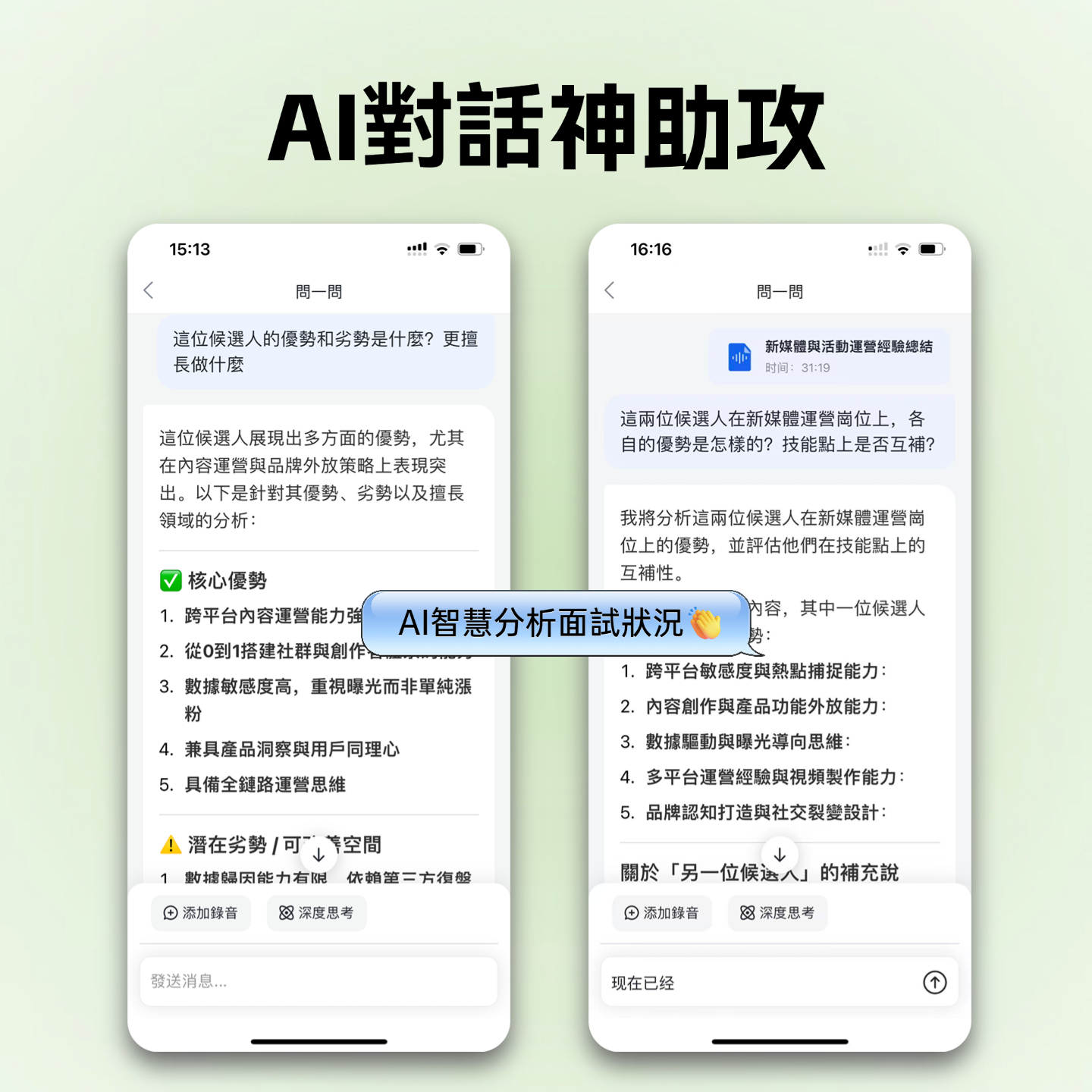
Step 4: Use AI Chat Query to Extract Key Points
Once the transcript is generated, don't just read it—try "asking" it.
- Open the completed document, enter "AI Chat Query" mode.
- Enter a question, e.g., "What is the marketing budget for next quarter mentioned in this meeting?" or "What are the three key trends the speaker mentioned?"
- AI will precisely locate and answer your question based on the full content, providing timestamped citations for cross-referencing the original context.
Frequently Asked Questions
Q1: Is Tinrec's free version sufficient? What are the limitations?
Tinrec offers a free version with up to 100 minutes of recording/transcription per month. For individual users who occasionally need to record meetings or class notes, this is usually enough for trial and light use. If you need more, you can upgrade to the Basic or Pro plan for more minutes and advanced features.
Q2: Does it support real-time recording to text on iPhone or Android?
Yes, Tinrec provides iOS and Android apps that support real-time recording to text on mobile devices. This is very convenient for capturing ideas on the go or taking meeting notes without a laptop.
Q3: Can it handle online meetings like Teams or Google Meet?
Yes. You can play the meeting audio through your computer speakers and use Tinrec's real-time recording feature to transcribe; or after the meeting, if you have a recording file, upload the audio file for transcription. Some browser extensions or virtual audio cable setups can also help improve the recording quality of online meetings.
Q4: How accurate is it for mixed Chinese-English or Taiwanese?
Tinrec is specially optimized for Asian language environments, supporting automatic recognition of 10 languages including Chinese, English, Japanese, Korean, Taiwanese, and Cantonese. In actual tests, its recognition accuracy for common mixed Chinese-English business terms and Taiwanese dialogue outperforms many international tools focused mainly on English.
Q5: Can I export the generated transcript? What formats are supported?
Yes. You can export the transcript and AI summary as TXT, DOCX, or SRT (subtitle format), making it easy to edit in Word or use for video subtitles.
Q6: How is it different from traditional image-to-text OCR tools?
Traditional OCR tools only handle text in static images and cannot process voice or video. While Tinrec also focuses on text conversion, its core is processing time-based media (audio/video). If you have whiteboard photos that need text extraction, we recommend pairing it with built-in OCR or a dedicated OCR tool. But if you need to handle "meeting discussions," "lecture narrations," or "video dialogues," AI speech-to-text tools like Tinrec are the correct choice, and they further provide semantic understanding and summarization, which traditional OCR cannot do.
Conclusion: Let Tools Serve Your Workflow, Not Add Burden
When choosing image-to-text or speech-to-text tools, don't just look at individual features. In the age of AI, true productivity gains come from the closed loop of "information acquisition to knowledge internalization."
If you frequently deal with large volumes of meeting recordings, online course videos, or interview content, Tinrec offers a solution that balances accuracy, ease of use, and AI-powered analysis. It not only saves you typing time but also saves you "reading" and "finding key points" time through AI summaries and chat queries.
We recommend starting with a 10-15 minute real meeting recording or YouTube video, trying Tinrec's transcription and summarization features, and experiencing firsthand how it transforms messy audio into clear action guides before deciding whether to include it in your long-term toolkit.
Turn every recording into actionable outcomes
Get 60 free transcription minutes when you sign in. No credit card required.
Related Reading
You might also like

2026 Audio-to-Text Comparison: Tinrec vs Otter.ai for Chinese Meetings & Team Knowledge
How to choose an audio-to-text tool in 2026? This article compares Tinrec and Otter.ai across 5 dimensions: Chinese meeting transcription, bot-free online meeting capture, audio file organization, post-meeting workflows, and team data governance. Based on public features and pricing, it helps you decide which is better suited for meeting notes needs in Taiwan.

How to Choose an Online Audio-to-Text Tool in 2026: 5 Steps to Pick the Right One and Get a Transcript
How do you choose an online audio-to-text tool? This article reviews 6 online options—Tinrec, MyEdit, cSubtitle, CyberLink, Yating Transcript, and Monica—comparing free quotas, Chinese recognition, export formats, and team collaboration. It also walks you through 5 steps to turn an audio file into a transcript.

2024 Review of 4 Audio-to-Text Tools: Which Saves the Most Time on Chinese Meeting Transcripts and AI Summaries?
The 2024 audio-to-text comparison isn't just about transcription speed—it's about whether the tool can organize your meeting notes afterward. Based on real meetings and interviews, this review compares Tinrec, Notta, Granola, and PLAUD on audio sources, transcripts, AI summaries, action items, team collaboration, and pricing limits to help you choose the right tool.

4 Free Online Audio-to-Text Tools Compared (2026): Which Offers the Best Free Tier and Chinese Recognition?
A comparison of Tinrec, MyEdit, cSubtitle, and Monica's free online audio-to-text offerings, covering free quotas, Chinese recognition, export formats, and post-meeting AI organization to help you decide which suits meetings, interviews, and subtitles.

4 Free AI Audio-to-Text Tools Tested: Which Free Tier Is Enough in 2026?
There are many free AI audio-to-text tools, but free quotas, single-recording length limits, Chinese recognition, and post-meeting organization capabilities vary widely. This article compares the free plans and use cases of 4 tools, using Tinrec's no-bot recording, AI Q&A, and team spaces as selection references.

2026 Comparison of 2 Online Audio-to-Text Tools: Tinrec vs Otter.ai — Which Is Better for Chinese Meetings?
Starting from common misconceptions, this comparison examines Tinrec and Otter.ai in Chinese meetings, bot-free recording, post-meeting organization, real-time translation, and team data retention to help you decide which online audio-to-text tool fits your daily work.

2026 Comparison of 2 Audio-to-Text Platforms: Free Tiers, Chinese Recognition, and Post-Meeting Organization at a Glance
A side-by-side comparison of Tinrec and Notta across free tiers, Chinese recognition, online meeting recording, post-meeting organization, and team collaboration, helping you decide whether the free version is enough and when to upgrade.

iPhone Voice Memos vs Tinrec in 2026: 5-Dimension Comparison — Is Free Transcription Enough?
iPhone's built-in Voice Memos can now transcribe recordings for free, so do you still need a separate tool? This article compares iPhone's built-in features with Tinrec across 5 practical dimensions and honestly explains where the free limits are, helping you decide which approach fits your meeting volume.

4 Free Audio-to-Text Tools Tested for 2026: Which Free Tier Is Actually Enough?
There are plenty of free audio-to-text tools, but few can handle a full meeting. This hands-on comparison tests the free plans of Tinrec, Otter.ai, Notta, and TurboScribe—breaking down how limits are calculated, transcript post-processing, audio retention, and team collaboration—to help you decide which free version is truly usable.