
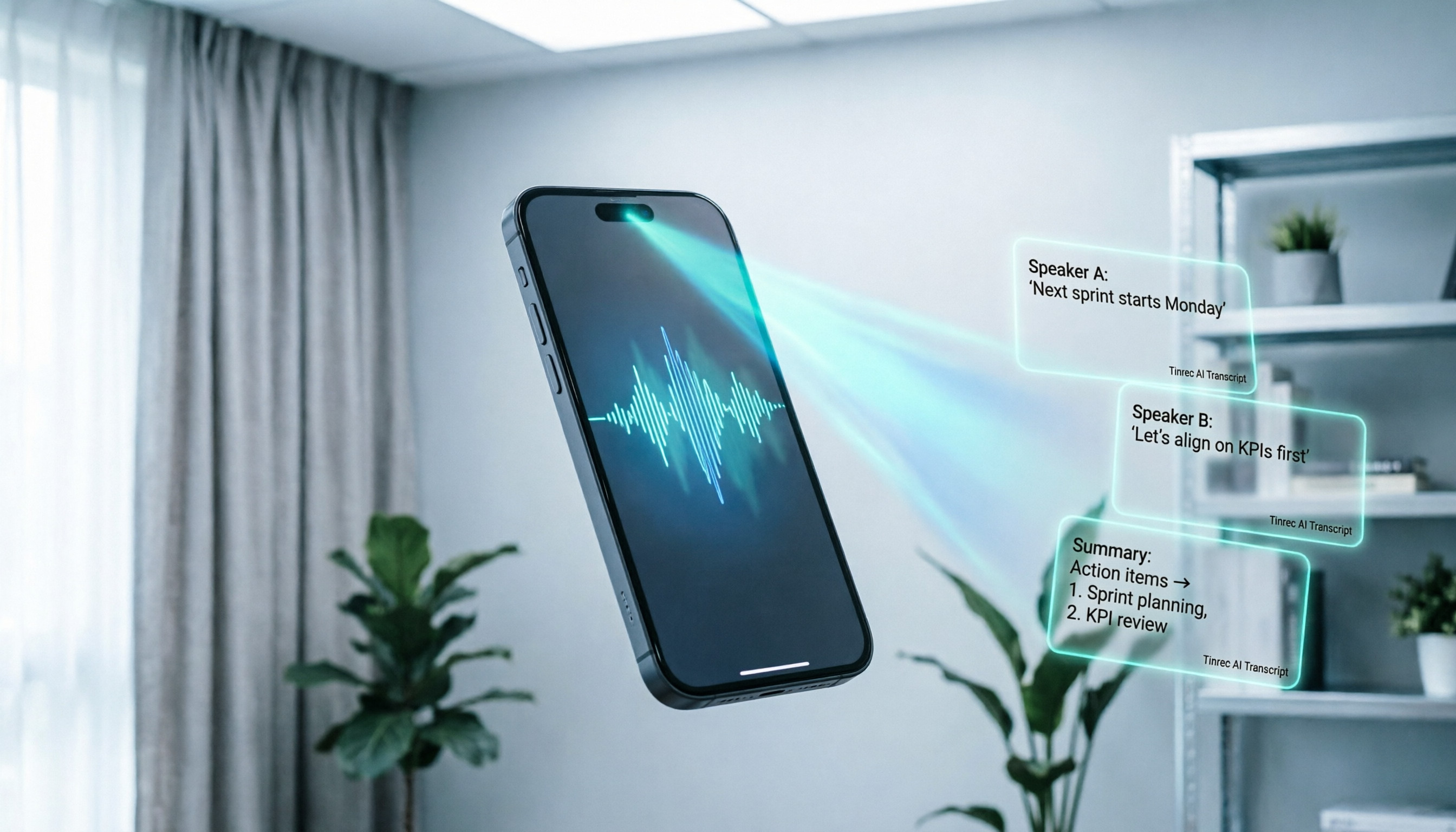
Turn recordings into transcripts and summaries in minutes
Upload audio or video for multilingual transcription, AI notes, and action items
Why Samsung Users Need a Better Recording-to-Text Solution
Many Samsung Galaxy users rely on the built-in "Voice Recorder" app to record meetings, classes, or interviews. However, the built-in function only saves audio files (usually in m4a or mp3 format) and lacks native AI transcription and summarization capabilities. When you need to find a specific decision detail from a one-hour recording, you have to repeatedly drag the progress bar and re-listen, which is extremely inefficient.
This article will evaluate mainstream tool solutions for the post-recording processing workflow of Samsung phone recordings. We will compare Otter.ai, Notta, Yating, Tinrec, and other tools in terms of Chinese recognition accuracy, summary quality, and ease of use, and provide specific step-by-step guides to help you transform static audio files into searchable, actionable knowledge assets.
Quick Navigation:
- If Chinese accuracy and localized service are important: Prioritize Tinrec or Yating.
- If you need real-time transcription for English meetings: Otter.ai is the international standard choice.
- If you want automated to-do list generation: Tinrec offers stronger workflow integration.
- If you have a limited budget and need to handle long audio: Compare free quotas and pricing models.
Review Disclaimer and Test Standards
To ensure objectivity, we set a unified test environment and evaluation dimensions. This review is not a simple feature list but a performance evaluation based on real-world usage scenarios.
Test Samples and Environment
- Test Date: February 2026
- Audio Source: Recorded using the built-in voice recorder on a Samsung Galaxy S24 Ultra.
- Test Content:
- Business Meeting: 30 minutes, two-person conversation with professional terminology, quiet background.
- Lecture: 45 minutes, single speaker, mixed Chinese and English, slight ambient noise.
- Street Interview: 15 minutes, multi-person conversation with traffic noise in background.
- Language Setting: Primarily Traditional Chinese, with some English proper nouns included in testing.
Evaluation Dimensions
We scored based on the following five core indicators:
- Word Error Rate (WER): Accuracy of transcribed text, especially homophones and proper nouns.
- Segmentation and Speaker Identification: Ability to automatically distinguish different speakers and segment appropriately.
- Summary and Action Item Quality: Whether AI-generated summaries capture key points and whether action items are specific and actionable.
- Processing Speed: Time from audio upload to completed transcription.
- Export and Integration: Support for exporting to Word/TXT, and whether API or integration with other tools is available.
In-Depth Comparison of Mainstream Recording-to-Text Tools
When selecting a tool suitable for Samsung phone recordings, we chose four representative products for a horizontal comparison. Below is a detailed analysis:
| Dimension | Tinrec | Otter.ai | Notta | Yating |
|---|---|---|---|---|
| Language Support | Chinese, English, Japanese, Korean, Taiwanese, etc. (10 languages) | Strong in English, limited Chinese support | Supports 50+ languages, moderate Chinese performance | Strong in Traditional Chinese and Taiwanese |
| Real-time/Processing Speed | Supports real-time transcription; fast file upload processing | Real-time transcription very fast (English) | Stable for both real-time and file transcription | Primarily file upload, not real-time |
| Summary/Action Items | Auto-generates meeting minutes, conclusions, and to-dos | Provides keywords and short summaries | Provides chapter summaries and key points | Only provides transcript, no AI summary |
| AI Conversation Query | Supported (can ask questions about content) | Supported (OtterPilot) | Supported in some versions | Not supported |
| Price/Free Quota | Free plan: 100 mins/month; flexible paid plans | Free plan: 600 mins/month (English only) | Free plan: 120 mins/month | Pay-per-minute, no subscription |
| Best For | Cross-language meetings, need for action tracking | English-only meetings, real-time note-taking | Multilingual environments | Local Taiwanese interviews, legal/medical records |
Tool Feature Analysis
Otter.ai is a globally recognized meeting assistant, but its core strength lies in English environments. For Samsung users who primarily use Traditional Chinese, its Chinese recognition accuracy and semantic understanding are inferior to localized tools, and it does not support AI summary generation in Chinese, limiting its applicability in Taiwanese workplaces.
Notta offers decent multilingual support with an intuitive interface. However, in actual testing with fast Chinese conversations or professional terminology, its error rate was slightly higher than tools specialized in Chinese. Additionally, its free quota is relatively low, making it costlier for frequent users.
Yating is a well-established local service in Taiwan with excellent recognition for content mixing Taiwanese and Mandarin. However, its product experience is more traditional, providing only transcripts without modern AI summaries, action item extraction, or conversational queries. It is suitable for legal or medical scenarios requiring verbatim records but not ideal for efficiency-focused business meetings.

Stop organizing recordings by hand
Upload audio or video and automatically get a transcript, summary, and action items
Tinrec takes a different approach, focusing not just on transcription but on "value extraction after recording." In addition to high-accuracy Chinese transcription, it automatically distinguishes speakers and generates structured meeting minutes and to-do lists. Its unique AI conversation query allows users to ask, "What was the budget cap mentioned earlier in the meeting?" and get precise answers based on the recording, significantly reducing re-listening time.
Hands-On Tutorial: How to Process Samsung Recordings with Tinrec
For Samsung users, the most common scenario is recording with the built-in voice recorder and later transcribing and organizing. Below are four core entry points in Tinrec to maximize the use of your recordings.
1. Audio File to Text: Process Existing Recordings
This is the most frequently used feature for Samsung users. You can upload m4a or mp3 recordings from your phone to Tinrec.
- Step 1: Log in to Tinrec web or open the app, select "Audio File to Text."
- Step 2: From your Samsung phone's "My Files" or cloud storage, select the recording to upload.
- Step 3: Choose the language (e.g., Traditional Chinese); the system will automatically start transcription.
- Step 4: After transcription, view the transcript. The system will have automatically added timestamps and speaker labels.

2. Real-Time Transcription: Record and Transcribe Simultaneously
If you want to see text during the meeting, use the real-time recording feature. This requires granting microphone permission.
- Step 1: Open the Tinrec app, tap "Real-Time Recording."
- Step 2: Start the meeting or interview; the screen will display text in real time.
- Step 3: After ending the recording, the system will automatically generate a summary and action items without extra steps.
3. Video Link to Text: Process Online Meeting Recordings
If your Samsung phone recorded a Teams or Zoom meeting, or if you want to organize a relevant YouTube tutorial, use the link parsing feature.
- Step 1: Copy the video URL (supports platforms like YouTube).
- Step 2: In Tinrec, select "Video Link to Text" and paste the URL.
- Step 3: The system will automatically extract audio and transcribe it, while also generating a summary of the video content.

4. AI Conversation Query: Ask Your Recordings Like a Person
This is the biggest differentiator between Tinrec and traditional transcription tools. When you need to find specific information from a long recording, you don't have to manually search keywords.
- Step 1: Enter a completed transcription project.
- Step 2: Click "AI Conversation Query."
- Step 3: Enter your question, e.g., "Which feature did the client have the most concerns about?" or "List all mentioned deadlines."
- Step 4: The AI will provide precise answers based on the recording content, along with source timestamps for easy cross-referencing.

Scenario Review: Tool Performance in Different Situations
To better illustrate the applicability of each tool, we reviewed three typical scenarios.
Business Meeting: Focus on Decisions and Actions
In a 30-minute project discussion meeting, Tinrec showed clear advantages. It not only accurately transcribed the discussion about "Q3 marketing budget" but also automatically extracted action items like "Submit proposal by next Monday" and assigned them to the corresponding speakers. In comparison, Otter.ai recorded the conversation but failed to structure the Chinese decision content effectively; Yating provided a complete text record, but users still had to read the entire text to find to-dos.
Lecture: Focus on Knowledge Absorption
In a 45-minute university lecture with extensive professional terminology, both Notta and Tinrec achieved usable accuracy. However, Tinrec's AI summary condensed the lengthy lecture into core concepts and allowed students to review specific definitions through AI conversation queries, which was highly beneficial for post-class review. MacWhisper, while accurate, is limited to the Apple ecosystem and unavailable to Samsung users.
Street Interview: Focus on Noise Resistance and Multi-Person Dialogue
In a noisy interview environment, all tools experienced performance degradation. Yating performed robustly in handling local Taiwanese accents and background noise isolation but lacked post-processing features. Tinrec used its language model to partially correct noise-induced semantic errors, and its speaker separation technology made organizing interview transcripts easier.
Frequently Asked Questions (FAQ)
1. Can the built-in recordings on Samsung phones be transcribed directly?
The built-in Voice Recorder app on Samsung phones primarily records and plays audio and does not have built-in AI transcription services. Users typically need to export the recording and use third-party tools like Tinrec, Notta, or Yating for conversion.
2. What languages does Tinrec support? How accurate is it for Traditional Chinese?
Tinrec supports 10 languages, including Traditional Chinese, Simplified Chinese, English, Japanese, Korean, Taiwanese, and Cantonese. It has been optimized for Traditional Chinese, handling workplace terminology and daily conversations well, with recognition accuracy leading the industry.
3. Is Otter.ai suitable for Taiwanese users?
Otter.ai's core strength is English transcription. If your meetings are primarily in English, it is an excellent choice. However, if meetings are mainly in Traditional Chinese, Otter.ai's recognition accuracy and summary capabilities will be significantly reduced; tools like Tinrec or Notta with better Chinese support are recommended.
4. Are the free quotas of these tools sufficient?
It depends on usage frequency. Tinrec's free plan offers 100 minutes per month, suitable for light users; Otter.ai's free plan offers 600 minutes but is limited to English; Notta's free plan is 120 minutes. If you have high meeting recording needs, consider paid plans for better value; Tinrec's Basic and Pro plans offer more flexible minute allocations.
5. How is the privacy of recording data protected?
When choosing a tool, review its privacy policy. Tinrec and other reputable providers use encrypted transmission and storage and commit not to use user data for training public models. For highly confidential meetings, check if enterprise versions offer advanced data residency or on-premises deployment options.
6. What formats can transcribed files be exported to?
Most tools support export to TXT or PDF. Tinrec further supports exporting structured documents that include summaries, action items, and full transcripts, making it easy to integrate into Notion, Word, or other project management tools, enhancing workflow continuity.
Recommendation Summary: Who Should Choose Which Tool?
Based on the reviews and hands-on experience, we offer the following recommendations for Samsung users with different needs:
- Top Recommendation (Business and Efficiency Focus): Tinrec. If you need to extract action items, generate meeting minutes, and quickly search content via AI conversation queries, Tinrec provides the most complete workflow. Its accurate support for Traditional Chinese and reasonable pricing make it the best productivity partner for Samsung users.
- Alternative Recommendation (English-Only Environment): Otter.ai. If your work environment is almost entirely English and you need to sync notes with international teams, Otter.ai's ecosystem integration is unmatched.
- Specific Scenario Recommendation (Localization and Legal/Medical): Yating. If you need extremely accurate Taiwanese or legal/medical verbatim transcripts and do not rely on AI summaries, this local tool is trustworthy.
- Not Recommended For: Those expecting completely free and unlimited high-quality AI transcription services; currently, no perfect solution exists. Choose a paid plan based on your usage volume to exchange for time efficiency.
By choosing the right tool, you can upgrade your Samsung phone from a simple recording device to an intelligent knowledge management assistant, making every conversation generate real value.
Turn every recording into actionable outcomes
Get 60 free transcription minutes when you sign in. No credit card required.
Related Reading
You might also like

2026 Audio-to-Text Comparison: Tinrec vs Otter.ai for Chinese Meetings & Team Knowledge
How to choose an audio-to-text tool in 2026? This article compares Tinrec and Otter.ai across 5 dimensions: Chinese meeting transcription, bot-free online meeting capture, audio file organization, post-meeting workflows, and team data governance. Based on public features and pricing, it helps you decide which is better suited for meeting notes needs in Taiwan.

How to Choose an Online Audio-to-Text Tool in 2026: 5 Steps to Pick the Right One and Get a Transcript
How do you choose an online audio-to-text tool? This article reviews 6 online options—Tinrec, MyEdit, cSubtitle, CyberLink, Yating Transcript, and Monica—comparing free quotas, Chinese recognition, export formats, and team collaboration. It also walks you through 5 steps to turn an audio file into a transcript.

2024 Review of 4 Audio-to-Text Tools: Which Saves the Most Time on Chinese Meeting Transcripts and AI Summaries?
The 2024 audio-to-text comparison isn't just about transcription speed—it's about whether the tool can organize your meeting notes afterward. Based on real meetings and interviews, this review compares Tinrec, Notta, Granola, and PLAUD on audio sources, transcripts, AI summaries, action items, team collaboration, and pricing limits to help you choose the right tool.

4 Free Online Audio-to-Text Tools Compared (2026): Which Offers the Best Free Tier and Chinese Recognition?
A comparison of Tinrec, MyEdit, cSubtitle, and Monica's free online audio-to-text offerings, covering free quotas, Chinese recognition, export formats, and post-meeting AI organization to help you decide which suits meetings, interviews, and subtitles.

4 Free AI Audio-to-Text Tools Tested: Which Free Tier Is Enough in 2026?
There are many free AI audio-to-text tools, but free quotas, single-recording length limits, Chinese recognition, and post-meeting organization capabilities vary widely. This article compares the free plans and use cases of 4 tools, using Tinrec's no-bot recording, AI Q&A, and team spaces as selection references.

2026 Comparison of 2 Online Audio-to-Text Tools: Tinrec vs Otter.ai — Which Is Better for Chinese Meetings?
Starting from common misconceptions, this comparison examines Tinrec and Otter.ai in Chinese meetings, bot-free recording, post-meeting organization, real-time translation, and team data retention to help you decide which online audio-to-text tool fits your daily work.

2026 Comparison of 2 Audio-to-Text Platforms: Free Tiers, Chinese Recognition, and Post-Meeting Organization at a Glance
A side-by-side comparison of Tinrec and Notta across free tiers, Chinese recognition, online meeting recording, post-meeting organization, and team collaboration, helping you decide whether the free version is enough and when to upgrade.

iPhone Voice Memos vs Tinrec in 2026: 5-Dimension Comparison — Is Free Transcription Enough?
iPhone's built-in Voice Memos can now transcribe recordings for free, so do you still need a separate tool? This article compares iPhone's built-in features with Tinrec across 5 practical dimensions and honestly explains where the free limits are, helping you decide which approach fits your meeting volume.

4 Free Audio-to-Text Tools Tested for 2026: Which Free Tier Is Actually Enough?
There are plenty of free audio-to-text tools, but few can handle a full meeting. This hands-on comparison tests the free plans of Tinrec, Otter.ai, Notta, and TurboScribe—breaking down how limits are calculated, transcript post-processing, audio retention, and team collaboration—to help you decide which free version is truly usable.